The Roku App (Official)
- 4.16M
- 4.7
- Installs
- 50.00M
- Price
- Free
Screenshots
Analysis by Reviewed APKs
The Roku App (Official) turns an Android phone or tablet into a companion for Roku devices, with remote control, search, private listening, and media casting among its jobs. I found its appeal clearest in ordinary moments: when the physical remote is out of reach or typing a title with a phone keyboard sounds easier. It is useful alongside a Roku setup, but it is not a replacement for one.
When the Remote Goes Missing
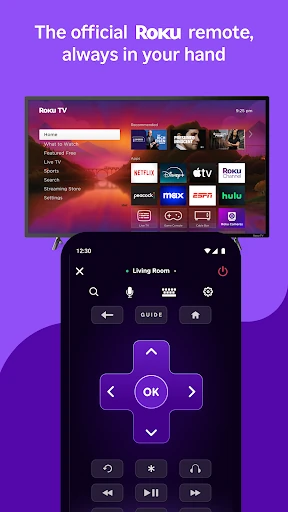
When I first opened The Roku App, I pictured the familiar living-room scramble: the show is ready, someone has sat on the remote, and the phone is already in my hand. The app can control a Roku device, so it offers a practical backup for navigating entertainment without hunting through sofa cushions. Your phone or tablet needs to share a wireless network with the Roku for certain features, which is worth sorting out before settling in.
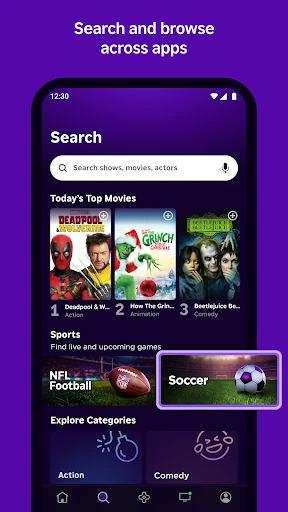
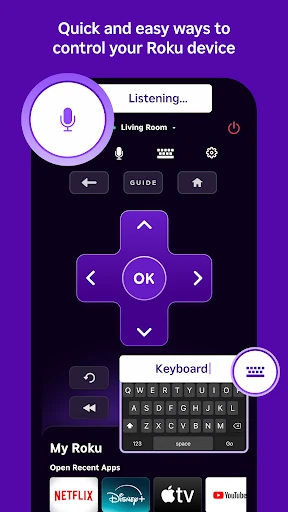
The phone keyboard is another everyday convenience. Searching for a film or entering text on a Roku device can feel slow with a traditional remote, especially when the title is long or awkward to spell. Here, the app lets you use your mobile keyboard for text entry and offers voice or keyboard search. I like that these tools address a real friction point rather than asking me to change how I watch.
A Companion, Not a TV
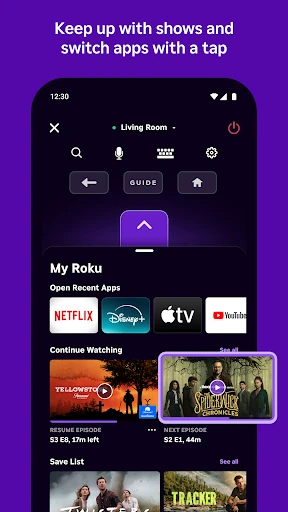
The most useful comparison is with the physical Roku remote: the app supplies another way to control a Roku device and makes text entry easier with a phone keyboard. It also adds private listening with headphones and the ability to cast media files from a phone. That makes it a flexible companion, particularly when the handset is already nearby, rather than just a digital copy of a remote.
It is not a general-purpose streaming replacement for every device or service. Several features depend on a compatible Roku device, some require a Roku account, and certain functions need the phone and Roku on the same wireless network. The Roku Channel can be watched in the app only in the US, while channel availability and payment requirements vary. If you do not use Roku hardware, the app has less to offer.
Small Habits That Help
I would make checking the shared wireless network part of the setup routine, especially before relying on the phone as a remote. That small step can save an interruption when everyone is ready to watch. It also helps to remember that some app features have additional requirements, including a compatible Roku device or signing in to a Roku account, so the best experience depends on the particular feature you want.
For a smoother evening, I would use the phone keyboard when entering a title, then keep the handset nearby if private listening or casting might come in handy. The Roku Channel is another option when watching on the go in the US. I would treat the app as a collection of useful tools rather than expecting every feature to apply everywhere; language, country, device compatibility, and channel terms can all matter.
More From Our News Desk

Zoom Meetings, Google Meet, or Teams: Which Is Easiest to Join?

How I Build a Free Streaming Lineup With Tubi

Why Crunchyroll Is the Default Anime App for So Many Fans

YouTube TV: A Practical Guide to Cutting Cable

Rummikub and the Small Comfort of Phone Games

TeamViewer Remote Control or AnyDesk for Helping Family?
Who Will Get the Most From It
I would recommend The Roku App to people who already use Roku devices and want a convenient phone-based remote, easier text entry, or a way to search by voice where supported. It suits a household routine well: keep the app on a phone that is often nearby, and it can step in when the physical remote is misplaced or a title is easier to type than navigate to.
It may be less compelling if you do not own or use a compatible Roku device, since several central features are built around controlling one. It is also not a universal catalog of streaming services, and Roku Channel viewing in the app is limited to the US. People expecting every feature in every country should keep those availability details in mind and check what works with their setup.
The Roku App (Official) is an entertainment app from Roku, Inc. & its affiliates. On Google Play, it has over 50 million installs and a 4.7-star rating from around 4.2 million ratings. It is free to download, contains ads, and does not offer in-app purchases. Its content rating is Teen, and the listed minimum requirement is Android 9.
The listed version is 13.4.0.7242945. The app was released on March 2, 2012, and its most recent update was February 5, 2026. These details provide a useful snapshot of the Android app, though app versions and store information can change over time.
A Handy Second Remote for Roku
A Familiar Starting Point
My first impression is that this app makes the most sense when approached with a Roku device already in mind. It is not asking me to build a new viewing setup; it adds phone-based ways to interact with one. The core idea is easy to grasp: use the mobile device for control, search, listening, and selected media sharing.
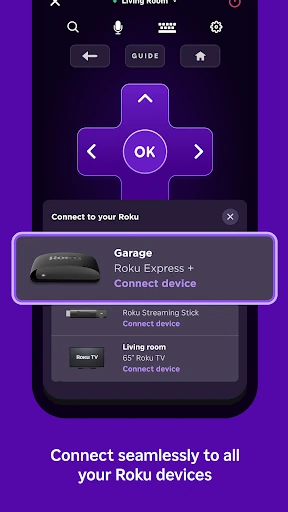
Before settling into a feature, I would check that the phone or tablet and Roku are on the same wireless network. The app says that this is needed for certain functions, not necessarily every one. Some features may also depend on a compatible Roku device or a Roku account, so setup can vary with what I plan to use.
Useful in the Daily Mix
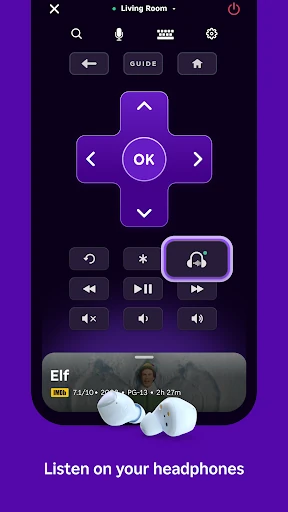
The remote function is the practical center of the experience. A phone is often closer than the physical remote, and being able to control a Roku device from it can be welcome during a relaxed evening. The app also supports easier text entry through the mobile keyboard, a small improvement that matters when a search involves more than a few characters.
Search gives users a choice between voice and keyboard, rather than forcing one method. Voice search availability depends on language and location: English is supported in the US, UK, and Canada, while Spanish is supported in Mexico and the US. That makes it useful to understand the boundaries before expecting voice search to behave the same way everywhere.
More Than Remote Control
Private listening is a thoughtful extra for situations where the TV sound would disturb someone nearby. The app supports listening with headphones, which can suit a late-night session or a shared home where people are winding down at different times. It is a focused convenience, not a claim that every Roku setup or headphone arrangement will work identically.
The app can also cast media files from a phone, including photos and videos, to a TV. That gives it a role beyond browsing channels: it can help bring selected personal media into a shared-room viewing session. I would keep expectations tied to the described media-file casting feature rather than assume broader screen mirroring or support for every kind of content.
A Relaxed Evening Routine
A simple routine might start with the app ready on the phone, then use the remote controls to navigate the Roku device and the keyboard to enter a title. If I want to keep the room quiet, private listening with headphones is another available option. These uses fit naturally around the main activity instead of requiring a separate entertainment plan.
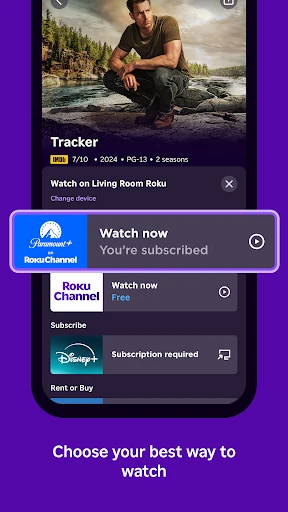
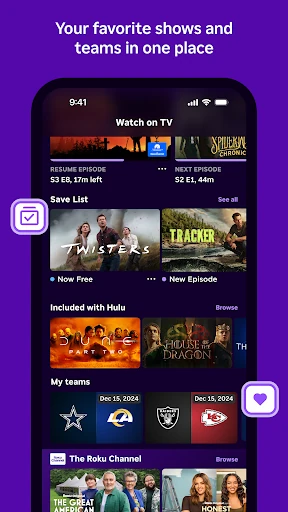
On a day when I want something to watch away from the TV, The Roku Channel can be viewed in the mobile app in the US, with free movies, live TV, and more described as part of the offering. I would treat that as a location-specific extra. Channel availability and whether a channel requires payment can vary by country and can change.
Keep Expectations Grounded
The app’s usefulness depends on having Roku hardware for the device-control features, and some functions have compatibility or account requirements. Network sharing is another practical dependency for certain features. Those are not unusual conditions for a device companion, but they do mean the app is not equally useful in every household or on every trip.
Availability is not uniform across features. Voice search has defined language and country support, and in-app Roku Channel viewing is limited to the US. Channels can vary by country and may require payment. I would also remember that the app contains ads, even though it is free and does not offer in-app purchases, when deciding whether its trade-offs suit my preferences.
The Roku App (Official) earns its place as a practical companion for people who already watch through Roku. Its remote, mobile keyboard, search options, private listening, and phone-media casting cover several small but genuine conveniences. I especially like the way it can help with the everyday annoyance of typing or locating a remote.
I would recommend it to Roku users who want those extra controls within reach and are comfortable with the network and compatibility requirements. If you do not use Roku devices, or want one app to cover every streaming service and region, this is less likely to become a regular part of your routine.
The Roku App Frequently Asked Questions
What is The Roku App (Official) used for?
The Roku App can control Roku devices, search for entertainment by voice or keyboard, and make text entry on a Roku device easier with a mobile keyboard. It also supports private listening with headphones, casting media files such as photos and videos to a TV, and viewing The Roku Channel in the mobile app in the US.
Which phones and devices support The Roku App?
The app is available for Android phones and tablets, with Android 9 listed as the minimum requirement. Its features are designed to work with Roku devices; some require a compatible Roku device, and certain functions need the phone or tablet to share a wireless network with the Roku. Feature availability can vary by device and location.
Does The Roku App cost money?
The Roku App is free to download and does not offer in-app purchases. It does contain ads. Some channels accessed through Roku may require payment, and channel availability and terms can vary by country. Check the Google Play store and the relevant channel details for current information.
Does The Roku App require Android 9?
The listed minimum requirement is Android 9. The app is intended to work with Roku devices, and some features may also require a compatible device, a Roku account, or a shared wireless network. Requirements and feature availability can change, so it is worth checking the Google Play store for the latest details.
Who should use The Roku App?
It is best suited to people who already use Roku devices and want a phone-based remote, easier text entry, or other companion features. It may be less useful without Roku hardware. Voice search and Roku Channel viewing have country and language limits, so check the store and feature details if those specific functions matter to you.
Pros
- Combines Roku remote control with convenient mobile keyboard text entry.
- Offers voice and keyboard search, with voice support in selected languages and countries.
- Includes private listening and casting for phone photos and videos.
- Free to download, with no in-app purchases.
Cons
- Several features depend on a compatible Roku device or shared wireless network.
- Roku Channel viewing in the mobile app is limited to the US.
- The app contains ads, and channel availability or payment requirements can vary.
- Category
- Entertainment
- Version
- 13.4.0.7242945