Spectrum TV
- 372.91K
- 4.7
- Installs
- 10.00M
- Price
- Free
Screenshots
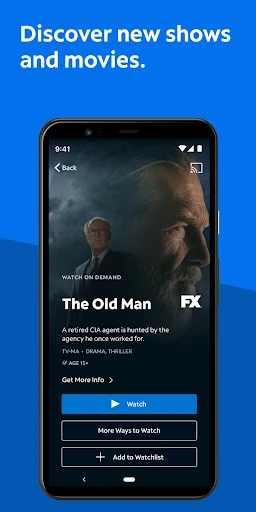
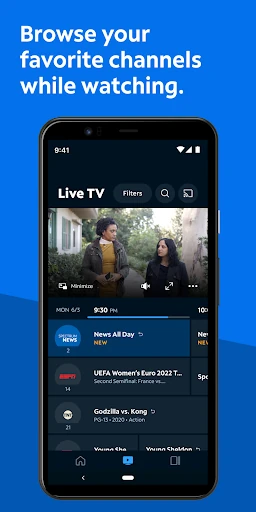
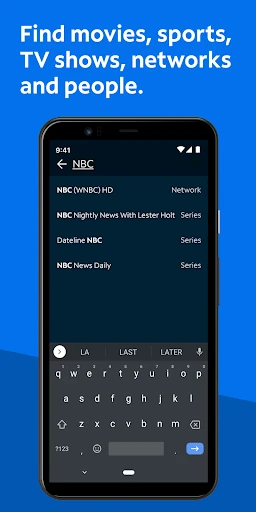
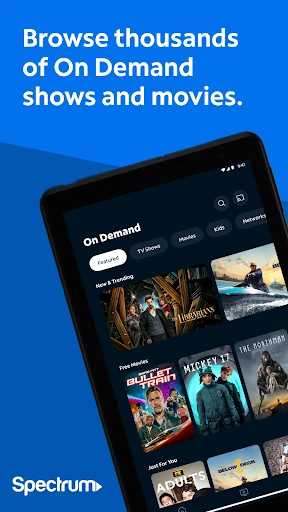
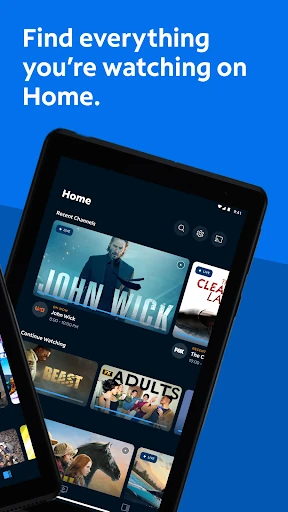
Analysis by Reviewed APKs
Spectrum TV is a companion app for Spectrum subscribers who want live television and On Demand shows on a phone or tablet, at home or away. I like that it brings channel browsing, search, casting, and some receiver and DVR controls together in one place. It makes the most sense if Spectrum TV is already part of your household; it is not a standalone way to get television without a subscription.
A TV break away from home
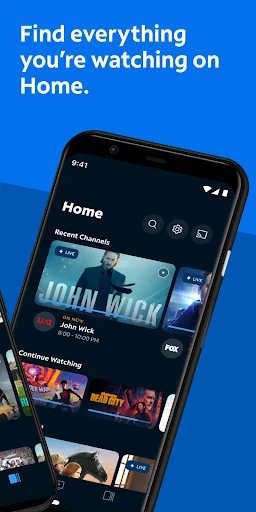
When I first opened Spectrum TV, I pictured using it during the ordinary gaps in a day: waiting for someone, taking a lunch break, or settling in with a tablet while the living room TV is occupied. The app can stream live television and On Demand programming, so those moments do not have to mean giving up the shows and channels included with a Spectrum TV package. What you can watch depends on that package.
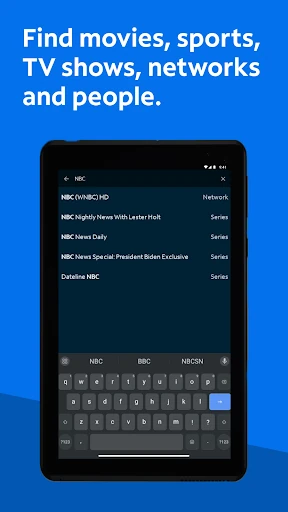
I would start by signing in with a Spectrum username and password, then look through the guide for a channel or program that suits the moment. If I already know what I want, the search can look for a title, network, actor, or sports team. That feels more practical than scrolling through a general entertainment catalog when I am trying to catch a particular game or find a familiar show.
A companion, not a replacement
Compared with a general streaming service, Spectrum TV is tied to a Spectrum television subscription and its available programming. That makes it a useful second screen for an existing customer, rather than a fresh alternative for someone choosing a TV service. I would think of it as an extension of the household setup: watch on a mobile screen, browse a personalized channel guide, or use the app to interact with a compatible receiver.
It is also not simply a remote video library that works the same way for every account in every place. The package determines which programming is available, and some titles require Spectrum In-Home WiFi. Optional DVR services and compatible equipment matter for recording and managing recordings. If someone wants an app that independently provides a complete television lineup, this one is not aimed at that need.
Make browsing more personal
A small bit of setup can make repeated browsing feel less like starting over. I would mark favorite channels to build a more personal guide, especially if my household usually checks the same news, sports, or entertainment channels. Search is another shortcut worth remembering: looking up a network or actor can be easier than paging through channel names when I have only a minute to decide what to watch.
For shows I want to remember, I would add Spectrum Originals to the Watchlist and use the app's showtime and recording options when they fit my account and equipment. If I have a compatible DVR, the app can also let me play, modify, or delete recordings on the TV. These are modest habits, but they turn the app from a one-off viewing option into a more useful companion to regular TV routines.
More From Our News Desk

Zoom Meetings, Google Meet, or Teams: Which Is Easiest to Join?

How I Build a Free Streaming Lineup With Tubi

Why Crunchyroll Is the Default Anime App for So Many Fans

YouTube TV: A Practical Guide to Cutting Cable

Rummikub and the Small Comfort of Phone Games

TeamViewer Remote Control or AnyDesk for Helping Family?
Who will get the most from it
I would recommend Spectrum TV to people who already have a Spectrum TV subscription and want more flexibility around where they watch. It suits a household where someone may want to follow live programming on a phone, browse On Demand choices on a tablet, or cast from a mobile device to a compatible TV with Chromecast. The channel favorites, search, Watchlist, and parental controls give it useful everyday jobs beyond simply pressing play.
It may be a poor fit for someone without a Spectrum subscription, or for a viewer who expects every title to be available on every connection. The app's usefulness depends on the TV package, and some programming requires in-home WiFi. DVR tools also depend on optional service and compatible equipment. If the goal is an independent streaming service rather than an extension of Spectrum TV, I would look elsewhere.
Spectrum TV is an Entertainment app from Charter/Spectrum. Google Play shows more than 10 million installs and a 4.7-star rating from about 373,000 ratings. It is free to download, contains ads, and does not offer in-app purchases. A Spectrum TV subscription, plus a Spectrum username and password, is required to sign in and watch programming.
The app is rated Teen on Google Play. Its listed version is 10.14.0.303914685.release, and the listed release date is November 29, 2011. The most recent update shown is October 23, 2026. The minimum Android version is not included in the available app details, so check Google Play for the requirement that applies to your device.
How Spectrum TV Fits Into Everyday Viewing
Getting started
My first impression is that Spectrum TV is organized around the practical question of what to watch, rather than asking me to treat it like a brand-new television service. The first essential step is signing in with Spectrum credentials. That requirement sets the tone: this is a companion for existing customers, and what appears afterward depends in part on the package tied to the account.
Once signed in, I would take a moment to choose favorite channels and try a search for a program I already know. That gives the guide a more personal starting point and shows how quickly a familiar title or network can be found. It is a simple setup, but it helps avoid the feeling of browsing a long list from scratch every time I open the app.
The app can be used at home or on the go, but the viewing context matters. Some titles require a connection to Spectrum In-Home WiFi, and programming depends on the subscription. I would keep those details in mind before planning to watch a specific show away from home; the app offers flexibility, but not every program is necessarily available in every situation.
A useful second screen
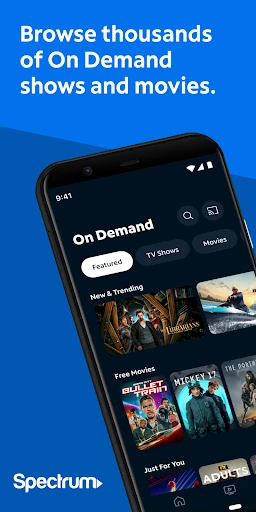
Day to day, the strongest use is having live TV and On Demand viewing available on a mobile device. I can imagine checking a live channel while someone else has the main television, or using a tablet for a quieter viewing session. The app describes access to thousands of On Demand shows and movies, giving subscribers a way to browse beyond whatever is on live television at that moment.
I also appreciate having more than one route into the catalog. When I know a show, network, actor, or sports team, search can get me closer to it without relying entirely on channel-by-channel browsing. When I am less certain, the personalized guide and channel favorites offer a more familiar path. That choice between direct search and casual browsing is useful in ordinary, low-stakes viewing.
Casting from a phone or tablet to a compatible TV with Chromecast adds another option when a small screen is not ideal. I would treat it as a convenience for moving a viewing session to a larger display, not as a promise that every screen or setup will work. The supported casting option is specifically described for compatible Chromecast devices.
Features with a household role
The app's receiver controls make it more than a way to stream video on a phone. Spectrum TV says users can change channels on a Spectrum Receiver, check showtimes, and record favorite shows and movies with optional DVR services. For someone who already uses that equipment, being able to use the mobile app alongside it can make channel planning and recording part of the same routine.
DVR management has some important conditions. Playing, modifying, or deleting recordings on the TV depends on having a compatible DVR, and recording depends on optional DVR services. I would not assume those controls apply to every Spectrum account. Still, when the necessary service and hardware are in place, the app can help bridge the gap between looking up a program and managing how it is watched later.
Parental controls are another household-focused feature. The description says users can turn them on and set a PIN to block shows by channel or rating, with those blocks applying across devices in the household. That makes the controls relevant to shared viewing, rather than only to the person holding the phone. It is a practical feature for families who want consistent limits across their devices.
A simple weekly routine
A routine I would use is checking showtimes at the start of the week, then recording programs I do not expect to watch live if my account includes DVR service. The app supports showtime lookup and recording, so it can help turn a vague intention to catch a show into a more organized plan. Later, compatible DVR users can manage recordings on the TV through the app.
For everyday browsing, I would keep a short list of favorite channels and use the Watchlist for Spectrum Originals I want to revisit. If a specific program comes to mind, I would search by title, network, actor, or sports team rather than repeatedly scrolling. The routine is not complicated; it is mostly about using the app's shortcuts to make the next viewing choice easier.
When I want to watch with other people, casting to a compatible Chromecast-equipped TV is an option, while a phone or tablet works for solo viewing. I would check whether the title I want is available in my package and whether it needs in-home WiFi before relying on it away from home. That quick check helps set realistic expectations without taking much time.
Limits to keep in mind
The biggest limitation is also the app's defining boundary: it requires a Spectrum TV subscription and Spectrum sign-in. It is not a free television lineup just because the download costs nothing. The package controls available programming, and some titles require Spectrum In-Home WiFi. Those conditions make a difference when comparing it with services that sell access independently or offer the same catalog wherever you connect.
Some of the more useful controls depend on extras. Recording requires optional DVR services, and DVR playback and management on the TV require compatible equipment. Chromecast casting also requires a compatible TV setup. I would consider these features bonuses for customers who already have the supporting service or devices, not universal capabilities that every user should expect to have.
Finally, the app includes ads, and the Google Play age rating is Teen. The available details do not give a minimum Android version, so it is sensible to check Google Play before installing on an older device. None of these points cancels out the convenience for a current subscriber, but they help explain why the app is best judged as part of a particular Spectrum household setup.
Spectrum TV works best as an extension of a subscription a household already has. Live and On Demand viewing, channel favorites, search, Chromecast support, parental controls, and optional DVR tools cover a useful range of situations without making the app feel like a separate TV service.
I would recommend it to Spectrum TV customers who want to watch or manage programming from a mobile device. I would skip it if I wanted a standalone streaming subscription or universal access to every title anywhere. For the right account, it is a practical companion, with package and equipment limits worth checking.
Spectrum TV Frequently Asked Questions
What is Spectrum TV used for?
Spectrum TV lets subscribers watch live television and On Demand programming on a mobile device. It also supports channel favorites, searching for titles, networks, actors, or sports teams, and casting to a compatible TV with Chromecast. Depending on the account and equipment, it can also help control a Spectrum Receiver and manage DVR recordings.
Which devices can use Spectrum TV?
Spectrum TV is available as an Android app for phones and tablets. It can cast from a phone or tablet to a compatible TV using Chromecast, and some features work with a Spectrum Receiver or compatible DVR. For supported Android versions and device compatibility, check the Google Play store details, which may vary by device.
What Android version does Spectrum TV require?
The minimum Android version can vary by device and is worth checking on the Spectrum TV Google Play page before installing. The app requires a Spectrum TV subscription and Spectrum username and password to sign in. Some programming also requires Spectrum In-Home WiFi, and the available channels depend on the subscriber's TV package.
Does Spectrum TV cost money?
The app is free to download and has no in-app purchases, but watching requires a Spectrum TV subscription with a username and password. The programming available through the app depends on the TV package. Google Play indicates that the app contains ads. Check the store and Spectrum account details for current service terms.
Who should use the Spectrum TV app?
It is best suited to existing Spectrum TV customers who want live or On Demand viewing on a phone or tablet, or who want to use supported receiver, casting, or DVR features. It may not suit someone looking for an independent streaming service. Recording and DVR management depend on optional service and compatible equipment.
Pros
- Combines live TV and On Demand viewing for existing Spectrum subscribers.
- Searches by title, network, actor, or sports team.
- Favorite channels and Watchlist support quicker, more personal browsing.
- Offers receiver controls, parental controls, and optional DVR tools.
Cons
- Requires a Spectrum TV subscription and Spectrum sign-in.
- Available programming depends on the package, with some titles requiring in-home WiFi.
- DVR features require optional service and compatible equipment.
- Category
- Entertainment
- Version
- 10.14.0.303914685.release











