Sling: Live TV + Freestream
- 97.83K
- 3
- Installs
- 10.00M
- Price
- Free

Screenshots
Analysis by Reviewed APKs
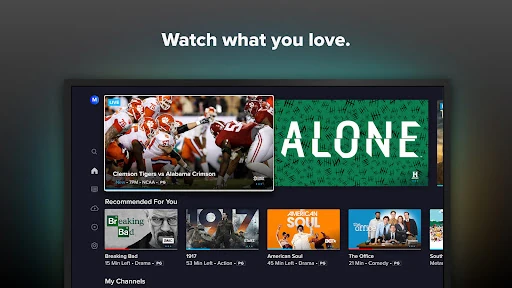
Sling: Live TV + Freestream brings live television, on-demand shows and movies, and a free viewing option into one streaming app. It suits people who still want channels for sports, news, or familiar shows but would rather customize a TV package than sign up for cable. After spending time with its mix of paid and free viewing, I see it as a practical middle ground, with subscriptions and channel choices to weigh.
A night built around live TV
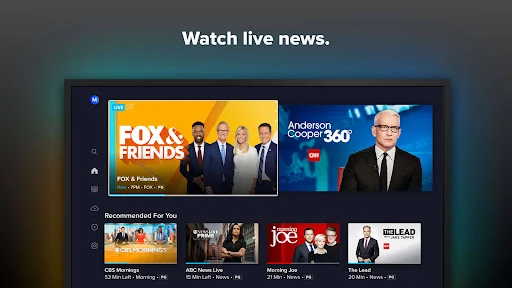
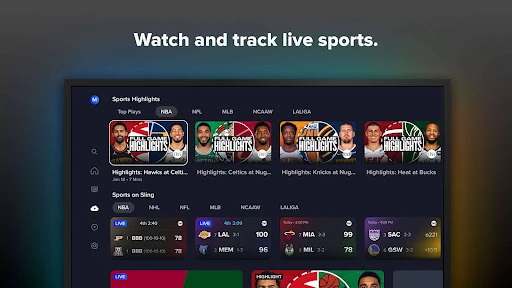
When I want to keep a game on while making dinner, Sling’s live-TV approach feels familiar: choose a channel and watch what is airing, rather than first deciding on a particular episode. The same setup works for catching news headlines or putting on a channel while other things are going on at home. Sports, news, entertainment, lifestyle, and kids’ channels give the app several kinds of viewing to draw from.
I also like having a free route to explore. Sling Freestream offers live and on-demand programming without a credit card, so I can browse what is available before thinking about a paid package. It is a useful distinction in a household where one person wants live channels and someone else just wants something to watch. The free selection and paid service sit under one roof, but they are not the same thing.
Channels, not just a library
Sling makes most sense if you miss the rhythm of channel-based TV: sports at a scheduled time, news as it breaks, or shows that happen to be on. An on-demand streaming service is often better when I already know the exact series or film I want and plan to watch it from the beginning. Sling does offer a large on-demand catalog, but its live channels and customizable packages are central to the experience.
It is not a simple replacement for every kind of streaming subscription, nor does the app itself mean all its paid content is free. Paid plans and optional purchases sit alongside Freestream, and the right channel mix depends on what I actually watch. I would compare package options before subscribing rather than assume a single plan includes every channel or event I want.
Make viewing easier to revisit
A small habit that helps is to think ahead about what I want to catch live and what I can watch later. Sling includes 50 hours of DVR storage, which gives me a way to record shows or games and return when it suits me. That can be handy on a busy evening, though the storage limit is worth keeping in mind if I record regularly.
I’d also use the free section as a low-commitment browse, then check paid packages against the channels I genuinely use. For a household with different tastes, it helps to make a short list—sports, news, kids’ shows, or international programming—before choosing. Sling says plans can be customized and service paused or changed, which makes revisiting that choice part of a sensible viewing routine.
More From Our News Desk

Zoom Meetings, Google Meet, or Teams: Which Is Easiest to Join?

How I Build a Free Streaming Lineup With Tubi

Why Crunchyroll Is the Default Anime App for So Many Fans

YouTube TV: A Practical Guide to Cutting Cable

Rummikub and the Small Comfort of Phone Games

TeamViewer Remote Control or AnyDesk for Helping Family?
Who will get the most from it
I’d recommend Sling to viewers who want live sports or news alongside regular TV channels, and who like having the option to tailor a package. Its range spans entertainment, lifestyle, kids’ programming, and international content, while Freestream provides a separate way to sample free live and on-demand viewing. The included DVR storage also suits people who often miss a broadcast and prefer to catch up later.
It may be less appealing if you only watch a few specific on-demand titles, want every channel in one fixed package, or would rather avoid a paid subscription entirely. Freestream is useful, but it is not the same as the full paid channel service. I’d also be cautious about subscribing before checking which channels and events matter most to me, since package fit is a personal decision.
Sling: Live TV + Freestream is an Entertainment app from Sling TV, L.L.C. On Google Play, it has over 10 million installs and a 3.0-star rating from about 98,000 ratings. The app is free to download and contains in-app purchases; listed purchase prices range from $0.99 to $99.99 per item. Google Play gives it a Teen content rating.
The listed minimum requirement is Android 7.0, and the current version in the supplied app details is 9.5.36. The app was released on February 9, 2015, and last updated on February 4, 2026. Sling describes paid service as customizable, with no long-term contracts, and says Freestream does not require a credit card.
How Sling Fits a TV Routine
Opening the app
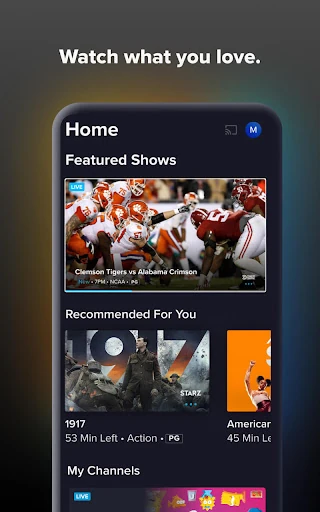
My first impression is that Sling is designed around watching, not around maintaining a personal library alone. It brings live channels and on-demand viewing together, with Freestream as a distinct free option. That makes the app’s basic appeal easy to grasp: choose something airing now, find something to watch on demand, or browse free programming before deciding whether paid TV is worth it.
Before getting invested in a particular channel lineup, I’d take a moment to work out whether I’m exploring Freestream or considering a paid package. The app offers both, and that distinction affects what I can watch. I’d also make a quick list of must-have channels or sports before choosing a plan, rather than expecting the first option I see to match every preference.
The everyday viewing rhythm
In day-to-day use, live TV is the part that feels most different from opening a library and selecting a title. I can tune in for a game, check the news, or leave a familiar entertainment channel on while I do something else. When I have a specific show or film in mind, the on-demand side offers another route, so the app can serve both planned viewing and casual channel surfing.
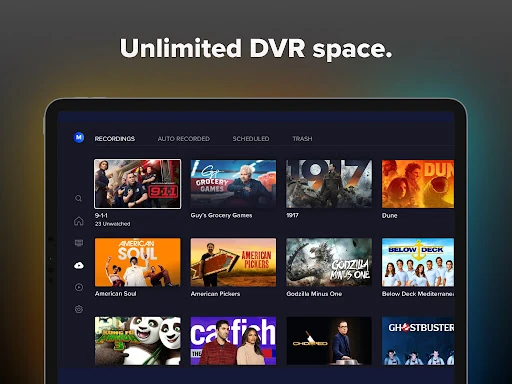
Sling describes more than 120,000 on-demand movies and shows, as well as 50 hours of included DVR storage. Those options matter most when a live schedule does not fit my evening. I can record a favorite and return to it later, or pick from on-demand viewing instead. The combination is useful, though it still depends on the channels and content available through the chosen service.
Free and paid choices
Freestream stands out because it gives the app a genuinely approachable first step: Sling says it includes thousands of hours of free live and on-demand TV and does not require a credit card. That is handy when I want to see what the app offers without immediately committing to a paid plan. It also gives someone in the household a free option while another viewer considers a subscription.
The paid side is more customizable, with channel packages spanning sports, news, entertainment, lifestyle, kids’ shows, and international programming. Sling also describes access to programming in 22 languages, including Spanish, Hindi, and Arabic. I would treat those categories as a starting point for comparing packages, not a promise that every channel or title is available in every plan.
A practical weekly routine
For a typical week, I’d use Sling in two modes. First, I’d check in live for sports or news I care about. Then, if a show conflicts with dinner or another commitment, I’d use the included DVR space to record it and watch later. That simple split—live when timing matters, recording when it doesn’t—makes the app feel more useful than a channel guide alone.
On a quieter night, I’d browse Freestream or the on-demand selection rather than defaulting to a paid channel. If I were choosing a package, I’d review what I actually watched over a week and compare that with the channels I want. Sling says service can be paused or customized, so it makes sense to revisit the lineup as viewing habits change.
Things to weigh first
Sling’s biggest practical consideration is that its full live-TV experience involves paid packages, while Freestream is a separate free selection. A low-cost entry point should not be mistaken for access to every channel or event. I’d check the current package details in Google Play or Sling’s service information before paying, especially if I’m signing up for a specific sports season or channel.
The 50-hour DVR allowance is useful, but it is a defined amount of storage rather than an unlimited recording promise. Sling describes an Unlimited DVR upgrade, though that is an additional option to consider. The Google Play rating is 3.0 stars, so I would temper expectations and decide based on the channels, free selection, and viewing habits that matter to me.
Sling: Live TV + Freestream is at its best when I want live channels, especially sports or news, alongside on-demand viewing and a way to record programs for later. Freestream makes it easier to try a portion of the experience without a credit card, while paid packages offer a more customizable channel lineup.
I’d give it a look if live TV is still part of my routine and I’m willing to compare packages carefully. If I mainly watch specific on-demand titles or want everything free, it is probably not the right fit. The app’s blend is convenient, but the value depends on choosing channels I will actually watch.
Sling Frequently Asked Questions
What is Sling: Live TV + Freestream used for?
Sling is for watching live television, including sports, news, entertainment, lifestyle, and kids’ programming, alongside on-demand shows and movies. It also offers DVR storage for recording programs and Freestream, a free selection of live and on-demand TV. The exact paid channels and viewing options depend on the package and service details.
Which devices can run Sling: Live TV + Freestream?
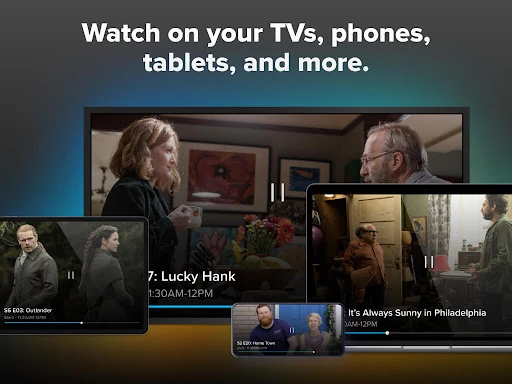
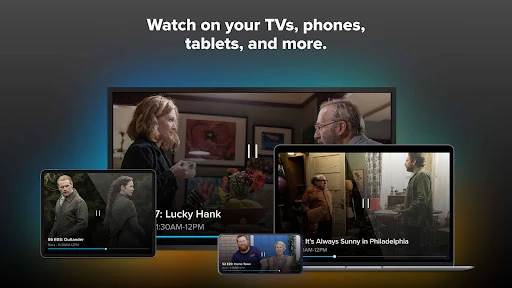
The app is available for Android, and Sling describes support for Android TV and Google TV navigation with remote controls. It also refers to watching on favorite devices, but device availability can vary. For the current supported-device details, it is worth checking the Google Play store entry and Sling’s service information.
What Android version does Sling require?
The listed minimum requirement for Sling: Live TV + Freestream is Android 7.0. Whether a particular device can install and run the current version may depend on its software and compatibility, so check the Google Play store entry on that device for the latest requirement.
Is Sling: Live TV + Freestream free?
The app is free to download, and Freestream offers free live and on-demand programming without a credit card. The app also has in-app purchases, with listed item prices ranging from $0.99 to $99.99. Paid channel packages and optional content have separate costs, so check the current Google Play details before purchasing.
Who is Sling: Live TV + Freestream best for?
It is a good fit for viewers who want live sports, news, and TV channels together with on-demand choices and DVR recording. Freestream may suit people who want to browse free programming first. It may be less appealing if you only want a small on-demand library or do not want to consider paid packages.
Pros
- Combines live channels, on-demand viewing, and free Freestream programming.
- Includes 50 hours of DVR storage for recording shows and events.
- Offers customizable channel packages across several viewing interests.
- Freestream does not require a credit card.
Cons
- The full live-channel experience requires choosing a paid package.
- Included DVR storage is limited to 50 hours.
- The Google Play rating is a modest 3.0 stars.
- Category
- Entertainment
- Version
- 9.5.36











