Sainsbury's
- 45.98K
- 3.9
- Installs
- 1.00M
- Price
- Free

Screenshots
Analysis by Reviewed APKs
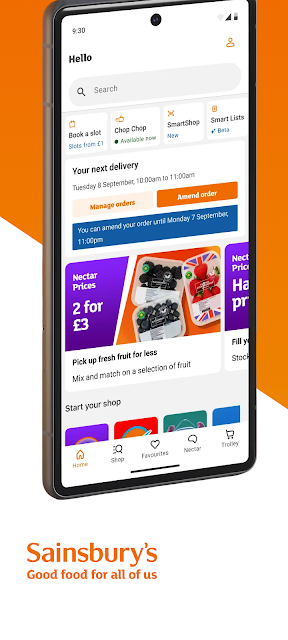
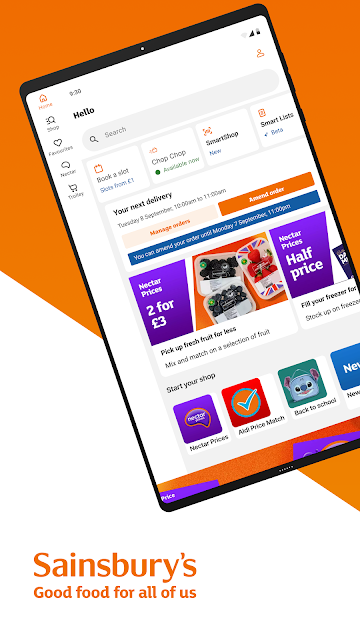
Sainsbury's is a grocery shopping app for planning an order, arranging delivery or Click & Collect, and making store trips more organized. It also brings together Nectar rewards and in-store tools such as SmartShop. I find its appeal straightforward: it can support several parts of a Sainsbury's shopping routine without needing separate apps. It makes the most sense for shoppers who already use the supermarket.
From list to grocery shop
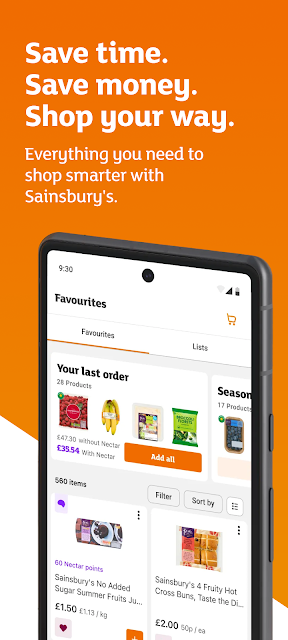
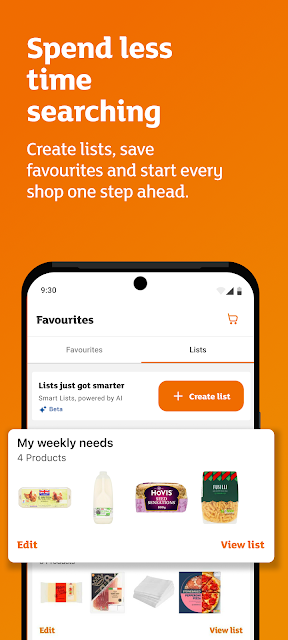
When I start planning a weekly shop, the useful part is being able to make a list before I decide how to buy everything. I can save favourites for repeat orders, then shop groceries online and book a delivery or Click & Collect slot. That makes the app relevant whether I am planning ahead at home or trying to get the essentials sorted around a busy week.
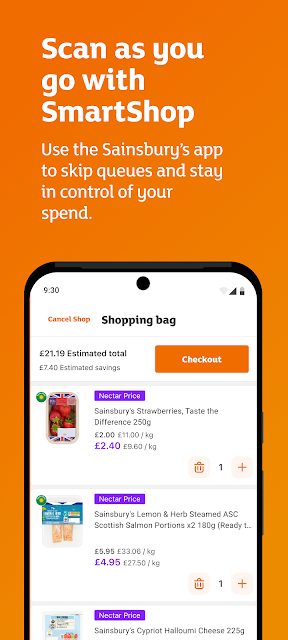
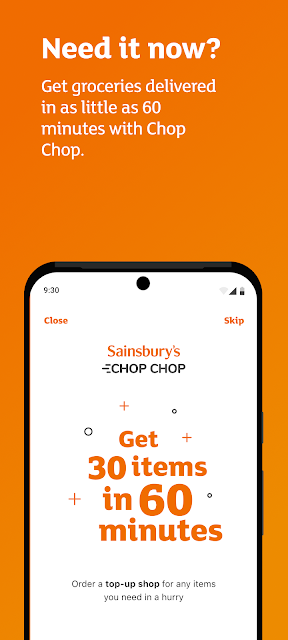
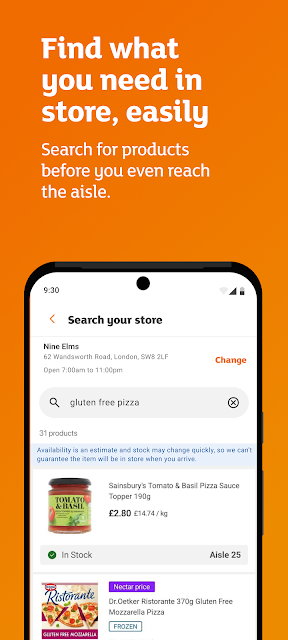
For a quick store visit, SmartShop offers a different rhythm: I can scan as I shop and keep an eye on my spending. If I need to find an item, Search Your Store can locate products in selected stores. And when a full online shop is not the plan, Chop Chop is an option for groceries delivered in as little as 60 minutes.
One retailer, several routes
The obvious alternative is a supermarket's website or a general grocery delivery service. Sainsbury's is more focused: its online grocery shopping, store tools, Nectar rewards and delivery options all connect to the same retailer. That is handy if Sainsbury's is already where I shop, and less compelling if I want to compare several supermarkets in one place or manage a broader household marketplace.
It is also not a meal-planning app or a general budgeting tool. The app can help me manage a Sainsbury's shop and use SmartShop to stay in control of spending while shopping, but its purpose remains shopping with Sainsbury's. The available delivery and store features make it flexible, though the experience is naturally tied to the retailer and selected stores.
Small habits that help
I would begin with a running shopping list rather than trying to remember everything on the day. Adding items as they come to mind gives me a place to collect the weekly essentials, and saving favourites can make familiar repeat shops quicker. It is a simple habit, but it suits the app's practical role better than treating each visit as a fresh search.
Before shopping, I would also check the offers and Nectar Prices, then choose the route that suits that day: online delivery, Click & Collect, a store visit with SmartShop, or Chop Chop for a faster grocery delivery. Search Your Store is worth using when I am in one of the selected stores and need help locating a product. These options reward a little planning.
More From Our News Desk

Zoom Meetings, Google Meet, or Teams: Which Is Easiest to Join?

How I Build a Free Streaming Lineup With Tubi

Why Crunchyroll Is the Default Anime App for So Many Fans

YouTube TV: A Practical Guide to Cutting Cable

Rummikub and the Small Comfort of Phone Games

TeamViewer Remote Control or AnyDesk for Helping Family?
Who will get the most from it
I would recommend Sainsbury's to regular customers who want their grocery list, online orders, Nectar rewards and store shopping tools together. It can suit someone who alternates between a planned weekly order and occasional in-store trips, rather than sticking to one shopping method. The combination of saved favourites and lists should also be useful when the same household staples appear on the list week after week.
It may be less useful if you rarely shop at Sainsbury's, want a single app for comparing multiple retailers, or do not need digital shopping tools. Some features are tied to selected stores, so the in-store experience will not be identical everywhere. I would treat it as a retailer-specific companion, not a universal grocery planner; its value depends on how often Sainsbury's is part of your routine.
Sainsbury's is published by Sainsbury's Supermarkets Ltd. On Google Play, it has over one million installs and a 3.9-star rating from around 46,000 ratings. The app is free to download, and the supplied store facts say it has no in-app purchases and contains no ads. Its content rating is Everyone.
The current version shown is 4.2.0, with a last update date of November 5, 2026. The supplied facts do not specify a minimum Android version or an original release date, so check Google Play for device compatibility and current details before installing. The app's features cover online grocery shopping, delivery and collection slots, rewards, lists and selected in-store tools.
A closer look at the shopping routine
A practical first impression
When I first opened Sainsbury's, its main appeal was the range of shopping tasks it brings together. Rather than being only a place to place an online order, it also covers lists, Nectar rewards and tools for shopping in-store. That breadth gives the app a clear everyday purpose: it can be useful before leaving home, while browsing in a store, or when arranging groceries for delivery.
The best starting point depends on how I shop. If I am planning a larger order, I would begin with online groceries and a delivery or Click & Collect slot. For an in-store trip, SmartShop and Search Your Store are the more relevant tools. It helps to think of these as different ways into one retailer's shopping experience, rather than features I need to use all at once.
A flexible day-to-day shop
Day to day, the lists and saved favourites look like the most useful time-savers. A list helps me gather items before a shop, while favourites support quicker repeat orders when I am buying familiar products. Those functions are especially practical for ordinary household shopping, where the challenge is often remembering the basics rather than discovering something new.
The choice of shopping method is another strength. I can arrange a grocery delivery or Click & Collect slot for a planned shop, use SmartShop when shopping in-store, or consider Chop Chop for a faster delivery. That flexibility can fit changing schedules. It does not mean every option will suit every trip, but it does give the app more than one role in a regular routine.
Rewards and store tools
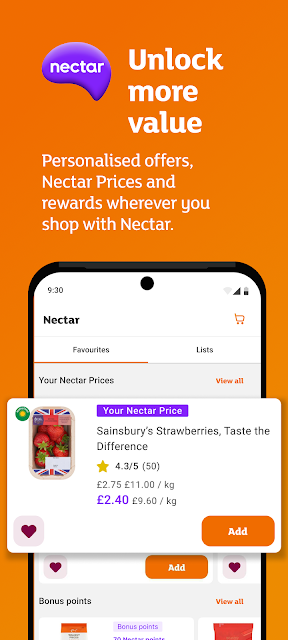
Nectar is part of the app's shopping mix, alongside personalised offers, Nectar Prices and rewards. I would make a habit of checking those before placing an order or heading to a store, especially if I am already planning to buy the items involved. The point is convenience: shopping and rewards sit together, rather than requiring a separate planning step.
SmartShop is the standout in-store feature because it lets shoppers scan as they go and keep spending in view. Search Your Store has a more specific job: it can help locate products in selected stores. I like that these features address different small annoyances, one during the shop and one when finding something. Their usefulness depends on the store and the kind of trip.
A simple weekly routine
For a weekly shop, I would keep a list going through the week and add items whenever I notice something is running low. Before ordering, I would look through the list, use saved favourites for repeat purchases and check the available offers and Nectar Prices. Then I could choose delivery or Click & Collect based on what works for that particular week.
For a shorter trip, I would take a different approach. I could use SmartShop to scan as I shop, and Search Your Store if I needed help locating an item in a selected store. If the need is more urgent, Chop Chop is described as offering grocery delivery in as little as 60 minutes. The app's advantage is having these options available within one shopping routine.
Limits to keep in mind
The main limitation is the obvious one: this is built around shopping with Sainsbury's. Shoppers who prefer another supermarket, or who want to compare retailers in one place, may not get much value from keeping it installed. Its rewards and store tools are useful in context, but that context is specifically Sainsbury's rather than grocery shopping in general.
Some features also have boundaries. Search Your Store applies to selected stores, and the app offers several different shopping routes rather than making every route necessary for every user. I would choose the few tools that match my routine instead of expecting to use the whole package. Checking Google Play for current device requirements is sensible before downloading, since requirements can vary.
Sainsbury's earns its place as a practical companion for people who already shop with the supermarket. Lists and saved favourites help with planning, while Nectar features, SmartShop and several delivery or collection routes cover different parts of the shopping routine. I especially like that it is not limited to ordering groceries from the sofa.
I would try it if Sainsbury's is a regular stop and I want its shopping tools in one place. If I shop across several retailers or need a general-purpose grocery planner, its retailer-specific focus may feel restrictive. For the right customer, though, it offers a useful mix of planned ordering and in-store support.
Sainsburys Groceries Frequently Asked Questions
What is the Sainsbury's app used for?
Sainsbury's is for shopping with the supermarket in several ways. You can shop for groceries online and book delivery or Click & Collect slots, make lists and save favourites, access personalised offers and Nectar Prices, and use SmartShop in-store. Chop Chop offers grocery delivery in as little as 60 minutes, while Search Your Store can locate products in selected stores.
Which devices can run the Sainsbury's app?
The supplied store information is for the Android app on Google Play. It does not give a minimum Android version, so device compatibility may vary; check the Google Play store page for the current requirement before installing. The app's store tools include SmartShop and Search Your Store, with the latter available in selected stores.
What Android version does Sainsbury's require?
The minimum Android version is not included in the supplied app facts, and requirements can change over time. Check the Sainsbury's page on Google Play to see whether your device currently meets the requirement. The listed version is 4.2.0, but that version number does not indicate the Android version needed to run the app.
Does the Sainsbury's app cost anything?
The Sainsbury's app is free to download on Google Play. The supplied facts say it has no in-app purchases and contains no ads. Grocery orders and delivery or Click & Collect arrangements are part of the shopping service; check the store page and relevant shopping details for current terms, since those may vary.
Is the Sainsbury's app right for me?
It is likely to suit people who shop at Sainsbury's and want tools for lists, online orders, Nectar rewards or in-store shopping. It may be less useful if you rarely shop there or want to compare several supermarkets through one app. Some in-store features apply only to selected stores, so check whether the tools fit your usual shopping routine.
Pros
- Combines online grocery orders, lists, rewards and selected in-store tools.
- Offers delivery and Click & Collect alongside SmartShop for store visits.
- Saved favourites can make familiar repeat shops easier to prepare.
Cons
- Its usefulness depends on shopping at Sainsbury's rather than multiple retailers.
- Search Your Store is available only in selected stores.
- The minimum Android requirement should be checked on Google Play.
- Category
- Shopping
- Version
- 4.2.0











