Power Media Player
Listed on Google Play as “CyberLink PowerPlayer”
- 1.34K
- 3.2
- Installs
- 100.00K
- Price
- Free

Screenshots
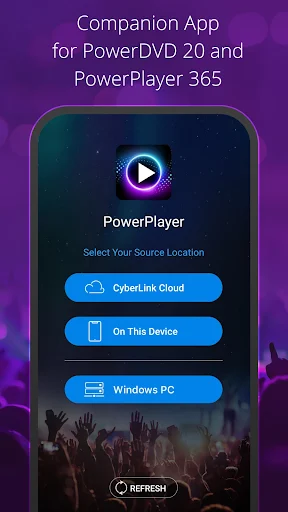
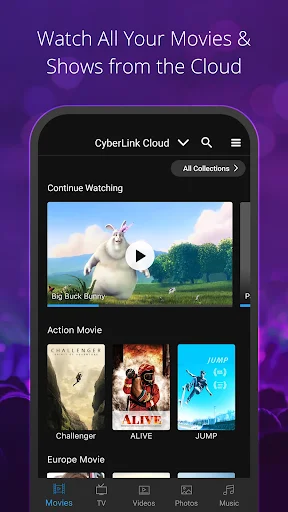
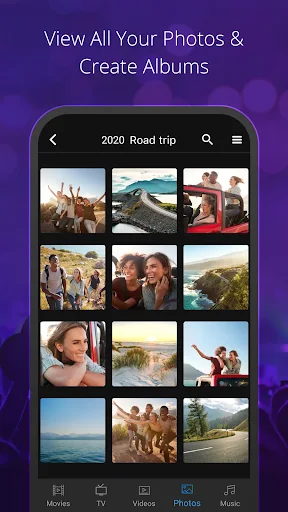
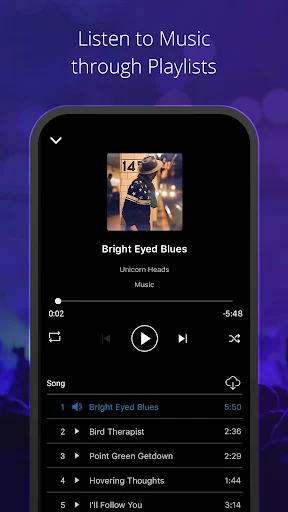
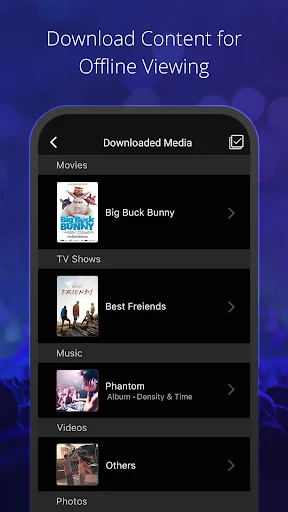
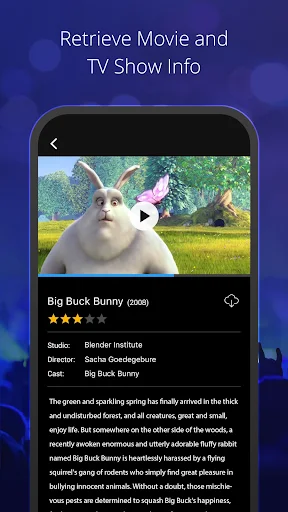
Analysis by Reviewed APKs
CyberLink PowerPlayer is a companion app for watching and listening to media shared from a home computer or stored in CyberLink Cloud. It suits people who already use PowerDVD or PowerPlayer 365 and want to pick up movies, shows, photos, or music on an Android device. I like the idea of a personal media library that travels with me, though the app’s usefulness depends on having CyberLink’s desktop and cloud setup in place.
A library for the living room
Picture a quiet evening when I want to finish a movie on my phone instead of staying in front of the computer. PowerPlayer is built for that sort of handoff: it can play media shared over the home Wi-Fi network or access files hosted in CyberLink Cloud. Rather than treating the phone as a separate collection, it gives me a way to reach media associated with my home entertainment setup.
That arrangement is most appealing when I already have a library on a computer and want another screen for it. I could browse for a show while winding down on the couch, or pull up music and photos from the same general collection. The app’s pitch is practical, not mysterious: make shared media reachable from an Android device, then let me watch or listen where it suits me.
A companion, not a catch-all
PowerPlayer makes more sense as an extension of CyberLink’s ecosystem than as a standalone media app. Its description calls it a companion to PowerDVD and PowerPlayer 365, and says the best experience requires one of those computer programs plus an activated CyberLink Cloud account. If I already rely on that setup, mobile access can be a useful extra. If I do not, the prerequisites matter before I build a routine around it.
I would not approach it as a general-purpose streaming service or a replacement for a subscription catalog. The emphasis is on media shared over a home network or uploaded to CyberLink Cloud, including files I choose to share with other people. That distinction sets expectations: PowerPlayer helps me get to my own available media, rather than promising a ready-made selection of movies or shows.
Make access feel routine
The easiest way to get value from PowerPlayer is to decide which media belongs in the places I want to reach from my phone. Home Wi-Fi sharing is a natural fit when I am at home and want to play files shared from the computer. CyberLink Cloud provides another route for uploaded media, so I can think ahead about which files I may want to access away from that local network.
For sharing, I would keep the workflow deliberate: upload the intended files to CyberLink Cloud, create a link, then consider whether that link should have a password or restrictions. Those controls are useful to have when passing media to family or friends. I would also use the handoff between devices when moving from one screen to another, rather than starting a new viewing session from scratch.
More From Our News Desk

Zoom Meetings, Google Meet, or Teams: Which Is Easiest to Join?

How I Build a Free Streaming Lineup With Tubi

Why Crunchyroll Is the Default Anime App for So Many Fans

YouTube TV: A Practical Guide to Cutting Cable

Rummikub and the Small Comfort of Phone Games

TeamViewer Remote Control or AnyDesk for Helping Family?
Who may enjoy PowerPlayer
I would recommend PowerPlayer to someone who already uses PowerDVD or PowerPlayer 365, has media they want to reach on a phone, and is comfortable relying on a computer and CyberLink Cloud as part of the arrangement. Its strongest appeal is convenience across devices: shared home media, cloud-hosted files, and playback handoff are all aimed at making an existing library more flexible.
It may be a poor fit if I want an app that works independently, or if I expect it to supply a catalog of entertainment without my own media and setup. The computer software and activated cloud account are important parts of the described experience. People who only want to play files already stored locally on a phone may also find that PowerPlayer’s central idea is aimed elsewhere.
CyberLink PowerPlayer is an Android entertainment app from CyberLink.com. Google Play shows over 100,000 installs and a 3.2-star rating from 1,338 ratings. It is free to install, and the supplied store facts say it contains ads. The content rating is Everyone. These figures give a quick sense of its store presence, while the app’s practical appeal depends more on whether a user already has the related CyberLink setup.
The supplied app version is 4.7.0. It was released on April 7, 2020, and its recorded last update is November 1, 2026. No minimum Android version is supplied in the facts. PowerPlayer’s description identifies PowerDVD or PowerPlayer 365 on a home computer and an activated CyberLink Cloud account as requirements for the best experience, so those are worth considering alongside the phone app itself.
How PowerPlayer Fits a Real Routine
First impressions and setup
When I first opened the description of PowerPlayer, the main thing I noticed was that it is not presented as a self-contained player. The companion relationship is right at the center: media comes from a home Wi-Fi share or CyberLink Cloud, and the recommended experience depends on PowerDVD or PowerPlayer 365 on a computer. That makes the app’s audience fairly clear before I even think about what to watch.
I would start by checking that the computer software and CyberLink Cloud account are already part of my setup. Then I would decide whether I plan to reach files over home Wi-Fi, upload them to the cloud, or use both routes. That small bit of planning matters because the app’s value rests on access to shared media; installing it alone does not create a collection to browse.
Everyday playback
Day to day, PowerPlayer is about getting from an existing media source to a phone or another Android device. At home, the wireless network route is the straightforward idea: play media shared over the home Wi-Fi network. For files hosted in CyberLink Cloud, the app offers a separate way to reach them. I like that these are concrete options rather than a vague promise of access from anywhere.
The handoff feature is another part of the everyday appeal. The description says playback can continue when switching between devices, which suits the familiar moment when I want to leave one screen and carry on elsewhere. I would treat that as a convenience within the CyberLink setup, not assume it makes every file or device situation seamless. The promise is useful, but the available media and compatible setup still shape the experience.
Sharing beyond my phone
PowerPlayer is not only about personal playback. It can create shareable links for media stored in CyberLink Cloud, and those links can have passwords or restrictions. That makes it possible to give friends or family access to selected media without handing over the whole idea of my library. The sharing feature is specifically tied to cloud-uploaded media, so it is worth keeping that distinction in mind.
One detail I appreciate is that the description says recipients can play shared content through the free PowerPlayer app or a browser, without needing additional software or services. That gives sharing a little more flexibility than requiring everyone to have the same computer program. I would still choose carefully what I upload and share, and use the available password or restriction options when they fit the situation.
A simple media routine
A practical routine could start at the computer: keep the media I want to reach available through the home network, then use PowerPlayer on my Android device when I want another screen. For something I may need away from home, I would upload it to CyberLink Cloud instead. The distinction is easy to remember: home sharing for the local setup, cloud hosting for files I want to reach through that service.
For a family share, I would upload only the files I intend to make available, create a link, and decide whether a password or restriction makes sense. For personal viewing, I would use playback handoff when I move between devices. These are small choices rather than elaborate workflows, but they help the app feel more purposeful. A little organization up front can make later access less of a hunt.
Limits to keep in view
The main limitation is also the app’s defining trait: PowerPlayer depends on a broader CyberLink arrangement. The description recommends having PowerDVD or PowerPlayer 365 installed on a home computer and an activated CyberLink Cloud account. That may be perfectly reasonable for existing users, but it adds friction for anyone hoping to install a phone app and immediately browse a complete library.
The cloud sharing feature applies to media uploaded to CyberLink Cloud, rather than every file reachable over home Wi-Fi. It is also an app with ads, according to the supplied store facts, and its Google Play rating is 3.2 stars from 1,338 ratings. Those details do not tell me exactly how it will perform for an individual, but they are useful context when deciding whether its ecosystem-specific convenience is worth trying.
PowerPlayer has a clear job: bring media shared through a CyberLink home setup or hosted in CyberLink Cloud to an Android device, with playback handoff and selected sharing tools. I find that focused approach appealing for people who already use the related desktop software and want their media to follow them around the house or beyond it.
I would try it if PowerDVD or PowerPlayer 365 and CyberLink Cloud are already part of my routine. I would look elsewhere if I wanted a standalone player or a subscription-style entertainment catalog. The idea is practical, but the value depends on matching the app’s prerequisites and media sources to the way I actually watch and share.
Power Media Player Frequently Asked Questions
What is CyberLink PowerPlayer used for?
CyberLink PowerPlayer is a companion app for playing media shared over a home Wi-Fi network or hosted in CyberLink Cloud. It supports movies, shows, photos, and music, and its listed features include playback handoff between devices. It can also upload media to CyberLink Cloud and create shareable links for cloud-stored files, with password and restriction options.
Which devices can run CyberLink PowerPlayer?
CyberLink PowerPlayer is an Android app for phones and other Android devices. Its description also says shared media can be played by recipients through a browser. A minimum Android version is not supplied in the app facts, so check the Google Play store entry for the current device requirements before installing.
Does CyberLink PowerPlayer require a computer?
For the best experience, the description says to have PowerDVD or PowerPlayer 365 installed on a home computer and an activated CyberLink Cloud account. The app can access media shared on a home Wi-Fi network or hosted in the cloud. The exact fit depends on which of those sources and CyberLink products are already part of your setup.
Is CyberLink PowerPlayer free?
The supplied Google Play facts say CyberLink PowerPlayer is free to install and has no in-app purchases. They also say the app contains ads. CyberLink Cloud and the related computer software are part of the described setup, so check the current store information and CyberLink service details for any terms that may vary.
Who should use CyberLink PowerPlayer?
It is best suited to people who already use PowerDVD or PowerPlayer 365 and want access to shared or cloud-hosted media on an Android device. The sharing tools may also suit people who want to provide family or friends with links to selected cloud media. It may be less appealing if you want a fully independent player or a ready-made streaming catalog.
Pros
- Access media shared over home Wi-Fi or hosted in CyberLink Cloud.
- Playback handoff helps continue watching when switching between devices.
- Cloud links can include passwords or restrictions for shared media.
- Recipients can play shared cloud media in PowerPlayer or a browser.
Cons
- The best experience relies on CyberLink computer software and an activated cloud account.
- Sharing links applies to media uploaded to CyberLink Cloud.
- Google Play facts say the app contains ads.
- Category
- Entertainment
- Version
- 4.7.0











