Police Scanner 5-0: Live Radio
- 14.18K
- 4.1
- Installs
- 1.00M
- Price
- Free
Screenshots
Analysis by Reviewed APKs
Police Scanner 5-0: Live Radio is for listening to live police, fire, EMS, emergency and weather radio feeds, with music and news stations as extras. I’d recommend it to curious listeners who want to browse feeds by place or category, rather than to anyone looking for a polished news report. Its mix of search, favorites and background playback makes it useful for occasional listening, though the experience depends on the feed you choose.
A Listen While You Wait
When I first opened Police Scanner 5-0, I pictured using it during a quiet wait: sitting at home while a storm passes through, or killing time before an appointment. I could search for a station, browse by location, or try the Top 50 list rather than needing to know a feed name in advance. Choosing a nearby police, fire or EMS stream makes the app’s basic purpose clear: it gives you live audio to tune into.
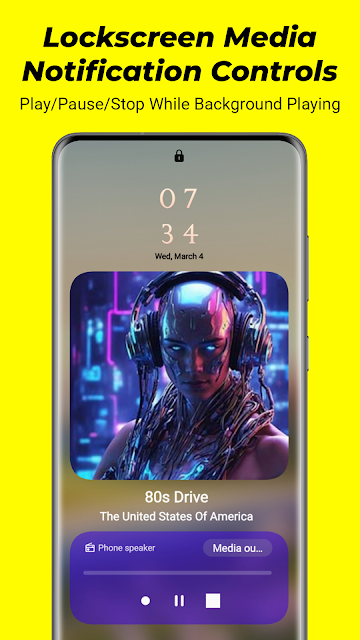
The listening itself is straightforward. Once a station is playing, I can let it continue in the background and use the playback controls in the phone’s notifications or on the lock screen. That suits a short errand or a longer stretch at home when I want the audio on without keeping the app open. Feed availability can differ, so I’d treat the app as a way to explore streams, not as a dependable source for a particular incident.
A Scanner, Not a Newsroom
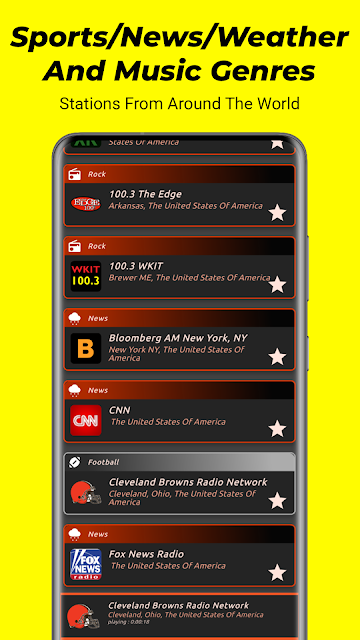
Compared with reading local headlines or watching a news clip, this app offers the sound of radio traffic rather than a prepared summary. That distinction is the main reason to try it. I can move among police, fire and EMS feeds, check weather-related streams, or switch to news and music stations. The range gives me options when I’m browsing, but it also means the app is more of a listening directory than a focused news service.
I wouldn’t use it as a replacement for emergency alerts, official updates or a news report that explains what is happening. Scanner audio can be fragmented and may not tell the whole story; the description also says feeds are provided by volunteers using real scanner radios. For casual interest in radio traffic, that can be part of the appeal. For clear, verified context or urgent instructions, I’d turn to appropriate official sources instead.
Make Browsing Easier
A small habit that helps is saving a feed once I find one I enjoy, rather than trying to remember its name later. The app includes favorites and a recently played list, so I can return to familiar stations without starting the search from scratch. If I’m exploring, the country, state and county navigation gives me another route through the catalog, while search is handy when I already know what I want.
I’d also use the online and offline indicators before settling in to listen. They help show whether a feed is available at that moment, which can save a little frustration when browsing. For a listening session with a clear endpoint, the countdown timer can stop playback automatically. These are modest conveniences, but together they make the app easier to fit around reading, chores or a commute as a passenger.
More From Our News Desk

Zoom Meetings, Google Meet, or Teams: Which Is Easiest to Join?

How I Build a Free Streaming Lineup With Tubi

Why Crunchyroll Is the Default Anime App for So Many Fans

YouTube TV: A Practical Guide to Cutting Cable

Rummikub and the Small Comfort of Phone Games

TeamViewer Remote Control or AnyDesk for Helping Family?
Who Might Enjoy It
I’d suggest Police Scanner 5-0 to people who like radio scanning as a hobby, want to sample public-safety audio feeds, or enjoy exploring stations from different places. The search, location browsing, Top 50 list and favorites make it approachable even if someone doesn’t arrive with a specific station in mind. The additional weather, news and music streams also give curious listeners a few directions to wander when they want a break from scanner traffic.
It may not suit someone who wants a clean, concise account of local events, or who expects every feed to be available and easy to follow. Radio traffic can be difficult to interpret without context, and listening is not the same as receiving official emergency information. I’d also think twice if ads or optional purchases are a dealbreaker: the app is free to install, but it contains ads and offers in-app purchases.
Police Scanner 5-0: Live Radio is an Android entertainment app from Police Scanner Radio (policescannerradio.com). Google Play shows over one million installs and a 4.1-star rating from around 14,000 ratings. It is free to download, contains ads and offers in-app purchases. The listed in-app product prices range from $5 to $10 per item.
The app has a Teen content rating. Its listed version is 7.1.2, with a release date of January 14, 2020, and a last update date of October 5, 2026. The minimum Android version is not included in the available app details, so check Google Play for the requirement on your device.
The Everyday Rhythm of Scanner Listening
Opening and Finding a Feed
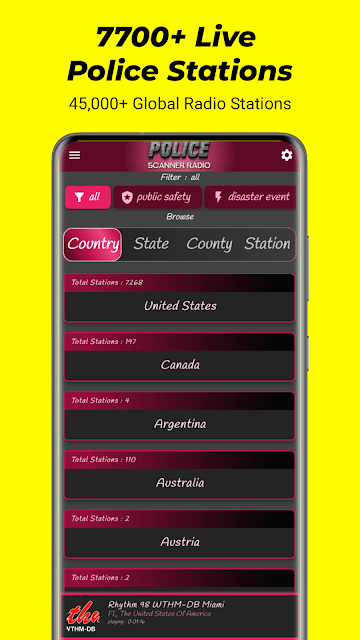
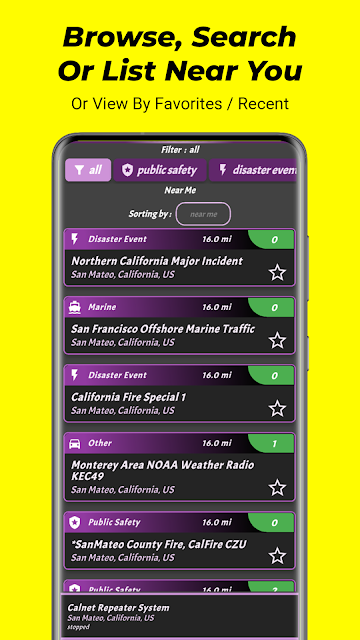
My first impression is that this is an app built around choosing a stream, not reading a long explanation before listening. There are several ways to get started: search, browse by country, state or county, use the Top 50 list, or look for stations near you by enabling location services. That variety is useful because a new listener may not know the name of a specific feed.
I’d begin with a broad category or a familiar place, then check whether a feed is marked online before pressing play. The app describes more than 7,700 police, fire, EMS and other emergency or weather feeds, so there is plenty to explore. That large selection is helpful, though it can also make browsing feel like its own activity rather than a quick route to one obvious station.
Listening Day to Day
Once playback starts, the app works well for the sort of listening that can happen alongside something else. I can leave a station running in the background and control it through the notification or lock-screen media controls. That’s practical when I’m tidying up or reading and don’t want to keep reopening the app just to pause or resume the audio.
The experience still hinges on the selected feed. Some radio traffic may be busy or hard to follow, and a stream’s online indicator is useful when deciding whether to keep browsing. I’d approach listening with curiosity rather than expecting a steady narrative. If I only have a few minutes, I can sample a stream; if I want to return later, the recent list and favorites are there.
More Than Scanner Audio
The standout feature is the range of ways to discover feeds. Search sits alongside a Top 50 list, location browsing, nearby stations, favorites and recently played stations. I like that mix because it covers two different moods: I can look for a particular area, or simply see what is popular and explore from there. Online and offline indicators add a useful bit of context before I commit to a stream.
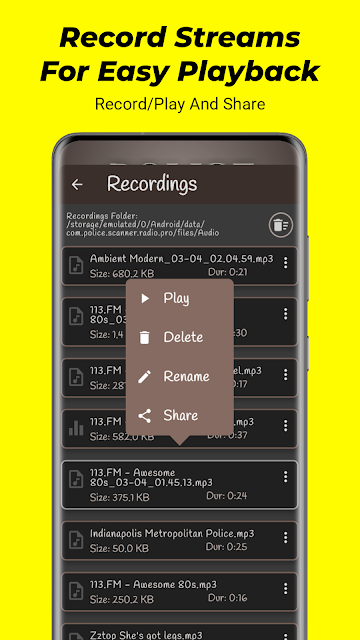
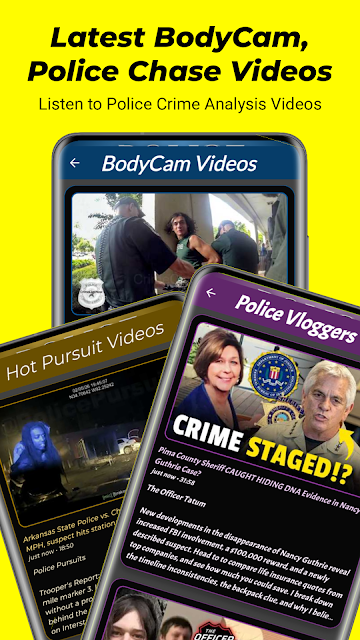
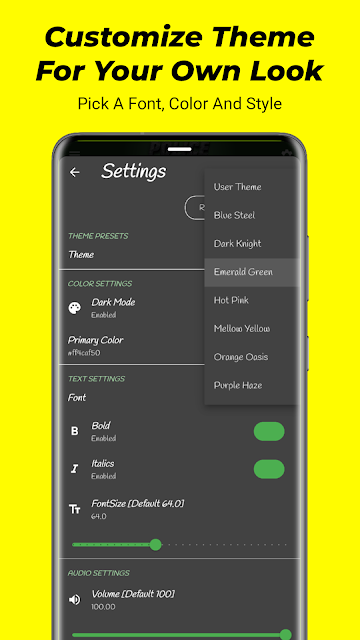
There are also extras beyond live public-safety radio. The app includes police body-camera videos and music, weather and news stations from around the world. Those additions make it broader than a single-purpose scanner player, although I’d still think of the live feeds as its central draw. Personal theme settings and a countdown timer provide smaller touches for people who want to adjust the look or set an endpoint for playback.
Daily updates are also mentioned among the app’s features. That is useful to know when returning to the app, but it doesn’t change the basic nature of the experience: I’m browsing and listening to streams, rather than following a conventional article feed. The available mix of features gives the app some flexibility without making it a substitute for a dedicated news source.
A Simple Listening Routine
For a low-key session, I’d start by searching for a town or county I’m interested in, then compare a couple of available police, fire or EMS feeds. If the first choice is offline, the indicator gives me a reason to try another instead of wondering whether playback is stuck. Once I find a station worth keeping, I can add it to favorites and let the audio continue while I move on to another task.
When I don’t have a particular place in mind, the Top 50 list is an easy way to browse. I might use the recent stations list to revisit a feed from an earlier session, then set the countdown timer if I’m listening while winding down. This routine uses features the app already provides without needing much setup. It works best when I treat it as casual listening and keep expectations flexible.
Limits to Keep in Mind
The biggest limitation is that a live scanner feed is not edited into a clear account of events. Radio messages can be brief, interrupted or full of terminology that a casual listener won’t recognize. The app’s description says the audio feeds come from volunteers using real police scanner radios, so I’d regard them as streams to listen to, not a complete or authoritative picture of what is happening.
The app also includes ads, and in-app purchases are available. Someone who only wants an occasional listen may be comfortable starting with the free app, while a person who strongly dislikes advertising may find that less appealing. The number of feeds is a strength for browsing, but it can take a bit of patience to find a stream that is both relevant and online at the moment.
Police Scanner 5-0: Live Radio is a flexible way to browse and play public-safety streams, with useful touches such as favorites, recent stations, background controls and an auto-shutdown timer. Its extras add variety, but the main draw remains live audio, which can be uneven and difficult to interpret without context.
I’d recommend giving it a try if you’re curious about scanner radio and comfortable exploring feeds at your own pace. I wouldn’t rely on it for urgent updates or use it in place of official information. For casual listening, its broad catalog and straightforward playback make it a practical option.
Police Scanner 5-0 Frequently Asked Questions
What is Police Scanner 5-0: Live Radio used for?
Police Scanner 5-0: Live Radio is used to listen to live police, fire, EMS, emergency and weather radio streams. It also offers music and news stations, along with police body-camera videos. You can browse by location, search for feeds, or use lists such as Top 50, favorites and recently played stations.
What devices can run Police Scanner 5-0: Live Radio?
Police Scanner 5-0: Live Radio is an Android app. The minimum Android version can vary with the app and device, so check Google Play for the current requirement before installing. The app description also refers to Android devices, including Android 16.
Is Police Scanner 5-0: Live Radio free?
The app is free to download and contains ads. It also offers in-app purchases, with listed item prices ranging from $5 to $10. The available details do not specify what each purchase includes, so check the Google Play store page for current purchase information.
Does Police Scanner 5-0: Live Radio have local stations?
The app lets you browse stations by country, state and county, and its description says you can enable location services to select stations near you. Feed availability can vary, so use the online and offline indicators when choosing a stream. The app includes feeds from locations around the world.
Who is Police Scanner 5-0: Live Radio best for?
It may suit people who enjoy scanner radio, want to explore public-safety feeds, or like having live audio to browse casually. It may be less suitable if you want a concise, verified news report or urgent official information. Scanner audio can be fragmented, so it is best approached as listening rather than a complete account of events.
Pros
- Search, location browsing, Top 50 and nearby station options give listeners several ways to find feeds.
- Favorites and recently played stations make it easier to return to streams worth hearing again.
- Background audio with notification and lock-screen controls suits listening while doing other things.
- Weather, news, music and body-camera video add variety beyond scanner radio.
Cons
- Live scanner traffic can be difficult to interpret without additional context.
- Feed availability varies, so a station of interest may not be online when you look.
- The free app contains ads and also offers in-app purchases.
- Category
- Entertainment
- Version
- 7.1.2











