Optimum TV
- 4.67K
- 3.8
- Installs
- 100.00K
- Price
- Free
Screenshots
Analysis by Reviewed APKs
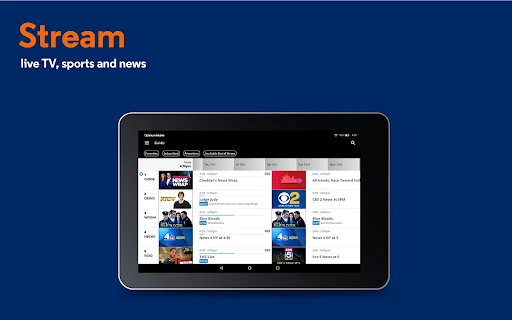
Optimum TV is a companion app for watching live television, On Demand programs, and Cloud DVR recordings on an Android device. It suits people who already use Optimum TV and want more flexibility around the house or, for some programming, while away. I like that it connects viewing and recording in one place, though its usefulness depends on your Optimum package and which content is available to stream.
A quieter evening, on your terms
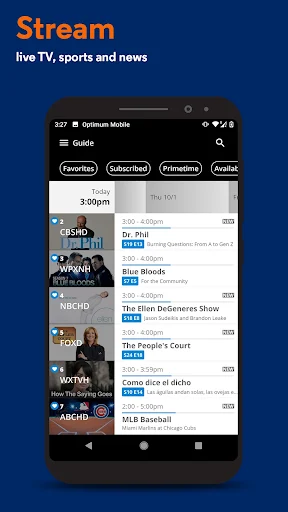
When I imagine using Optimum TV on an ordinary evening, the appeal is simple: the living room television is occupied, but I still want to catch a live program or check a recording. The app lets you watch live TV, On Demand programming, and Cloud DVR recordings on a device around your home. That makes it a practical companion to an existing TV setup, rather than a replacement for one.
A useful detail is that viewing can carry across screens: you can start a recording on your device and resume the same program on your TV. If you have arrived late to a select show, Restart may let you begin it from the start. That gives the app a role in small schedule disruptions, not just in filling spare time. Restart is not available in every area.
A companion, not a new TV service
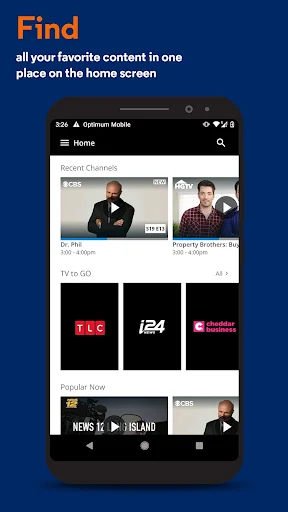
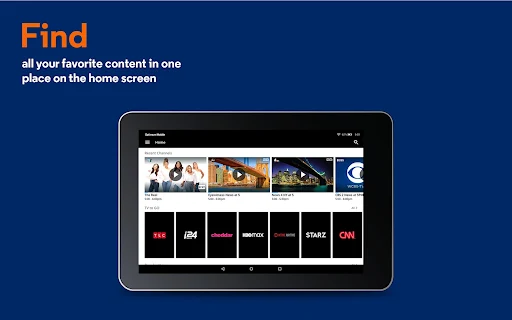
Optimum TV makes the most sense beside the television service you already have. It brings live channels, On Demand options, and Cloud DVR management onto a device, and it can save a trip back to the main screen when someone else is watching. The TV to GO feature also makes some shows and networks available away from home when you have an internet connection.
It is not a general-purpose streaming catalog or a substitute for signing up to a separate video service. The available channels and features depend on your current programming package and premium service, and not all content can be streamed. If you do not have an Optimum ID and password, or do not already use the related service, this app is unlikely to be useful on its own.
Make recordings work harder
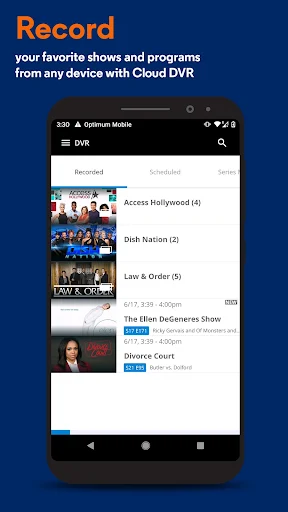
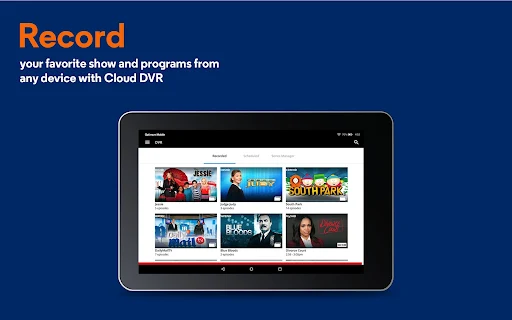
The easiest way to get more from the app is to use it before your viewing plans get busy. You can schedule Cloud DVR recordings, then check the scheduled list to see what is set to record. That small bit of preparation can be handy when a show clashes with an evening commitment or when the television is likely to be in use.
I would also treat the recorded list as a flexible queue rather than something that must be watched in one sitting. Start a recording on your device when there is a free moment, then resume it on your TV if that suits you better. For travel or time away from home, check which programs are available through TV to GO; access varies with the content and your package.
More From Our News Desk

Zoom Meetings, Google Meet, or Teams: Which Is Easiest to Join?

How I Build a Free Streaming Lineup With Tubi

Why Crunchyroll Is the Default Anime App for So Many Fans

YouTube TV: A Practical Guide to Cutting Cable

Rummikub and the Small Comfort of Phone Games

TeamViewer Remote Control or AnyDesk for Helping Family?
Who may find it useful
I would recommend Optimum TV to existing Optimum TV customers who want a second screen for live viewing, recordings, or On Demand programming. It is especially relevant if you sometimes watch in another room, need to manage recordings away from the television, or like the option of continuing a recording on the TV. Its strongest appeal is convenience around an existing subscription.
It may not suit someone looking for a standalone entertainment app, a broad service that works independently of a TV package, or access to every program while away from home. The app requires an Optimum ID and password and a WiFi connection, while available programming depends on the customer’s package. If you mostly watch through other services, its specific connection to Optimum TV may leave little reason to keep it.
Optimum TV is an Entertainment app from Altice USA, Inc. On Google Play it has over 100,000 installs and a 3.8-star rating from 4,673 ratings. The app is free to download, and its store information says it contains ads. It is rated Everyone. The listed version is 3.8.0.4.
The app was released on November 5, 2017, and was last updated on April 10, 2026. The supplied store details do not give a minimum Android version, so check Google Play for device compatibility before installing. Its content and features depend on your Optimum programming package and premium service, and not all programming is available to stream.
A second screen for Optimum TV
What you need to begin
My first impression is that Optimum TV has a focused job: extend an existing television setup onto an Android device. It is not asking you to build a new watchlist from scratch or choose a new service. The core promise is straightforward—watch live and On Demand programming, reach Cloud DVR recordings, and manage what you have scheduled.
Before relying on it, you need an Optimum ID and password and a WiFi connection. Those requirements matter more than the app’s install itself, because the experience is tied to your account and current programming package. I would check the content you care about before planning to watch it on a device, especially if you expect access away from home.
Watching through the day
The day-to-day use case is less about replacing the television and more about having another place to watch. At home, the app supports live TV, On Demand programming, and Cloud DVR recordings. That can help when the main TV is occupied or when you want to watch from another room without changing your household’s viewing plans.
Away from home, the TV to GO feature offers some programs and networks over an internet connection. The word “some” is important: availability is not universal, and it depends on the content and your service. I would think of out-of-home viewing as a useful extra when it works for a particular program, not as a promise that the entire channel lineup travels with you.
Useful viewing handoffs
The feature I find most practical is the handoff between a device and the television. You can begin a Cloud DVR recording on your device and resume the same program on your TV. That suits interrupted viewing better than treating each screen as a separate session, and it gives the app a clear purpose even when you are mostly watching at home.
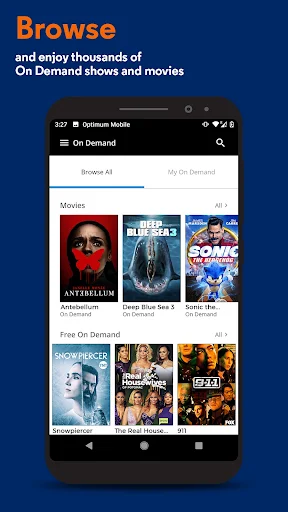
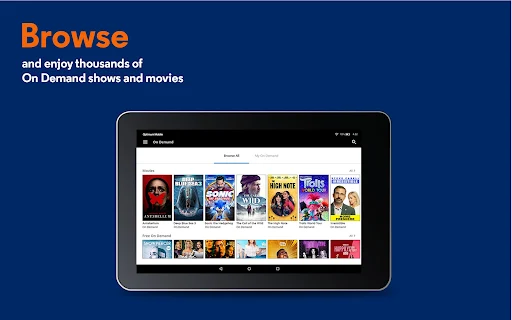
The recording tools also bring scheduling and playback into the same companion experience. You can schedule Cloud DVR recordings and view or manage scheduled and recorded programs. On Demand movie rentals are available directly in the app as well. These options complement the main viewing features, although what you can access still depends on your package and the content offered for streaming.
A routine that fits real life
A practical routine could start with scheduling a recording before a busy day, then checking the scheduled list when you have a moment. If plans change, you can use the recorded list to find a program and watch it on your device. Later, you can continue that recording on your TV. It is a modest workflow, but it connects planning with flexible playback.
For a live show, Restart can help if you tune in late, provided the feature is available in your area and the show is supported. For time away from home, I would first check whether the specific program is among the content available through TV to GO. Building those checks into your routine keeps expectations realistic and avoids assuming every channel or recording behaves the same way.
Keep the boundaries in mind
The biggest limitation is that Optimum TV depends on an Optimum account and service. It does not offer a universal lineup to anyone who installs it, and the programming you can watch reflects your current package and premium services. Not all content is available to stream, so the app may be more useful for some households and shows than for others.
There are a few other practical boundaries. WiFi is listed as a requirement, and out-of-home TV to GO access applies to some programming rather than everything. Restart is not available in every area. Google Play lists the app as containing ads, and the store details give it a 3.8-star rating. I would weigh those trade-offs against how often you use your Optimum TV service.
Optimum TV is a useful extension of an Optimum television account, particularly for checking recordings, watching around the home, and moving a program between a device and the TV. Its value is specific rather than universal: package limits and streaming availability shape what it can do, and the app is not a standalone TV service.
I would try it if I already had Optimum TV and wanted a more flexible way to watch or manage Cloud DVR programs. If I were looking for an independent streaming catalog, I would look elsewhere. For existing customers, it earns its place as a practical companion when its supported content matches their routine.
Optimum TV Frequently Asked Questions
What is Optimum TV used for?
Optimum TV lets customers watch live TV, On Demand programming, and Cloud DVR recordings on a device. It also supports scheduling and managing recordings, and lets you rent and watch On Demand movies in the app. Some shows and networks are available through TV to GO over an internet connection. Access depends on your package, and not all content streams.
Which devices and platforms support Optimum TV?
Optimum TV is an Android app available through Google Play. Its described viewing features are for watching on a device and continuing a recording on your TV. The supplied details do not specify a minimum Android version or a full device-compatibility list, so check the Google Play store page for current compatibility information.
What Android version does Optimum TV require?
A minimum Android version is not provided in the available app details, and compatibility can vary by device. Check the Optimum TV page on Google Play before installing to see the current requirement for your phone or tablet. The app also requires an Optimum ID and password and a WiFi connection.
Does Optimum TV cost money?
Optimum TV is free to download on Google Play, and the provided store details say it contains ads. They do not show in-app purchases. Watching particular channels or programs depends on your existing Optimum programming package and premium services, so free installation does not mean every piece of content is included.
Is Optimum TV a good fit for me?
It may suit you if you already use Optimum TV and want access to live programming, On Demand content, or Cloud DVR tools on a device. You need an Optimum ID and password, and available features depend on your package. It is less suited to someone seeking a standalone streaming service or universal access to every program.
Pros
- Combines live TV, On Demand programming, and Cloud DVR recordings in one companion app.
- Lets you schedule recordings and review or manage scheduled and recorded programs.
- Supports continuing a recording on your TV after starting it on a device.
- Offers Restart for select shows in areas where the feature is available.
Cons
- Requires an Optimum ID and password, plus a WiFi connection.
- Streaming availability and features depend on your package; not all content is available.
- TV to GO and Restart have limits on supported content or availability.
- Category
- Entertainment
- Version
- 3.8.0.4











