Old Movies Hollywood Classics
- 56.00K
- 4.6
- Installs
- 10.00M
- Price
- Free

Screenshots
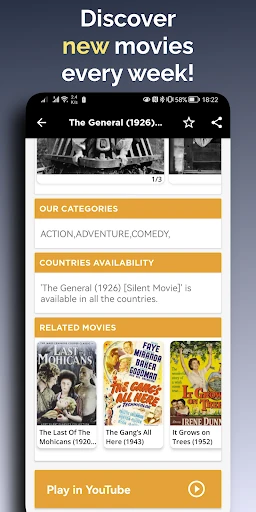
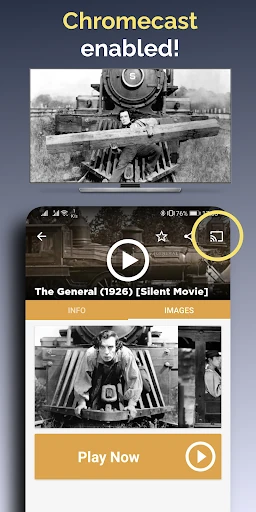
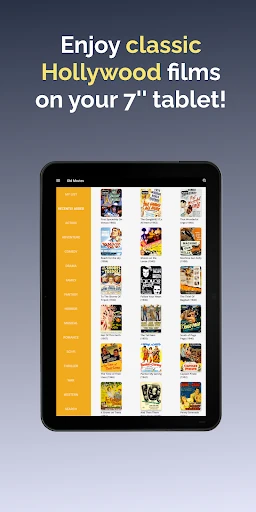
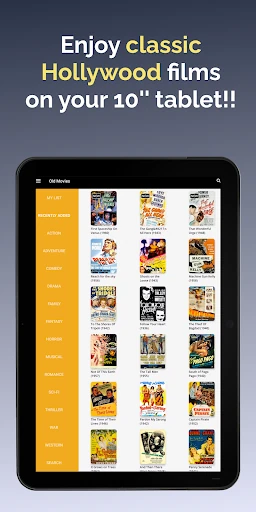
Analysis by Reviewed APKs
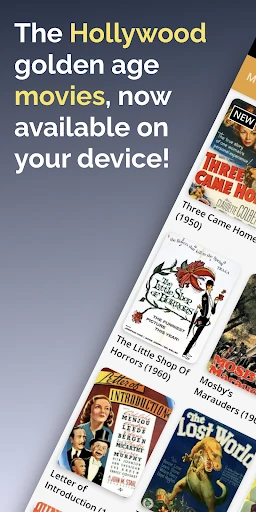
Old Movies Hollywood Classics is a free streaming app for people who want to browse and watch films from Hollywood’s earlier decades. Its collection spans 1910 to 1960 and covers genres from comedy and romance to westerns and horror. I like the straightforward focus: it gives classic-film fans a place to start when they want an older movie without first sorting through a broad modern streaming catalog.
A Classic for Tonight
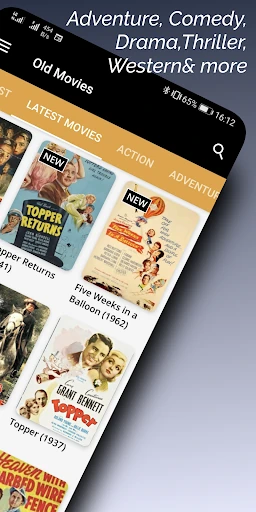
When I want a low-key movie night, a dedicated collection of older films is a useful alternative to scrolling through a general entertainment app. I can browse by genre, say comedy, musical, or western, and choose from movies associated with stars such as Charlie Chaplin, Ingrid Bergman, or John Wayne. That makes it easier to set a mood than trying to remember a specific title first.
The app names recognizable classics including The Gold Rush, Rebecca, Stagecoach, and Meet John Doe. I’d use those as starting points for an evening alone or a family movie night, then follow a genre that fits the group. The collection covers films from 1910 to 1960, so the experience is specifically about exploring older cinema rather than finding a current release.
A Narrower Kind of Streaming
Compared with a broad streaming service, Old Movies has a much tighter purpose: it centers on classic films rather than mixing them into a catalog of current shows, new releases, and unrelated entertainment. That focus is its main appeal. If I already know I’m in the mood for an older Hollywood film, browsing a dedicated collection can feel more direct than searching a general-purpose service.
It is not a modern all-in-one streaming replacement, and I wouldn’t choose it when the group wants the latest series or a wide range of recent movies. Instead, it suits viewers who are curious about Hollywood’s earlier decades, film students looking for examples from that era, or anyone who enjoys revisiting familiar classics. The trade-off is simple: a narrower subject gives the app its identity, but also defines what it can serve.
Make Browsing Easier
A small habit that helps is deciding on a genre before opening the app. When I’m choosing for a group, that gives everyone a manageable direction—perhaps a comedy for a relaxed evening or a western for a more traditional movie night. Browsing by category can also make the collection feel less like a list of unfamiliar titles and more like a set of choices shaped around the mood I want.
I’d also keep a few names or titles in mind as search prompts for my own browsing, such as a favorite star or one of the classics the app highlights. If I’m watching on a larger screen, its Chromecast and Android TV support offer another way to make a movie night feel less like phone viewing. The app requires no registration, so there’s no account setup to add before getting started.
More From Our News Desk

Zoom Meetings, Google Meet, or Teams: Which Is Easiest to Join?

How I Build a Free Streaming Lineup With Tubi

Why Crunchyroll Is the Default Anime App for So Many Fans

YouTube TV: A Practical Guide to Cutting Cable

Rummikub and the Small Comfort of Phone Games

TeamViewer Remote Control or AnyDesk for Helping Family?
Who Might Enjoy It
I’d recommend Old Movies to people who already enjoy classic Hollywood, and to newcomers who want a simple way to explore films from 1910 to 1960. Its genre browsing and references to well-known stars and directors offer easy entry points. It could also suit a household planning an older-film night, especially if watching on a TV through supported casting or TV platforms is part of the plan.
It may not suit someone whose main goal is to keep up with new releases or watch a broad mix of current entertainment. The collection’s period focus is the point, so viewers who find older films slow or unfamiliar may not use it often. Ads are present, and in-app purchases are offered, which are worth keeping in mind if you prefer an uninterrupted or strictly no-purchase viewing experience.
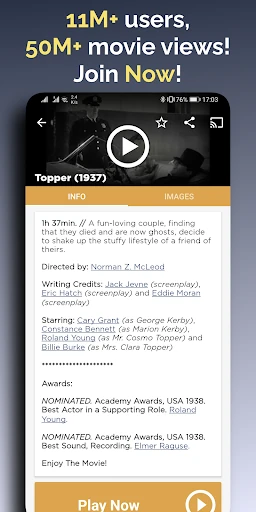
Old Movies Hollywood Classics is an entertainment app from Aether Studios. On Google Play, it has over 10 million installs and a 4.6-star rating from about 56,000 ratings. The app is free to download and contains ads; in-app purchases are available, with listed items ranging from $10.99 to $26.99. Its content rating is Teen.
The current version is 1.16.34. The app was released on February 13, 2018, and its most recent update was October 21, 2026. It supports Chromecast, Android TV, and Google TV, as well as phones and tablets. No registration is required to use it. The minimum Android version can vary by device or store details, so check Google Play before installing.
Settling In With Old Hollywood
A Direct First Impression
The first thing I notice about Old Movies is how clearly it defines its purpose. It is for classic cinema, not a general entertainment catalog with a small vintage corner. The app describes its film range as 1910 to 1960 and organizes choices across familiar categories such as comedy, drama, romance, horror, and westerns. That gives a new viewer a clear way to begin without needing to know film history.
Getting started is also low-friction in one practical respect: the app does not require registration. I can move into browsing without first creating an account. The description presents the interface as simple and supports use on phones, tablets, and TVs, including Android TV and Google TV. Those details make it easier to picture the app both as a quick phone browse and as a source for a shared screen.
Browsing and Watching
Day to day, genre browsing seems like the most useful way to approach the collection. If I have a particular mood in mind, I can start with a category instead of scanning every title. The app covers a broad spread of old-film genres, from family and fantasy to sci-fi, war, and historical movies. That range gives a classic-film evening more than one possible shape.
I also like having recognizable performers and filmmakers as reference points. Charles Chaplin, John Wayne, Gary Cooper, Ingrid Bergman, and Shirley Temple are among the names highlighted, alongside directors such as Alfred Hitchcock, Orson Welles, John Ford, and Billy Wilder. Those names give a curious viewer somewhere familiar to start, even if the particular films in the collection are new to them.
Features That Matter
The central feature is streaming a collection of classic films, with the app describing them as free to watch. It also says that new classics are added regularly, so the catalog is intended to develop over time. For me, the combination of a defined era and genre categories is more meaningful than a long feature checklist: it gives the app a clear browsing purpose.
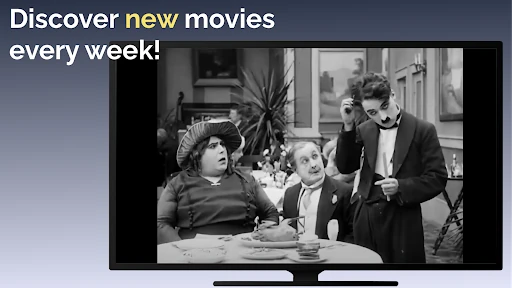
Casting support is a useful extra for viewers who would rather watch on a television than hold a phone. The app supports Chromecast, Android TV, and Google TV, alongside phone and tablet use. That makes it easier to adapt the same classic-film idea to different settings, whether I’m checking out a title on my own or putting something on for a room of people.
The titles called out in the description include The Gold Rush, Rebecca, Stagecoach, Meet John Doe, A Farewell to Arms, and The Bells of St. Mary's. They provide concrete examples of the kind of cinema the app is centered on, rather than suggesting that the service is designed for recent movies.
A Simple Movie-Night Routine
For a practical routine, I’d start by asking what kind of evening everyone wants rather than naming a movie immediately. A genre such as comedy, musical, or adventure can narrow the choice, and a familiar performer or director can help if the group still feels undecided. This approach suits a collection where some viewers may know the classics well and others may be trying them for the first time.
Once a title is chosen, watching on a TV is an option through Chromecast, Android TV, or Google TV support. I’d treat the phone as the place to browse and choose, then move the viewing to a shared screen when that suits the room. No account registration is needed to get started, so this routine does not begin with signing up or setting up a profile.
Keep Expectations Grounded
The app’s focus is also its biggest limitation: it is built around classic cinema from 1910 to 1960. That makes it a poor fit when I’m looking for a newly released film, a current series, or a broad modern catalog. The best reason to install it is a genuine interest in older movies, not an expectation that it will replace every other streaming option.
There are ads, and the app also offers in-app purchases, so “free” does not mean an entirely ad-free experience. The store shows paid items ranging from $10.99 to $26.99, and the content rating is Teen. Those are practical details to consider before making it part of a household’s movie-night routine.
Finally, the description promises fresh additions but does not give a release schedule. I’d approach the app as a focused way to browse the classics it offers rather than assuming any particular title will always be available. For someone happy to explore the era, that is a manageable expectation; for a viewer searching for one exact movie, checking the current catalog first makes sense.
Old Movies Hollywood Classics has a clear job: make classic Hollywood films easier to browse and watch. Genre categories, familiar film names, no registration, and support for casting or TV platforms give it practical appeal for an older-movie night. Its narrow period focus is a strength for the right viewer, not a reason to expect a full modern streaming catalog.
I’d recommend giving it a try if classic cinema is already part of your interests, or if you want a straightforward starting point for exploring it. If you mostly watch recent releases, this probably won’t become your main streaming app. Keep the ads and in-app purchases in mind, then decide whether its focused collection matches your viewing habits.
Old Movies Hollywood Classics Frequently Asked Questions
What is Old Movies Hollywood Classics used for?
Old Movies Hollywood Classics is for browsing and streaming classic films from Hollywood’s earlier decades. Its collection is described as covering movies from 1910 to 1960, with categories including comedy, drama, horror, westerns, romance, and musicals. It also highlights well-known performers, directors, and titles, making it a focused option for people interested in older cinema.
Which devices support Old Movies Hollywood Classics?
The app is available for Android and is described as working on phones and tablets, with support for Chromecast, Android TV, and Google TV. Those options let viewers use a mobile device or watch through supported TV setups. Specific device compatibility can vary, so it is worth checking the Google Play store details for your device.
What Android version does Old Movies Hollywood Classics require?
The minimum Android version can vary with device compatibility and current store information. Before installing, check the app’s Google Play page on the Android device you plan to use. The app’s listed version is 1.16.34, but the version number does not by itself establish which Android releases a particular device can run it on.
Does Old Movies Hollywood Classics cost money?
The app is free to download and contains ads. It also offers in-app purchases, with listed items ranging from $10.99 to $26.99. Store details and available purchase options can change, so check Google Play for current information before downloading or buying anything.
Who is Old Movies Hollywood Classics best for?
It is best suited to viewers who enjoy classic Hollywood films, want to explore cinema from 1910 to 1960, or are planning an older-film night. Genre browsing and support for TV viewing add practical flexibility. It may be a poor match if you mainly want current releases or a broad catalog of modern shows and movies.
Pros
- Focused collection of classic films spanning 1910 to 1960.
- Genre browsing offers approachable starting points for a movie night.
- No registration is required to get started.
- Supports Chromecast, Android TV, and Google TV viewing.
Cons
- The older-film focus will not meet demand for recent releases.
- Ads are present, and in-app purchases are offered.
- The app’s narrow catalog may not suit every household’s tastes.
- Category
- Entertainment
- Version
- 1.16.34











