NFL
- 412.44K
- 4.5
- Installs
- —
- Price
- Free
Screenshots

Analysis by Reviewed APKs
NFL is the league’s official iPhone and iPad app, bringing scores, highlights, news and video content together for fans who want to follow the season on the go. I found it most useful as a quick game-day companion: it can help me check a score or catch up on a play without settling in for a full broadcast. Some viewing options require a subscription, so it works best as a mix of free updates and paid extras.
A quick game-day check-in
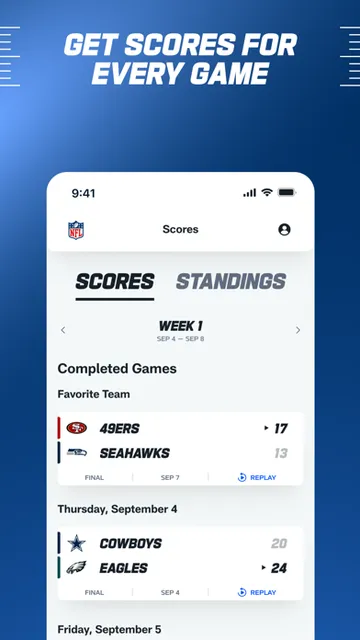
Imagine I’m out running errands on Sunday and can’t keep a game on in the background. I open NFL to check the latest score, then use the in-game highlights and drive charts to see how the game has unfolded. That gives me more context than a score alone, without asking me to follow every snap. When I have a spare minute, I can also catch up on breaking news or a key story.
The app is designed to gather the league’s available content in one place, so I can move between scores, highlights and news rather than hunting through separate sources. I especially like that the score view and drive information can serve different kinds of check-ins: one answers “what’s happening?” and the other helps explain how the game got there. It’s a practical setup for busy Sundays, even when watching live isn’t an option.
More than a score app
Compared with a basic scores app, NFL reaches further into video and league coverage. It offers in-game highlights, drive charts, news, analysis and the NFL Channel’s free content. NFL+ adds live local and primetime games on phones and tablets, along with live audio and other programming. That makes the app useful both for quick updates and for fans considering a more involved viewing routine.
It isn’t simply a free way to watch every game, though. NFL+ and NFL+ Premium require subscriptions, and the live viewing options described are specific to those plans. The app also isn’t a replacement for a television setup if watching live games on an external display is important to you: its rules limit output of live games, NFL RedZone and NFL Network from phones or tablets to external screens. I’d treat it as a companion first.
Small habits that help
I’d get the most from NFL by making it part of a simple game-day routine. I can check scores before kickoff, follow a drive chart when I have a moment, and return for highlights afterward. If a result leaves me wondering what changed, a story or insider analysis can add context. These are small, flexible visits rather than a commitment to sit with the app for an entire game.
It also helps to decide what I want from the app before a busy weekend. For free updates and league content, I can use the central hub without building my day around a stream. If I’m considering NFL+, I can check the subscription details and game availability in the App Store before relying on it for a particular matchup. That keeps expectations realistic and makes the app easier to fit around other plans.
More From Our News Desk

Zoom Meetings, Google Meet, or Teams: Which Is Easiest to Join?

How I Build a Free Streaming Lineup With Tubi

Why Crunchyroll Is the Default Anime App for So Many Fans

YouTube TV: A Practical Guide to Cutting Cable

Rummikub and the Small Comfort of Phone Games

TeamViewer Remote Control or AnyDesk for Helping Family?
Who will get the most from it
I’d recommend NFL to fans who want a convenient way to follow scores, read league news and catch highlights on an iPhone or iPad. It suits people who check in between work, errands or other plans, as well as viewers who want league-focused video and audio options. The free NFL Channel content and game updates give casual followers a reason to open it even if they aren’t looking for a subscription.
It may be less appealing if you want a no-cost way to stream every live game, or if watching on a television through a phone connection is central to your setup. Some video and live-game features require NFL+ or NFL+ Premium, and the app restricts external-display output for certain live content. Fans who mainly want a straightforward schedule or score may find the broader mix more than they need.
NFL is developed by NFL Enterprises LLC and is available for iPhone and iPad through the Apple App Store. The app is free to download, has a 4+ age rating, and requires iOS 16.4 or later. The store shows a 4.5-star rating from about 412,000 ratings, giving new users a useful sense of how other customers have scored it.
The current version is 61.0.19. The app was released on September 10, 2010, and its most recent update is dated November 3, 2026. NFL+ and NFL+ Premium require subscriptions; the app itself is free. The store details provided do not specify subscription prices, so I’d check the App Store for current terms before signing up.
A Closer Look at NFL on iPhone
Opening the app
When I first opened NFL, the main appeal was clear: this is a place to keep tabs on the league, not a single-purpose video player. Scores, highlights, news and other available NFL content sit under one umbrella. That broad scope makes sense for a season-long companion, especially if I’m likely to move between following games and reading about them.
The practical setup question is whether my device meets the requirement. NFL needs iOS 16.4 or later, so I’d check that before making it part of my routine. I’d also separate the free app from its subscription options in my mind. The app can be useful for updates and free content, while certain live and premium features are tied to NFL+ plans.
Following games day to day
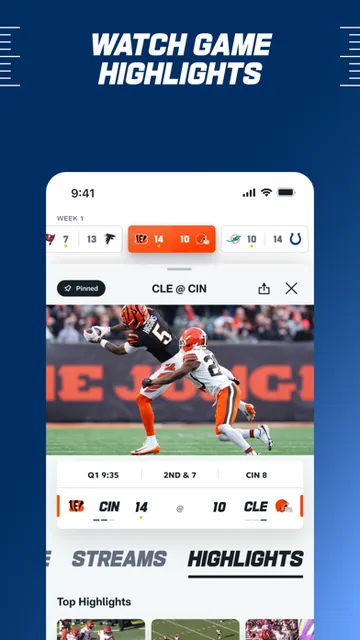
The everyday core is a combination of up-to-the-minute scoring, in-game highlights and drive charts. I can check a score quickly, then spend a little longer following the sequence of plays if I want a better read on the game. It’s a useful middle ground between a bare score alert and watching a full broadcast, particularly when I’m away from the couch.
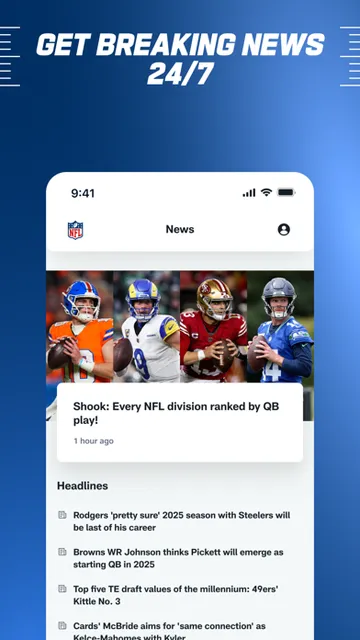
The surrounding news and analysis also give me somewhere to go after the immediate game check. Breaking stories and insider analysis can help fill in the bigger picture, while the NFL Channel provides free NFL content around the clock. I wouldn’t expect every visit to turn into a long session; the app’s range is more valuable when I can dip in for different reasons.
Video and audio options
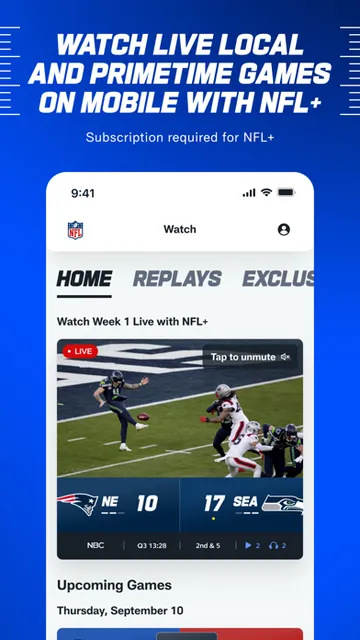
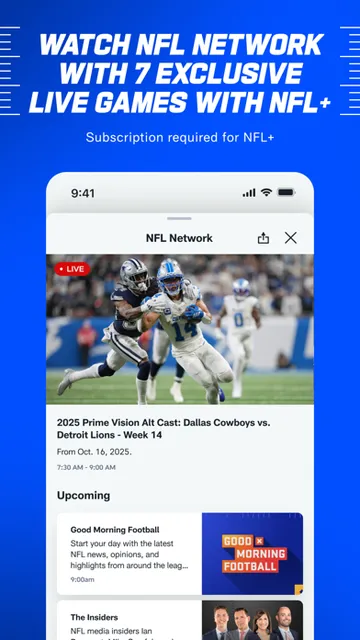
The subscription features make the app more than a scoreboard for fans who want to watch or listen. NFL+ includes live local and primetime regular-season and postseason games on phones and tablets, live NFL Network, ad-free highlights from every game, and live audio with home, away and national broadcasts. It also includes NFL Films programming and other on-demand content across devices.
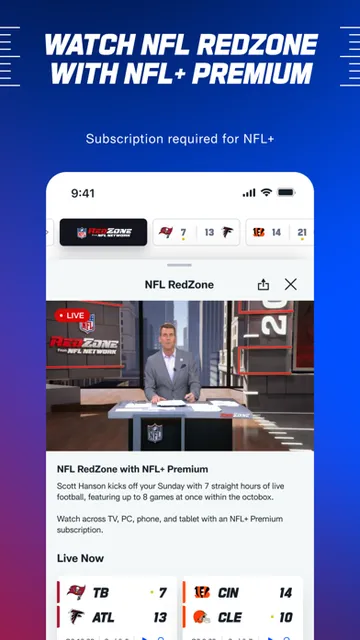
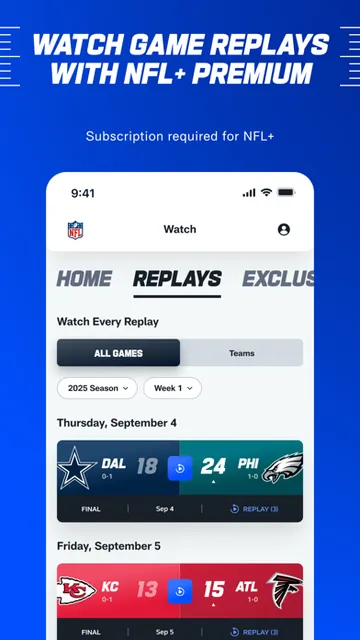
NFL+ Premium adds NFL RedZone across devices and game replays in full, condensed and All-22 coaches’ film formats. It also includes NFL Pro access and performance statistics, with that advanced analytics platform available on desktop and mobile web. These are substantial extras for devoted followers, but they’re separate from the free app experience and require a subscription.
A Sunday follow-along
A routine I can picture is checking the scores before settling into the day, then opening the app during a break to see how a close game is moving. Drive charts provide a quick way to follow progress, and in-game highlights help me catch a notable moment without watching continuously. Afterward, I can look for a recap or related story to understand the result in context.
For someone who wants a live broadcast, the routine changes: I’d first confirm which NFL+ features apply to the game and device I plan to use. Live games in the NFL+ description are for phones and tablets, and certain live content cannot be sent from those devices to external displays. Knowing that ahead of time matters more than discovering it when kickoff is already underway.
Limits to keep in mind
The biggest limitation is that the app’s most appealing viewing features aren’t all included simply because the app is free. NFL+ and NFL+ Premium require subscriptions, and subscription terms and availability can affect what I can watch. I’d read the current App Store details before deciding whether a plan fits my budget or the games I care about.
There are also clear device and display boundaries. The app supports AirPlay for video-on-demand and select live content, but it does not allow output of live games, NFL RedZone or NFL Network from phones or tablets to external displays using HDMI, Chromecast, AirPlay, Miracast or similar methods. That makes it important to check the viewing setup, not just the game coverage.
Finally, the app’s broad coverage may be unnecessary for someone who only wants a score. Its appeal grows when I use several parts of the experience—updates, highlights, stories or subscription content—rather than expecting a minimal utility. I’d see it as a flexible league companion, with the best fit depending on how much NFL coverage I want in my day.
NFL works well as a season companion because it brings scores, highlights, drive charts and league coverage together in one place. I like that it can serve a quick check-in or a deeper game-day session, depending on what I have time for. The free app has useful ways to follow the league, while subscriptions expand the viewing and listening options.
I’d recommend it to NFL fans who want league updates on an iPhone or iPad and are comfortable treating paid streaming as an optional extra. If you mainly want to watch games on a television or expect every live matchup without a subscription, check the restrictions and current plan details first. For following the season between other plans, it’s a capable companion.
NFL Frequently Asked Questions
What is the NFL app used for?
NFL is a league companion for following scores, in-game highlights, drive charts, news and analysis. It also provides access to available NFL content, including the NFL Channel’s free programming. NFL+ and NFL+ Premium add subscription video, audio and replay features, so the app can serve both casual check-ins and more involved game-day use.
Which devices can I use the NFL app on?
The NFL app is available on iPhone and iPad through the Apple App Store, and it requires iOS 16.4 or later. NFL+ includes live local and primetime games on phones and tablets. Some NFL+ Premium features are available across devices, while the NFL Pro analytics platform is described for desktop and mobile web.
What iOS version does the NFL app require?
NFL requires iOS 16.4 or later. I’d check the App Store page on the device you plan to use, since supported requirements can change with app updates. The app is offered for iPhone and iPad, so make sure the device’s software is current enough before relying on it for a game-day routine.
Does the NFL app cost money?
The NFL app is free to download. NFL+ and NFL+ Premium require subscriptions for their added live games, audio, replays and other features. Current subscription prices and terms may vary, so check the App Store before subscribing. You can still use the app for its available scores, news and free NFL content.
Is the NFL app a good fit for casual fans?
It can be a good fit if you want occasional scores, highlights or league news without watching a full game. Fans who want more live coverage can consider the subscription options, but should check which content is included. If you only need a basic score or want to watch on an external display, the app’s broader features and display limits may not suit you.
Pros
- Combines scoring, drive charts, in-game highlights and league news in one app.
- Free NFL Channel content gives casual fans another reason to check in.
- NFL+ adds live audio and phone or tablet game streaming options.
- Premium offers full, condensed and All-22 game replay formats.
Cons
- NFL+ and NFL+ Premium require subscriptions for their added features.
- Live games and select channels cannot be output from phones to external displays.
- The wide mix of coverage may feel excessive if you only want scores.
- Category
- Sports
- Version
- 61.0.19