GameChanger
- 30.14K
- 4.4
- Installs
- 5.00M
- Price
- Free

Screenshots
Analysis by Reviewed APKs
GameChanger brings youth sports schedules, scorekeeping, live video, team communication, and game recaps together in one place. It is aimed at coaches, team staff, players, families, and fans who want to follow a season without juggling quite so many separate tools. I like the breadth of the idea: it can help with both the practical work around a team and the excitement of keeping up with a game.
Following a game from home
Picture a Saturday when work or family plans keep me away from the field. With GameChanger, I can follow real-time play-by-play updates and score information, and a team can stream the game so people at home can watch. Game alerts help me catch important updates without staring at the app all afternoon. It is a useful way to stay involved when being in the stands is not an option.
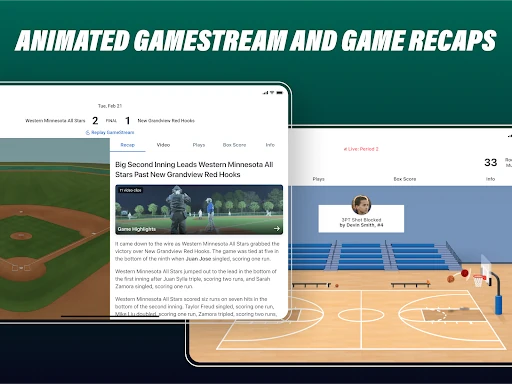
After the game, the experience can continue beyond the final score. For scored baseball, softball, or basketball games, recap stories provide a written account of key moments, while video features can make plays easier to revisit and share. I can see the appeal for relatives who missed the action and for players who want to look back. The app makes the game feel accessible, even when the family is spread across different places.
More than a scoreboard
A basic scoreboard app is enough if all I need is the score. GameChanger reaches further: it combines scoring and live coverage with team schedules, messaging, roster management, and player or game insights. That range makes it more useful across a whole season, especially for a coach or team staff member coordinating people as well as games. Families can use it as a following tool rather than just checking a number.
That breadth also means it is not a general sports-news service or a replacement for every specialized coaching system. Its focus is organized team sports and the people connected to them. Some insights are described for baseball, softball, and basketball, while availability of other functions depends on the sport and role. If I only want occasional professional scores, this would be more app than I need; its best fit is someone with a real connection to a team.
Small habits that help
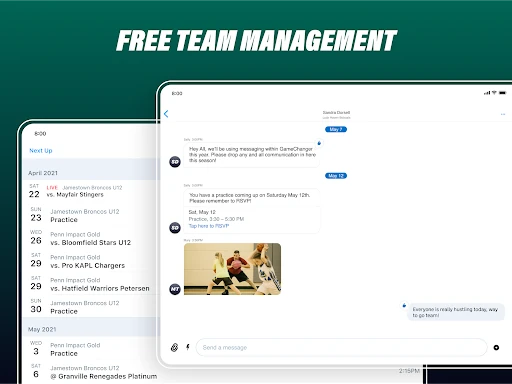
The app is likely to be most useful when the team keeps its information current. A coach or staff member can manage the roster, schedule, and announcements in one place, while players and families can use messaging and RSVPs to stay aligned. I would check the team details early in the week, then look for schedule changes and alerts before heading out. That small routine can prevent a lot of last-minute confusion.
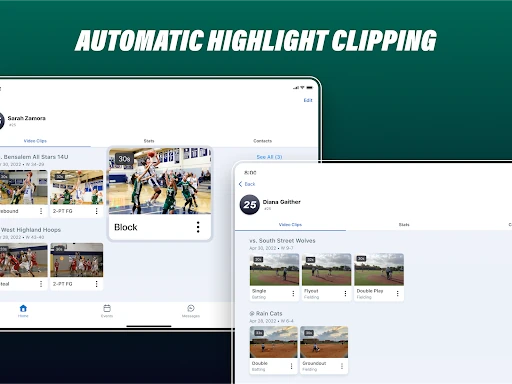
For a streamed game, it helps to think about the full loop: score the action, share the live experience, then revisit clips or a recap afterward. Automatic highlights are tied to streaming and scoring, so those pieces work together rather than as isolated extras. Coaches can also use insights as one input when thinking about lineups or practice plans. The app offers plenty, but it works best when someone consistently handles the game-day details.
More From Our News Desk

Zoom Meetings, Google Meet, or Teams: Which Is Easiest to Join?

How I Build a Free Streaming Lineup With Tubi

Why Crunchyroll Is the Default Anime App for So Many Fans

YouTube TV: A Practical Guide to Cutting Cable

Rummikub and the Small Comfort of Phone Games

TeamViewer Remote Control or AnyDesk for Helping Family?
Who will get the most from it
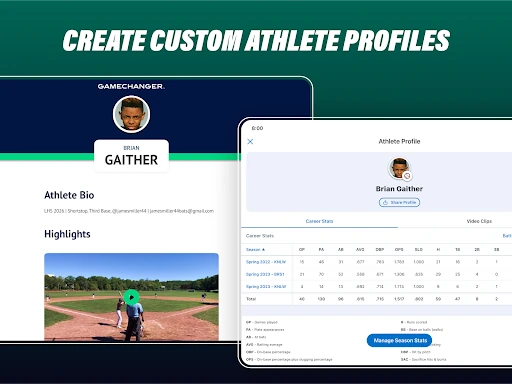
I would recommend GameChanger to coaches and team staff who want a shared place for scheduling, rosters, communication, scoring, and video. Families and fans who follow youth games from the sidelines or from home have a clear reason to use it, too. Players may appreciate seeing stats, clips, and Career Profiles tied to their season. The strongest case is for people who expect to use several of these tools regularly, not just once.
It may be less appealing to someone who wants only a quick score check, or to a team that already has a smooth routine built around other tools. The number of options can feel like a lot if nobody is assigned to keep team information and scoring up to date. I would also keep in mind that some features are role-specific, and the description says fans need a paid subscription for premium features. The free team tools still give families a practical starting point.
GameChanger is developed by GameChanger Media and is available on Android through Google Play. It is free to download, with in-app purchases listed at $7.99 to $99.99 per item, and it contains ads. Google Play shows a 4.4-star rating from about 30,000 ratings and more than 5 million installs. The content rating is Everyone.
The current version is 2026.41.0.0. The app was released on January 31, 2018, and its most recent update is dated October 22, 2026. The Android version requirement is not included in the provided app details, so I would check the Google Play page for the requirement that applies to a particular device.
A season’s worth of tools in one app
Getting started
My first impression is that GameChanger is built around the team, not a generic feed of sports headlines. The app’s stated job spans coaching, live coverage, and replay, so a new user’s experience depends on whether they are there as a coach, staff member, family member, player, or fan. That role-based usefulness makes sense for youth sports, where the same game matters to people in very different ways.
I would start by finding the relevant team and getting familiar with its schedule and communication. Coaches and staff can build or manage rosters, including imports from MaxPreps, Sports Connect, or a past GameChanger season. Families can use team messaging, announcements, RSVPs, and photo sharing. Those basics give the app a practical foundation before anyone gets to the more elaborate video and insight features.
Game day, in real time
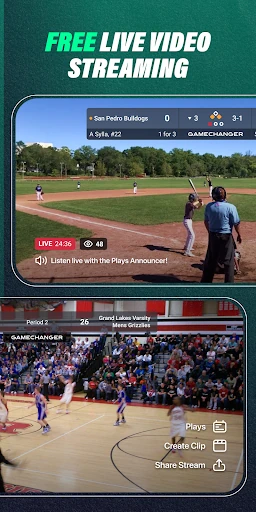
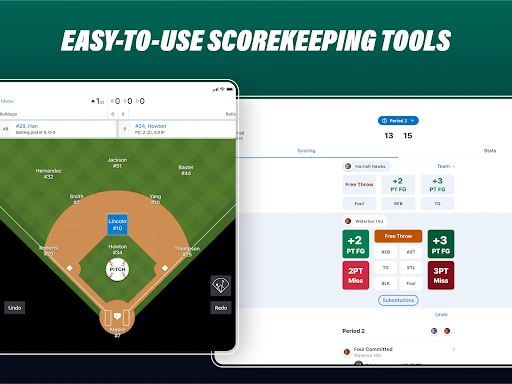
The core game-day experience is a combination of digital scorekeeping and live updates. The scorekeeper can track play using tools designed for dozens of sports, while people away from the field can follow real-time play-by-play. Free game alerts add a low-effort way to keep tabs on what is happening. This is more informative than a bare score, particularly for someone who cannot watch every minute.
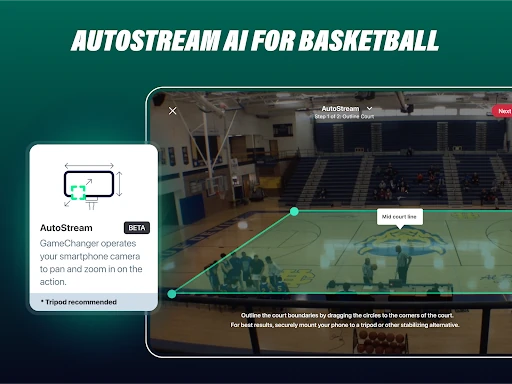
Live streaming is another major part of the experience. The app describes free Full HD 1080p streams with scoreboard overlays, which can keep remote viewers oriented as the game unfolds. Coaches and staff can also use compatible third-party cameras, including Mevo, GoPro, and XbotGo, with RTMP. The practical value depends on someone setting up and scoring the game, but the combination can make a distant family member feel closer to the action.
Tools beyond the live score
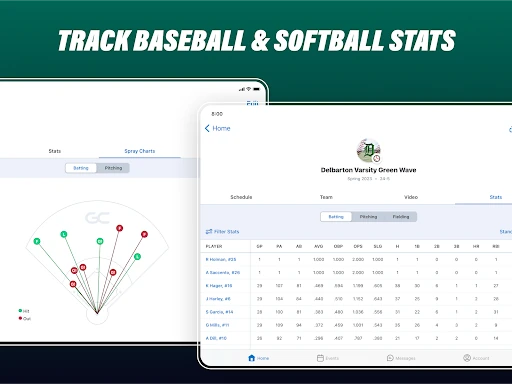
The coaching tools give the app more depth than a viewing companion. Coaches can use game and player insights, lineup recommendations, team messaging, and announcements. The described insights include offensive and defensive information for baseball, softball, and basketball, while lineup suggestions draw on performance data. I like that these functions connect game information with decisions around a season, rather than stopping at a final result.
The replay side is similarly varied. When a team streams and scores, GameChanger can generate clips of plays or points, and it also offers video archives, game highlight reels, and recap stories. Career Profiles can bring a player’s stats and key video highlights together in a shareable format. These are useful ways to preserve a season’s work, though the precise value naturally depends on the team recording and scoring games.
A weekly team routine
For a coach, I can imagine using GameChanger as a weekly organizing hub: review the schedule, send an announcement, check RSVPs, and keep the roster in order before game day. During the game, digital scoring and streaming can serve the people at the field and those watching remotely. Afterward, a recap or clips can give players and families something concrete to revisit. That flow makes the app feel most coherent when used across the full season.
Families can build a simpler routine around the same team. I would check alerts before a game, follow the live play-by-play if I could not attend, and return later for available highlights or a recap. A player might use a Career Profile to collect stats and video moments over time. None of this requires every person to be a coach, but the team’s consistency in entering information shapes how much the rest of the group can enjoy.
A few limits to consider
GameChanger’s range is a strength, but it can also make the app feel like a lot for someone who only wants one simple task. Scorekeeping, streaming, insights, messaging, and roster management each ask for a different kind of attention. The best experience seems to depend on team members taking responsibility for setup and updates. If nobody keeps the schedule or game data current, many of the benefits are harder to realize.
Access also differs by role. The description says team management is free for everyone and premium features such as video highlights, archives, career stats, and spray charts remain free for coaches and team staff, while fans need a paid subscription for premium features. That distinction is worth understanding before relying on a particular feature. The app supports many sports, but some insights and recap functions are specifically described for baseball, softball, and basketball.
GameChanger makes a convincing case for being a season companion rather than just a live score app. It brings practical team coordination together with ways to watch, follow, and revisit games. I especially like how the tools can serve coaches and remote family members without treating those as separate worlds.
I would try it if I were involved with a youth team and wanted schedules, communication, scoring, or video in one place. It is less compelling for someone who only checks occasional scores, and teams will get more from it when someone keeps the details flowing. For an active team community, the breadth is genuinely useful.
GameChanger Frequently Asked Questions
What is GameChanger used for?
GameChanger is used for youth sports team management, digital scorekeeping, live play-by-play, streaming, and reviewing games. Coaches and staff can manage rosters and communicate with a team, while families and fans can follow games and use available replay features. The exact tools that matter most will depend on a person’s role and the sport.
Is GameChanger available on Android and other devices?
GameChanger is available as an Android app on Google Play, and the service also offers access to teams through a web portal. The supplied app details do not establish availability for other mobile platforms. I would check the relevant store or service information for current device support and compatibility.
What Android version does GameChanger require?
The minimum Android version is not included in the app details provided here. Requirements can change as the app is updated and may depend on a particular device, so check GameChanger’s Google Play page before installing if compatibility is a concern.
Does GameChanger cost money?
GameChanger is free to download and includes in-app purchases, with Google Play showing items priced from $7.99 to $99.99. It also contains ads. The description says team management is free for everyone and that certain premium features are free for coaches and team staff, while fans need a paid subscription for premium features. Check Google Play for current purchase details.
Is GameChanger a good fit for my team?
It is a good fit to consider if your team wants tools for schedules, messaging, scoring, streaming, or game recaps in one place. Coaches, staff, players, and families can use different parts of the service. It may be more than you need if you only want occasional score checks, and the app is most useful when team information is kept up to date.
Pros
- Combines team communication, scheduling, scorekeeping, and live coverage in one place.
- Offers real-time play-by-play, game alerts, and streaming for remote followers.
- Replay tools include automatic clips, recap stories, archives, and Career Profiles.
- Team management tools are described as free for everyone.
Cons
- The wide feature set may feel excessive for people who only want scores.
- Many benefits depend on someone consistently managing rosters and scoring games.
- Some premium features require a paid subscription for fans.
- Category
- Sports
- Version
- 2026.41.0.0