NBA: Live Games & Scores
- 242.91K
- 4.4
- Installs
- 10.00M
- Price
- Free

Screenshots
Analysis by Reviewed APKs
NBA: Live Games & Scores is a basketball companion for keeping up with NBA games, teams, players, and league news. I’d recommend it to fans who want scores and highlights in one place, whether they follow every night or check in between other plans. My overall take is that it does a useful job as a free information hub, with live viewing available through paid League Pass options.
Following a Busy Game Night
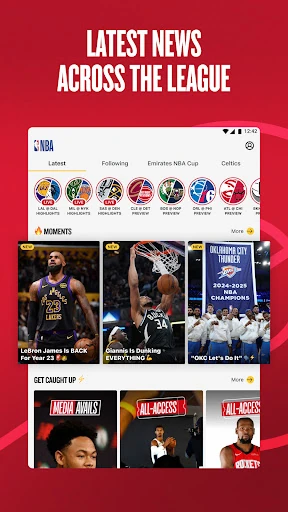
When I want to catch up on a game but can’t sit down to watch from tipoff, the NBA app gives me a practical starting point: scores, stats, standings, and the season schedule are available alongside news and highlights. I can check how a matchup is going, then browse a recap or a standout play when I have a spare minute. That makes it useful during a commute, a work break, or a night when several games are happening at once.
I also like that the app connects the live-game experience to the rest of the basketball day. Previews help me see what’s coming up, and postgame press conferences offer a way to hear directly from people involved after a game. If I’m following particular teams or players, personalized live updates can keep the app focused on what I care about instead of making every check-in a hunt through league-wide results.
A Scoreboard, Not Just a Stream
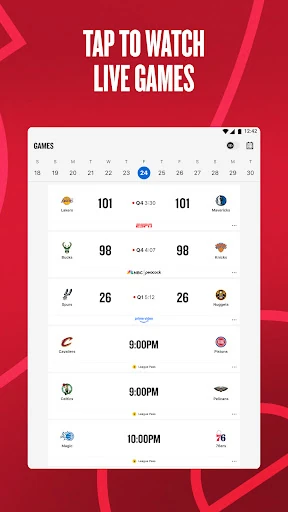
The obvious alternative is a streaming service, but the NBA app has a broader job than simply playing a game. Its free coverage includes scores, stats, standings, schedules, highlights, news, and live channels with basketball coverage. It can also point fans toward where a game is available to watch. For someone who mostly wants context and quick updates, those features can be more useful than opening a video stream every time.
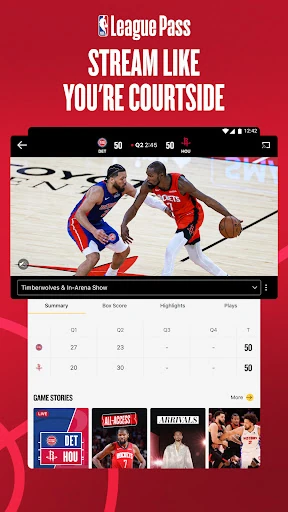
It is not a promise that every game will be available to watch for free in the app. Live game streaming is part of NBA League Pass, while the app’s game details can direct fans to the appropriate streaming service. Blackouts and restrictions apply in the US and Canada. I’d think of the app as a central place for following the league, with a paid subscription as an option for fans who want more live and on-demand viewing.
Small Habits That Help
A little personalization makes regular check-ins easier. I’d start by selecting the teams and players I care about so the live updates are more relevant, then use the schedule to see what’s coming up rather than relying on memory. During a game, scores and stats offer a quick snapshot; later, highlights and recaps make it easier to catch the important moments without needing to follow every possession.
There are useful ways to fill the gaps between games, too. The app has live channels for ongoing basketball coverage, and NBA Play offers free games such as trivia and NBA IQ. I’d treat those as optional extras rather than the main reason to install it. Together, the schedule, updates, and short-form content create a routine that works for both a devoted fan and someone who checks in now and then.
More From Our News Desk

Zoom Meetings, Google Meet, or Teams: Which Is Easiest to Join?

How I Build a Free Streaming Lineup With Tubi

Why Crunchyroll Is the Default Anime App for So Many Fans

YouTube TV: A Practical Guide to Cutting Cable

Rummikub and the Small Comfort of Phone Games

TeamViewer Remote Control or AnyDesk for Helping Family?
Who Will Enjoy the App
I’d recommend NBA: Live Games & Scores to fans who want a convenient overview of the league and a way to keep tabs on favorite teams or players. It suits people who enjoy checking results and stats, watching highlights, or reading basketball news in short bursts. Fans who already subscribe to NBA League Pass can also use the app to access their subscription and watch games through the service.
It may be less appealing if you only want a simple scoreboard, since the app also includes news, live channels, stories, and games. And if your main goal is to watch live NBA games, remember that the free app and League Pass are not the same thing. Fans in the US and Canada should keep blackout restrictions in mind. Casual followers can still get value from schedules and recaps without committing to a streaming subscription.
NBA: Live Games & Scores is made by NBA Properties, Inc. On Google Play, it has over 10 million installs and a 4.4-star rating from about 243,000 ratings. Its content rating is Everyone. The app is free to install, and Google Play indicates that it contains ads and offers in-app purchases.
Google Play gives the in-app purchase range as $0.99 to $399.99 per item. The app’s release date is October 27, 2020, and its last update was February 4, 2026. The Android requirement and current version can vary, so check the Google Play page for the details that apply to your device.
A Closer Look at the NBA App
Getting Started
When I first opened an app built around the whole NBA season, what mattered most was having more than one way to catch up. The NBA app brings together schedules, scores, news, highlights, and game information, so it can serve fans who arrive with different questions. Maybe I want to see tonight’s slate, or maybe I’m looking for a recap from a game I missed; the app’s mix of formats makes both reasonable starting points.
Personalized updates are a helpful way to make that broad coverage feel more relevant. Choosing favorite teams and players gives the app a clearer sense of what I want to follow. I’d take a moment to set those preferences early, especially if I follow only a few teams. It’s a small step that can make future check-ins feel less like scanning the entire league.
Everyday League Coverage
In day-to-day use, the app works as a place to check scores, stats, and standings, then move into related coverage if I want more detail. The full-season schedule helps with planning, while previews and recaps give a game some context before or after it happens. Highlights are an easy way to revisit notable plays without making the app’s value depend on watching a full broadcast.
I can imagine using it in small windows of time: checking a score while waiting for an appointment, looking at a player update over lunch, or reading a recap the morning after a late game. That flexibility is the strongest everyday benefit. The app supports both quick visits and longer browsing, though the experience of watching a full live game is tied to a streaming service rather than just the free information features.
More Than Scores
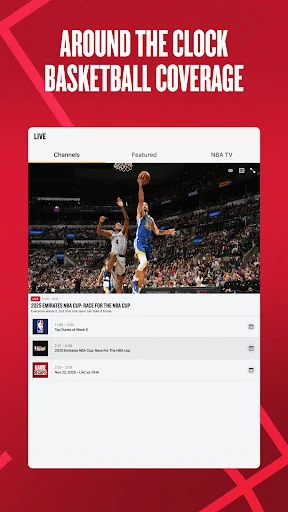
One feature that stands out is the range of coverage around the games themselves. Alongside highlights and news, the app includes live channels with basketball coverage, studio shows, and more. It also offers free access to postgame press conferences after every game. Those additions help fill the space between tipoff and the next day’s recap, especially for fans who like following the conversation around the league.
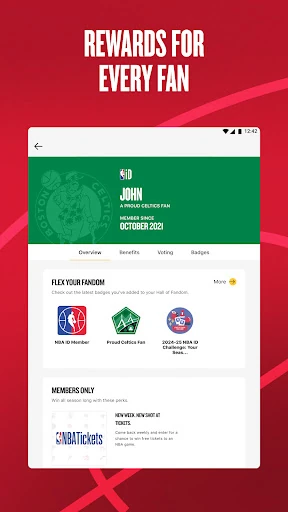
NBA Play adds a lighter option when I’m not looking for game coverage. Its free basketball games include trivia and other knowledge-based formats, such as Full Court Guess, Hoop Connect, and Player Path. NBA ID adds member benefits and fan activities, including voting on league moments and earning badges. These are extras, not essential tools for checking a score, but they give regular followers more ways to engage.
A Simple Game-Day Routine
For a practical game-day routine, I’d start with the schedule to see what’s on and check the app’s details about where each game can be watched. If I’m following a team, personalized updates can help me keep tabs on it through the day. Near game time, scores and stats give me a quick read on the action; afterward, I can move to highlights, a recap, or a postgame press conference.
That routine also suits nights when I can’t watch live. I can check the final result later, catch up on the most notable moments, and read news or a preview of the next matchup. If I have a few extra minutes, NBA Play is there as a separate diversion. The point is to use the app as a flexible companion, rather than expecting every visit to turn into a full-length viewing session.
What to Keep in Mind
The main limitation is the distinction between following games and streaming them. Scores, schedules, news, and highlights are part of the app’s free coverage, while live and on-demand games are among the benefits of NBA League Pass. The app can guide fans to an appropriate streaming service, but that does not mean every broadcast is included with a free install. The right setup depends on whether I want information, video, or both.
League Pass also has restrictions to consider. Blackouts and other restrictions apply in the US and Canada, and access to particular games can depend on the service and location. Paid options may not suit someone who only wants occasional results. Finally, the app covers a lot of ground, so a fan who wants nothing beyond a basic score check may find its broader collection of channels, stories, and games more than they need.
NBA: Live Games & Scores is a strong all-purpose companion for fans who like to keep up with the league in several ways. I value the combination of schedules, scores, stats, highlights, news, and personalized updates. The free app can be useful on its own, while League Pass offers a separate route to live and on-demand games.
I’d recommend giving it a try if NBA coverage is part of your regular routine, especially if you want more than a scoreboard. If you mainly want live video, check the subscription and blackout details before counting on it for a particular game. For casual fans, the free updates and recaps are a sensible place to start.
NBA Frequently Asked Questions
What is NBA: Live Games & Scores used for?
NBA: Live Games & Scores is used to follow NBA games and league coverage. It provides scores, stats, standings, schedules, news, highlights, previews, recaps, and personalized updates about favorite teams and players. The app also has live basketball coverage, postgame press conferences, and free basketball knowledge games. Live and on-demand game streaming is available through NBA League Pass.
Which devices can run NBA: Live Games & Scores?
The app is available for Android through Google Play. The Android version requirement can vary, so check its Google Play page for the requirement that applies to your device. The app also includes mobile-optimized League Pass streams for phones and tablets, though watching games requires the relevant streaming access.
What Android version does NBA: Live Games & Scores require?
The required Android version may vary by app release and device. Check the Google Play page for the current requirement before installing. Google Play also shows the current app version, which can change as updates are released.
Is NBA: Live Games & Scores free?
The app is free to install and includes ads and in-app purchases. Google Play shows in-app purchase prices from $0.99 to $399.99 per item. Watching live and on-demand NBA games is offered through NBA League Pass, so check Google Play for current purchase details and the available subscription options.
Who should use NBA: Live Games & Scores?
It is a good fit for NBA fans who want scores, schedules, stats, highlights, and news in one app, or who want to follow selected teams and players. Fans interested in live game viewing may also find it useful with League Pass. If you only want a basic scoreboard, its wider coverage may be more than you need.
Pros
- Combines scores, stats, standings, schedules, news, and highlights in one app.
- Personalized live updates help fans keep up with selected teams and players.
- Free NBA Play games and postgame press conferences add worthwhile extras.
- League Pass subscribers can access live and on-demand basketball streams.
Cons
- Live and on-demand game viewing requires NBA League Pass access.
- Blackouts and restrictions apply to viewers in the US and Canada.
- Ads and paid in-app purchases are part of the free app experience.
- Category
- Sports
- Version
- VARY