My H-E-B
- 43.64K
- 4.7
- Installs
- 1.00M
- Price
- Free

Screenshots
Analysis by Reviewed APKs
My H-E-B brings grocery shopping, store information and pharmacy tasks together in one app for people who shop at H-E-B. It suits both curbside regulars and customers who still walk the aisles but want help making a list or finding products. I like its mix of practical shopping tools and ways to save; it has more going on than a basic grocery-ordering app, though its usefulness naturally depends on shopping at H-E-B.
A Grocery Run, Planned
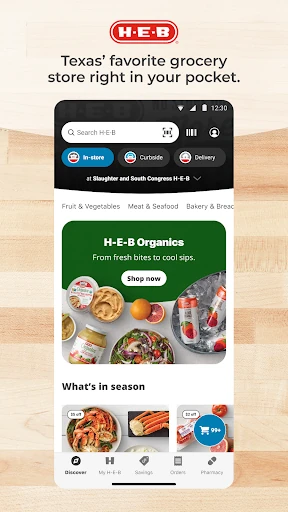
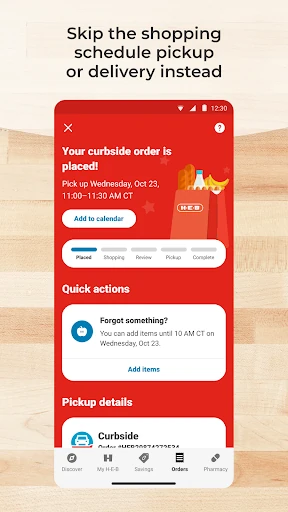
Picture planning dinner after work, then realizing the fridge is missing a few essentials. With My H-E-B, I can start a shopping list, look through products and check the weekly ad before choosing whether to order groceries or shop in person. The app supports curbside pickup, including options as soon as two hours, and same-day delivery options. That makes it useful for turning a scattered list of needs into a more organized trip.
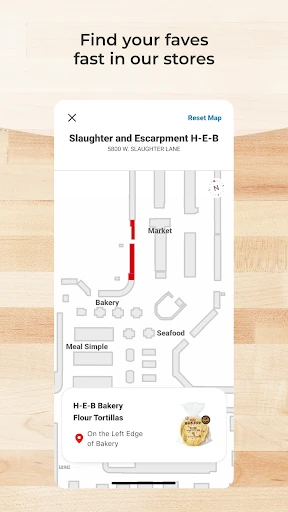
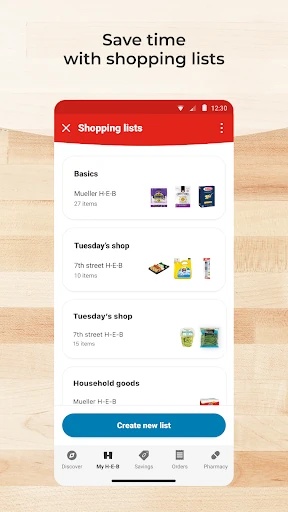
For an in-store run, the list and store maps are the most relevant tools: I can plan what to buy, then use the map to find items faster. If I decide to stay home, I can shop for delivery or arrange curbside pickup instead. The app also lets me reorder items from past orders, which is handy when the same basics keep showing up on my list. It covers several stages of grocery shopping without requiring one fixed routine.
More Than Online Groceries
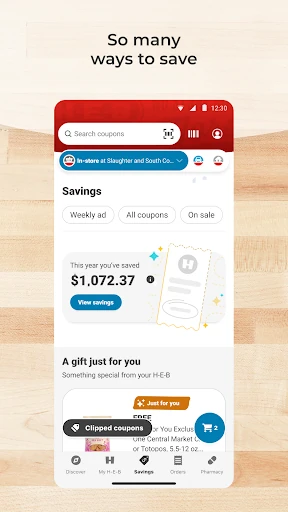
Compared with a simple grocery delivery app, My H-E-B also supports shopping in an H-E-B store. Its store maps, digital coupons and weekly ad can help with an in-person visit, while pickup and delivery cover the order-from-home side. Recipes and barcode scanning add planning and product discovery tools. The result is less like a single-purpose delivery service and more like a companion for different ways of shopping with this retailer.
That retailer focus is also the main boundary. I would not choose it as a general-purpose shopping app for comparing every supermarket or arranging groceries from unrelated stores. Its value comes from H-E-B products, store information and shopping services. If I do not shop at H-E-B, most of the app’s central features are a poor fit. It is for making an H-E-B routine easier, not for replacing every store’s own tools.
Small Habits That Help
I’d get more from the app by keeping a shopping list current instead of trying to remember everything just before a trip. Adding needs as they come up gives the list a practical role whether I am ordering groceries or heading into a store. Before shopping, I can also browse the weekly ad and personalized coupons. Those steps make the app useful before I reach the checkout, rather than only when I place an order.
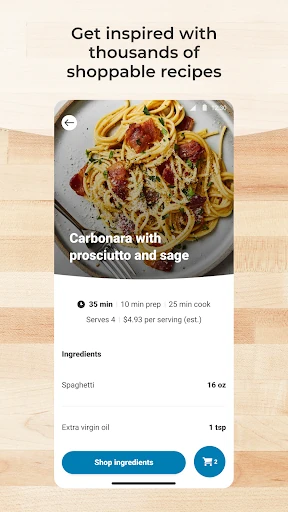
Past orders offer another useful shortcut: when familiar staples run low, reordering them can save time compared with searching for each one again. For meal planning, shoppable recipes can help connect an idea for dinner to the products needed. Barcode scanning at home is another way to find an item online. These tools work best as small, occasional habits; there is no need to turn every grocery run into a complicated planning project.
More From Our News Desk

Zoom Meetings, Google Meet, or Teams: Which Is Easiest to Join?

How I Build a Free Streaming Lineup With Tubi

Why Crunchyroll Is the Default Anime App for So Many Fans

YouTube TV: A Practical Guide to Cutting Cable

Rummikub and the Small Comfort of Phone Games

TeamViewer Remote Control or AnyDesk for Helping Family?
Who Might Get the Most From It
I’d recommend My H-E-B to people who already shop at H-E-B and want a single place for lists, store information, coupons and grocery orders. It is especially relevant if curbside pickup or delivery fits into a busy week, or if you sometimes shop in person and sometimes order from home. The ability to revisit past orders can also appeal to households that buy many of the same groceries from week to week.
It may be less useful for someone who shops at other retailers, wants a general grocery comparison tool or does not need digital shopping features. The app has several functions, including prescription management, but that does not make it a substitute for every pharmacy or grocery service. I’d approach it as an H-E-B-specific helper: a good match for regular customers, but not a compelling download for people without a reason to use H-E-B.
My H-E-B is developed by H-E-B and is listed on Google Play as a shopping app. It has over one million installs and a 4.7-star rating from around 43,600 ratings. The app is free to download, and the provided store facts say it contains neither in-app purchases nor ads. Its content rating is Everyone.
The current version in the supplied app facts is 2.88.0.32. My H-E-B was released on December 2, 2019, and its last update is dated October 19, 2026. A minimum Android version was not provided in the app facts, so check the Google Play entry for device compatibility before installing.
A Closer Look at Everyday Shopping
A Practical First Impression
When I first opened My H-E-B, the range of jobs it covers stood out more than any one feature. It is built around groceries, but the experience reaches from planning a list to choosing pickup or delivery, checking deals and finding products in a store. That broad scope makes sense for a retailer’s app: it can be useful before a shopping trip, during one, and when preparing to place an order.
I would start by deciding which parts fit my routine rather than trying to use everything at once. Someone who mostly shops in person may care about lists, maps and coupons first. A pickup customer may be more interested in browsing products and reordering. The app’s different tools give H-E-B shoppers a few ways in, although the best first step depends on how they usually buy groceries.
The Day-to-Day Shopping Loop
The core experience follows a familiar cycle: plan what is needed, shop, then come back to recurring items the next time around. Lists help collect groceries, while pickup and delivery provide alternatives to walking the aisles. The option to reorder top items from past orders can make repeat shopping less repetitive. I like that this loop can work for both a quick top-up and a more considered meal-planning session.
On a store visit, maps and digital coupons give the app a role beyond ordering. I can use a list to keep track of what I came for and look for products with the store map, then browse available coupons as part of the shopping process. The weekly ad offers another way to check current promotions. These are practical additions rather than reasons to use the app every day.
Features With a Clear Purpose
Several features feel especially tied to real grocery habits. Shoppable recipes connect meal ideas with products, which can make planning a dinner less abstract. Barcode scanning at home offers a quick route to finding items online. Neither replaces a well-kept list, but both give shoppers another way to turn a need or an idea into a product search.
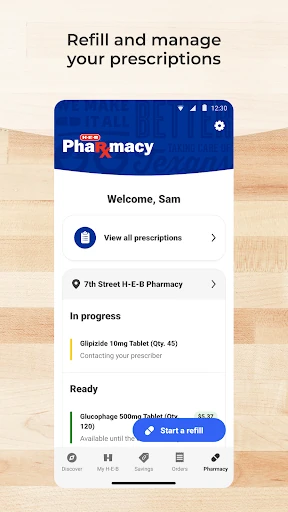
The prescription tools broaden the app beyond food shopping: users can manage prescriptions for themselves and family members, including refills and delivery. My H-E-B also supports payment with a SNAP EBT card for pickup and delivery. These features could be important to some households, but they are not necessary to appreciate the basic shopping tools. Their presence makes the app more useful to customers who want several H-E-B tasks in one place.
A Routine That Stays Flexible
For a straightforward weekly routine, I’d keep a running list and add groceries when I notice they are running low. Before a larger shop, I could check the weekly ad and personalized coupons, then browse recipes if I need meal ideas. Once it is time to shop, I can choose between an in-store visit, curbside pickup or delivery rather than treating one method as the only option.
After an order, past purchases can help with the next round of staples. I would use that shortcut for the things I buy regularly, while adding less familiar ingredients to the list separately. If a product is already at home and I want to find it online, barcode scanning offers another path. The routine is simple: use just the tools that remove friction from that particular shop.
Limits to Keep in Mind
The biggest limitation is the app’s close connection to H-E-B. Its maps, products, coupons and ordering options are aimed at H-E-B customers, so it has little reason to stay on a phone if someone shops elsewhere. That focus is useful for regular customers, but it also means the app is not a neutral place to compare grocery options across different retailers.
The number of features may also be more than a shopper needs. Someone who only wants to check off a short list might not care about recipes, pharmacy tasks or ordering options. And while pickup can be available in as little as two hours and delivery can offer same-day options, availability and timing can depend on the store and order. It is worth checking the app when making plans rather than assuming every option is available.
My H-E-B is a capable store companion for people who already shop at H-E-B. Lists, maps, coupons, weekly ads, recipes and ordering options cover plenty of everyday ground, while prescription management and SNAP EBT support may matter to particular households. I like that shoppers can use it for either an in-store trip or an order from home.
I’d recommend trying it if H-E-B is part of your regular grocery routine and you want those tools together. If you shop at other stores or only need a basic list, the retailer-specific focus may not justify another app. For its intended audience, though, My H-E-B offers useful flexibility without requiring one particular way to shop.
My H-E-B Frequently Asked Questions
What is the My H-E-B app used for?
My H-E-B is for shopping with H-E-B. It supports grocery pickup and delivery, shopping lists, store maps, past-order reordering, digital coupons and the weekly ad. It also includes shoppable recipes, barcode scanning to find products online, and tools for managing prescriptions. Which features matter most will depend on how you shop.
Which devices can run My H-E-B?
My H-E-B is an Android app available through Google Play. The supplied app facts do not give a minimum Android version, so check the Google Play entry for the current device requirements. Features such as pickup and delivery are tied to H-E-B shopping, and availability can vary by store and order.
Does My H-E-B cost money?
The app is free to download, and the supplied facts say it has no in-app purchases and contains no ads. Grocery orders and any related service details are separate from the app download; check the Google Play entry and the app for current terms and availability.
Can I use My H-E-B for prescriptions?
Yes. My H-E-B includes tools to manage prescriptions for yourself and family members, with options that include refills and delivery. The app also covers grocery shopping, so pharmacy tasks are one part of a broader H-E-B experience. Check the app for the options available for your needs.
Is My H-E-B useful if I shop in person?
Yes. My H-E-B is not limited to online ordering: it includes shopping lists, in-store maps, digital coupons and the weekly ad, alongside pickup and delivery. It is most suitable for people who shop at H-E-B. If you mainly use other retailers, its store-specific tools may be less useful.
Pros
- Supports grocery lists, store maps, coupons and ordering in one H-E-B-focused app.
- Offers curbside pickup, delivery options and reordering from past purchases.
- Includes recipes, barcode scanning and prescription-management tools.
- Free to download, with no in-app purchases or ads according to the supplied facts.
Cons
- Its store-specific tools are of limited use to people who do not shop at H-E-B.
- The broad range of features may feel unnecessary for shoppers who only need a list.
- Pickup timing and delivery options can vary by store and order.
- Category
- Shopping
- Version
- 2.88.0.32











