Moultrie
- 10.38K
- 4.6
- Installs
- 500.00K
- Price
- Free

Screenshots
Analysis by Reviewed APKs
Moultrie is a hunting and scouting app for people who want to keep trail-camera images, field notes, maps, and connected gear in one place. I found its mix of photo organization and planning tools more useful than a simple camera viewer, especially for keeping track of activity between trips. It suits Moultrie users best, though some planning features can be used without a camera or subscription.
A quieter scouting routine
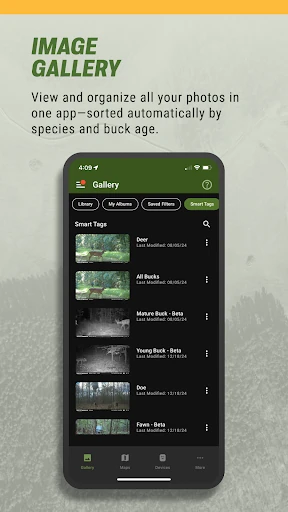
Picture checking a trail camera after work instead of driving out just to see whether anything passed by. In Moultrie, I can browse the camera images, sort them into albums, and mark useful shots as favorites. Smart Tags can organize sightings by animal type, with bucks sorted by age, so a quick review feels less like paging through an unfiltered stack of photos.
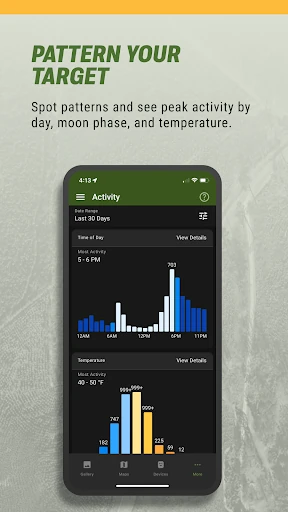
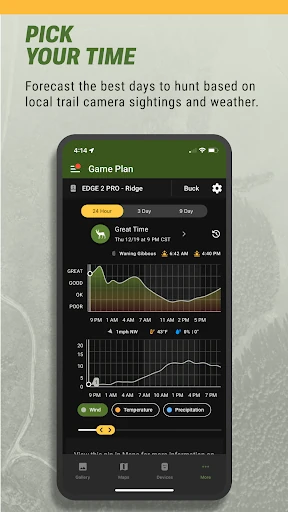
The app also gives those images a little context. Activity charts show sightings by time of day, moon phase, and temperature, while weather forecasts include wind direction, rainfall, and barometric pressure. I can imagine using that information to decide when a return trip is worthwhile, rather than relying only on memory or a handful of interesting pictures.
More than a camera viewer
A basic trail-camera viewer is mainly about opening pictures and moving on. Moultrie covers that job, but it also brings together interactive maps, planning tools, forecasts, and remote controls for connected Moultrie cameras and feeders. If I already use that equipment, the app can serve as a central place to check images and manage devices rather than making me treat each task separately.
It is not a general-purpose navigation app or a wildlife database for every camera brand. The connected-device controls are specifically for Moultrie gear, while the free planning tools are presented as usable without a camera or subscription. That distinction makes the app more approachable for planning, but its strongest day-to-day value is likely for people already invested in Moultrie’s connected setup.
Small habits that help
I would make a habit of sorting new images soon after they arrive, rather than saving the whole review for the next trip. Albums and favorites give promising sightings a home, and Smart Tags can reduce the manual work of separating animal types. A short, regular check also makes the activity charts more useful as a way to notice patterns across sightings.
Maps can be part of the same routine. Dropping pins for stands or food plots gives a scouting plan a visual reference, and the tracker can record a path in the field for finding a stand or returning to camp. For shared properties or leases, shared galleries can bring in images from friends’ and family members’ Moultrie cameras, making it easier to review a wider picture of activity.
More From Our News Desk

Zoom Meetings, Google Meet, or Teams: Which Is Easiest to Join?

How I Build a Free Streaming Lineup With Tubi

Why Crunchyroll Is the Default Anime App for So Many Fans

YouTube TV: A Practical Guide to Cutting Cable

Rummikub and the Small Comfort of Phone Games

TeamViewer Remote Control or AnyDesk for Helping Family?
Who will get the most from it
I’d recommend Moultrie to hunters who already use its trail cameras or connected feeders and want to check on them without making every update a field visit. Image browsing, alerts, remote camera settings, feeder controls, and power-status checks make the app relevant between trips. The maps, forecasts, and activity charts also give regular users a place to organize the practical details of scouting.
It may be less compelling if you only need a basic photo gallery, do not use Moultrie equipment, or prefer to keep planning on paper. There is a lot here beyond viewing pictures, and some advanced planning features are part of Hunt Planning Plus. Still, the app’s free planning tools offer a way to try the map and photo workflow without first owning a camera or taking out a subscription.
Moultrie is developed by PRADCO Outdoor Brands. On Google Play, it has over 500,000 installs and a 4.6-star rating from 10,385 ratings. The app is free to install and contains no ads, with in-app purchases available; listed in-app items are $4.99 each. Its content rating is Everyone.
The current listed version is 6.1.0, and it requires Android 12 or later. Moultrie was released on April 7, 2016, and was last updated on January 23, 2026. The latest update notes describe minor bug fixes and performance improvements.
Turning camera checks into a field plan
Opening the app
When I first opened Moultrie, what stood out was the breadth of its job: camera photos sit alongside maps, weather, activity information, and connected-device controls. That makes it feel less like a single-purpose image inbox and more like a companion for organizing a scouting routine. The range is useful, though it also means the app has more to offer than someone seeking a simple viewer may need.
A useful starting point is to decide what matters most: reviewing images, planning a location, or managing connected equipment. Moultrie’s free hunt-planning tools do not require a camera or subscription, so there is a way to explore the planning side first. People connecting cameras or feeders will get more from the app’s remote-management features.
Checking in day to day
The photo library is the most natural daily stop. It brings trail-camera images together, with albums and favorites available for keeping useful shots easy to find. Smart Tags are designed to identify and sort sightings such as bucks, does, and turkeys, including buck age categories. In practical terms, that means less reliance on remembering which image contained the detail I wanted to revisit.
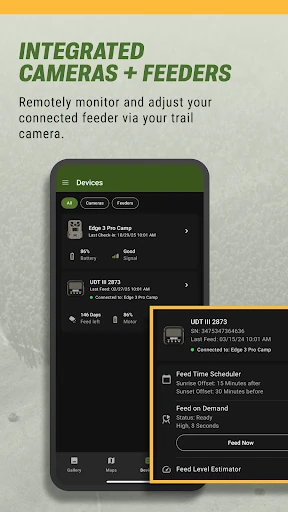
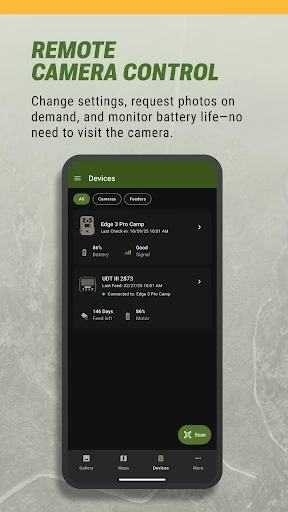
For connected cameras, the app can send notifications when new images or videos arrive. It can also request on-demand photos and video with sound, and let users adjust camera settings remotely. The experience is especially convenient when checking a camera would otherwise mean an unnecessary drive, although those controls are relevant to Moultrie connected devices rather than cameras in general.
Tools beyond photos
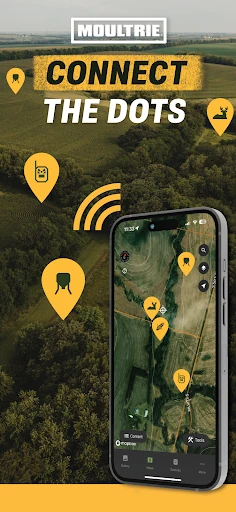
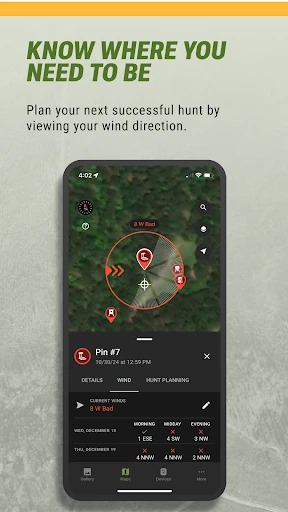
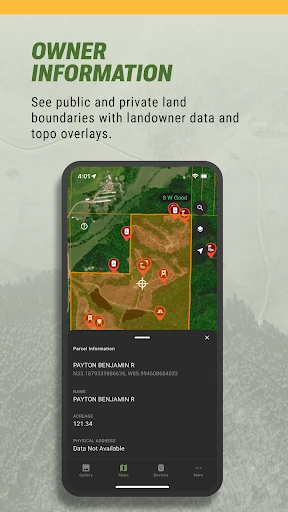
Interactive maps offer satellite and terrain views, with pins for places such as stands and food plots. Weather information covers conditions hunters may want to consider, including wind, moon phase, rainfall, and barometric pressure. Together, those tools give a planning session somewhere to start beyond scrolling through images, without turning the app into a substitute for a person’s own judgment in the field.
Activity charts are another useful layer. They organize sightings by time of day, moon phase, and temperature, helping users look for recurring patterns in their own camera activity. Shared galleries extend that view to images from friends’ and family members’ Moultrie cameras on shared properties or leases. The value here is practical coordination: more cameras can mean more context to review in one place.
A practical field loop
A routine I’d use starts at home with a check of new camera images and alerts. I’d save notable sightings as favorites, group relevant photos into albums, and look at the activity charts for timing patterns. Then I’d check the forecast and use map pins to think through where a stand or access point fits into the plan.
Out in the field, the tracker can record a path to help find the way to a stand or back to camp. If I manage a connected feeder, the app can show feed levels, allow schedule changes or feeding on demand, and send alerts for low battery, low feed, jams, or clogs. That makes the same app useful before, during, and after a trip.
Limits to keep in mind
Moultrie’s connected controls depend on having compatible Moultrie cameras or feeders, so the app’s full device-management appeal will not apply to everyone. Users who just want to plan can still use the free tools described by the developer, but they should not expect those tools to turn the app into a universal hub for other brands’ equipment.
Some advanced planning tools are offered through Hunt Planning Plus, including topo and property-line overlays, ideal-wind forecasts, and deer movement forecasts. That creates a distinction between the free planning basics and the more advanced layer. The app also has a lot of separate capabilities, so it may take a little time to settle on a workflow that feels useful rather than trying to use every tool at once.
Moultrie makes the most sense as a practical companion to a scouting routine: review images, notice activity patterns, check conditions, and keep connected equipment in view. I like that the free planning tools give it some value even before camera management enters the picture.
I’d recommend it first to Moultrie camera and feeder owners who want to spend less time checking equipment in person. If you only need a plain photo viewer or use another brand, its broader toolkit may not be enough to make it your everyday app.
Moultrie Frequently Asked Questions
What is the Moultrie app used for?
Moultrie is used to view and organize trail-camera images, plan hunts with maps and weather information, and manage connected Moultrie cameras and feeders. It also offers activity charts, shared galleries, and field tracking. The developer says its free hunt-planning tools can be used without a camera or subscription.
Which devices can run the Moultrie app?
Moultrie is available for Android devices and requires Android 12 or later. Its connected-device features are for Moultrie cameras and feeders. Check the Google Play store details for the current device compatibility information before installing, since requirements can vary by device and app update.
Does Moultrie cost money or include purchases?
The Moultrie app is free to install and contains no ads. It offers in-app purchases, with listed items priced at $4.99 each. The developer describes free hunt-planning tools that do not require a camera or subscription; advanced planning tools are offered through Hunt Planning Plus. Check Google Play for current purchase details.
Can I use Moultrie without a trail camera?
Yes. The developer describes free hunt-planning tools that can be used without a camera or subscription, including interactive maps and planning features. Camera image viewing and remote controls are most relevant to people with connected Moultrie devices. The exact availability of paid tools can vary, so check Google Play for current details.
Who is the Moultrie app best suited to?
It is best suited to hunters who want to organize trail-camera photos, plan trips, or manage connected Moultrie cameras and feeders. People who want only a basic gallery, or who rely on other equipment brands, may find less of its toolkit useful. The free planning tools may still appeal to someone scouting without a camera.
Pros
- Combines trail-camera photo organization with maps, weather, and activity charts.
- Remote controls and alerts help Moultrie device owners check equipment between trips.
- Free hunt-planning tools are described as usable without a camera or subscription.
- Shared galleries can bring together images from friends’ and family members’ cameras.
Cons
- Connected-device controls are aimed at Moultrie cameras and feeders.
- Advanced planning features are offered through Hunt Planning Plus.
- Its broad feature set may feel like more than a basic photo viewer needs.
- Category
- Sports
- Version
- 6.1.0