Marketplace : Buy and Sell
- 2.49K
- 4.1
- Installs
- 1.00M
- Price
- Free

Screenshots

Analysis by Reviewed APKs
Marketplace : Buy and Sell is a local classifieds app for people who want to find secondhand goods nearby or pass along things they no longer need. Its range runs from clothes and children’s items to furniture, electronics, cars, and property. I like the straightforward buy-or-sell focus: it suits casual local shoppers and occasional sellers, though it is less about polished retail browsing than connecting with people over individual listings.
A Local Errand, Not a Big Shop
When I want to replace a small piece of furniture, I’d rather check nearby listings before heading to a store. Marketplace : Buy and Sell is built for that kind of practical browse: look through local items, explore categories, and compare what people are offering. I can picture checking a few listings over breakfast, then messaging a seller in the app to ask whether an item is still available before deciding whether to arrange a meetup.
The same routine works in reverse when a closet cleanout leaves me with usable clothes or a spare phone. The app lets sellers add a photo, price, and description to a listing, then handle questions through in-app chat. Profiles and ratings give people some context about whom they are talking to, but they are only one part of making a sensible decision. The useful idea is keeping discovery and conversation together.
Classifieds Over Retail
This feels closer to a local classified listings board than a conventional online shop. Instead of focusing on a fixed catalogue from retailers, it brings together individual listings for new, nearly new, and used things. That makes it a natural place to look for a particular secondhand item or to offer something from home. Categories span everyday goods as well as more specific interests, including cars and property.
I would not treat it as a substitute for a traditional store when I need predictable stock, standardized product details, or a familiar retail checkout. The app’s appeal is the variety and local nature of its listings, which also means the experience depends on what people have posted. It is not a dedicated resale niche for one type of product, either: someone browsing furniture may encounter fashion, electronics, sports gear, and more.
Small Selling Habits
A little care when writing a listing can make the back-and-forth easier. I’d take a clear photo, set a price, and write a description that explains what the item is and its condition. Those are the basic listing steps the app supports, and they give a potential buyer something useful to consider before opening a conversation. Keeping the description direct also makes it easier to answer follow-up questions consistently.
For buying, I’d narrow my attention by category or location, then browse the available listings and message sellers about the specific details I need. Ratings and profiles can add context as I compare options, while chat keeps questions and offers in the app. I’d also check the listing carefully and agree on practical arrangements directly with the other person. The app supports introductions; the users still make the transaction decisions.
More From Our News Desk

Zoom Meetings, Google Meet, or Teams: Which Is Easiest to Join?

How I Build a Free Streaming Lineup With Tubi

Why Crunchyroll Is the Default Anime App for So Many Fans

YouTube TV: A Practical Guide to Cutting Cable

Rummikub and the Small Comfort of Phone Games

TeamViewer Remote Control or AnyDesk for Helping Family?
Who May Find It Useful
I’d recommend Marketplace : Buy and Sell to people who are comfortable browsing peer-to-peer listings and want a local option for buying or selling a mix of everyday items. It could be handy for someone clearing out a room, hunting for used furniture, or checking whether a nearby seller has a particular gadget. The broad categories make it more flexible than an app dedicated to only clothes, cars, or home goods.
It may be less appealing if you want a tightly curated shopping experience, fixed product availability, or a conventional retailer’s purchase process. A local marketplace asks you to assess each listing and communicate with individual buyers or sellers. That extra legwork is part of the format, not a separate shopping feature. If you prefer browsing a consistent store catalogue and checking out in a familiar way, a standard retail app may fit better.
Marketplace : Buy and Sell is a free Android shopping app from Snookums Bear. Google Play shows over 1 million installs and a 4.1-star rating from 2,489 ratings. The app is rated Everyone. Those figures give a quick sense of its reach and user feedback, though neither tells me exactly what a particular local browsing session will turn up.
The app is free to download and contains ads, with in-app purchases listed at $0.49 to $3.49 per item. Its current version is 3.22.15. It was released on February 19, 2021, and its most recent update is dated November 2, 2026. These are the practical store details I’d check again before installing, since app information and availability can change.
A Closer Look at Local Listings
Opening the Marketplace
My first impression is of an app with a clear, practical purpose: bring local listings for things to buy and sell into one place. The name says what the experience is about, and the range of goods suggests it is meant for broad browsing rather than one narrow shopping category. If I open it with a specific need in mind, I have a natural starting point: look for that kind of item nearby.
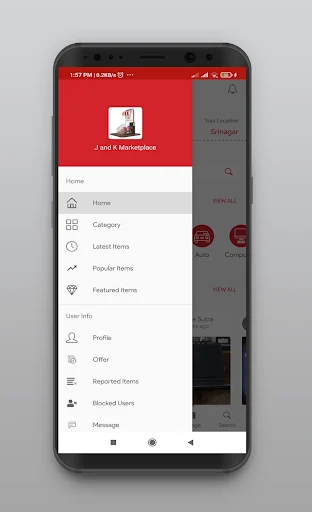
The description emphasizes browsing by category or location, as well as looking at items by image. That points to a visual, listing-led experience where photos help me decide what is worth a closer look. I would start with an item I have in mind rather than expecting a guided setup or a curated shopping journey. It is a practical entry point for a local marketplace.
The Everyday Browse
Day to day, the core activity is moving between listings and conversations. A buyer can browse local offerings, make an offer, and message a seller within the app. That sequence is useful because it keeps the initial question and negotiation close to the item that prompted them. I can imagine checking listings during a spare moment, saving my attention for the few that look like a plausible fit.
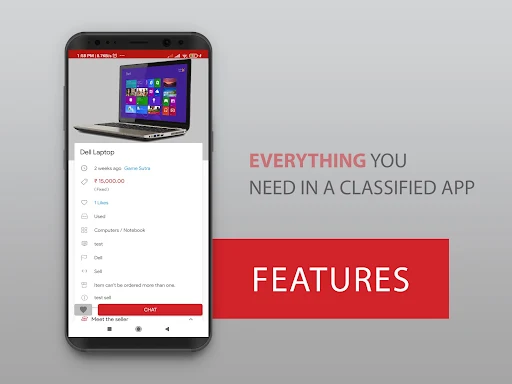
For sellers, the process starts with a photo and the basics: price and description. Once a listing is up, the in-app chat gives interested people a way to get in touch. This is a simple enough model for occasional decluttering, where I might have one or two items to offer rather than a steady shop to manage. The app is built around individual exchanges, not running a retail operation.
Useful Marketplace Details
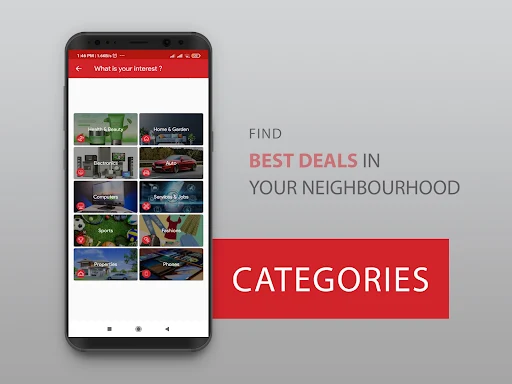
The category range is one of the more distinctive parts of the app. It covers familiar household and personal items such as clothes, furniture, electronics, and children’s goods, while also reaching into sports equipment, cars, and property. That breadth means I can use one app for different kinds of local searches rather than switching between separate specialist marketplaces.
Ratings and profiles add information about the people behind listings. I like that these details are part of the marketplace experience, because buying from another person involves more judgment than ordering a standard product from a shop. They can help users understand who they are dealing with, but I would still read the listing closely and use the conversation to clarify anything important.
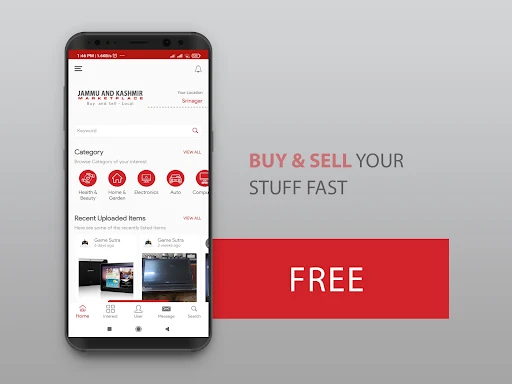
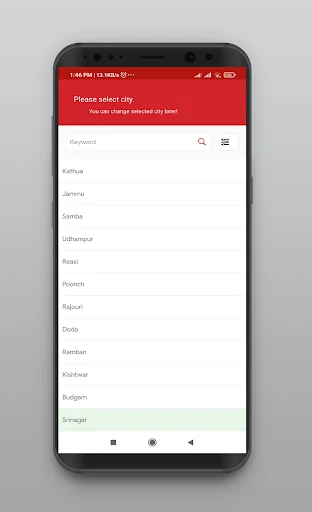
The app also supports browsing by image and sorting by category or location. Those options suit different kinds of searches: a category helps when I know what I need, while a visual browse can be useful when I am open to spotting an interesting find. Location matters especially for a local marketplace, where distance can shape whether an item is worth pursuing.
A Simple Weekly Routine
A sensible routine would be to check a category when a need comes up, compare a handful of local listings, and message only the sellers whose items seem relevant. For example, if I were looking for a chair, I would compare the photos and descriptions, then ask about details that could affect whether it suits my space. This keeps browsing purposeful instead of turning every open session into endless scrolling.
On the selling side, I’d set aside a few minutes to photograph an item and write down the details a buyer is likely to ask about. After posting, I could return to the in-app chat to respond to questions or consider an offer. The app’s listing and messaging tools support that modest workflow. It seems best suited to occasional exchanges that fit around ordinary errands and home projects.
What to Keep in Mind
A marketplace built from user listings will naturally vary from one location and category to another. A search for a common household item may produce plenty to browse, while a more specific request could offer fewer options. Listings are supplied by users, so the range and details are not as standardized as a retail catalogue. I’d approach it with a little patience and compare what is actually available.
The app provides profiles, ratings, and in-app messaging, but those features do not remove the need to make careful choices. Users still need to assess listings, ask questions, and work out the arrangements for a transaction. That is normal for peer-to-peer buying and selling, but it may feel less convenient than a store with a uniform checkout and product support.
Ads and in-app purchases are part of the store information, so the experience is not simply a bare, ad-free classifieds tool. The core idea remains easy to understand, but people who dislike advertising or prefer a highly controlled shopping flow should weigh that against the local selection and the ability to list items. I see it as a useful option, not the right format for every shopping habit.
Marketplace : Buy and Sell makes sense as a flexible local classifieds app. Its useful combination is broad categories, location-based browsing, listings with photos and descriptions, and chat for buyer-seller conversations. I like that the same basic setup works whether I am searching for a secondhand household item or trying to move something out of my own home.
I’d try it if I regularly browse local secondhand goods or want a straightforward place to list occasional items. People who expect a polished retail catalogue or a standardized buying process may be happier elsewhere. For patient shoppers and casual sellers, though, it offers a practical way to bring local listings and conversations together.
Marketplace Frequently Asked Questions
What is Marketplace : Buy and Sell used for?
Marketplace : Buy and Sell is a local classifieds app for browsing and listing new, nearly new, and used items. Its categories include goods such as clothing, furniture, electronics, children’s items, sports equipment, cars, and property. Buyers can browse listings, make offers, and message sellers in the app; sellers can post an item with a photo, price, and description.
Which devices can run Marketplace : Buy and Sell?
Marketplace : Buy and Sell is an Android app available through Google Play. The supplied store information does not specify a minimum Android version, so the requirement may vary with the current release and device. Check the Google Play listing on your device for compatibility details before installing.
Does Marketplace : Buy and Sell cost anything?
The app is free to download and contains ads. Google Play also lists in-app purchases priced from $0.49 to $3.49 per item. The exact purchase options and prices may vary, so check the current store listing for the details shown for your account and region.
Can I buy and sell through Marketplace : Buy and Sell?
Yes. The app supports browsing local listings, making offers, and messaging buyers or sellers within the app. Sellers can create listings with a photo, price, and description. Profiles and ratings provide information about users, while the people involved work out the details of their transaction through their interaction.
Who is Marketplace : Buy and Sell best for?
It may suit people who want to browse a wide range of local listings or sell occasional items from home. The broad categories cover everyday goods as well as cars and property. It may be a weaker fit for shoppers who prefer a conventional retail catalogue, standardized product availability, or a consistent store checkout experience.
Pros
- Covers many local categories, from household goods and clothing to cars and property.
- Buyers and sellers can discuss listings through in-app chat.
- Profiles and ratings add context about the people behind listings.
- Listings can include a photo, price, and item description.
Cons
- Available listings depend on what users in a given area have posted.
- Peer-to-peer exchanges require buyers to assess listings and arrange transaction details.
- The app contains ads and offers in-app purchases.
- Category
- Shopping
- Version
- 3.22.15











