Lexus
- 34.43K
- 4.5
- Installs
- 500.00K
- Price
- Free

Screenshots
Analysis by Reviewed APKs
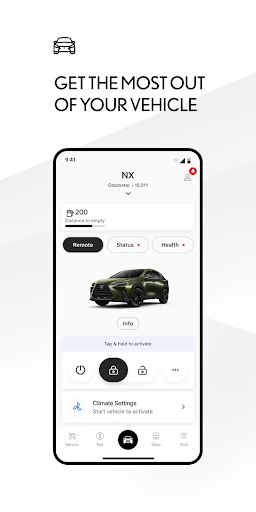
The Lexus app is a companion for owners who want to manage selected vehicle services, find owner resources, and keep an eye on service needs from a phone. I found its appeal less about replacing the car’s controls and more about making a few useful tasks easier before or after a drive. It suits Lexus drivers with compatible vehicles, though available features depend on the vehicle and service enrollment.
A smoother start to errands
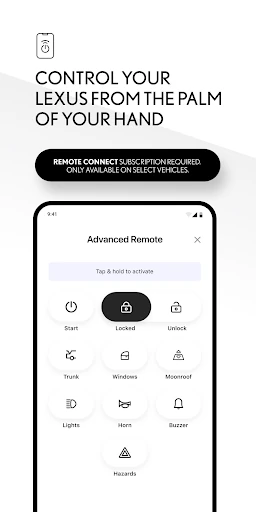
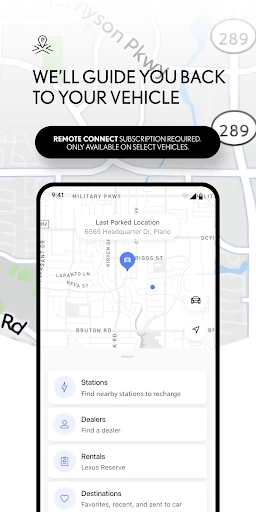
When I first opened the Lexus app, I pictured using it during the small gaps around a drive: checking where I parked, looking up a manual detail, or arranging service without waiting until I was back in the car. For a compatible vehicle, Remote Connect can handle tasks such as starting or stopping the engine and locking or unlocking doors. Last Parked Location is another handy reference when a busy lot makes the car harder to spot.
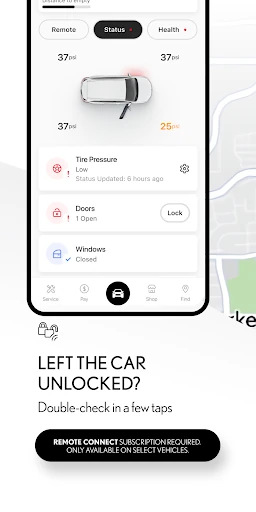
The experience depends on having an account and enrolling in the relevant connected services, so I would set that up before relying on the app during a rushed morning. A driver might check the vehicle’s location, confirm the doors are locked, then use the owner resources later to answer a dashboard or maintenance question. It is a practical extension of ownership, not a magic fix for every errand or every Lexus model.
A companion, not a replacement
Compared with a general map app, the Lexus app is more closely tied to a compatible Lexus and its connected services. It brings together remote vehicle functions, service scheduling, maintenance information, owner materials, and selected navigation and assistance features. That makes it a useful companion for people who want vehicle-specific tools in one place, rather than a broad driving app meant to work the same way in any car.
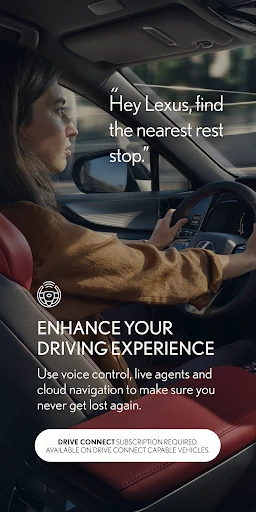
I would not treat it as a full substitute for the vehicle’s own interface, a repair shop, or a general-purpose navigation app. The described Drive Connect tools include cloud navigation, voice commands, and Destination Assist, but availability varies. Likewise, remote controls and safety-related support depend on the vehicle, service type, region, and connectivity. The app makes compatible services easier to reach; it does not make every feature universal.
Small habits that help
A little setup can make the app more useful in everyday ownership. I would log in, check which connected services are available for the car, and keep the owner’s manual and warranty guides in mind as quick references. When a service visit is due, scheduling through the app can keep the task connected to the vehicle rather than buried in a separate note or calendar reminder.
For trips, I would check the route tools before setting off and use voice commands where supported, rather than fiddling with the phone while driving. If I regularly forget where I parked, Last Parked Location offers a simple reason to open the app after arriving. The useful routine is occasional and task-based: check, schedule, reference, or use a compatible remote feature when it genuinely saves a step.
More From Our News Desk

Zoom Meetings, Google Meet, or Teams: Which Is Easiest to Join?

How I Build a Free Streaming Lineup With Tubi

Why Crunchyroll Is the Default Anime App for So Many Fans

YouTube TV: A Practical Guide to Cutting Cable

Rummikub and the Small Comfort of Phone Games

TeamViewer Remote Control or AnyDesk for Helping Family?
Who will get the most from it
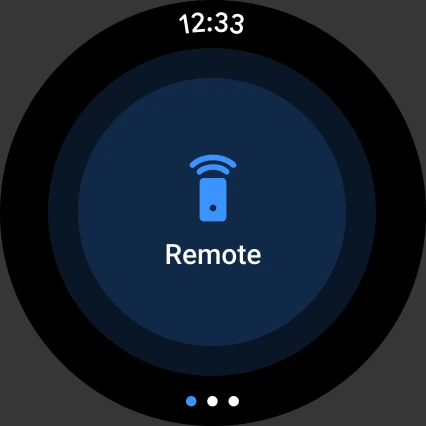
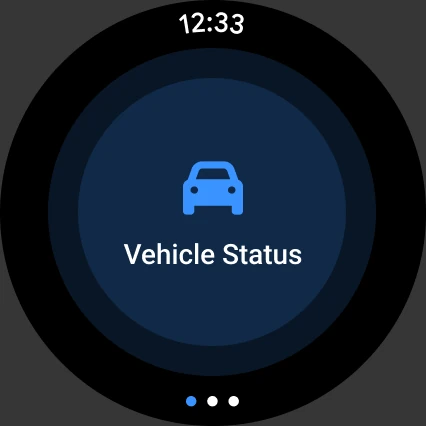
I would recommend the Lexus app to owners of supported Lexus vehicles who want remote controls, service scheduling, vehicle health information, and owner documents together. It is especially relevant if you already use connected services or expect to make use of the available trial enrollment. The companion Wear OS app may also suit owners who prefer convenient access to Remote Services from a compatible watch.
It may be less useful to someone whose vehicle does not support the services they want, or who prefers handling all vehicle tasks in person. Some functions require an account, enrollment, connectivity, and—in applicable cases—a subscription after a trial. Features also vary by vehicle and region. Before building a routine around a particular tool, I would check what is available for the specific car and market.
Lexus Mobile Apps develops Lexus for Android in the Auto & Vehicles category. On Google Play, it has over 500,000 installs and a 4.5-star rating from about 34,000 ratings. The app is rated Everyone and requires Android 10 or later. Its listed release date is August 19, 2019, and its most recent update date is January 30, 2026.
The app is free to download, and the supplied store facts show no in-app purchases or ads. Connected services may have separate trial and subscription terms: the app description says paid subscriptions may be required after applicable trials. Service availability differs by vehicle, subscription type, region, and market, so I would check the details for the specific vehicle before counting on a feature.
A practical link to your Lexus
Getting set up
My first impression is that this is an ownership app with a clear job: bring selected Lexus services and reference material onto the phone. To use connected features, the description says to log in or create an account and enroll in available trials. That makes setup more involved than simply installing an app, but it also explains why the experience is tied to a particular vehicle and its eligible services.
I would start by checking which functions apply to the car rather than assuming every tile or service will be available. Lexus currently supports vehicles from 2010 onward, with a newer cutoff for Hawaii, but individual connected services still vary. The description also points to mobile-network and GPS requirements for some services, so the app’s usefulness can depend on where the vehicle is and what connection is available.
Everyday vehicle tasks
Day to day, the most tangible value is having a few vehicle tasks close at hand. Remote Connect can start or stop the engine and lock or unlock doors on supported vehicles. Last Parked Location can help when I am returning to a car in an unfamiliar lot. These are straightforward conveniences, rather than reasons to keep checking the app throughout the day.
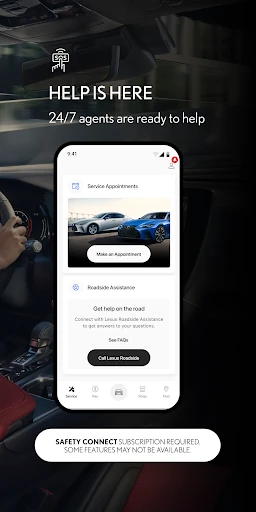
Service Connect and the maintenance tools give the app a second role: helping owners keep up with vehicle health and arrange a visit with a Lexus dealer. I like that these functions fit naturally into the moments when an owner is already thinking about the car. The app’s value will be modest if those tasks are already easy to manage elsewhere, but it offers a vehicle-focused place to return to.
Features that stand out
The breadth is more notable than any single feature. Alongside remote controls and maintenance, the app offers access to owner’s manuals and warranty guides. Drive Connect includes cloud navigation, Destination Assist with live-agent support, and voice commands such as asking for directions home. Those tools make it relevant both while planning a trip and when looking up vehicle information away from the driver’s seat.
Safety Connect adds an Assist 24/7 button for roadside assistance and an SOS option inside the Lexus. I appreciate that the description presents these as connected services rather than ordinary phone functions: their availability depends on vehicle and service details, cellular connection, GPS, and network conditions. The companion Wear OS app is another useful extra for operating Remote Services, where supported.
A simple owner routine
A realistic routine could start the night before a service appointment. I would open the app to check the vehicle’s health information, schedule service with a Lexus dealer if needed, then consult the manual if I had a question about a dashboard message. That keeps several ownership tasks together without turning the app into something I need to monitor constantly.
On a travel day, I might use Drive Connect’s route tools before leaving, then rely on supported voice commands in the vehicle. After parking somewhere unfamiliar, Last Parked Location could make the return easier. These are small conveniences, but they suit the app well: it is most useful when I open it with a particular vehicle task in mind.
Limits to keep in view
The main limitation is compatibility. Lexus says its app currently supports vehicles from 2010 or newer, except in Hawaii, where the cutoff is 2018 or newer. Even within that range, connected services vary by vehicle, subscription, region, and market. I would not assume that a particular remote control, navigation option, or assistance feature comes with every model just because it appears in the app’s description.
There are also practical dependencies: an account and enrollment are required for connected services, and some features rely on cellular service, GPS, and 4G availability. Applicable trials may lead to paid subscriptions, and data charges may apply. These conditions do not make the app less useful, but they do mean owners should check their vehicle’s service details and connectivity before depending on a feature.
The Lexus app is a useful companion when its connected features match the vehicle and the owner’s habits. Remote controls, maintenance and service tools, vehicle documents, and selected navigation and assistance functions give it a broader role than a simple manual viewer. Its best qualities are practical rather than dramatic: it can make common ownership tasks easier to reach.
I would recommend it to Lexus owners who want those tools on Android and are willing to complete the account and service setup. I would be more cautious if a particular feature is the main reason for installing it, since compatibility and subscriptions vary. Check what the app supports for your vehicle, then use it as a convenient extra rather than a replacement for the car’s own systems.
Lexus Frequently Asked Questions
What is the Lexus app used for?
The Lexus app helps owners manage selected connected vehicle services and ownership tasks. Depending on the vehicle and service eligibility, it can offer remote controls, Last Parked Location, maintenance information, service scheduling, owner resources, navigation features, and roadside or emergency assistance options. The exact tools vary, so I would check which services apply to the specific Lexus.
Which devices can run the Lexus app?
The supplied app information is for Android, with a minimum requirement of Android 10. A companion Wear OS app is also described for convenient operation of Remote Services. The available features can depend on the vehicle, market, and service enrollment. For current device compatibility and supported options, check the Google Play store page and details for your vehicle.
What Android version does Lexus require?
The listed minimum is Android 10. The app’s connected services also depend on account registration and may rely on cellular connectivity and GPS, so installing it alone does not ensure every vehicle function will work. Requirements and compatibility can change over time; check the current Google Play store information if you are using an older device.
Does the Lexus app cost money?
The app is free to download, and the supplied store facts show no in-app purchases or ads. However, some connected services may begin with included trials and require a paid subscription afterward, where applicable. Data charges may also apply. Trial and service terms vary, so check the app and vehicle-specific service details for current costs.
Is the Lexus app useful for every Lexus owner?
It is most useful for owners of supported vehicles who want remote services, maintenance tools, owner resources, or connected navigation and assistance. The app currently supports vehicles from 2010 onward, with a 2018-or-newer cutoff in Hawaii, but individual services vary by vehicle and region. If you need one specific function, verify its availability for your car first.
Pros
- Combines remote vehicle controls, service scheduling, maintenance information, and owner resources.
- Last Parked Location can help when returning to a car in an unfamiliar place.
- Offers selected navigation, roadside assistance, and emergency support features.
- Free to download, with no ads shown in the supplied store facts.
Cons
- Connected features vary by vehicle, service enrollment, subscription, and region.
- Some services depend on cellular connectivity, GPS, and available network coverage.
- Applicable trials may be followed by paid subscriptions, and data charges may apply.
- Category
- Auto & Vehicles
- Version
- VARY