LEGO® Builder: 3D Instructions
- 233.99K
- 4.8
- Installs
- 10.00M
- Price
- Free
Screenshots
Analysis by Reviewed APKs
LEGO Builder is a digital guide for people assembling physical LEGO sets, with step-by-step instructions, interactive 3D views, and tools for keeping track of builds. I like that it can make a tricky angle easier to understand without replacing the pieces on the table. It suits casual builders, families, and anyone who wants a handy reference while building, though it is focused on LEGO sets rather than designing original creations.
A build on the table
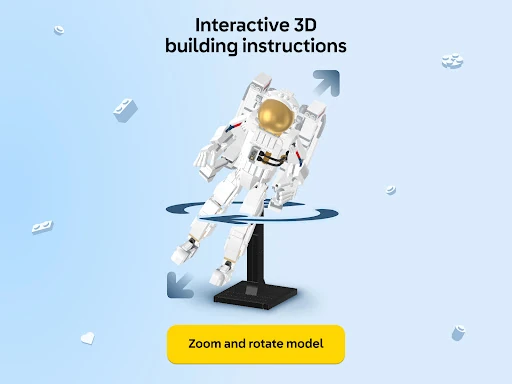
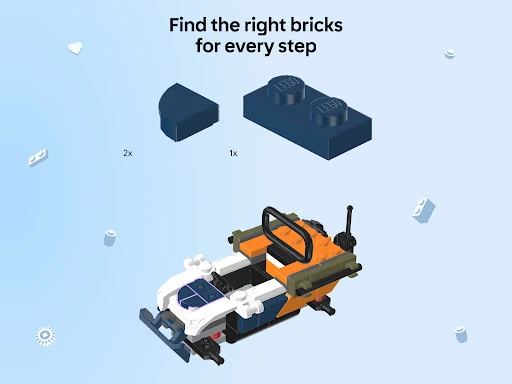
When I’m building a set at the kitchen table, the instruction booklet can get awkward to hold open while I sort pieces and check the next step. LEGO Builder gives me another way to follow along: I can open the set’s instructions and zoom or rotate the 3D view to inspect how the bricks fit. That is especially useful when a connection is partly hidden or I’m unsure which direction a piece should face.
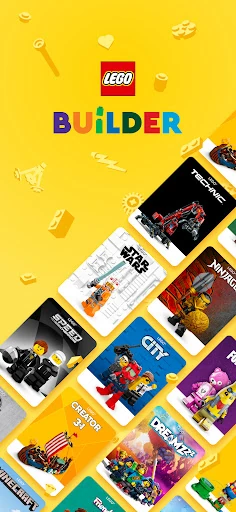
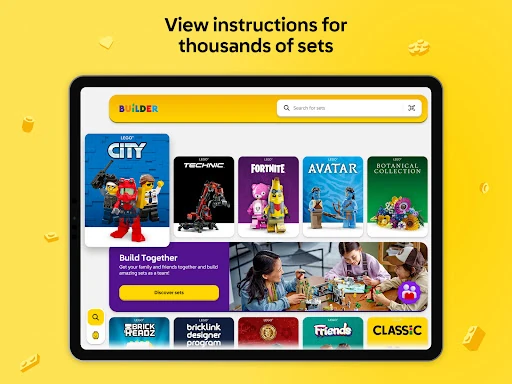
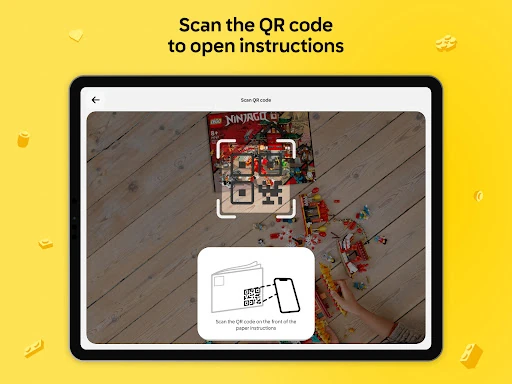
The app’s library covers instructions for sets from 2000 onward, and I can search by a set name or number. If the paper manual has a QR code, scanning it can take me straight to the matching instructions. I can keep the phone beside the build and move through the steps at my own pace, rather than flipping back and forth through pages while trying to keep loose pieces in order.
A companion, not a workshop
The obvious alternative is the printed booklet that comes with a set. That remains perfectly useful, especially when I want a screen-free build or simply prefer paper. Builder’s advantage is its interactive view: being able to turn the model and look from another angle can clarify a step that is hard to parse in a flat picture. It also gives me a searchable place to return to instructions for older sets.
This is not a general-purpose LEGO design studio, and it is not a place to invent a model from loose bricks. Its job is to guide builds for existing sets, with collection tracking and collaborative building as extras. I would not choose it instead of the physical bricks, either; the app shows the instructions, while the satisfying work of finding and joining each piece still happens on the table.
Small habits that help
I’d start by searching for the set number before opening the box, then save the build to my digital collection if I’m signed in to a LEGO Account. That makes it easier to return to the instructions and keep progress together. If I already have the booklet nearby, scanning its QR code is a quick alternative to typing. A steady internet connection matters, so I’d check that before settling in for a longer build.
During a build, I find it useful to pause at the end of a step and compare the real model with the 3D view from more than one angle. If another person is joining, I’d first check whether that particular set supports Build Together, then use the app’s PIN-based joining process to divide steps. Those small checks help avoid the frustration of discovering a feature or instruction route does not apply midway through the evening.
More From Our News Desk

Zoom Meetings, Google Meet, or Teams: Which Is Easiest to Join?

How I Build a Free Streaming Lineup With Tubi

Why Crunchyroll Is the Default Anime App for So Many Fans

YouTube TV: A Practical Guide to Cutting Cable

Rummikub and the Small Comfort of Phone Games

TeamViewer Remote Control or AnyDesk for Helping Family?
Who will enjoy building with it
I’d recommend LEGO Builder to people who already have LEGO sets and want a more flexible way to follow instructions. It is a natural fit for parents helping a child, friends sharing a set, or solo builders who sometimes need a closer look at a connection. The searchable library and saved collection can also be handy for someone who revisits older builds and wants to keep a record of completed sets.
It may not suit someone looking for an open-ended digital construction game, custom model-design tools, or a way to build without a physical set. Builders who strongly prefer printed directions may not need the app for every project. And because it requires a stable internet connection, it is worth planning around connectivity rather than assuming the instructions will be available in every setting.
LEGO Builder is made by LEGO System A/S and is available on Google Play for Android. The app is free to download, has no in-app purchases, and contains no ads. It has an Everyone content rating. Google Play shows a 4.8-star rating from about 234,000 ratings, with over 10 million installs.
The supplied app details give version 4.2.13, a minimum requirement of Android 8.1, an original release date of December 6, 2019, and a latest update date of February 9, 2026. The app’s instructions and other online features require a stable internet connection. It also offers LEGO Account sign-in for saving build progress and collection information.
A Closer Look at Building
Getting oriented
When I first open Builder, the purpose is easy to grasp: find a set, open its instructions, and use the screen as a guide while assembling the real model. The choice between searching by name or number and scanning a manual’s QR code gives me two practical ways to get started. I don’t have to treat the app like a game or learn a separate creative toolkit before reaching the instructions.
The first thing I’d check is whether my set has digital instructions and, if I’m hoping to build with someone, whether it supports Build Together. That keeps expectations grounded before I set out pieces across the table. A LEGO Account can be used to save progress and build a digital collection, but the main instruction-following experience is the central reason to open the app.
The step-by-step flow
The everyday experience is built around progressing through instructions one step at a time. Instead of relying only on a fixed printed image, I can zoom in and rotate the 3D model to examine a set from different angles. That makes the app useful when a small detail is hard to read or when I want to double-check the orientation of a brick before pressing it into place.
I like the idea of keeping the screen close to the build but not making it the whole activity. I can glance over, inspect a step, and return to sorting and assembling pieces. The interface is meant to make the model easier to understand, not to take over the hands-on part. A stable internet connection is needed, so it is sensible to have that in place before starting.
Features with a purpose
The 3D instructions are the standout feature for me because they address a common building snag: a flat view does not always show which side of a piece is facing outward. Rotating and zooming the model gives me another perspective without needing to guess. The app also provides a digital library covering sets from 2000 onward, so it can be useful beyond a newly opened box.
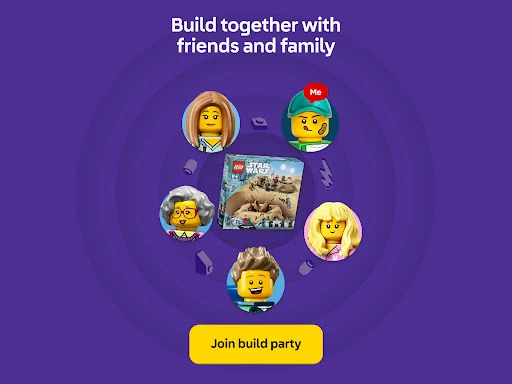
Build Together gives compatible sets a social option. A host can share a PIN code, other builders can join, and the group can take turns completing steps or divide tasks. I’d use it for a family build where several people want to participate rather than watch one person do all the assembly. The app also offers enriched content and guided building experiences for selected LEGO themes.
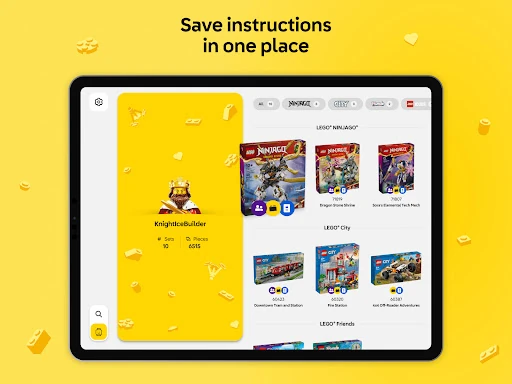
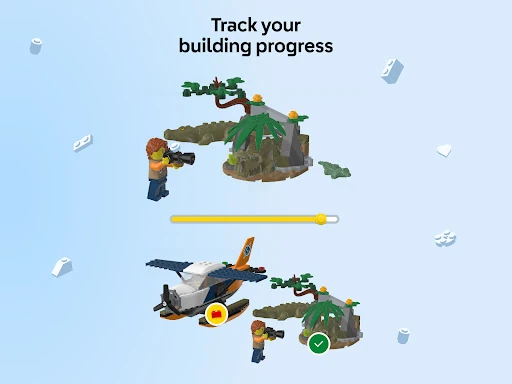
With a LEGO Account, builders can save progress, maintain a digital collection, and track completed sets and total bricks built. Those tools add a record-keeping layer without changing the core job of following instructions. I can see the appeal for someone who builds regularly and enjoys looking back at what they have finished, while occasional builders can keep things simple.
A family build routine
For a relaxed weekend build, I’d put the pieces on a clear table, find the set in Builder, and keep the phone or tablet where everyone can see it. One person can follow the current step while another sorts pieces. When a connection looks unclear, rotating the model gives the group a quick way to compare the digital view with the physical build before moving on.
If the set supports Build Together, I’d check that in the app and use the PIN-based joining flow to bring other builders in. Taking turns on steps can make the build feel shared, while dividing tasks gives everyone something concrete to do. When the session ends, saving progress with a LEGO Account can help me pick up later instead of relying on memory about where we stopped.
Limits to keep in mind
The most important limitation is scope. Builder is for instructions and related tracking, not for creating a new model from scratch or replacing the physical set. Not every set necessarily has the same digital features, so I’d check the app for the instructions or Build Together option before planning around them. That is a practical distinction, especially if a group activity depends on multiple builders joining in.
The app also depends on a stable internet connection, which matters if I’m building somewhere with unreliable service. A phone screen may be less comfortable than a large printed booklet for a long session, and not everyone wants a device beside the pieces. I’d treat Builder as a helpful second format: useful when the 3D view solves a problem, but not something every builder has to use for every step.
LEGO Builder earns its place as a practical companion to physical sets. The 3D instructions can make uncertain steps easier to inspect, while searching, progress saving, and Build Together add useful options for different routines. I especially like that the app’s purpose stays clear: help people follow and revisit LEGO instructions, rather than pretend the screen can replace the build itself.
I’d recommend it to LEGO owners who want searchable instructions or a clearer view of tricky connections, and to families interested in sharing compatible builds. If you prefer paper or want a digital tool for designing original models, it may not become part of your routine. For everyone else, it is a straightforward, free reference worth keeping nearby.
LEGO Builder Frequently Asked Questions
What is LEGO Builder used for?
LEGO Builder provides digital, step-by-step instructions for LEGO sets, including an interactive 3D view that can be zoomed and rotated. You can search by set name or number, or scan a manual’s QR code. It also supports progress and collection tracking with a LEGO Account, plus Build Together for sets that offer that feature.
Which devices can run LEGO Builder?
LEGO Builder is an Android app available through Google Play. The supplied requirements specify Android 8.1 or later. It needs a stable internet connection to use the app’s instructions and features. For current device compatibility, it is worth checking the Google Play store page on the device you plan to use.
Does LEGO Builder cost money?
LEGO Builder is free to download on Google Play. The supplied app details say it has no in-app purchases and contains no ads. Store terms and availability can vary by location or change over time, so the Google Play page is the best place to check the current details before installing.
Can I use LEGO Builder with any set?
The app has a library of instructions for LEGO sets from 2000 onward, but you should check in Builder for the instructions and features available for a particular set. Build Together is available only for sets that support it. A stable internet connection is required, so it is wise to check access before beginning a long build.
Who is LEGO Builder best for?
It is a good fit for LEGO owners who want digital instructions, a closer 3D look at a step, or a way to save build progress and track completed sets. Families and friends can also use Build Together with compatible sets. It may be less useful if you prefer paper instructions or want an app for designing original models.
Pros
- Interactive 3D instructions make it easier to inspect a set from different angles.
- Search by set name or number, or scan a manual’s QR code.
- Build Together lets groups collaborate on compatible sets using a PIN.
- Free to download, with no ads or in-app purchases.
Cons
- A stable internet connection is required to use the app.
- Build Together and digital instructions are not available for every set.
- It guides physical builds rather than offering original model-design tools.
- Category
- Entertainment
- Version
- 4.2.13











