LeaguePals - League Bowling
- 124
- 3.2
- Installs
- 50.00K
- Price
- Free

Screenshots
Analysis by Reviewed APKs
LeaguePals - League Bowling is a companion app for bowlers whose leagues use its cloud-based management tools. It brings league standings, scores, payments, schedules, and announcements together, with virtual competitions also described as part of the experience. When I look at it as a weekly league-night tool, its appeal is practical: less paper and fewer scattered updates. It makes the most sense when your league or bowling center is already using LeaguePals.
A Smoother League Night
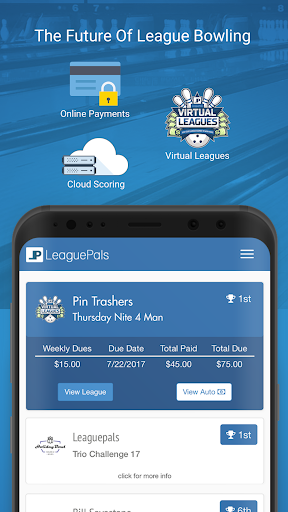
Picture the familiar end of league night: people are packing up, someone is collecting dues, and the secretary is trying to keep track of envelopes and amounts. LeaguePals is built to take some of that bookkeeping out of the routine. Bowlers can pay league dues online, while online and cash payments can be recorded in the cloud. The aim is straightforward: make the money side easier to follow for bowlers and league organizers alike.
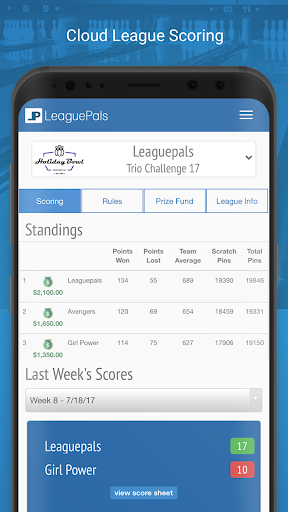
After the session, I can see why having scores and standings accessible in one app could be handy. Rather than waiting for a document to circulate or searching across different sites, bowlers can check interactive standings and score sheets when they want. LeaguePals also connects with scoring systems for automatic standings updates, when that integration is in place. The practical benefit is less chasing information and a clearer view of how the league is progressing.
A League Tool, Not a Score Game
LeaguePals sits in a different lane from a casual bowling game or a general sports news app. Its job is to support organized bowling leagues: keeping standings, scores, payments, and league communications accessible to the people involved. The cloud-based setup is meant to make those details available from different devices, rather than tying the experience to a paper sheet or one computer at the bowling center.
That focus is also its main limitation. I would not choose LeaguePals simply to track recreational games or learn bowling technique; the material describes league management rather than coaching or general scorekeeping. And its usefulness depends on whether a league or center uses the platform. If your group manages everything another way, there may be little reason to switch just for an app. It is a companion to league operations, not a replacement for bowling itself.
Small Habits That Help
The easiest way to get value from LeaguePals is to make it part of the weekly routine. I would check standings and score sheets after league play, then look for schedule changes or announcements before heading back to the center. That keeps the app attached to useful moments instead of becoming another icon I forget to open. Push notifications can also bring league or center updates to the phone as they arrive.
For dues, it helps to settle on a consistent habit with your league: use online payments if that is how your group handles them, or make sure cash payments are recorded in the cloud. Organizers can benefit from keeping the app’s records current, while bowlers get a clearer place to check the information. These are small steps, but they suit LeaguePals’ central purpose: reducing the paper and follow-up that can make league administration feel cumbersome.
More From Our News Desk

Zoom Meetings, Google Meet, or Teams: Which Is Easiest to Join?

How I Build a Free Streaming Lineup With Tubi

Why Crunchyroll Is the Default Anime App for So Many Fans

YouTube TV: A Practical Guide to Cutting Cable

Rummikub and the Small Comfort of Phone Games

TeamViewer Remote Control or AnyDesk for Helping Family?
Who Will Get the Most From It
I would recommend LeaguePals to bowlers whose league already uses the service, especially anyone who wants a convenient way to check standings, scores, schedules, and league updates. It may also be useful for league organizers who want dues and payment records handled through a shared cloud-based system. The best fit is someone who participates regularly and would rather check an app than rely on paper, messages, or a collection of separate score pages.
It may not suit casual bowlers who only want to record an occasional game, or people whose league has no connection to LeaguePals. The app’s value is tied to the league’s setup, so it is worth asking an organizer whether the tools are in use before making it part of your routine. Bowlers who prefer to handle dues and league details entirely offline may also find that its main conveniences are not priorities for them.
LeaguePals - League Bowling is made by LeaguePals Inc and is listed in the Sports category. On Google Play it has more than 50,000 installs and a 3.2-star rating from 124 ratings. The app is free to download, with no in-app purchases or ads reported in the provided store facts. Its content rating is Everyone.
The current version in the supplied facts is 1.0.29. LeaguePals was released on November 20, 2017, and its latest recorded update was January 8, 2026. A minimum Android version was not provided in the facts, so check the Google Play entry on your device for current compatibility details.
How LeaguePals Fits League Bowling
Getting Oriented
My first impression is that LeaguePals has a defined audience rather than trying to be a bowling app for everyone. It is designed around leagues and centers, with the familiar administrative pieces—scores, standings, dues, and announcements—brought into a cloud-based service. That focus is useful if you are already part of a participating league, but it means the first question is not what features to explore; it is whether your league uses the system.
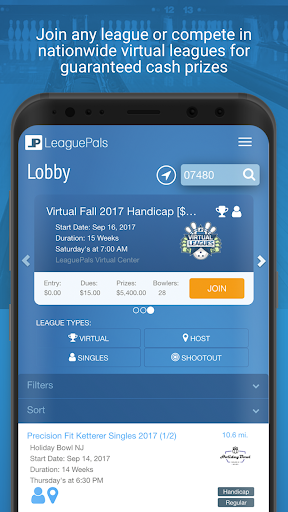
Once that is clear, the app’s role is easy to understand. A bowler can use it to view league information, make payments, and join leagues, while the platform also supports league management. I would start by checking the standings and any available score sheets, then see how the league handles dues and updates. That gives a new user a practical sense of whether the app covers the information they usually have to track elsewhere.
The Weekly Check-In
Day to day, the most natural use is a quick check before or after league night. I can imagine opening the app before leaving home to look for a schedule change, then checking standings once scores are in. LeaguePals describes automatic updates through scoring-system integration, so when a center has that connection, results and standings can be available without the same manual back-and-forth.
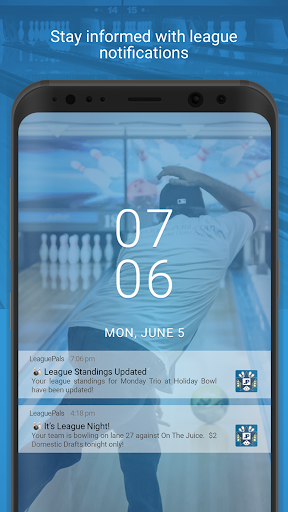
That kind of convenience depends on having current league information in the service, but the intended flow is simple: use one place to see the details that matter to your league. Interactive standings and score sheets are more useful for regular check-ins than for a one-time browse. Push notifications add another route for receiving league updates, schedule changes, and center announcements without having to remember to check every page.
More Than Standings
Online dues are one of LeaguePals’ clearest practical features. The app describes a digital envelope for recording online and cash payments in the cloud, with automatic accounting intended to reduce the errors and manual tracking associated with paper. For a bowler, that can make paying part of the same routine as checking league information. For organizers, it offers a shared record rather than relying only on handwritten notes.
The platform also includes virtual leagues, described as nationwide singles competitions that use league scores. LeaguePals says prize winnings can be paid by direct deposit or check. I would treat that as an optional part of the experience rather than the reason every league bowler should use the app; the everyday value remains access to league scores, standings, payments, and updates.
Notifications round out the feature set by covering league and center communications, including schedule changes, standings updates, and announcements. That makes LeaguePals more than a static results viewer. Still, what appears in practice will depend on what a participating league or center shares through the platform, so the app is most compelling when the organization actively uses those tools.
A Routine That Works
A useful routine could begin before league night: open LeaguePals and check for a schedule change or a note from the center. After bowling, return to the app to review the scores and standings as they become available. If dues are being handled through the platform, take care of that in the same weekly window, so the payment task does not get separated from the league information that prompted it.
For a league officer, the routine looks a little different. Keeping payment records and league details current in the cloud supports the app’s promise of easier administration, while members can use the same service to follow results and updates. The point is not to check constantly. A brief, predictable check before and after league night is likely to be more useful than treating every notification as something that requires immediate attention.
A Few Things to Weigh
The biggest caveat is dependence on adoption. LeaguePals is built to connect bowlers, league management, and bowling centers, so an individual user may find less value if their league does not use its tools. Automatic standings updates also depend on integration with a scoring system. The app’s features make most sense as part of an organized league’s workflow, not as standalone extras for someone who bowls occasionally.
The Google Play rating is 3.2 stars from 124 ratings, which is a modest score rather than a clear endorsement from users. That figure is worth considering alongside the app’s narrow purpose: experiences can depend on how a particular league or center uses the service. I would check whether the important pieces—scores, payment handling, and announcements—are active in your league before relying on them.
LeaguePals is free to download and the supplied facts report no ads or in-app purchases, which keeps the initial commitment low. Its requirements and compatibility are worth checking in Google Play before installing, particularly if your device is older. More importantly, the app cannot make a league’s information useful unless the organization keeps using the platform and sharing the details members need.
LeaguePals tackles a real, familiar source of league-night friction: keeping track of scores, standings, dues, and schedule updates. I like that it brings those jobs into a single cloud-based service rather than treating bowling results as the only thing that matters. Its strongest case is for regular league bowlers whose center or organizers already use the platform.
I would try it if my league were set up on LeaguePals, then use it for a quick pre-game update check and a post-game standings review. For casual bowlers or leagues that manage everything elsewhere, it is a much less compelling download. The app has a clear purpose, but that purpose works best when the whole league is on board.
LeaguePals Frequently Asked Questions
What is LeaguePals - League Bowling used for?
LeaguePals is a cloud-based tool for bowling leagues. Bowlers can use it to view standings and score sheets, make league payments, join leagues, and receive updates. It also describes virtual leagues using league scores. The specific information available to you depends on your league or center using the platform and keeping its details current.
Which devices can run LeaguePals - League Bowling?
LeaguePals is an Android app available through Google Play. Its cloud-based league information is described as accessible from different devices, but that does not establish compatibility with every device or operating system. Check the Google Play entry for the current supported devices and requirements before installing.
What Android version does LeaguePals - League Bowling require?
The minimum Android version may vary with the current app release and device compatibility. Check the Google Play entry for LeaguePals - League Bowling on your device to see the requirement that applies to you. The supplied app facts identify version 1.0.29 but do not specify a minimum Android version.
Does LeaguePals - League Bowling cost money?
The app is free to download, and the supplied Google Play facts report no in-app purchases or ads. LeaguePals describes online league payments as a feature, but that is separate from the app’s download price. Check the store entry and your league’s own information for any details that may vary.
Is LeaguePals - League Bowling right for casual bowlers?
It is best suited to people in bowling leagues that use LeaguePals, because its main tools cover league standings, scores, dues, and announcements. Casual bowlers may find less to use if they only want to follow occasional games. Before downloading, ask whether your league or center uses the platform.
Pros
- Brings league scores, standings, payments, and updates into one cloud-based service.
- Supports online dues and recording cash payments in the cloud.
- Push notifications can surface league and center announcements.
- Free to download, with no ads or in-app purchases reported.
Cons
- Most useful when a bowler’s league or center already uses LeaguePals.
- Automatic standings updates depend on scoring-system integration.
- Google Play rating is 3.2 stars from 124 ratings.
- Category
- Sports
- Version
- 1.0.29