KICK: Live Streaming
- 216.61K
- 4.6
- Installs
- 10.00M
- Price
- Free

Screenshots



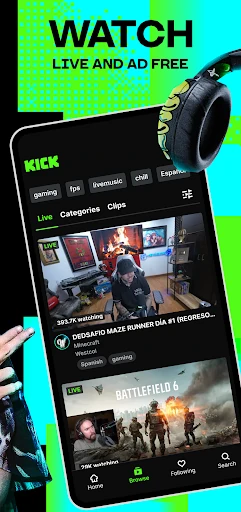
Analysis by Reviewed APKs
KICK: Live Streaming is an entertainment app for watching live broadcasts and following creators as they spend time with their communities. It suits people who like the spontaneity of live video and want to drop into internet culture as it happens. After looking at what it offers, I see a focused alternative to on-demand video: engaging when a favorite creator is live, but less useful if you only want polished clips on your own schedule.
Drop Into a Live Session
Picture a quiet evening when I have a few minutes to spare but do not want to commit to a full movie. KICK is built around finding a live broadcast and joining while it is happening. The appeal is that the experience is unfolding in real time, with a creator and their community sharing the moment rather than presenting a finished video. I can browse for something interesting, tune in, and leave when I am ready.
That immediacy changes how I use the app. With a recorded video, I expect a beginning, middle, and end; with a live stream, I might arrive halfway through a conversation or catch a moment that will not happen again. The description positions community and internet culture at the center, so the draw is not simply filling silence. It is feeling present for a creator’s broadcast and seeing what their audience is following right now.
Live Video, Not a Clip Library
KICK makes the most sense beside other live-streaming platforms, not as a replacement for every kind of video app. Its stated focus is creators broadcasting live and viewers joining in real time. That makes it a natural choice when I want to follow a streamer or see what is happening in a community. If I am looking for a carefully edited tutorial, a short clip, or a show I can pause and resume at any point, on-demand services fit better.
The distinction matters because live viewing asks for a little flexibility. I may arrive mid-stream, and the experience depends on which creators are broadcasting and what they are doing. KICK is not described as a general-purpose video editor or a place to build a personal library of finished films. Its identity is more social and immediate: creators go live, viewers tune in, and the moment belongs to the people who are there.
Make Live Viewing a Habit
I get more out of a live platform when I treat it as something to check during a natural break rather than a task that needs a long block of time. A quick look in the evening can tell me whether a creator I follow is live; if nothing catches my attention, I can close the app and return later. That low-pressure approach suits the unpredictable rhythm of broadcasts better than expecting every visit to produce a full night of viewing.
It also helps to be selective about whose streams I spend time with. KICK describes creators and their communities as the heart of the experience, so following a few people whose work I genuinely enjoy is a more sensible routine than trying to keep up with everything. Live culture can move quickly, but I do not need to watch every moment to enjoy it. A short visit can still feel like checking in with a familiar online crowd.
More From Our News Desk

Zoom Meetings, Google Meet, or Teams: Which Is Easiest to Join?

How I Build a Free Streaming Lineup With Tubi

Why Crunchyroll Is the Default Anime App for So Many Fans

YouTube TV: A Practical Guide to Cutting Cable

Rummikub and the Small Comfort of Phone Games

TeamViewer Remote Control or AnyDesk for Helping Family?
Who Might Enjoy KICK
I would recommend KICK to people who already enjoy live creators and like the small unpredictability of tuning in without knowing exactly what will happen. It is especially appealing if being part of a community matters as much as the broadcast itself. The app is also worth considering for creators interested in live streaming, since KICK describes creator-focused options including subscriptions, an incentive program, and the freedom to multistream.
It may be a weaker fit for someone who mostly watches at a set pace, prefers finished videos, or does not care about following live personalities. There is no need to turn every stream into a daily commitment; browsing casually is a reasonable way to try it. I would also keep in mind that paid subscriptions and other in-app purchases are available, so viewers who want to avoid spending should pay attention to what they choose to buy.
KICK: Live Streaming is an Android entertainment app from KICK - Live Streaming. Google Play shows over 10 million installs and a 4.6-star rating from around 217,000 ratings. It is free to download, with in-app purchases available. The listed in-app item prices range from $1.59 to $299.99, and the app is rated Teen.
The app was released on March 31, 2023, and its most recent update is dated February 9, 2026. Android requirements and the current version can vary, so it is worth checking Google Play for the details that apply to a particular device. The supplied store facts indicate that the app does not contain ads.
What Live Viewing Feels Like on KICK
A Simple First Visit
When I first opened the idea of KICK, what stood out was its clear purpose: this is a place for live broadcasts and the communities gathered around them. That focus is useful because I do not have to think of it as an all-purpose entertainment library. I can approach it with one question: is there a creator or live moment I want to catch right now?
Getting started is easiest when I already have a sense of the kind of creators I enjoy. KICK’s description emphasizes creators and their communities, rather than promising a particular type of show for everyone. That leaves room for different interests, but it also means the experience depends on what is live and what I choose to follow. I would begin with curiosity, then settle into the creators whose broadcasts feel worth returning to.
The Rhythm of Watching
Day to day, the live format is the main event. I can open KICK during a break, see whether something worth watching is happening, and spend a little time with a broadcast. Unlike a queue of finished videos, a live stream has its own pace. I might catch an interesting stretch or arrive during a quieter part, and that variability is part of the format rather than a reason to expect every visit to feel identical.
The description presents viewing as a real-time way to be part of internet culture and a creator’s community. That gives a stream more of a shared-event feeling than watching alone on a schedule. It is also an experience that works best when I am happy to follow along rather than control every detail. If I want a predictable, tightly edited viewing session, live video may not be the right choice that day.
Creator Options Stand Out
For creators, the most distinctive points in KICK’s description are its subscription split, creator incentive program, and support for multistreaming. Those are creator-facing reasons the platform may appeal to people who are already thinking about broadcasting. They also make the service more than a passive viewing destination in principle, though the exact terms and eligibility for creator programs are something to review before making plans around them.
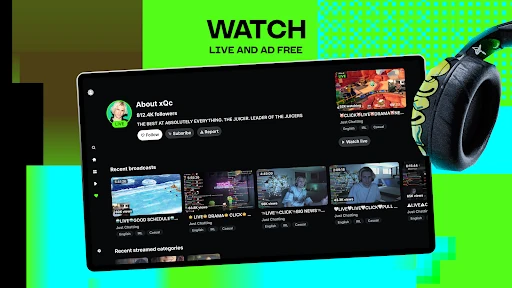
For viewers, KICK highlights the chance to follow live creators and take part in their communities as broadcasts happen. The description also says the experience is ad-free. I find that useful as a clear part of the platform’s pitch, though it does not mean every feature is free: in-app purchases are available. The distinction is worth keeping in mind when browsing, especially if I am only interested in watching without buying anything.
A Low-Key Viewing Routine
A practical routine is to use KICK as a quick check-in rather than an endless background habit. I might open it after dinner, spend a few minutes seeing what a creator is doing, and stay only if the broadcast holds my attention. The format lends itself to these small visits because the stream exists in the moment. I do not have to plan a long session to get a sense of a creator’s community.
If I find creators I enjoy, I can make those familiar streams the starting point for future visits. That keeps browsing manageable and makes the app feel more connected to people I actually want to watch. When nothing is live that suits my mood, I can simply come back another time. This routine is less about catching everything and more about enjoying a few broadcasts without turning them into an obligation.
Keep Its Limits in View
The biggest limitation is built into the live format: a broadcast happens on the creator’s schedule, and it may not line up with mine. I also cannot assume every visit will deliver a polished, tightly paced program. KICK is aimed at live interaction and community, so the experience depends on what creators are doing at that moment. People who prefer complete control over playback may find that spontaneity more frustrating than charming.
There are also practical details to check before spending. KICK is free to download but offers in-app purchases, with a broad range of listed item prices. A free install does not mean every option inside is free. Creator-facing programs and subscription details may also have terms that matter to individual users. I would treat the app as a way to explore live content first, then review any purchase or creator terms that affect how I plan to use it.
KICK: Live Streaming has a clear identity: live creators, real-time communities, and the unpredictability that comes with tuning in as something happens. I like that focus, and I can see the appeal of checking in for a favorite creator without needing a full evening free. Its best moments will depend on the creators and broadcasts that match my interests.
I would recommend giving KICK a try if live streaming is already part of how you spend time online, or if you are curious about creator communities. It is less compelling for viewers who want a library of finished, carefully paced videos. The free download makes exploring straightforward, while the available in-app purchases are worth keeping in mind.
KICK Frequently Asked Questions
What is KICK: Live Streaming used for?
KICK: Live Streaming is for watching creators broadcast live and following the communities around them. The idea is to join while something is happening rather than rely only on finished videos. KICK also describes creator-focused options such as subscriptions, an incentive program, and multistreaming. It is primarily suited to people interested in live content and internet culture.
Which devices can run KICK: Live Streaming?
KICK: Live Streaming is an Android app available through Google Play. The Android version required can vary, so check the Google Play store entry for the requirement that applies to your device. The supplied information covers Android; availability on other platforms may vary, so check the relevant store for current options.
Does KICK: Live Streaming cost money?
KICK: Live Streaming is free to download and includes in-app purchases. Listed item prices range from $1.59 to $299.99. The app is described as ad-free, but that does not make every purchase option free. Prices and available items can vary, so check the Google Play store entry before buying.
What Android version does KICK: Live Streaming need?
The Android requirement for KICK: Live Streaming can vary. Check its Google Play store entry for the current minimum version and make sure it matches your device before installing. The current app version can also vary, so the store is the best place to check for details relevant to your phone.
Is KICK: Live Streaming a good fit for me?
KICK: Live Streaming may suit you if you enjoy live creators, real-time communities, and broadcasts that unfold at their own pace. It may be less appealing if you prefer edited videos or want full control over when a program starts and ends. The app is free to download, with in-app purchases available, so consider those if you want to avoid spending.
Pros
- A clear focus on live creators and the communities around their broadcasts.
- Free to download, with an ad-free viewing experience described by the developer.
- Creator-facing options include subscriptions, an incentive program, and multistreaming.
Cons
- Live broadcasts run on creators’ schedules, which may not suit every routine.
- In-app purchases range widely in price, so check costs before buying.
- Viewers who prefer edited, on-demand videos may find the format limiting.
- Category
- Entertainment
- Version
- VARY











