Hannaford
- 5.67K
- 2.4
- Installs
- 500.00K
- Price
- Free
Screenshots
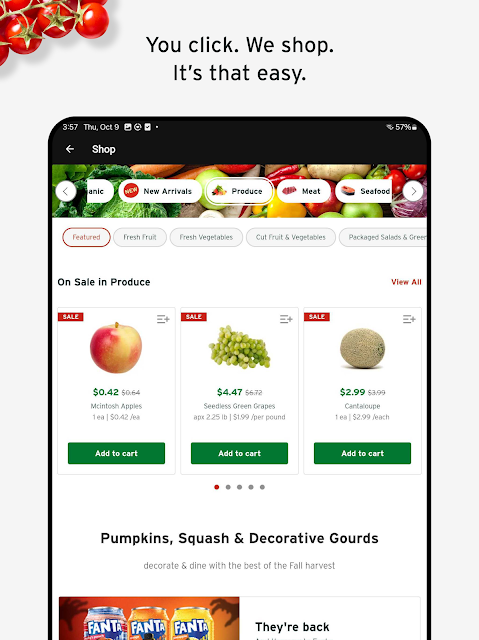
Analysis by Reviewed APKs
Hannaford brings grocery shopping, store rewards and trip planning together in one Android app. I found it most useful as a companion to regular Hannaford shopping: I could check the weekly flyer, build a list or To Go order, and keep coupons and rewards close at hand. It is less compelling if you want a general grocery marketplace or do not shop with Hannaford.
A Better Planned Grocery Run
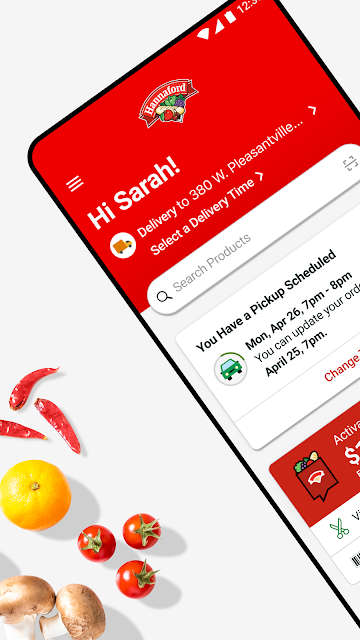
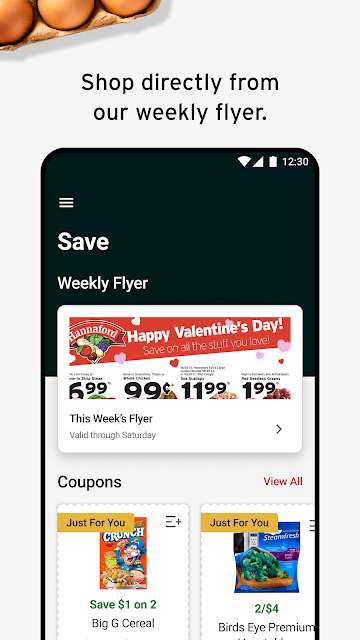
Picture the small planning window before a grocery run: I check what is on the weekly flyer, add a few likely buys to my list, and look at recent purchases to remember the things I tend to overlook. Hannaford gives those steps a shared home instead of leaving the list in one place and coupons in another. If I am ready to shop online, I can also move from browsing items to a Hannaford To Go order.
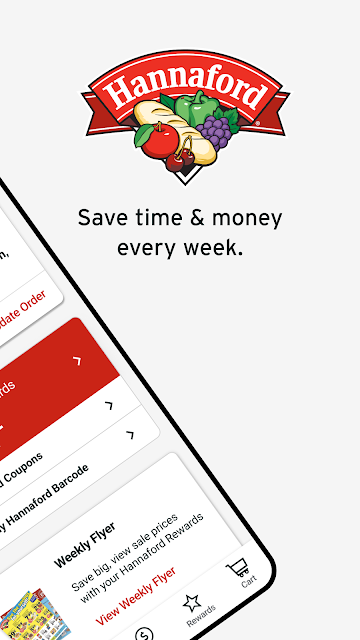
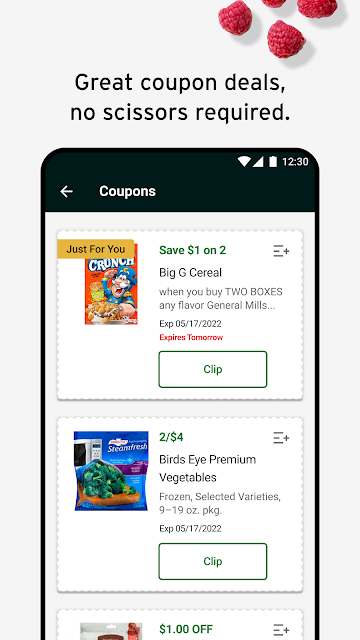
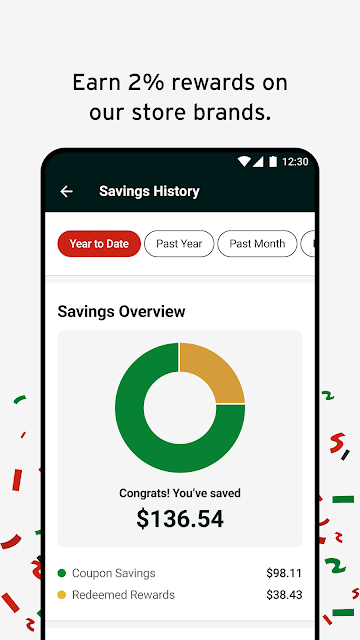
The rewards tools fit naturally into that routine. I can check my My Hannaford Rewards progress and see savings history, then clip coupons before heading to a store. At checkout, the app supports scanning a barcode or entering the phone number linked to my account. That makes the app useful both before and during a shopping trip, rather than only at the moment I place an online order.
A Store Companion, Not a Marketplace
Hannaford is at its best when Hannaford is already part of my grocery routine. A general shopping app might help compare many retailers, while this one connects its own weekly flyer, specials, coupons, rewards and To Go shopping. I can use recent purchases as a shortcut and look up nearby Hannaford locations, so the experience stays focused on planning and shopping with this particular retailer.
That focus also defines what I would not expect from it. It is not a broad recipe discovery service or a place to compare grocery prices across chains; those jobs are not the emphasis of the described tools. The pharmacy link is a useful extra, but the app points to a separate pharmacy app for prescription management and refills. If I rarely shop at Hannaford, many of its most relevant features may have little reason to stay in my routine.
Small Habits That Help
I would start a shopping trip by scanning the weekly flyer and adding relevant items to a list or cart while they are fresh in my mind. Then I would check Specials and clip coupons that match what I plan to buy. This order keeps browsing tied to an actual trip instead of turning every offer into an automatic addition. The list can be a simple planning aid even when I ultimately shop in person.
After a purchase, recent items can make the next To Go order less of a from-scratch exercise. I would also check rewards progress and savings history now and then, so I know what the account has captured and when a redemption notification arrives. For an in-store visit, having the barcode or associated phone number ready is a practical last step. These are modest habits, but together they make the app feel more useful.
More From Our News Desk

Zoom Meetings, Google Meet, or Teams: Which Is Easiest to Join?

How I Build a Free Streaming Lineup With Tubi

Why Crunchyroll Is the Default Anime App for So Many Fans

YouTube TV: A Practical Guide to Cutting Cable

Rummikub and the Small Comfort of Phone Games

TeamViewer Remote Control or AnyDesk for Helping Family?
Who Will Find It Useful
I would recommend Hannaford to shoppers who already visit Hannaford and want one place for weekly deals, shopping lists, To Go ordering and My Hannaford Rewards. It can be especially handy for people who plan purchases in short bursts throughout the week: check a deal, add an item, clip a coupon, then revisit the list when it is time to shop. The store locator and pharmacy-app link broaden its usefulness beyond the cart.
It may not suit someone who wants to shop among several grocery chains in one app, or who has no use for Hannaford's store-specific rewards and offers. The Google Play rating is 2.4 from around 5,700 ratings, so I would go in with measured expectations rather than assuming a flawless experience. The feature set is practical, but its value depends on whether it fits the stores and shopping habits I already have.
Hannaford is developed by Hannaford Bros Co, LLC. On Google Play it has over 500,000 installs and a 2.4-star rating from about 5,700 ratings. The app is free to download, and the store information says it contains ads. Its content rating is Everyone. The listed version is 9.4.3.
The app’s listed release date is July 31, 2017, and its last update is dated October 6, 2026. Hannaford is an Android app, but a minimum Android version is not included in the available app facts. For device compatibility, it is sensible to check the current Google Play details for the phone or tablet you plan to use.
Making Grocery Planning More Connected
A Focused First Impression
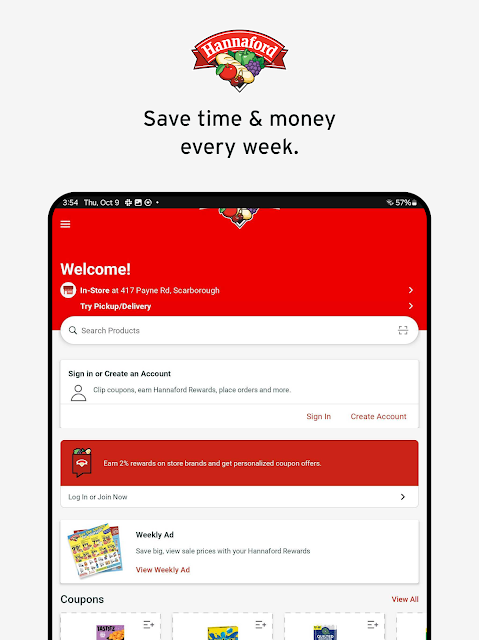
When I first opened Hannaford, the clearest idea was that it wants to cover both online and in-store shopping. The combination makes sense for a grocery routine: an online order is only one part of shopping, while flyers, coupons, rewards and a store locator matter on a regular store visit too. I would approach it as a practical retailer companion, not as a standalone food or recipe app.
The available description points to a straightforward starting set of jobs: browse the weekly flyer, make a list or cart, manage rewards and find a store. I would begin with the pieces I expect to use most, rather than trying to activate every feature at once. That keeps setup tied to a real task, such as planning the next grocery trip or checking an existing rewards account.
Everyday Shopping Flow
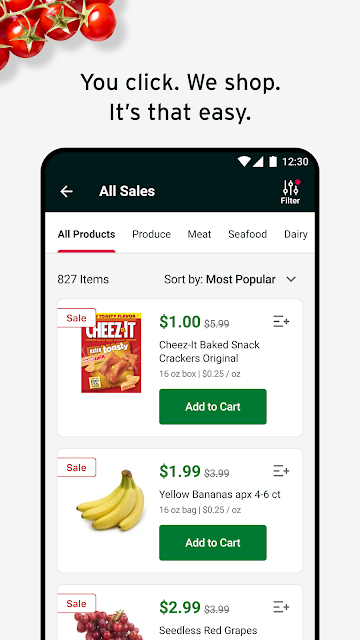
The day-to-day appeal is having shopping inspiration and shopping actions close together. I can look through the flyer, add items to my list or cart, and browse current Specials. If I have shopped before, recent purchases offer another route into a To Go order. That is a useful kind of convenience: it reduces the effort of remembering what I usually buy without pretending to replace the decisions involved in planning a meal.
In-store use has its own role. I can clip coupons, review rewards progress and bring the account barcode or associated phone number to checkout. The app says rewards and coupons are linked automatically to a Hannaford To Go order, while rewards can be redeemed quarterly. That gives online and store shopping different but related paths through the same set of savings tools.
Rewards and Shopping Tools
My Hannaford Rewards is one of the more distinctive parts of the package. The described program earns 2% rewards on store brands and offers personalized coupons on favorite brands. In the app, I can check progress and savings history, and the program can notify me when rewards are ready to redeem. At checkout, scanning the barcode or entering the linked phone number captures rewards and coupon savings.
The weekly flyer and Specials are useful because they connect browsing to action: I can add an item to a list or cart rather than just note a deal mentally. Recent purchases offer a quick starting point for another To Go order, and a store locator helps when I need to find a Hannaford nearby. There is also a link to a separate pharmacy app for managing and refilling prescriptions.
A Simple Weekly Routine
A realistic routine would be to open Hannaford once before the main grocery trip, skim the weekly flyer and add the items I actually intend to buy. I would browse Specials next, clip relevant coupons, and check the list against recent purchases for everyday staples. That sequence makes the app a planning tool rather than a stream of promotions. If I am ordering through To Go, the same browsing can feed the cart.
On the shopping day, I would use the list as a reminder and keep the rewards account ready for checkout. Later, a quick look at rewards progress or savings history can close the loop and help me see what the account recorded. If a notification says rewards are ready, I can pay attention on the next qualifying shopping trip. The app's tools are most valuable when they support habits I already have.
Limits to Keep in Mind
The main limitation is also the app's point of view: everything is organized around Hannaford. That is a good fit for loyal shoppers, but not a substitute for a multi-store comparison tool. Its usefulness also depends on engaging with the retailer's rewards and offers; someone who seldom shops there may find the flyer and account features less relevant than a simple notes app or a general shopping list.
I would also keep expectations grounded. Google Play shows a 2.4-star rating from around 5,700 ratings, a figure worth considering alongside the practical feature set. The app contains ads, according to its store facts. And while the app links to pharmacy tools, prescription management and refills are handled through a separate pharmacy app, so that task is not contained entirely within Hannaford.
Hannaford makes the most sense as a regular shopping companion: it brings the flyer, lists, To Go shopping, coupons, rewards and store lookup into one retailer-focused app. I like that the tools can support both planning at home and a visit to the store, instead of treating grocery shopping as only an online checkout.
I would try it if Hannaford is already part of my weekly routine and I want to keep its deals and rewards organized. If I shop across several chains or want a polished general-purpose grocery planner, I would look elsewhere. The low Play rating suggests a cautious trial is sensible, but the core feature mix is clear and practical.
Hannaford Frequently Asked Questions
What is the Hannaford app used for?
Hannaford is for online and in-store grocery shopping with the retailer. The app supports Hannaford To Go shopping, weekly flyer browsing, shopping lists, Specials, coupons and My Hannaford Rewards. It can also locate a Hannaford store and link to a separate pharmacy app for prescription management and refills. Its focus is Hannaford rather than grocery shopping across multiple retailers.
Which devices can run the Hannaford app?
Hannaford is an Android app available through Google Play. The minimum Android version can vary with app updates and device compatibility, so check the current Google Play details for your phone or tablet before installing. The app description covers Android shopping features; it does not describe an iPhone or desktop version.
Does Hannaford cost money, and are there purchases?
The app is free to download on Google Play, and the available app facts say it contains ads. The facts do not describe in-app purchases. Hannaford's rewards and coupons are part of the shopping experience described in the app, but any current offer details can change, so check the app and store information for current terms.
Can I use Hannaford rewards in the app?
The app lets shoppers manage My Hannaford Rewards, check progress and savings history, and use coupons. The described program earns 2% rewards on store brands and offers personalized coupons on favorite brands. At checkout, shoppers can scan a barcode or enter the phone number tied to the account. Rewards are described as redeemable quarterly, with a notification when they are ready.
Who is the Hannaford app best for?
It is best suited to people who shop at Hannaford and want to connect trip planning with that retailer's flyer, coupons, rewards and To Go shopping. It may be less useful if you shop at several chains and want one cross-store tool, or if you do not use store-specific deals. The Google Play rating is 2.4 stars from around 5,700 ratings.
Pros
- Combines weekly flyer browsing, shopping lists, Specials and To Go ordering.
- Keeps My Hannaford Rewards progress, savings history and coupons accessible.
- Recent purchases can help make another Hannaford To Go order easier.
- Includes a store locator and a link to the pharmacy app.
Cons
- Its retailer-specific tools have limited value for shoppers who rarely visit Hannaford.
- Google Play shows a 2.4-star rating from around 5,700 ratings.
- The app contains ads, and pharmacy tasks move to a separate app.
- Category
- Shopping
- Version
- 9.4.3











