Food City
- 12.38K
- 4.6
- Installs
- 500.00K
- Price
- Free

Screenshots
Analysis by Reviewed APKs
Food City is a grocery-shopping app for checking weekly deals, collecting digital coupons, planning meals, and building a shopping list or order. I can see it fitting both a quick in-store run and a planned curbside pickup, especially for shoppers who already use Food City’s ValuCard. Its mix of practical tools feels more useful than a simple store flyer, though it is centered on one grocery chain rather than shopping everywhere.
From pantry check to checkout
When I plan a grocery run, the hardest part is often remembering what I need and whether anything is on sale. Food City brings those tasks together: I can browse the weekly ad, clip digital coupons to my ValuCard, and add groceries to a shopping list. That makes it easier to turn a vague “we’re running low” into a more organized trip before I leave home.
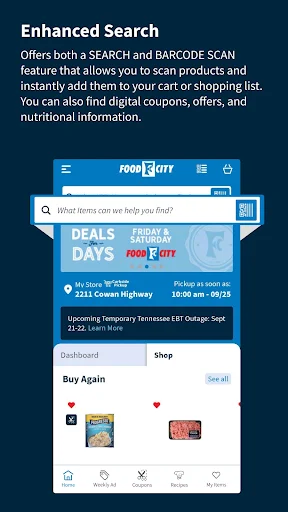
The list is designed for use in the store, too. Items can be sorted by aisle, and I can swipe them off as I shop. If I have a product in hand, the barcode scanner can add it to a list or cart and surface related coupons, offers, and nutritional facts. That combination gives the app a practical role from early planning through the actual grocery run.
A store-focused alternative
Food City is best understood as a companion for shopping at Food City, not as a general marketplace for comparing grocery chains. Its weekly ads, ValuCard, coupons, past purchases, and pickup options all point toward keeping a Food City shop organized. For someone who already shops there, that focus can make routine errands simpler than juggling paper coupons, a separate list, and a store card.
It is also not just a delivery app. The features support in-store shopping as well as curbside pickup and delivery, so shoppers can use it to plan a visit without placing an online order. If you want one app to search across many retailers, or you do not shop at Food City, the chain-specific tools may be less useful. The strongest case is for an existing or prospective Food City customer.
Small habits, smoother shops
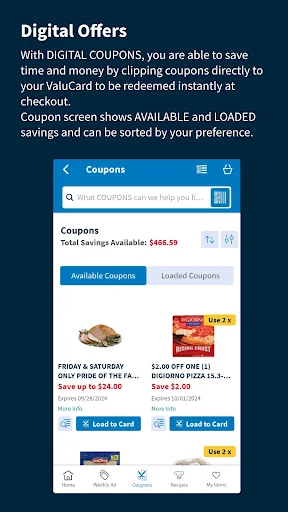
A useful habit is to check the weekly ad before adding everything to a list. The ad can be viewed in list or print format, while coupons can be filtered and sorted. Reviewing those alongside the items I actually need gives the planning process some structure, without making every grocery trip depend on chasing a deal.
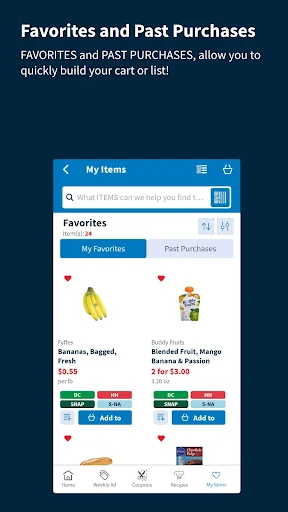
For repeat purchases, the favorites and past-purchases views can help rebuild an order without starting from scratch. I would also scan a barcode when adding an item directly from the pantry, then let the list sort by aisle for the store visit. If I am planning several dinners, the meal planner can cover up to seven days, and recipes can feed ingredients into a list or cart.
More From Our News Desk

Zoom Meetings, Google Meet, or Teams: Which Is Easiest to Join?

How I Build a Free Streaming Lineup With Tubi

Why Crunchyroll Is the Default Anime App for So Many Fans

YouTube TV: A Practical Guide to Cutting Cable

Rummikub and the Small Comfort of Phone Games

TeamViewer Remote Control or AnyDesk for Helping Family?
Who will get the most from it
I would recommend Food City to regular shoppers who want their store’s weekly deals, coupons, ValuCard, and shopping list in one place. It has useful details for both walking the aisles and arranging curbside pickup, while favorites and past purchases can make familiar orders quicker to assemble. Anyone who likes planning meals ahead may also appreciate having recipes and a seven-day meal planner alongside the shopping tools.
It may be a poor fit for people who rarely shop at Food City or want a single app that works across multiple grocery chains. The number of features also means it is more than a bare-bones checklist; shoppers who only want to jot down a few items may prefer a simpler list. Pickup availability depends on participating locations, so that option is most relevant when a nearby store supports it.
Food City is published by Food City and sits in the Shopping category. On Google Play, it has over 500,000 installs and a 4.6-star rating from 12,379 ratings. The app is free to download, with no in-app purchases or ads indicated in the provided store facts. Its content rating is Everyone.
The listed version is 3.0.40. Food City was released on August 9, 2017, and its most recent update date is June 16, 2026. The minimum Android version is not included in the available app facts, so check Google Play for the requirement shown for your device.
A Closer Look at Grocery Planning
A clean starting point
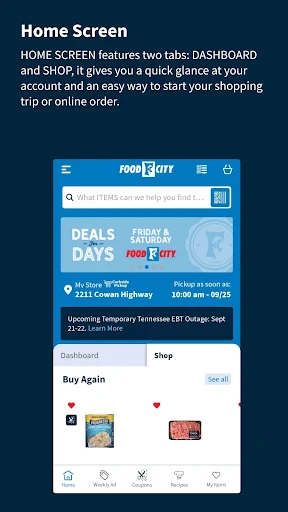
The app describes itself as redesigned, with a clean, intuitive experience. Its set of tools is easy to understand at a glance: deals, coupons, lists, recipes, and ways to shop. When I first opened the feature set, what stood out was that the app does not treat grocery shopping as only an online checkout. A shopper can use it to prepare for a regular trip just as much as a pickup order.
There are several routes into a shop, depending on how much planning I want to do. I can start with a weekly ad, build a list, browse recipes, or return to favorites and previous purchases. That flexibility is helpful for different kinds of errands, although it also means the app is most valuable when I take a little time to set up a shopping routine rather than opening it only at the register.
Useful during the weekly shop
The shopping list is the feature I would expect to use most often. It can be arranged by aisle, which gives the list a clear purpose once I am inside the store, and items can be swiped away as they go into the cart. The built-in barcode scanner offers another way to add products, making it handy when I am checking something I already have at home.
Coupons and offers are woven into the shopping process rather than isolated from it. Digital coupons can be added to a ValuCard, and the barcode scan can bring up relevant offers and nutritional facts. The weekly ad is clickable and can be viewed as a list or in a print-style format. These details make it easier to connect planning with the products I intend to buy.
Features with a clear purpose
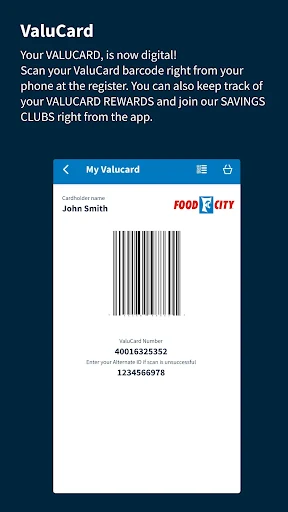
The ValuCard feature puts a digital version of the store card on the phone, so it can be scanned at checkout. The app also shows a Fuel Bucks balance. That is a small convenience with a practical payoff for someone who would otherwise need to keep track of a physical card and check rewards separately.
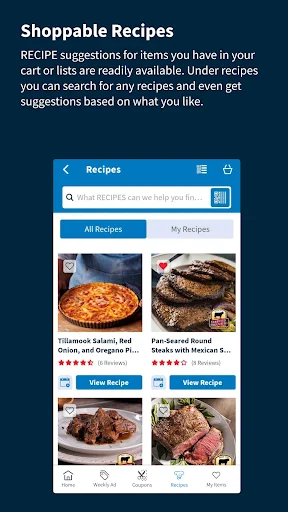
For meal planning, Food City offers recipes based on favorite ingredients and a planner that can cover up to seven days. A recipe can be added to a shopping list or cart, which closes the gap between deciding what to cook and gathering the ingredients. The feature is suited to planning a few dinners or a special occasion, rather than simply browsing recipes with no shopping task in mind.
Favorites and past purchases provide another shortcut for repeat orders. Being able to switch between those views can be useful when the basics are predictable but the rest of the week changes. It is a straightforward idea, but one that can save time when assembling a familiar cart or preparing a list for the next store visit.
A simple weekly routine
A routine I would use starts with the weekly ad and a quick look at the pantry. I can note the groceries I need, check the available coupons, and add any planned meals from the recipe section. Before heading out, I can sort the list by aisle so it is ready to use in the store. This keeps separate planning tasks connected without requiring a complicated meal-prep system.
If I am ordering for pickup, I can build the cart from favorites and past purchases, then reserve a curbside pickup time slot. Food City says the reserved time is displayed from the point I start shopping. Pickup availability can be checked by entering a ZIP code, and the service description says participating locations may offer same-day pickup in as little as three hours.
For a quick in-store visit, I would skip the full meal plan and focus on the list, coupons, and ValuCard. The app supports both styles, so it does not require every shopper to plan a whole week. That flexibility is useful when one trip is a regular restock and the next is a larger shop for planned meals.
Keep the scope in mind
The main limitation is also part of the app’s identity: Food City’s tools are built around Food City shopping. The digital card, offers, weekly ad, and store services make most sense when the chain is already part of a shopper’s routine. Someone looking for a retailer-neutral grocery list or a way to compare stores may not get much value from these features.
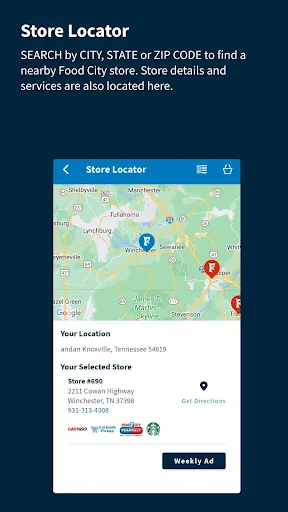
Pickup also depends on location. The app provides a ZIP-code check for participating curbside stores, so the service should not be assumed to be available everywhere. Even where pickup is offered, shoppers need to choose an available time slot. That is worth keeping in mind when planning a last-minute shop around a specific pickup window.
Finally, the app combines a lot of jobs: lists, coupons, scanning, recipes, rewards, and online shopping. That breadth is useful for customers who want an all-in-one store companion, but it may feel like more than necessary for someone who only needs a checklist. I would judge it by whether those Food City-specific tools fit my regular shopping habits.
Food City makes the most sense as a practical companion to a regular grocery routine: it joins lists, weekly ads, coupons, recipes, rewards, and pickup planning in one place. I especially like the way the list can serve both a planned store visit and an online cart, rather than steering every shopper toward delivery.
I would recommend it to Food City customers who want fewer scattered shopping tools and a quicker way to repeat familiar orders. If you shop across many chains or only need a minimal checklist, its store-specific approach may not be for you. For the right shopper, though, it covers the useful details of a grocery run without making the app’s purpose hard to understand.
Food City Frequently Asked Questions
What is the Food City app used for?
Food City helps shoppers browse weekly ads, add digital coupons to a ValuCard, organize a grocery list, and shop through curbside pickup or delivery options. It also includes barcode scanning, recipes, a meal planner, favorites, past purchases, and a digital ValuCard. The app is designed around grocery shopping at Food City.
Can I use Food City on an iPhone or Android device?
The app facts provided here identify Food City as an Android app available through Google Play. Check the store for current device compatibility and availability. The features described include in-store shopping tools as well as curbside pickup and delivery options, with pickup participation depending on location.
What Android version does Food City require?
The minimum Android version can vary with the app release and device compatibility. Check the Food City page on Google Play for the requirement that applies to your phone or tablet. The listed app version is 3.0.40, but that alone does not determine whether a particular device can install it.
Does Food City cost money to use?
Food City is free to download on Google Play. The provided app facts indicate no in-app purchases and no ads. Store services such as pickup or delivery may have details that depend on location or current availability, so check the app or store information for the terms that apply to your order.
Who is the Food City app best for?
It is best suited to people who shop at Food City and want store-specific coupons, weekly ads, a digital ValuCard, and grocery-planning tools together. It may be less useful if you shop at several chains or only want a simple checklist. Curbside pickup is available only at participating locations, which can be checked by ZIP code.
Pros
- Combines weekly ads, digital coupons, shopping lists, and ValuCard tools.
- Aisle-sorted lists and barcode scanning support in-store grocery trips.
- Recipes can feed into a seven-day meal plan and shopping list.
- Favorites and past purchases offer shortcuts for repeat orders.
Cons
- Most useful features are tailored to shoppers who use Food City.
- Curbside pickup depends on participating locations and available time slots.
- The range of tools may be more than a basic checklist user needs.
- Category
- Shopping
- Version
- 3.0.40











