Eneba – Marketplace for Gamers
- 11.55K
- 3.4
- Installs
- 1.00M
- Price
- Free
Screenshots
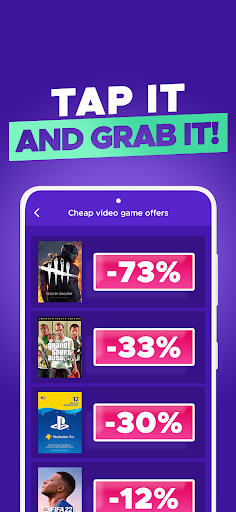
Analysis by Reviewed APKs
Eneba – Marketplace for Gamers is a shopping app for people looking for digital game keys, gift cards, subscriptions, downloadable content, and in-game currency. I see it as a handy place to check before paying full price elsewhere, especially if I already know what I want to buy. Its broad gaming focus is useful, though shoppers should take time to check the details of an offer before purchasing.
A quick price check
Picture a familiar situation: a friend mentions a game during a group chat, and I want to see whether I can find a digital copy at a better price. I can open Eneba, search for the title, and use its categories or filters to narrow the choices. That makes the app relevant to a real shopping task rather than something I need to browse for its own sake.
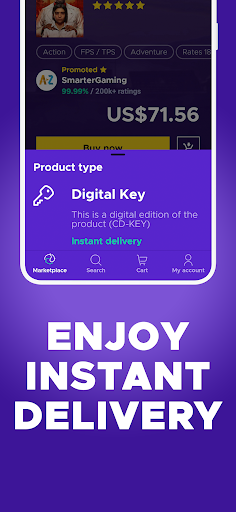
The same quick check could happen while I am waiting for a game session to start. Eneba is designed to offer game keys and prepaid products, with digital delivery described as immediate. I would still pause to read the offer carefully before buying; a fast checkout is useful only if the product is the right fit for my game, device, and account.
A marketplace, not a game launcher
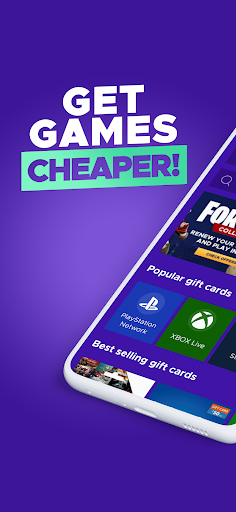
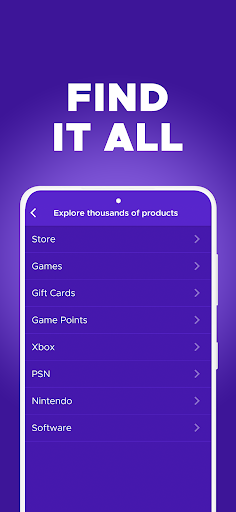
Eneba belongs in the same general routine as checking a game store for a discount, but its focus is buying digital gaming products in one marketplace. Alongside games, its catalog covers gift cards, subscriptions, downloadable content, game points, bundles, and skins. That range is appealing when I want to look beyond a full game without jumping between several shopping destinations.
This is not where I would go to play a game, manage a library, or get help choosing what to play. Its job is shopping. Someone who wants one particular title may prefer a direct visit to the store they already use, while a shopper comparing digital gaming products may appreciate having more categories to explore. The app’s usefulness depends on what is available for the purchase I have in mind.
Browse with a short list
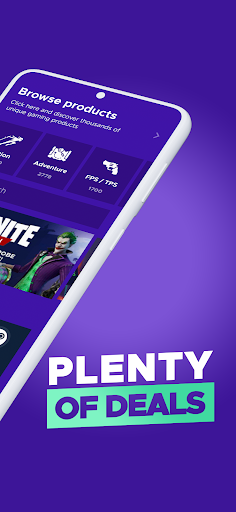
I get more from a marketplace when I arrive with a small plan. I might have a game title, a gift card, or a subscription in mind, then search for that product instead of scrolling without direction. Eneba’s search, categories, and customizable filters are intended to help narrow the selection, which suits a quick check between other parts of the day.
Notifications can also make sense if I want to hear about offers and discounts, rather than remembering to check constantly. I would keep them relevant to my shopping habits and still compare the details when an alert appears. A discount notification is a prompt to look, not a reason to buy something I did not want in the first place.
More From Our News Desk

Zoom Meetings, Google Meet, or Teams: Which Is Easiest to Join?

How I Build a Free Streaming Lineup With Tubi

Why Crunchyroll Is the Default Anime App for So Many Fans

YouTube TV: A Practical Guide to Cutting Cable

Rummikub and the Small Comfort of Phone Games

TeamViewer Remote Control or AnyDesk for Helping Family?
Who may find it useful
I would recommend Eneba to PC and console gamers who are comfortable shopping for digital products and want a place to browse game keys, gift cards, subscriptions, and related extras. It is especially suited to someone who already knows what they are looking for and wants to check whether a marketplace offer suits their budget. Its filters and categories give that kind of shopper a way to make a broad catalog feel more manageable.
It may be less appealing if you want a gaming app for playing, organizing a library, or discovering games through editorial recommendations. It is also not a shortcut around checking purchase details: shoppers should make sure an offer matches their intended use before paying. Google Play shows a 3.4-star rating from around 11,500 ratings, so I would approach it as a practical shopping option to assess for myself, not an automatic fit for every gamer.
Eneba – Marketplace for Gamers is developed by eneba.com and is listed in the Shopping category. Google Play shows over one million installs and a 3.4-star rating from around 11,500 ratings. The app is free to download, and the supplied store facts say it contains no ads and offers no in-app purchases.
The app has a Teen content rating. Its listed version is 1.9.40; it was released on October 5, 2023, and its last update is dated October 28, 2026. The supplied facts do not specify a minimum Android version, so check Google Play for device compatibility before installing.
How Eneba Fits Into Game Shopping
A focused first impression
When I first open a shopping app like this, I want to know quickly whether it carries the kind of digital product I need. Eneba’s stated scope is clear: games and gaming-related digital purchases, rather than a general store. That focus makes it easy to decide whether it belongs in my routine before I spend time browsing.
I would start with one known game or product and use search, then explore a category or filter if the results need narrowing. The app describes a customizable filter system and collections for browsing. Those tools matter most when a marketplace has many types of products and I do not want a casual search to become an open-ended scroll.
Shopping in small windows
The day-to-day appeal is that checking a price can fit into a spare moment. If I am waiting for a friend to join a lobby or have a few minutes between errands, I can look for a title or prepaid card without treating it as a major research project. The app’s intended shopping flow is built around finding digital gaming purchases and offers.
Eneba describes digital delivery as immediate, which is relevant when I want to use a purchase soon after buying. Still, I would separate speed from certainty: delivery expectations do not replace checking that the item is appropriate for my intended use. A few seconds spent reviewing the product description can be more valuable than rushing through a purchase.
More than game keys
The range of products is one of the app’s more practical distinctions. Eneba covers game keys, gift cards, subscriptions, downloadable content, game points, bundles, and skins. That can be convenient when I am shopping for a specific add-on or prepaid option, not just a full game. It gives gaming purchases a shared place to browse.
Search, categories, collections, filters, and notifications are the features that shape how I would use that selection. Search suits a known title; categories and filters help when I have a broader need. Notifications are intended to surface offers and discounts. Together, these tools support shopping and discovery, though they do not make every offer equally relevant to every buyer.
A practical buying routine
My sensible routine would begin with a shopping list: the game or digital product, the platform or use I have in mind, and the price I am prepared to consider. I would search for the item, narrow the results with available filters, and read the offer details before checking out. That is a simple way to keep a broad marketplace from distracting me with unrelated deals.
Afterward, I could use notifications to hear about later offers if I am still interested in shopping. I would treat those alerts as reminders to compare, not as a standing invitation to spend. For gift cards or subscriptions, I would be just as deliberate about confirming the product matches the recipient or service I have in mind.
Keep the limits in view
Eneba is a shopping tool, so it cannot replace the services where I play games or manage my own collection. Its value comes from finding and purchasing digital gaming products. Anyone expecting a launcher, gameplay, or a personalized guide to what to play is looking for a different kind of app.
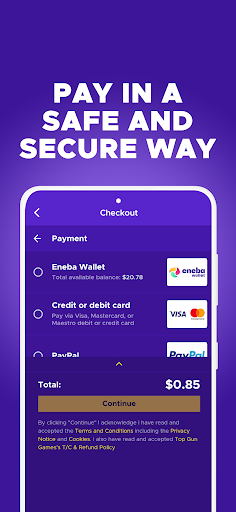
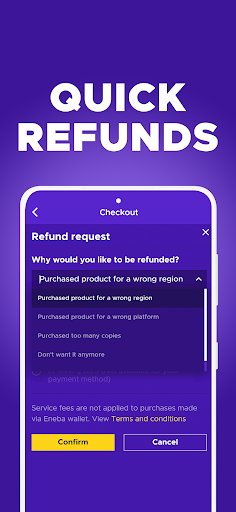
The catalog’s breadth also means a quick search should not be the end of my decision. I would check each offer’s details before buying and avoid assuming that every product suits every platform or situation. The app describes support for discrepancies and secure payments, but careful reading remains a sensible part of any marketplace purchase.
Finally, the Google Play rating is 3.4 stars from around 11,500 ratings. That is useful context, not a verdict on my own shopping experience. I would try the app with a specific, low-stakes search first and decide whether its selection and buying process work for me.
Eneba makes sense as a place to browse digital game keys and related products, particularly when I have a specific purchase in mind and want to check for an offer. Its categories, filters, and notification options support that focused shopping routine. The wide product range is useful, but the app remains a marketplace rather than a gaming or library-management tool.
I would suggest giving it a look if you buy digital gaming products and are willing to read offer details before checkout. If you prefer to shop only through a familiar game store, or want an app for playing and organizing games, Eneba may not add much to your routine.
Eneba Frequently Asked Questions
What is Eneba – Marketplace for Gamers used for?
Eneba is a shopping app for digital gaming products. Its described selection includes game keys, gift cards, subscriptions, downloadable content, game points, bundles, and skins. Search, categories, and filters help with browsing, while notifications can surface offers and discounts. It is for shopping rather than playing games or managing a game library.
Which devices can use Eneba – Marketplace for Gamers?
Eneba – Marketplace for Gamers is listed on Google Play for Android. The supplied app information does not give a minimum Android version, so the compatible requirements may vary by device and current store information. Check the Google Play page on the device you plan to use before installing.
Does Eneba – Marketplace for Gamers cost money?
The app is free to download. The supplied Google Play facts say it contains no ads and offers no in-app purchases. The app is a marketplace for products such as game keys and gift cards, so purchases made through it are separate from downloading the app. Check the offer details and current store information before buying.
Does Eneba – Marketplace for Gamers deliver purchases digitally?
Eneba describes its products as digital and says delivery is immediate. The app covers game keys and other gaming-related digital purchases, including gift cards and downloadable content. Before completing a transaction, review the specific offer and make sure it matches what you intend to buy and use.
Who should try Eneba – Marketplace for Gamers?
It may suit PC and console gamers who want to browse digital games, prepaid products, subscriptions, or add-ons in one shopping app. It may be less useful if you want to play games, manage a library, or avoid marketplace shopping. The app has a Teen content rating; check its Google Play page for current details.
Pros
- Covers game keys, gift cards, subscriptions, downloadable content, and other digital gaming products.
- Search, categories, and customizable filters support more focused browsing.
- Notifications can bring attention to offers and discounts.
- Free to download, with no ads or in-app purchases according to Google Play.
Cons
- It is a shopping marketplace, not a game launcher or library manager.
- The 3.4-star Google Play rating suggests experiences may vary.
- Shoppers still need to check offer details carefully before buying.
- Category
- Shopping
- Version
- 1.9.40











