Easy Mail - Email Launcher
- 32.94K
- 4.2
- Installs
- 1.00M
- Price
- Free

Screenshots
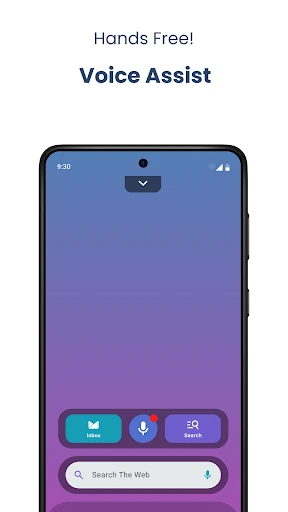
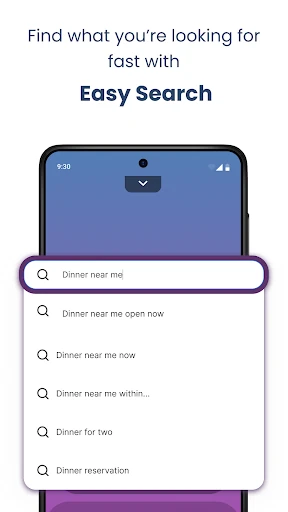
Analysis by Reviewed APKs
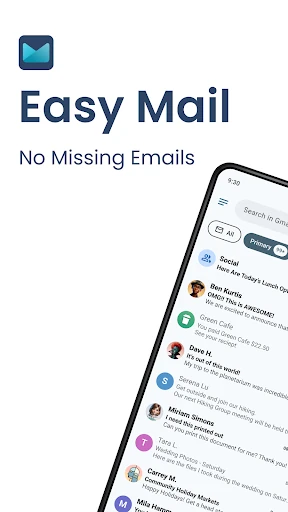
Easy Mail - Email Launcher puts email at the center of an Android home screen, with a swipe into the inbox, support for multiple accounts, and a widget. I found the idea most appealing for people who check mail in short bursts throughout the day and want it closer at hand. It is also a full launcher, so the change is broader than adding a mail shortcut.
A quicker inbox check
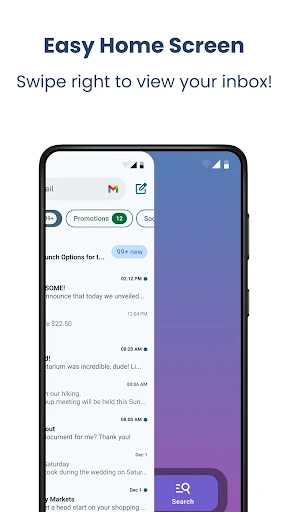
Picture a weekday morning: I unlock my phone, swipe right from the home screen, and land in the inbox instead of first hunting for a mail app. Easy Mail is built around that small shortcut. Its unified inbox can bring messages from multiple accounts into one feed, while a tap lets me separate them when I want to focus on a particular address.
That setup suits quick checks between other tasks: scan what arrived, reply when needed, then move on. The home-screen widget offers another way to keep email visible, and the app describes quick replies as part of its email experience. I would still treat this as an easier route into ordinary email, not a reason to spend more time refreshing the inbox.
A launcher, not just mail
The obvious alternative is keeping a familiar email app on the home screen or using its widget. Easy Mail takes a bigger step: it replaces the usual launcher experience with one organized around email, while adding an app drawer, home-screen search, and a content feed. That can make sense if inbox access is a daily priority and I am comfortable changing how I move around the phone.
It is not simply a new mail provider, nor is it aimed at people who want a launcher with no email emphasis. The inbox is the organizing idea, and the extra home-screen elements may not appeal to someone who prefers a quiet, minimal layout. If I only check email occasionally, a shortcut to my existing mail app may be enough.
Make the layout work
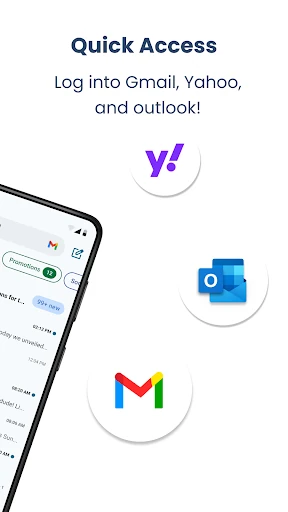
I would start by adding the email accounts I actually use, rather than treating the unified inbox as a reason to bring every old address back into rotation. Easy Mail says it supports Gmail, Outlook, Yahoo, Hotmail, AOL, and other providers. Once accounts are in place, switching between the combined feed and separate accounts gives me a simple way to move from a broad scan to a focused check.
The launcher gestures are worth learning early: swipe right for the inbox and swipe up for the app drawer. I can drag favorite apps back onto the home screen, then use the widget if I prefer email to stay visible without opening the inbox. These habits make the launcher feel more purposeful, rather than like a standard home screen with extra steps.
More From Our News Desk

Zoom Meetings, Google Meet, or Teams: Which Is Easiest to Join?

How I Build a Free Streaming Lineup With Tubi

Why Crunchyroll Is the Default Anime App for So Many Fans

YouTube TV: A Practical Guide to Cutting Cable

Rummikub and the Small Comfort of Phone Games

TeamViewer Remote Control or AnyDesk for Helping Family?
Who may enjoy Easy Mail
I would recommend Easy Mail to someone who handles several email accounts and likes the idea of reaching them directly from the home screen. The unified inbox and account-by-account view address different everyday needs, while the widget and launcher gestures make frequent checks convenient. People who enjoy tuning their phone’s home screen may also appreciate having email, apps, search, and a content feed gathered in one place.
It may be a poor fit if I want to keep my current launcher exactly as it is, or if email is something I open only once in a while. The added search and content feed could also feel like clutter to someone who wants a strictly work-focused screen. I would try it for its launcher approach, not expect it to transform email into a full productivity system.
Easy Mail - Email Launcher is made by App Lab Studios and is listed in Google Play’s Personalization category. It has over 1 million installs and a 4.2-star rating from around 33,000 ratings. The app is rated Everyone. The current version listed in the provided app details is 1.03.09.
The app is free to download and contains ads. It offers in-app purchases, with listed items ranging from $9.99 to $59.94 each. The release date shown is November 22, 2023, and the listed last update is October 28, 2026. I would check Google Play for current pricing and device compatibility before installing.
Making Email Part of the Home Screen
A different first screen
When I first opened Easy Mail, the main adjustment was thinking of it as a home-screen replacement rather than a mail app with a few shortcuts. Email is the central destination, and the app drawer and other launcher elements sit around that idea. That distinction matters: trying it changes how I reach other apps, not only how I check messages.
The basic layout aims to keep the home screen organized around mail and productivity. I would spend a little time deciding which apps deserve a place there, then learn the swipe gestures before judging the flow. The app also offers FAQ material with video tutorials and answers to common questions, which can help when the launcher feels unfamiliar.
Mail in the daily flow
The main interaction is direct: swipe right from the home screen to open the inbox. I can bring multiple accounts together in a unified feed or view them separately with a tap. For someone who alternates between personal and work addresses, that is a practical choice between seeing the overall picture and narrowing attention to one account.
I like the idea of reducing the number of steps between unlocking the phone and checking a message. The widget provides another route for keeping email close, while quick replies are highlighted as part of the app’s offering. Those conveniences are most useful in short, routine checks; they do not make every message worth answering immediately.
Beyond the inbox
Easy Mail includes more than email access. Swipe up to reach the app drawer, then drag favorite apps onto the home screen. That gives the launcher a familiar everyday job alongside its mail focus, rather than turning the entire phone into an inbox. Widget support is also included, offering another way to put email access within reach.
A downward pull on the home screen opens a content feed with news and entertainment. There is also home-screen web search powered by Yahoo Search, with autocomplete and trending suggestions. These features make the screen more of a general starting point, though they may be less attractive to anyone who would rather keep mail separate from browsing and other content.
A sensible daily routine
A useful routine could begin with a quick unified-inbox scan in the morning, followed by checking a specific account when a message needs attention. I would keep the app drawer for less frequent apps and drag only daily favorites onto the home screen. That creates a simple division: inbox to the right, regular apps in the drawer, and the home screen for the things I reach for most.
Later in the day, the widget can serve as a convenient email entry point, while the launcher’s swipe access is there for a fuller check. AI email assistance is described as a way to rephrase, shorten, or polish a draft while retaining a natural tone. I would use that as a writing aid, then review the result myself before sending.
Trade-offs to consider
The biggest trade-off is the launcher commitment. Easy Mail’s appeal depends on making email a prominent part of the home screen, so it will not suit everyone who only wants a new inbox. The content feed and search add more activity to that screen, which could be useful for some routines but distracting for someone seeking a pared-back setup.
The app says it supports unlimited accounts and a broad range of providers, but my experience would still depend on whether my preferred account works smoothly in practice. It also contains ads and offers in-app purchases, so the free download is not the whole story for everyone. I would check the current Google Play details and try the basic workflow before relying on it as my main launcher.
Easy Mail - Email Launcher makes a clear choice: put email at the center of the home screen and make the inbox a swipe away. The unified inbox, separate account views, widget, and launcher tools give that idea practical shape. Its strongest appeal is convenience for people who check several accounts often.
I would give it a try if email is part of my daily phone routine and I am open to a launcher change. If I want a quiet home screen or only need a standard mail app, I would stick with a simpler setup. Easy Mail is a focused alternative, not a universal upgrade.
Easy Mail Frequently Asked Questions
What is Easy Mail - Email Launcher used for?
Easy Mail - Email Launcher is a launcher centered on email. It lets users open the inbox by swiping right, add multiple email accounts to a unified feed or view them separately, and use a home-screen widget. It also includes an app drawer, home-screen search, and a content feed.
Which phones and platforms support Easy Mail - Email Launcher?
Easy Mail - Email Launcher is an Android app distributed through Google Play. The provided app details do not specify a minimum Android version, so check the Google Play page for the current compatibility information for your device before installing.
Does Easy Mail - Email Launcher cost money?
The app is free to download and contains ads. It also offers in-app purchases, with listed items ranging from $9.99 to $59.94 each. Prices and purchase options can change, so check Google Play for the current details before deciding.
Can Easy Mail - Email Launcher handle multiple accounts?
Yes. Easy Mail describes support for unlimited email accounts, including Gmail, Outlook, Yahoo, Hotmail, AOL, and other providers. Users can view accounts together in a unified inbox or switch to separate account views. Whether a particular account works for you is worth checking in the app.
Who should try Easy Mail - Email Launcher?
It may suit people who check email frequently, manage multiple accounts, and want inbox access built into their home screen. It may be less appealing if you prefer your current launcher, want a minimal screen, or only open email occasionally. Its content feed and search are optional parts of a broader launcher-style experience.
Pros
- Swipe-right inbox access makes frequent email checks easy to reach.
- Unified and separate inbox views support different account-checking habits.
- Includes a widget, app drawer, and home-screen app shortcuts.
- AI writing assistance can rephrase, shorten, or polish email drafts.
Cons
- Email-centered design requires adjusting to a different launcher experience.
- Ads and in-app purchases accompany the free download.
- The content feed and search may add clutter for minimal-screen users.
- Category
- Personalization
- Version
- 1.03.09