DIRECTV: TV & Movie Streaming
- 146.74K
- 4.6
- Installs
- 10.00M
- Price
- Free
Screenshots
Analysis by Reviewed APKs
DIRECTV: TV & Movie Streaming brings live television, sports, movies, and on-demand shows to Android phones, tablets, and TVs. I see it as a flexible option for people who want sports and familiar channels alongside a free selection of programming, rather than a single-purpose movie app. After looking at how its free and paid options fit together, my take is that it offers useful range, with some important availability and subscription details to keep in mind.
A Matchday in Your Pocket
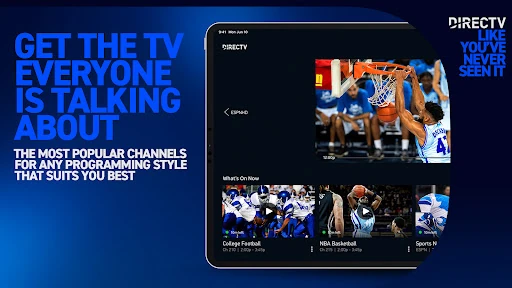
When I first pictured using DIRECTV, I thought of a Saturday when a game is on while I’m away from the living-room TV. The app’s focus on live sports makes that kind of viewing a natural fit: its Sports Central feature brings teams, leagues, games, and season coverage into the mobile experience. It also offers live TV and on-demand programming, so a sports check-in can sit alongside news, shows, or a movie.
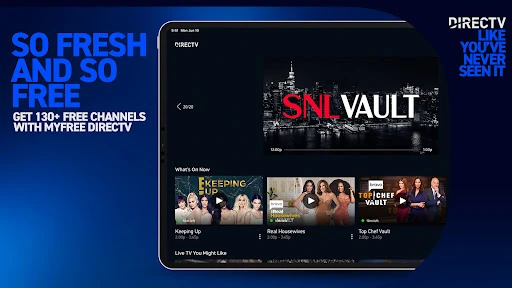
The practical rhythm is straightforward: open the app, explore what is live or available on demand, and choose something that suits the moment. The free MyFree option includes more than 150 live channels as well as movies and TV shows, so there is a way to browse without starting a paid subscription. For paid lineups, availability of local channels and sports can depend on location and plan, and sports blackouts apply.
More Than One Kind of TV
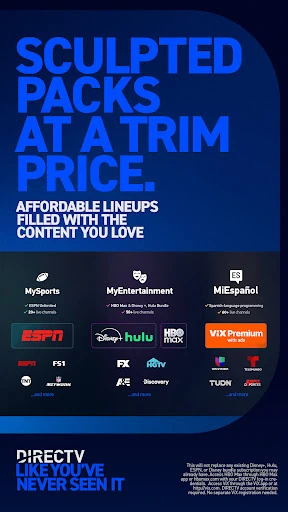
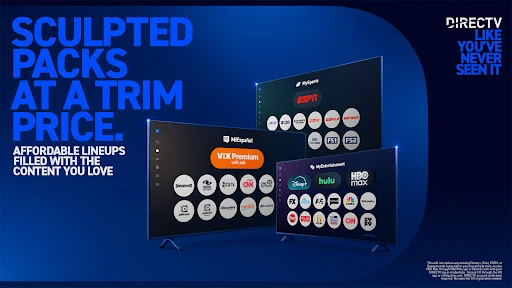
DIRECTV sits between a free streaming sampler and a larger live-TV subscription. MyFree is the lighter starting point, with free live channels and on-demand titles and no subscription required to watch that selection. Paid choices include month-to-month genre packs, such as sports, entertainment, news, Spanish-language programming, and kids’ channels. Traditional streaming packages offer a broader channel lineup, with up to 185 or more channels described in the app information.
That range makes it different from an app built around only a single network, one sport, or a movie catalog. It is designed to bring live channels and on-demand viewing together, with sports a prominent part of the mix. It is not simply a replacement for every streaming service someone already uses: the description says some included services are accessed through their own apps or credentials, and local availability and sports restrictions still matter.
Small Habits That Help
I’d start by checking the free MyFree selection before deciding whether a paid package fits my routine. If I mainly want live news or occasional entertainment, a smaller genre-focused option may be easier to assess than committing to a broader channel lineup. The monthly packages are described as cancellable, and the service says it has no long-term contract, which makes it sensible to think in terms of what I actually watch each month.
For sports, I’d use Sports Central as a starting point for keeping track of leagues, teams, games, and season coverage, then check local channel availability and blackout restrictions before planning around a particular broadcast. If a game or show matters enough to watch later, the paid package information describes unlimited Cloud DVR recording. A quick check of the plan and viewing location can prevent an unpleasant surprise.
More From Our News Desk

Zoom Meetings, Google Meet, or Teams: Which Is Easiest to Join?

How I Build a Free Streaming Lineup With Tubi

Why Crunchyroll Is the Default Anime App for So Many Fans

YouTube TV: A Practical Guide to Cutting Cable

Rummikub and the Small Comfort of Phone Games

TeamViewer Remote Control or AnyDesk for Helping Family?
Who Will Get the Most From It
I’d recommend DIRECTV to Android users who want live channels and on-demand viewing in one app, especially people who follow football or other live sports. It also has a clear use for households that want a mix of news, movies, entertainment, Spanish-language options, or kids’ programming. The free MyFree selection gives curious viewers a way to explore some live and on-demand content before choosing a paid plan.
It may be a weaker fit for someone who wants only one narrow type of content, or who expects every channel and game to be available in every location. Paid options and included services come with conditions, and the app requires a compatible device and internet connection. I’d also compare the available lineups with the services a household already pays for, since some content is accessed through separate apps or existing credentials.
DIRECTV: TV & Movie Streaming is an Android entertainment app from DIRECTV, LLC. On Google Play it has more than 10 million installs and a 4.6-star rating from around 147,000 ratings. The app is free to download, contains ads, and offers in-app purchases. The listed in-app product range is $4.99 to $82.99 per item, so the cost of a paid viewing option depends on the product selected.
The app has a Teen content rating. Its listed version varies with device, and Google Play gives a release date of November 30, 2016, with the last update dated November 4, 2026. The Android version requirement is not included in the available app details, so it is worth checking the Google Play page on the device you plan to use.
Live TV That Travels With You
Getting Started
My first impression is that DIRECTV is trying to cover several viewing moods at once: live channels, sports, movies, and series all belong in the same app. That breadth is useful if I don’t want to switch between separate services just to browse live TV and on-demand options. The free MyFree selection also makes the starting point less intimidating than an app where every viewing choice begins with a paid package.
The first decision is what kind of access I want. MyFree is described as free, with no subscription or credit card required to watch its free shows and movies. Paid genre packs and traditional streaming packages are separate options. The app information says paid services have a five-day free trial followed by monthly renewal, with a credit card required; I’d review the current terms before starting one.
Everyday Viewing
In daily use, the appeal is having live programming and on-demand choices together. That means I can look for a live game when one is airing, then browse movies or shows when I want something on my own schedule. The description also calls out a Smart Guide for finding live games, top shows, and live TV. Those are practical priorities for an app with a broad lineup, rather than just a library to scroll through.
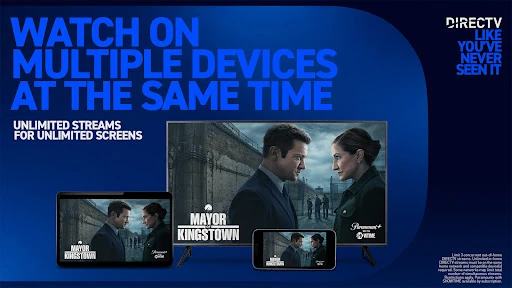
The experience still depends on the plan and viewing situation. DIRECTV says local channels vary by market, sports blackouts apply, and out-of-home streams are limited to three concurrently. A compatible device and high-speed internet are required, and the service is available in the United States with stated geographic exclusions. I’d treat those details as part of deciding whether the app fits a particular trip or household.
Standout Options
Sports Central is one of the app’s clearest distinguishing features. It brings attention to football leagues, teams, games, and season coverage, while the service also describes live streaming for football, soccer, tennis, hockey, baseball, basketball, and other sports. Spanish-language soccer coverage is included in the description as well. For a sports fan, that makes the app more than a general channel guide.
The variety of packages is another notable part of the offer. Genre packs divide programming into areas such as sports, entertainment, news, Spanish-language channels, and kids’ content. Traditional packages provide broader channel lineups, and the description says those plans include thousands of on-demand titles and unlimited Cloud DVR recording. The exact channels and access details depend on the package, so I would compare the lineup rather than assume every option includes everything.
A Routine for Game Day
For a simple game-day routine, I’d check Sports Central early enough to see what coverage is available, then confirm the channel and location restrictions before settling in. If I’m away from home, I’d make sure the device has a reliable data connection and remember the limit on concurrent out-of-home streams. These checks are small, but they matter more when the event is live and there may not be an easy later viewing option.
After the game, the app can still serve a different purpose. I might browse the free live channels or on-demand movies, or use Cloud DVR if the package includes it and I want to record a show or game. Keeping the free option and paid package benefits distinct helps me decide whether a subscription is worth it for my actual routine, rather than paying for channels I rarely use.
Limits to Keep in Mind
The biggest caveat is that the full experience is not identical for everyone. Local channel availability varies by market, sports blackouts apply, and access can depend on the selected plan. Some services included with certain packages are viewed through their own apps or with DIRECTV login credentials. That can be convenient, but it means the app is not necessarily the only place a viewer will go to watch every included title.
There are also practical requirements: a compatible Android phone, tablet, or TV, a data connection, and high-speed internet for the service. The description sets geographic limits and says account verification may be required for some access. Paid services renew monthly after a stated trial period, so I’d check the current plan terms and cancellation details in the store or with DIRECTV before signing up.
DIRECTV: TV & Movie Streaming makes the most sense when live TV and sports are central to how I watch, but I also want movies and shows in the same broad service. The free MyFree option gives it an approachable entry point, while the paid packages add more channels and features. Its strongest advantage is range; its main trade-off is that access varies by package and location.
I’d suggest trying the free selection first, then comparing a paid lineup with the channels and sports a household actually needs. If you mainly want on-demand films or a single specialist service, a narrower app may suit you better. For Android viewers who value live sports, channels, and flexible viewing choices, DIRECTV is worth a careful look.
DIRECTV Frequently Asked Questions
What is DIRECTV: TV & Movie Streaming used for?
DIRECTV: TV & Movie Streaming is for watching live television, sports, movies, and on-demand shows on Android phones, tablets, and TVs. It includes a free MyFree selection with live channels and on-demand titles, plus paid genre packs and broader streaming packages. Sports Central highlights leagues, teams, games, and season coverage. Local channel availability and sports access can depend on market and plan.
Which devices and platforms support DIRECTV?
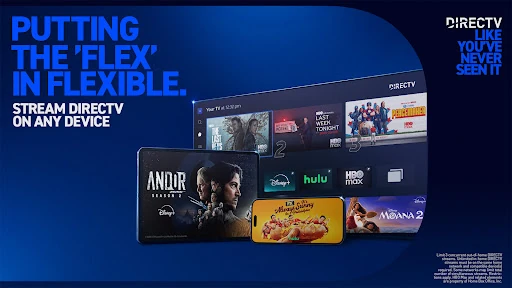
The app is described for Android phones, tablets, and TVs, and it requires a compatible device and data connection. The service says it is available in the United States, with geographic exclusions, and that out-of-home viewing has a concurrent stream limit. Device compatibility and Android requirements can vary, so check the Google Play page for the device you plan to use.
What Android version does DIRECTV require?
The app details describe DIRECTV for Android phones, tablets, and TVs, but the minimum Android version can vary with device. I’d check the Google Play listing from the device where you want to install it to see whether it is compatible. A high-speed internet connection is also required for the streaming service, in addition to a compatible device.
Does DIRECTV cost money or include in-app purchases?
DIRECTV is free to download and includes the free MyFree selection, which the description says does not require a subscription or credit card. Paid genre packs and streaming packages are also available. Google Play lists in-app products from $4.99 to $82.99 per item; paid services are described as monthly subscriptions, with a five-day trial and terms that are worth checking before subscribing.
Is DIRECTV a good fit for every viewer?
It may suit Android viewers who want live sports, channels, and on-demand entertainment together, especially if the free selection meets their needs or a paid package matches their interests. It may be less suitable for someone who only wants a narrow on-demand catalog or needs a specific local channel or game everywhere. Availability, blackout restrictions, and package details can vary, so check the current store and service information.
Pros
- Combines live channels, sports, movies, and on-demand shows in one Android app.
- Free MyFree viewing includes more than 150 live channels and on-demand titles.
- Sports Central organizes coverage around leagues, teams, games, and seasons.
- Genre packs offer options for sports, news, entertainment, Spanish-language, and kids’ programming.
Cons
- Local channels and sports availability can vary by market, plan, and blackout rules.
- Paid packages and included services may require separate apps or account credentials.
- Streaming requires a compatible device, internet connection, and attention to subscription terms.
- Category
- Entertainment











