Dillons
- 14.02K
- 4.4
- Installs
- 500.00K
- Price
- Free

Screenshots
Analysis by Reviewed APKs
Dillons is a grocery-shopping app for people who shop at Dillons and want to handle deals, orders and rewards in one place. I like that it covers both planning a trip and getting groceries through pickup or delivery, rather than focusing only on coupons. It suits regular store customers especially well, though its usefulness naturally depends on having Dillons nearby.
A More Organized Grocery Run
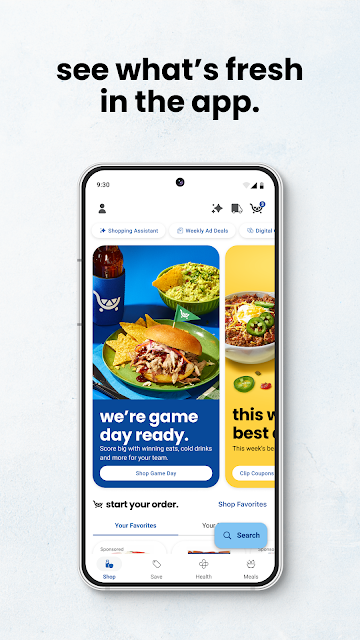
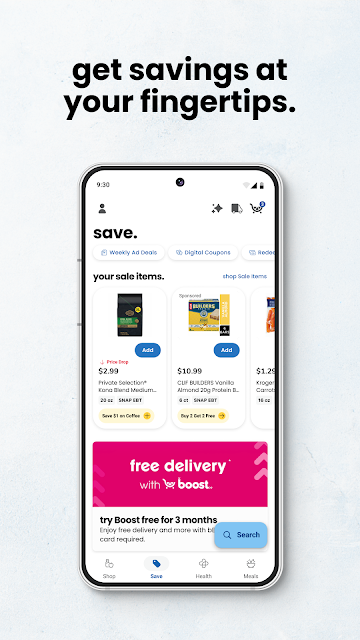
When I plan a grocery run, I usually start with the basics: check what is on sale, remember the household staples, and figure out whether I have time to shop in person. Dillons brings several of those jobs together. I can browse weekly ads, clip digital coupons, and make an online order for pickup or delivery, instead of treating each task as a separate errand.
The app also gives a trip some useful follow-through. I can look back at purchase history and quickly reorder favorite items, which is handy when the same groceries show up week after week. Fuel points and personalized deals add another reason to check before checkout. It is a practical setup for routine shopping, not a dramatic reinvention of the grocery store.
Best for Dillons Shoppers
Compared with a paper flyer and a separate list on my phone, Dillons puts store deals, coupons, rewards and ordering options together. That makes it a natural companion for someone who already shops at Dillons and wants to make the most of that store's services. The store locator can also help when I need to find a nearby Dillons location or fuel center.
It is not a general-purpose grocery comparison tool, and it will not be equally useful to someone whose usual stores are elsewhere. The app is centered on Dillons shopping and requires a Dillons digital account. If I only need a basic checklist or want to compare prices across several supermarket chains, a dedicated list or comparison app may fit that narrower job better.
Small Habits That Help
A little preparation makes the app more useful. I would check the weekly ads before deciding what to cook, then clip relevant digital coupons before heading to checkout. For items I buy often, purchase history and quick reordering can reduce the amount of searching involved. These are small steps, but they help keep a regular grocery trip from turning into a last-minute memory test.
I would also make checking fuel points part of the same routine, particularly before a drive when fuel savings matter. If I prefer not to shop aisle by aisle, I can consider pickup or delivery instead. The main idea is to use the app as a planning tool before the trip, not just open it once I am already standing in the store.
More From Our News Desk

Zoom Meetings, Google Meet, or Teams: Which Is Easiest to Join?

How I Build a Free Streaming Lineup With Tubi

Why Crunchyroll Is the Default Anime App for So Many Fans

YouTube TV: A Practical Guide to Cutting Cable

Rummikub and the Small Comfort of Phone Games

TeamViewer Remote Control or AnyDesk for Helping Family?
Who Will Get the Most From It
I would recommend Dillons to people who shop at the chain often and want their weekly ads, digital coupons, rewards and order options close at hand. It is particularly appealing if you repeat many of the same purchases, since purchase history can help with reordering. Shoppers who alternate between in-store trips, pickup and delivery can also use one app to access those different ways of buying groceries.
It may be less compelling for someone who rarely visits Dillons, does not want to create a digital account, or only needs a simple shopping list. The app asks for an account to use it, and registration for an account or rewards program is for adults 18 and older. I would also keep its personalization and data practices in mind when deciding whether a store account is right for me.
Dillons is a free Android shopping app from The Kroger Co. Google Play shows over 500,000 installs and a 4.4-star rating from about 14,000 ratings. It is rated Everyone. The app's listed version is 99.3, and its release date is December 19, 2012.
The app contains no ads and does not offer in-app purchases. Its listed last update is November 3, 2026. Dillons requires a digital account; users can create one and link a Rewards ID through the app, or enroll in the rewards program as part of registration. Account registration and rewards-program enrollment are for people 18 and older.
How Dillons Fits a Weekly Shop
Getting Started
My first impression is that Dillons is built around the whole grocery trip, rather than just the moment of payment. The main jobs described are easy to understand: shop online, look through savings, manage rewards, or find a store. Before using it, I would need a Dillons digital account, which can be created in the app and linked to a Rewards ID.
That account requirement is worth knowing before making the app part of a shopping routine. People who do not already have a Rewards ID can get one when they create an account and enroll in the rewards program. Registration is for adults 18 and older. Once that step is handled, the app's mix of shopping and savings tools makes sense for regular Dillons customers.
The Everyday Experience
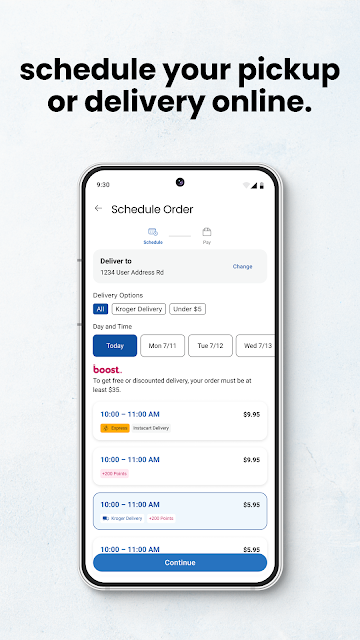
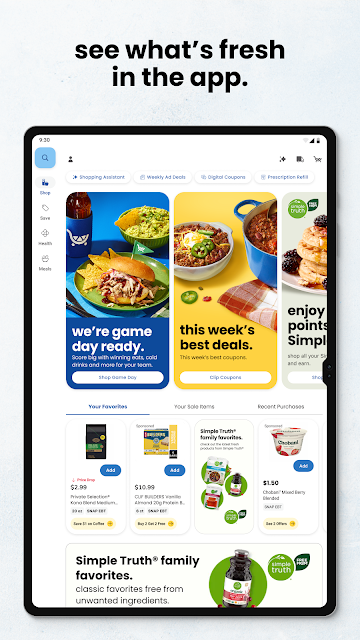
On a normal shopping week, I would use Dillons before, during and after the trip. Beforehand, the weekly ads and digital coupons can help me spot offers and plan purchases. For the shop itself, I can choose pickup, delivery or an in-store visit. Having those options together is useful when one week's schedule looks different from the next.
After shopping, purchase history gives me a way to find previous buys and reorder favorites. That is a modest convenience, but it addresses a familiar chore: remembering which household items are running low. The app also covers fuel points, so grocery rewards are not limited to the checkout counter. Its best everyday value comes from returning to the same tools regularly.
Savings and Shopping Tools
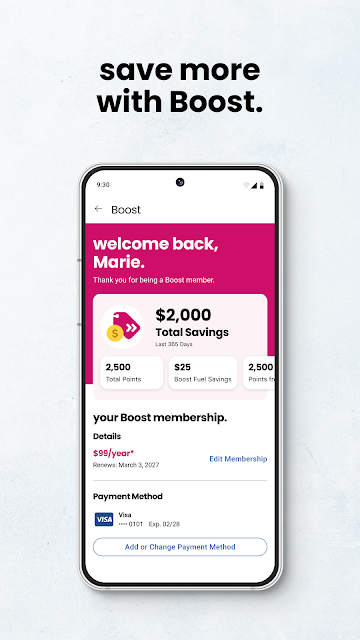
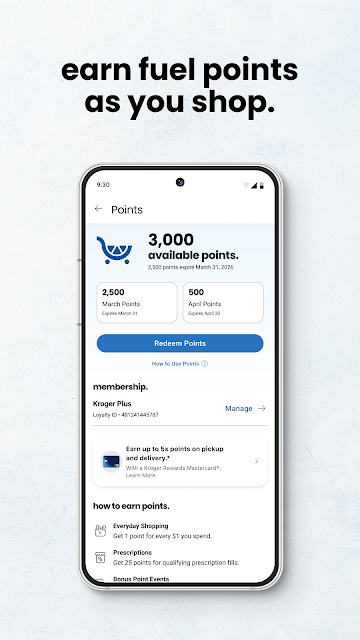
The savings features are a central part of the experience. I can browse weekly ads and sales, clip digital coupons, and use personalized deals, bonus rewards and Cash Back offers. The app also lets me track and redeem fuel points for gas savings. Those features give shoppers several ways to review available offers without relying on a paper flyer.
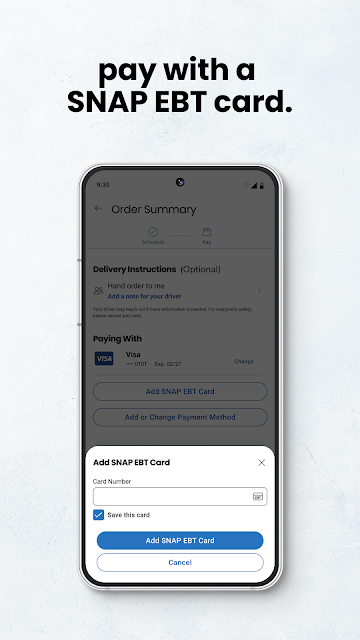
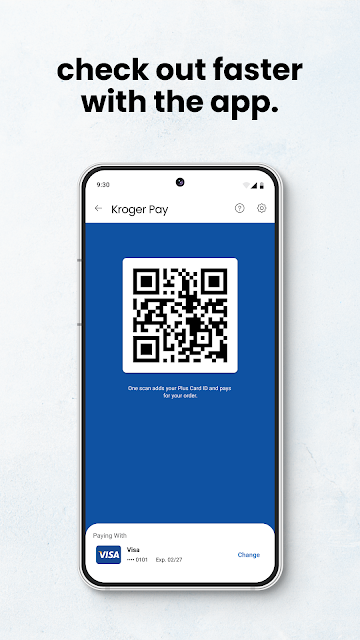
There are practical tools beyond discounts, too. Kroger Pay is available for in-store checkout, while the store locator can help find a Dillons store or fuel center. The app also supports Dillons Pharmacy prescription refills and tracking. I would not assume every tool matters on every trip, but the range gives regular customers reasons to keep the app around.
A Useful Weekly Routine
A routine I would try is checking the weekly ads before writing out a grocery plan. I could clip coupons that match what I actually intend to buy, then decide whether I want delivery, pickup or an in-store visit. That order matters: browsing offers first can make planning more deliberate, while clipping only relevant coupons keeps the process focused on the week's needs.
For the next trip, I would look at purchase history to find repeat items and reorder favorites rather than starting from scratch. If I am driving, I could check my fuel points as part of the same preparation. None of this removes the need to decide what the household needs, but it puts several useful reminders and shopping options in one place.
Things to Keep in Mind
Dillons is most useful when Dillons is already part of my shopping life. Its store-specific deals, rewards and ordering tools are less relevant if I shop elsewhere, and the digital account requirement adds a setup step. The app's usefulness also depends on whether I want to use its different services; someone who only wants a bare-bones checklist may find the broader grocery focus unnecessary.
There is also a privacy consideration in the app's description. It says that tools collect and record data to personalize offerings, make recommendations, prevent fraud and improve services, and that this may include searches for and purchases of health and wellness products. It also describes sharing non-sensitive data with third parties. I would review the privacy policy and terms before deciding how comfortable I am with that.
Dillons makes a solid case as a practical companion for regular customers: it combines online grocery options with coupons, weekly ads, rewards, fuel points and everyday store tools. I especially like the way it can support both planning and repeat orders, instead of only helping at checkout.
I would recommend it to adults who shop at Dillons and are comfortable using a digital account. If you shop at other chains or want nothing more than a simple list, it is probably more app than you need. For its intended audience, though, it brings several useful parts of a grocery routine together.
Dillons Frequently Asked Questions
What is the Dillons app used for?
Dillons is for grocery shopping and related store tasks. It supports pickup and delivery orders, weekly ads, digital coupons, personalized deals, rewards and fuel points. Shoppers can also use Kroger Pay in-store, check purchase history, reorder favorites, locate Dillons stores and fuel centers, and refill or track Dillons Pharmacy prescriptions.
Which devices can run the Dillons app?
Dillons is an Android app available through Google Play. The Android version requirement can vary with app updates and device compatibility, so check the Google Play store entry for the current requirement before installing. The app requires a Dillons digital account to use its services.
Does the Dillons app cost anything?
The app is free to download and use, and it has no in-app purchases or ads. Grocery orders and other store services may have their own terms or costs, so check the details shown in the app or store when placing an order.
Do I need a Dillons account to use the app?
Yes. A Dillons digital account is needed. You can create one through the app and link a Rewards ID; if you do not have one, you receive a Rewards ID when you create an account and enroll in the rewards program. Registration and enrollment are for people 18 and older.
Who is the Dillons app best suited to?
It is best suited to adults who shop at Dillons and want to manage deals, rewards and grocery orders in one place. It may be less useful if you shop at other supermarkets or only want a basic shopping list. Its personalized features and described data practices are also worth considering before signing up.
Pros
- Combines digital coupons, weekly ads, rewards and fuel points for regular Dillons shoppers.
- Supports pickup, delivery and in-store shopping in one app.
- Purchase history and favorite-item reordering can simplify repeat grocery trips.
- Includes store-finding and Dillons Pharmacy tools alongside grocery features.
Cons
- Requires a Dillons digital account, with registration limited to adults 18 and older.
- Its store-specific focus makes it less useful for shoppers who mainly use other chains.
- The app describes collecting shopping-related data and sharing some non-sensitive data with third parties.
- Category
- Shopping
- Version
- 99.3