Cox Contour TV
Listed on Google Play as “Contour TV by Spectrum”
- 4.39K
- 2.4
- Installs
- 1.00M
- Price
- Free

Screenshots


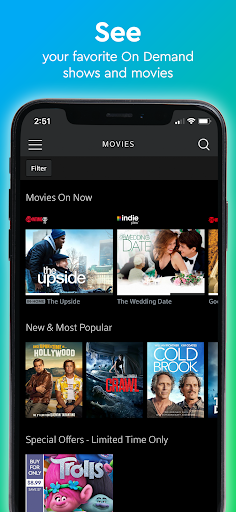
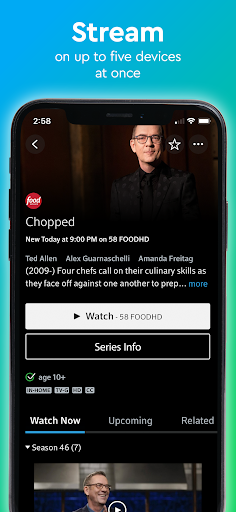
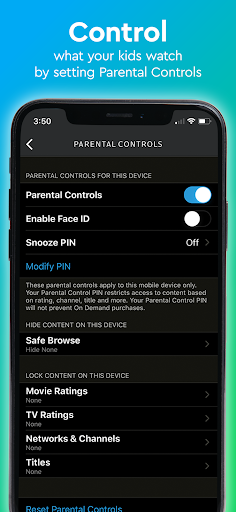
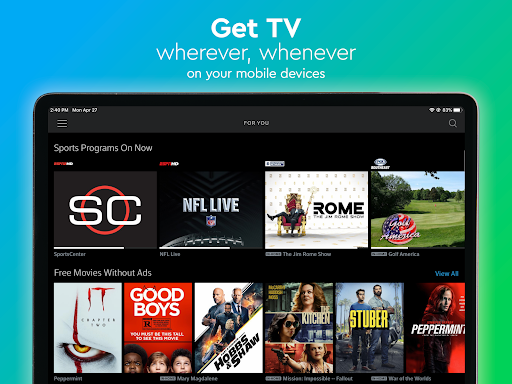

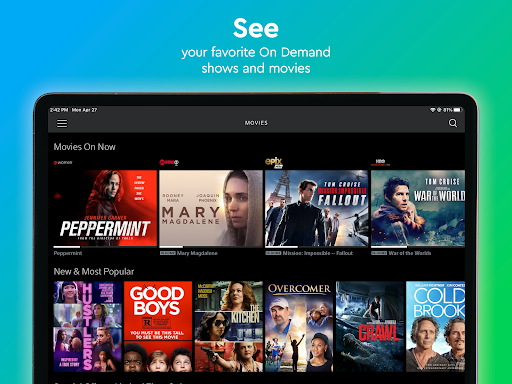
Analysis by Reviewed APKs
Contour TV by Spectrum is a companion for watching live television and On Demand shows and movies through a Cox or Spectrum subscription. It suits people who want familiar TV access on a phone or tablet, whether they are at home or out. I like the straightforward idea: keep the TV guide and viewing options close at hand. Its usefulness, though, depends on the channels and content included with your subscription.
TV for a spare moment
Picture a quiet stretch at home when someone else has the television, or a few minutes to fill while you are away. Contour TV gives subscribers a way to browse live TV and On Demand shows and movies on a mobile device. I would use it as a convenient extension of a regular TV routine, rather than treating it as a separate entertainment service with its own library.
The live guide is particularly useful when I know what kind of thing I want but have not settled on a specific program. The app lets me filter the TV guide by categories such as sports, kids, and movies, which makes browsing feel more directed. That is a small but practical help when I have only a little time and do not want to scan every channel.
A companion, not a replacement
The clearest comparison is with the television service already included in a Cox or Spectrum subscription. Contour TV brings live channels and On Demand viewing to a phone or other device, and the description says subscribers can watch at home or on the go. It is most compelling when I already have that service and want another way to access it, rather than when I am shopping for a standalone streaming library.
That distinction matters. The app's content access is tied to what is included in a subscription, so it is not a general-purpose source of free live television. It also is not described as a replacement for every part of a traditional TV setup. I would think of it as a viewing companion for existing customers, with channel and On Demand availability shaped by their subscription and location.
Make browsing easier
A useful habit is to start with the guide filters instead of scrolling through everything. If I am looking for a game, a family-friendly option, or a movie, choosing the matching category can narrow the browse to a more manageable set of choices. It is a simple workflow, but it helps the app feel more purposeful than opening it and wandering through a long channel list.
I would also keep the home-versus-away distinction in mind when planning what to watch. The app describes live TV and On Demand content included with a subscription at home, and an Available Out of Home filter for viewing while away. Checking that filter before settling on a program is a sensible way to understand which options are available in that moment.
More From Our News Desk

Zoom Meetings, Google Meet, or Teams: Which Is Easiest to Join?

How I Build a Free Streaming Lineup With Tubi

Why Crunchyroll Is the Default Anime App for So Many Fans

YouTube TV: A Practical Guide to Cutting Cable

Rummikub and the Small Comfort of Phone Games

TeamViewer Remote Control or AnyDesk for Helping Family?
Who may find it useful
I would recommend Contour TV to people who already use Cox or Spectrum television and want the option to watch on a mobile device. It makes the most sense for someone who values quick access to live channels, On Demand shows, or movies without being tied to the main television. The category filters are also handy for households where different viewers are looking for very different kinds of programming.
It may be a poor fit for someone looking for a free standalone streaming service, or for a viewer who expects every channel to be available everywhere. Access depends on a subscription, and the description distinguishes at-home viewing from out-of-home availability. If I were choosing an app mainly for original streaming libraries or broad free content, I would look elsewhere rather than expect Contour TV to fill that role.
Contour TV by Spectrum is listed as an entertainment app from Cox Communications, Inc. On Google Play it has over one million installs and a 2.4-star rating from around 4,400 ratings. The app is free to install, contains ads, and is rated Teen. The description says Cox usernames and passwords work when signing in to Cox or Spectrum.
The listed version is 8.16.1.4150, and Google Play gives September 15, 2026, as its last update date. The app was released on September 29, 2015. A minimum Android version is not provided in the supplied store facts, so check the Google Play page on your device for compatibility details.
A closer look at mobile TV
A familiar starting point
My first impression is that Contour TV has a clear, practical purpose: take parts of a paid television subscription and make them accessible on a mobile device. There is no need to interpret it as a new service with a separate catalog. The description explicitly connects Cox and Spectrum sign-ins, which should help existing customers understand where their account fits.
The app's appeal starts with whether I already have the relevant TV service. For a subscriber, live television and On Demand viewing in one place are a straightforward proposition. For someone without that subscription, the same features are less useful. That makes it worth thinking about account access and included content before making the app part of a regular viewing routine.
Everyday viewing
Day to day, I would use the app when the main television is occupied or when I want to check what is on without sitting in front of it. The combination of live TV and On Demand shows and movies covers two familiar habits: tuning in to a channel as it airs and choosing something to watch from the available catalog.
The out-of-home option adds flexibility, but it is not a promise that every program will be available in every situation. The description points to an Available Out of Home filter for live TV and On Demand content. I would treat that as a useful way to browse what can be watched away from home, rather than assume the at-home selection carries over unchanged.
Filters that help
The most specific browsing feature called out is the ability to customize the TV guide with filters for popular categories. Sports, kids, and movies are named examples. That gives the guide a little more focus without changing what the app is fundamentally for: watching subscription television and finding content within the available service.
I like this kind of feature because it can make a quick browse less aimless. If I have a clear category in mind, a filter is more useful than working through channels one by one. It is also easy to imagine different household members using the same guide differently, without needing the app to become a full personal recommendation system.
A simple viewing routine
A practical routine would be to open the guide, choose a category, and see what is currently available before deciding whether to watch live or look for an On Demand option. At home, I would browse the content included with my subscription. Away from home, I would use the out-of-home filter to narrow the choices to what the app makes available in that context.
That routine keeps expectations grounded. Instead of opening the app with a particular program in mind and assuming it will be there, I can use the guide to see what fits the moment. It works for a quick sports check, a movie search, or finding something suitable for kids, while leaving the actual range of choices dependent on the subscription.
Keep the limits in view
The main limitation is also the app's defining boundary: it is designed around Cox or Spectrum TV access. Someone who does not have a qualifying subscription should not expect the app to act as an independent free TV service. Even for subscribers, the description ties viewing to content included with the subscription, so available channels and On Demand choices are not necessarily identical for everyone.
The Google Play rating is 2.4 stars, based on around 4,400 ratings, which is a reason to approach the experience with measured expectations. The supplied facts do not give a minimum Android version, so I would check compatibility in Google Play before relying on it. Ads are also listed, another practical consideration for anyone hoping for an entirely ad-free experience.
Contour TV by Spectrum has a focused role: give Cox or Spectrum TV subscribers a mobile route to live channels and On Demand viewing. Its category filters and out-of-home browsing can make that access more convenient, especially when the main television is not available.
I would try it if I already had the television subscription and wanted to watch on another device. I would skip it if I wanted a standalone streaming catalog or free TV without an account. The idea is useful, but the subscription boundary and low Google Play rating are worth weighing.
Contour TV Frequently Asked Questions
What is Contour TV by Spectrum used for?
Contour TV by Spectrum lets subscribers watch live TV and On Demand shows and movies on a device. Its TV guide can be filtered by categories such as sports, kids, and movies. The description also explains that an Available Out of Home filter can help browse viewing options while away.
What devices and platforms support Contour TV by Spectrum?
The supplied app information describes viewing on devices at home or on the go, and the app is available through Google Play for Android. The minimum Android version is not included in the facts here, so check the Google Play listing on your device for current compatibility details.
What Android version does Contour TV by Spectrum require?
A minimum Android version is not provided in the available app facts. Requirements can vary as the app is updated, so check the Google Play listing before installing or updating. The listed app version is 8.16.1.4150.
Does Contour TV by Spectrum cost money?
The app is free to install, and the supplied facts say it has no in-app purchases. Watching content is described as part of a Cox or Spectrum subscription, so the app itself should not be confused with free access to the television service. Check the store listing for current details.
Is Contour TV by Spectrum right for me?
It is best suited to people who already have Cox or Spectrum TV and want live or On Demand viewing on a mobile device. It may not suit someone seeking a standalone streaming library or free channels without a subscription. Available content depends on the subscription and whether you are at home or away.
Pros
- Brings subscription live TV and On Demand viewing to a mobile device.
- Offers guide filters for sports, kids, and movies.
- Includes an out-of-home filter for browsing available viewing options.
- Cox credentials can be used when signing in to Cox or Spectrum.
Cons
- Useful content access depends on having a Cox or Spectrum TV subscription.
- Google Play shows a 2.4-star rating from around 4,400 ratings.
- The app contains ads, and minimum Android requirements should be checked in Google Play.
- Category
- Entertainment
- Version
- 8.16.1.4150