Channel 4
- 115.71K
- 3.2
- Installs
- 10.00M
- Price
- Free

Screenshots
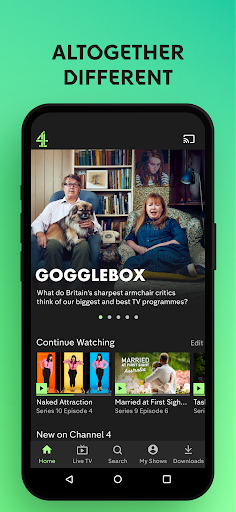
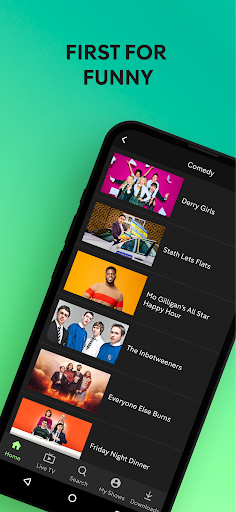
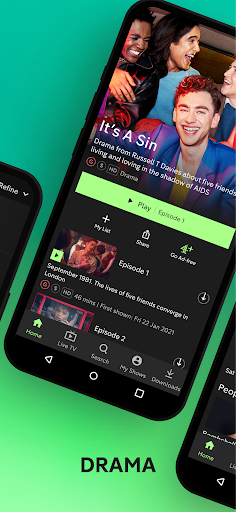
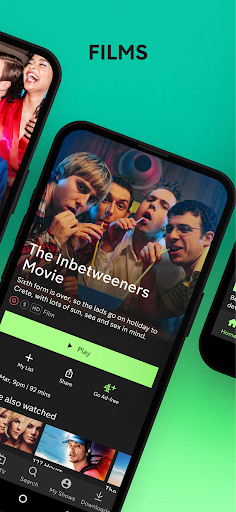

Analysis by Reviewed APKs
Channel 4 is a streaming and live-TV app for people who want British shows, films, documentaries, and other programmes on a phone or tablet. I like that it combines on-demand viewing with a live option, bookmarks, and continue-watching support, rather than making me choose between a TV schedule and a streaming library. It suits curious viewers, though ads and a modest Play Store rating are worth bearing in mind.
A Familiar Evening Catch-Up
When I first opened Channel 4, I thought of the small gap between getting home and deciding what to watch: perhaps an episode I missed, a documentary that caught my eye, or something easy to put on while dinner is cooking. The app brings those choices together, with on-demand programmes alongside live TV. That makes it useful for both intentional viewing and the familiar habit of browsing until something feels right.
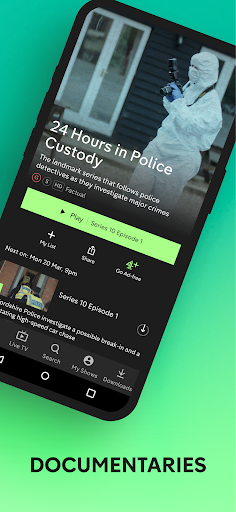
I can add a programme to My List when I want to remember it, then return later without relying on my memory or searching again. If I start watching and need to stop, continue watching helps me pick up where I left off, including when I switch devices. Recommendations are intended to improve as I watch. In practice, those features make the app feel more like a place to maintain a viewing routine than a one-off programme player.
Streaming, Not a TV Replacement
Channel 4 sits between traditional live television and a broad on-demand streaming service. I can use it to watch live TV, catch up with programmes, or find something from its selection of comedy, drama, documentaries, films, and other content. Live TV Restart and channel surfing within the live player add flexibility when I am watching a broadcast. The mix is appealing if Channel 4’s programming is already part of my viewing life.
It is not a general-purpose replacement for every broadcaster or streaming service, and I would not install it expecting every show or film I want to be available. Its appeal is tied to the programmes it offers. Ads are part of the experience, though the description says Channel 4+ offers an option to ditch ads and early access to selected shows. Some programmes may still include ads or promotional trails, and live viewing is excluded from that ad-free claim.
Small Ways to Make It Easier
I get more from the app by treating My List as a lightweight reminder rather than expecting to remember every title I browse past. When I see something that might suit a different mood, saving it gives me a short list to return to when I actually have time. Rating programmes on mobile is another small way to record what I thought and help the app shape its recommendations over time.
For a longer episode, I can use continue watching to make an interrupted session less annoying, especially if I move between devices. For live viewing, Restart is handy when I join after a programme has begun, while channel surfing keeps the live player useful when I am unsure what is on. Downloading to a mobile device or tablet can also help prepare for viewing away from home, without having to decide at the last minute.
More From Our News Desk

Zoom Meetings, Google Meet, or Teams: Which Is Easiest to Join?

How I Build a Free Streaming Lineup With Tubi

Why Crunchyroll Is the Default Anime App for So Many Fans

YouTube TV: A Practical Guide to Cutting Cable

Rummikub and the Small Comfort of Phone Games

TeamViewer Remote Control or AnyDesk for Helping Family?
Who Will Enjoy Channel 4
I would recommend Channel 4 to viewers who already enjoy British television and want a convenient way to stream its programmes, watch live TV, or keep track of things they plan to see. It is particularly suited to people who dip in and out of shows across the week. Bookmarks, recommendations, downloads, and continue watching each help with a different part of that ordinary viewing routine.
It may be less appealing if you want an ad-free experience by default, or if you mainly use services with a different catalogue. The app includes ads, and the description notes that some programme content may still carry advertising or promotional trails. The Play Store score is 3.2 from about 116,000 ratings, so I would check recent user feedback as well as the available programmes before making it my main place to watch.
Channel 4 is an entertainment app from Channel 4 Television Corporation. Google Play shows more than 10 million installs and a 3.2-star rating from around 116,000 ratings. It is free to download, and the app contains ads. The content rating is Teen. Its listed version varies with device, so the number is not a single fixed version across devices.
The app was last updated on November 5, 2025. The supplied store details do not give a minimum Android version or original release date, so check Google Play for compatibility information for a particular device. The description mentions Channel 4+ as an option for ad-free viewing and early access to selected programmes, but a membership price is not provided in the supplied facts.
A Practical Home for Channel 4 Viewing
Getting Started
My first impression is that Channel 4 has a clear job: bring the broadcaster’s programmes and live viewing together on a mobile device. The range named in its description stretches from comedy and drama to documentaries, films, and sport. That breadth gives me a reason to browse rather than open the app only when I have a specific episode in mind.
The basic setup is easy to understand from the features provided. I can browse and watch, save programmes to My List, and let recommendations become more tailored as I use the app. The description also supports watching on a mobile or tablet and relaxing with a bigger screen at home. I would check the Play Store before installing on an older device, since the minimum Android version is not supplied here.
Everyday Viewing
Day to day, the appeal is having several ways to decide what comes next. I might choose a programme I already know, browse for something new, or turn to live TV rather than spend time picking an episode. Recommendations can help surface other things to watch, while My List gives me a place to keep titles for later. Those are practical touches for a service used in short, casual sessions.
Continue watching is useful when real life interrupts a programme. I can stop for a call or a meal and return to where I left off, including on another device. That cross-device continuity makes more sense for people who watch both on the move and at home. It does not make every viewing session seamless, but it addresses a common frustration without asking me to keep track manually.
Features That Matter
The most useful feature combination is the one that supports a simple loop: find something, save it, watch part of it, and come back later. My List covers the saving part, recommendations can reflect what I watch, and continue watching picks up an unfinished programme. I can also rate programmes directly on mobile. None of these needs to be a major event; they are small conveniences that add up over repeated use.
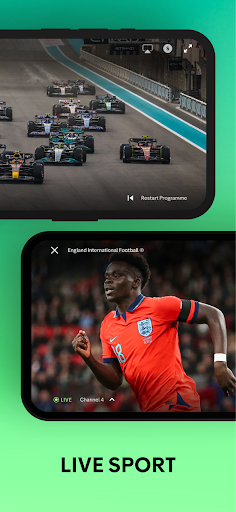
Live TV has its own set of useful controls. Live TV Restart can help if I join after a programme has started, and the description says I can channel surf within the live player. Mobile downloads are another practical option for taking programmes along. The description does not spell out download limits or availability for every title, so I would check the app itself when planning a particular trip.
Channel 4+ is presented as an option for ad-free viewing and early access to selected new shows. That is distinct from the free app experience, which contains ads. The description also notes exceptions: some programmes may retain ads or promotional trails, and live viewing is excluded from the ad-free offer. I would keep those qualifications in mind before deciding whether that membership option suits my habits.
A Simple Weekly Routine
A sensible routine is to browse when I have a few spare minutes, add likely choices to My List, then pick one when I have a proper stretch of viewing time. If I am following a programme, continue watching makes it easier to resume without hunting through the catalogue. Over time, rating programmes and watching regularly can give the recommendation feature more to work with.
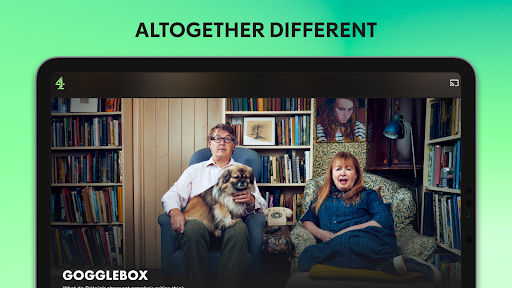
For a day out or a commute, I can look into mobile downloads ahead of time rather than depend on choosing something at the last moment. At home, I can move to a bigger screen according to the app description, or use the live player when I want the feeling of scheduled television. The point is not to use every feature every day; it is to have options ready for different kinds of free time.
Limits to Keep in Mind
The clearest trade-off is advertising. Channel 4 is free to download, but the app contains ads, and the description warns that some programmes may include ads or trails promoting other shows. Channel 4+ is described as an ad-free option with early access to selected programmes, but that does not apply to live viewing, and some content may still carry ads or promotional trails.
The experience is also only as useful as the programmes available to someone in the mood to watch. The catalogue description is varied, but it does not promise that every named show or type of content will suit every viewer. The 3.2-star Play Store rating suggests mixed reactions from users. I would treat it as a useful companion for Channel 4 viewing, not an automatic substitute for every other service.
Channel 4 makes a good case for itself through practical viewing tools rather than complicated extras. I like the combination of live TV, on-demand programmes, My List, downloads, and cross-device continue watching. It can slot neatly into the small everyday moments when I want to catch up or find something to put on.
I would try it if Channel 4’s programmes appeal to you and you are comfortable with an ad-supported app. Viewers who want an ad-free default or a different catalogue may be happier elsewhere. Before installing, check the Play Store for device compatibility and current Channel 4+ details.
Channel 4 Frequently Asked Questions
What is the Channel 4 app used for?
Channel 4 is for streaming programmes and watching live TV. Its described content includes comedy, drama, documentaries, films, sport, and other shows. You can save programmes to My List, continue watching across devices, and receive recommendations based on viewing. Mobile downloads and live-player features such as Restart are also described.
Which devices can I use the Channel 4 app on?
The app is available for Android, and its description refers to watching on a mobile or tablet as well as using a bigger screen at home. The exact device support can vary, so check the Google Play entry and the app’s current details for the device you plan to use.
What Android version does Channel 4 require?
The minimum Android version is not included in the supplied store facts. Requirements can vary by device and app update, so check the Channel 4 Google Play entry before installing if you are unsure whether your phone or tablet is compatible.
Does the Channel 4 app cost money?
The app is free to download and contains ads. Its description also mentions Channel 4+ for ad-free viewing and early access to selected shows, with exceptions for some content and live viewing. Membership pricing can vary, so check Google Play or the app for current details.
Is the Channel 4 app right for me?
It is a good fit if you want Channel 4 programmes, live TV, and practical features for saving or resuming shows. It may not suit you if you want an ad-free experience by default or are looking for a different catalogue. The app has a Teen content rating; check programme details for specific viewing choices.
Pros
- Combines live TV and on-demand programmes in one app.
- My List and continue watching make it easier to resume viewing.
- Includes mobile downloads and live-player Restart features.
- Free to download, with a broad mix of programme types.
Cons
- The free app contains ads, including on some programme content.
- Channel 4+ exceptions mean ad-free viewing is not universal.
- The Play Store rating is a modest 3.2 stars.
- Category
- Entertainment











