BYUtv: Binge TV Shows & Movies
- 4.49K
- 3.7
- Installs
- 1.00M
- Price
- Free

Screenshots


Analysis by Reviewed APKs
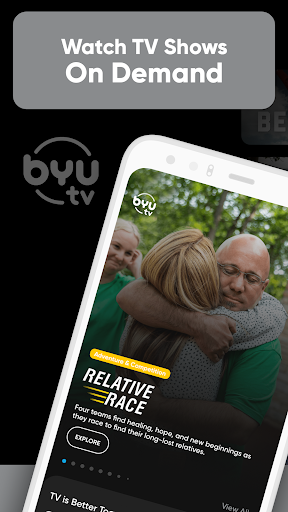
BYUtv: Binge TV Shows & Movies is a free streaming app for family-friendly shows, movies, live television, faith-based programs, and BYU sports. I’d look to it when I want something the household can watch together or a replay of a game, rather than a broad replacement for every streaming service. Its mix of live and on-demand viewing gives it a clear purpose, though the focus is narrower than a general entertainment app.
A family-night option
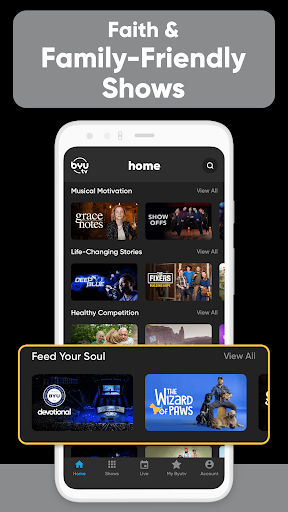
Picture a weeknight when everyone is tired of scrolling and nobody can agree on a show. I’d open BYUtv to browse its family movies, kids’ programs, sitcoms, and other original series, then pick something that feels suitable for watching together. The app is built around that kind of shared viewing, rather than a huge mix of unrelated channels. Its focus makes the choice feel more straightforward when wholesome entertainment is the priority.
I’d also keep it in mind for a different kind of evening: a live BYU game or a replay after I’ve missed the broadcast. The app offers live sports and on-demand sporting events, alongside its television and movie catalog. That combination is handy when the household’s plans are split between a family show and a game. It gives BYUtv a practical role in the living room, not just a place to browse when there’s nothing else to do.
A focused streaming alternative
Compared with a general streaming service, BYUtv is more focused on family-friendly, faith-based, and BYU-related programming. I wouldn’t treat it as a one-stop library for every popular movie or TV series; the appeal is its particular mix of original shows, children’s content, Bible stories, live television, and sports. That narrower identity can be a plus if those categories are what I’m looking for, but it won’t suit every household’s viewing habits.
It also has a different job from a sports-only app. Sports are part of the package, including live coverage and replays, but the app also carries entertainment and family programming. I’d use it as a convenient extra source rather than assume it replaces every other service I watch. The best comparison is a focused channel with both live and on-demand options, not an all-purpose catalog designed to cover every genre.
Make viewing easier
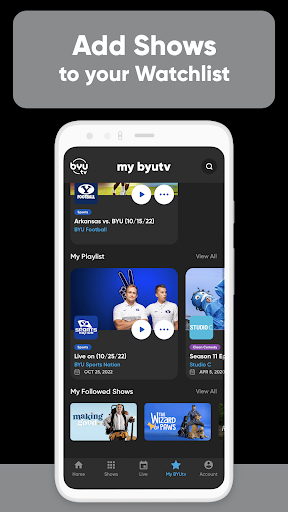
A useful habit is to add shows or movies I’m interested in to Favorites instead of relying on memory. BYUtv supports saving favorites, so I can make a short list before a family movie night or keep track of a series I want to revisit. Sharing is available too, which gives me a simple way to send a program to someone else when I think it might suit them.
I’d also use notifications selectively if I’m following a particular show, event, or BYU sports programming. The app describes custom notifications for those interests, which can help me keep up without checking constantly. And when my schedule doesn’t line up with a broadcast, on-demand episodes and game replays give me another way to watch. Those small choices make the app easier to fit around an ordinary week.
More From Our News Desk

Zoom Meetings, Google Meet, or Teams: Which Is Easiest to Join?

How I Build a Free Streaming Lineup With Tubi

Why Crunchyroll Is the Default Anime App for So Many Fans

YouTube TV: A Practical Guide to Cutting Cable

Rummikub and the Small Comfort of Phone Games

TeamViewer Remote Control or AnyDesk for Helping Family?
Who may enjoy BYUtv
I’d recommend BYUtv to viewers who want family-friendly programming in one place, especially households interested in kids’ shows, clean comedy, faith-based programs, or BYU sports. It can also suit someone who likes having live television alongside on-demand viewing and replays. The free price makes it easy to try as a complement to existing viewing habits, and its focused catalog means I can quickly see whether its programming matches my taste.
It may be a weaker fit for anyone who mainly wants a broad selection of mainstream films, unrelated series, or sports from many different teams. BYUtv has a distinct programming focus, and that is the point; it isn’t trying to be every kind of streaming service at once. I’d also think about whether the family-oriented and faith-based selection appeals to the people who’ll use it. If not, the catalog may feel limited rather than refreshingly focused.
BYU Broadcasting develops BYUtv: Binge TV Shows & Movies, an Android entertainment app with over one million installs on Google Play. It has a 3.7-star rating from around 4,500 ratings. The app is free, and its store details say it contains no ads and offers no in-app purchases. Its content rating is Everyone, a practical point for households considering it for shared viewing.
The current version is 5.2.718. The app was released on August 27, 2013, and its most recent update is dated September 17, 2026. The description says Android 4.0 or later is required and describes support for Android phones, 7- and 10-inch tablets, and Android TV. An internet connection is required for streaming. Availability and the catalog can differ by region.
A closer look at everyday viewing
A clear first impression
When I first opened BYUtv, the overall idea was easy to grasp: this is a place for live and on-demand family programming, with sports as another major reason to visit. That clarity matters. I don’t have to guess whether it’s mainly a movie rental tool or a sports score app; its mix is spelled out through the kinds of content it offers.
Getting started still depends on having an internet connection, since the app is for streaming. I’d begin by browsing the categories that matter most to my household—perhaps children’s shows, a family movie, or BYU sports—rather than trying to explore everything in one sitting. The broad range makes a little direction useful, especially if I’m opening it with a specific evening plan in mind.
Live and on demand
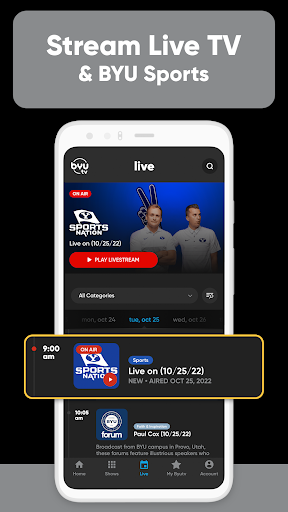
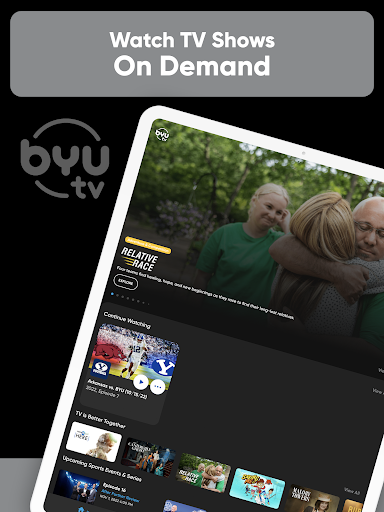
The day-to-day appeal is having more than one way to watch. BYUtv offers a 24/7 live stream as well as on-demand shows and movies, so I can tune in to live television when I want something already underway or choose a program at a time that suits me. That flexibility is more useful than a single fixed schedule, particularly when family plans shift.
Sports add another reason to check in. The app describes live sports coverage, BYU football and basketball, and game replays available on demand. I can imagine using the live stream when I’m free for a game and catching a replay later when I’m not. It’s a sensible fit for a fan who wants BYU events alongside other entertainment, rather than a sports experience built around many leagues.
The content mix
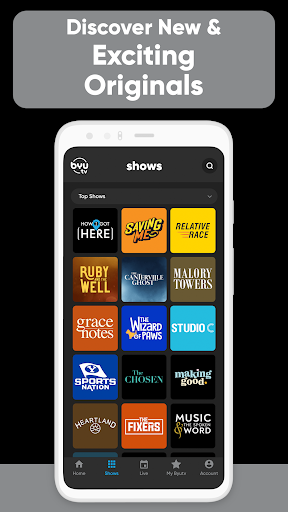
BYUtv’s catalog brings together several distinct interests: children’s movies and shows, family-friendly sitcoms, original programs, Bible stories, and other faith-based content. The description names series such as Studio C, Ruby and the Well, and The Chosen, giving a better sense of the range than a generic promise of family entertainment. That variety can make the app useful for different ages and moods under one roof.
The sports side is more than a single live channel, with BYU events and replays included in the offering. The app also highlights Music & the Spoken Word and scripture-study programming, so its identity extends beyond sitcoms and kids’ shows. I’d expect the strongest appeal to come from this particular combination of family viewing, faith-based programs, and BYU coverage—not from an attempt to mimic a massive general-purpose library.
Personal touches help organize that mix. Favorites let me save shows and movies I want to find again, while the app also supports sharing programs and custom notifications for selected shows, events, and BYU sports programming. Viewing history can be tracked across BYUtv apps and websites. These options are practical ways to keep up with interests without changing the app’s main role as a streaming destination.
A simple weekly routine
I’d make BYUtv part of a light weekly routine rather than browse it endlessly. At the start of the week, I could save a few promising shows or movies to Favorites, then choose one when it’s time for a family night. If there’s a live event I care about, custom notifications may help me keep an eye on it without repeatedly opening the app to check.
On busier days, I’d use on-demand viewing to fit a program around the schedule. If a BYU game falls at a bad time, a replay gives me another option; if everyone is ready to watch together, a movie or family show is an easy alternative. Sharing a program can also help another family member decide what to watch. This routine uses the app’s actual strengths without expecting it to replace every viewing source.
Keep the focus in mind
The biggest limitation is also the app’s defining choice: its programming is concentrated on family-friendly, faith-based, original, and BYU-related content. That focus will feel reassuring to some viewers and restrictive to others. If I’m hunting for a broad sweep of unrelated genres or sports teams, I’d need other options in my viewing mix rather than expect BYUtv to cover everything.
Streaming also requires an internet connection, so the app is not a way to watch without connectivity. The description says the available live stream and video-on-demand content can differ for users outside the United States, where access is limited to content licensed for global distribution. That is worth remembering when planning to watch a specific program while traveling or from another region.
Finally, the store rating is 3.7 stars from around 4,500 ratings, which gives a useful bit of context but doesn’t tell me exactly how the app will behave on every device. The description says it supports Android phones, tablets, and Android TV, while the precise Android requirement is worth checking on Google Play for a particular device. I’d try it based on the catalog first, then judge whether the experience fits my routine.
BYUtv has a clear and useful identity: live and on-demand family programming, faith-based shows, and BYU sports in one free app. I like that it can serve both a family movie night and a game replay without pretending to be a universal streaming library. Favorites, sharing, and notifications add practical touches for viewers who return to the same kinds of programs.
I’d recommend giving BYUtv a try if its family-oriented catalog, faith-based programs, or BYU coverage match what you watch. Viewers seeking a broad catalog of every genre or sports league should treat it as a supplement, not a replacement for their other services. Its focused approach is its main advantage—and the main reason it won’t be for everyone.
BYUtv Frequently Asked Questions
What is BYUtv: Binge TV Shows & Movies used for?
BYUtv is for streaming live television and on-demand shows, movies, family and children’s programming, faith-based content, and BYU sports. It also offers sports coverage and game replays. The app supports Favorites, sharing, viewing-history tracking across BYUtv apps and websites, and custom notifications for selected shows, events, and BYU sports programming.
Which devices can I use with BYUtv?
BYUtv is an Android app. Its description names Android phones, 7- and 10-inch tablets, and Android TV as supported device types. An internet connection is required to stream. Device compatibility can depend on the device and software version, so it is worth checking the Google Play store details for your particular device before installing.
What Android version does BYUtv require?
The app description says BYUtv requires Android 4.0 or later. Requirements and compatibility may vary with a particular device or app release, so check the current Google Play store listing if you need to confirm support for your phone, tablet, or Android TV device. Streaming also requires an internet connection.
Does BYUtv cost money or include purchases?
BYUtv is free to download and use according to its store details. The app is marked as containing no ads and offering no in-app purchases. Store information can change over time, so it’s sensible to check Google Play for the current price and any updated purchase details before installing.
Is BYUtv suitable for family viewing?
BYUtv focuses on family-friendly shows and movies, children’s programs, clean comedy, faith-based programming, and BYU sports. Its content rating is Everyone. Whether its particular selection suits your household depends on your preferences, but the app is designed around programming that families and friends can watch together.
Pros
- Combines family shows, faith-based programming, live television, and BYU sports.
- Offers both on-demand viewing and a live stream, plus sports replays.
- Free to use, with no ads or in-app purchases listed.
- Favorites, sharing, and custom notifications help organize preferred programs.
Cons
- Its family and BYU-focused catalog may not suit viewers seeking broad variety.
- Streaming requires an internet connection.
- Available content can differ outside the United States.
- Category
- Entertainment
- Version
- 5.2.718











