Bravo - Live Stream TV Shows
- 10.87K
- 4.4
- Installs
- 1.00M
- Price
- Free
Screenshots
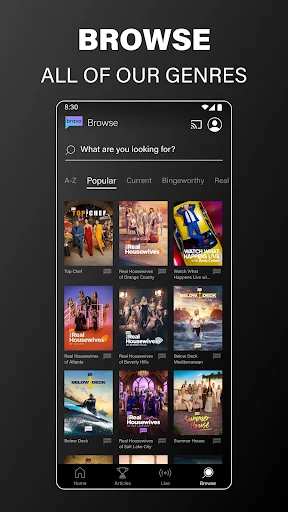
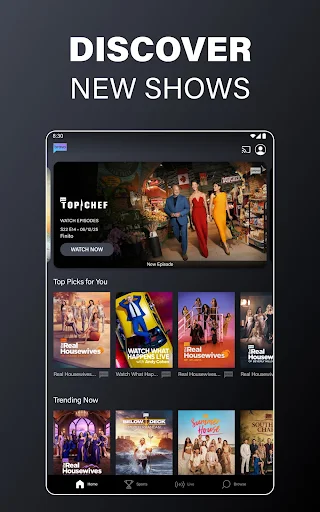
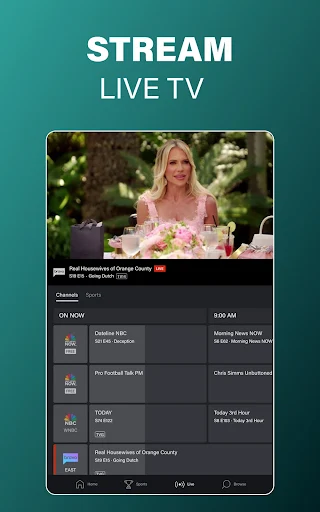
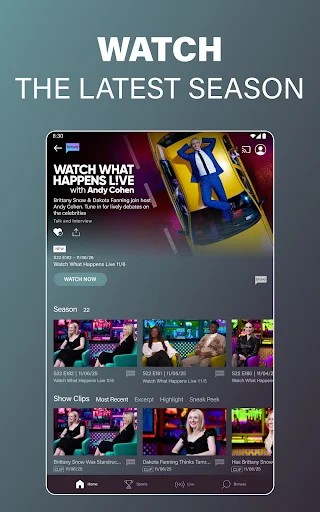
Analysis by Reviewed APKs
Bravo - Live Stream TV Shows is a companion for watching Bravo programs, catching up on episodes, and streaming live television on Android. It suits viewers who already follow shows like The Real Housewives, Below Deck, or Top Chef, especially those with a participating TV provider. I found its focus refreshingly clear: it is handy for keeping up with Bravo, but it is not a general-purpose streaming library.
A Catch-Up Night at Home
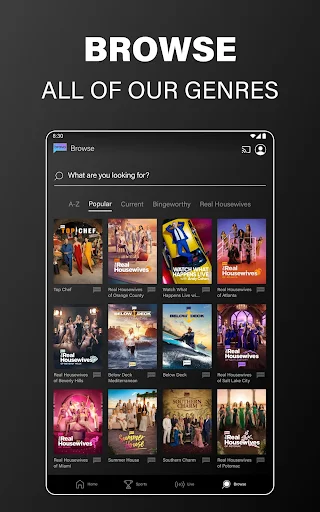
When I want to catch up on a Bravo episode after a busy day, this app gives me a straightforward place to look. I can browse shows such as The Real Housewives, Below Deck, and Southern Charm, then watch an available episode on demand. New episodes are described as arriving the day after they air on TV, which makes the app useful when my evening schedule does not line up with the broadcast.
The viewing setup depends on what I want to watch. A participating TV provider account opens access to the broader video-on-demand catalog and live content, while an NBCUniversal Profile includes three credits for watching shows before provider sign-in. If I get interrupted halfway through, the app saves my place so I can return later. That makes it a practical option for a scattered routine rather than a sit-down-only viewing habit.
A Network Companion, Not Everything
I think of Bravo as a network companion, not a replacement for a broad streaming service. Its strength is having Bravo shows, selected live programming, and content from NBCUniversal networks together in one app. That focus is helpful if I already know what I want to watch, or if I want to follow a particular show without searching across a larger collection of unrelated films and series.
It also is not a universal free pass to every episode. Some live TV, episodes, and clips require sign-in with a participating TV provider, so the three profile credits are better understood as a small way to try viewing than as unlimited access. The app is limited to the United States and its territories. Viewers outside that area, or those looking for a wide mix of unrelated entertainment, may need another option.
Small Habits That Help
I would start by creating an NBCUniversal Profile if I want to try the app before connecting a TV provider. The profile can be made with Facebook, Google, or email, and it comes with three viewing credits. If I do have a participating provider, signing in is the more useful step for reaching the full catalog of available on-demand and live content.
A few simple habits make the app easier to fit into a week. I can mark shows as favorites to get to them more quickly, and browsing can be filtered by network and genre. If I switch between devices, signing into the profile lets me save favorites and continue where I left off. For longer viewing at home, Chromecast support offers a way to send episodes from the app to a TV.
More From Our News Desk

Zoom Meetings, Google Meet, or Teams: Which Is Easiest to Join?

How I Build a Free Streaming Lineup With Tubi

Why Crunchyroll Is the Default Anime App for So Many Fans

YouTube TV: A Practical Guide to Cutting Cable

Rummikub and the Small Comfort of Phone Games

TeamViewer Remote Control or AnyDesk for Helping Family?
Who Will Get the Most From It
I would recommend Bravo to people who already watch its reality, food, and talk programming and want a convenient place to catch up. It makes particular sense for a viewer with a participating cable, satellite, or digital TV provider account, since that can unlock the broader catalog and live content. The saved playback position and favorites also suit people who watch in short sessions between other plans.
It may be less appealing if you want a large all-purpose library, expect every episode to be available without signing in, or live outside the United States and its territories. Viewers without a participating provider can try the profile credits, but should not assume that those replace provider access. I would also keep mobile data in mind when watching away from Wi-Fi, since video use may incur data charges.
Bravo - Live Stream TV Shows is developed by NBCUniversal Media, LLC. On Google Play, it has over 1 million installs and a 4.4-star rating from 10,867 ratings. The app is free to download, contains ads, and is marked for Teen audiences. The supplied version is 9.33.0, with a release date of July 26, 2016.
The supplied store details give November 2, 2026 as the last update date. The minimum Android version is not included in the available app details, so check Google Play for the requirement that applies to your device. The app is limited to use in the United States and its territories, and video can be streamed over Wi-Fi or mobile networks, where data charges may apply.
A Closer Look at Bravo on Mobile
First Open and Sign-In
When I first open an app built around one network, I want to know quickly whether it serves my shows and what access will take. Bravo's setup centers on two routes: sign in with a TV provider for catalog and live access, or create an NBCUniversal Profile. That profile can use Facebook, Google, or email and provides three credits for watching shows before provider sign-in.
That distinction matters from the start. The profile route is useful for trying some viewing, while a provider account is the route described for the full catalog of video-on-demand and live content. Providers include many cable, satellite, and digital options, such as DirecTV, Xfinity, Spectrum, AT&T, and Verizon. I would check whether my provider participates before building a regular viewing routine around the app.
The Everyday Viewing Flow
In day-to-day use, the main appeal is being able to pick up episodes when the television schedule is inconvenient. The app offers episodes on demand and live TV, with new episodes of shows arriving the day after their TV airing. That timing gives me a useful catch-up window without suggesting that every program is available in every circumstance.
The resume feature is a small but welcome convenience. If an episode does not fit into one sitting, the app saves my place, and the profile can sync viewing progress across devices. I like that sort of quiet continuity for a show I watch in pieces. The app also supports Chromecast, which gives me the option to move an episode from mobile viewing to a television.
Features That Stand Out
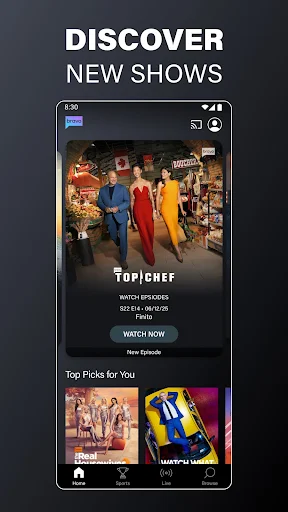
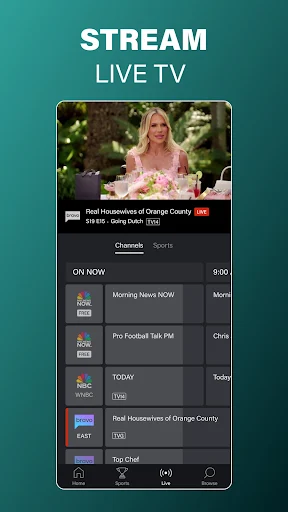
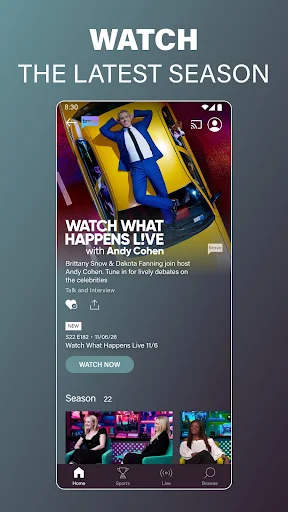
The most useful feature is the combination of on-demand episodes and live streaming for people who want to follow Bravo programming. The app highlights familiar titles including The Real Housewives, Below Deck, Top Chef, Summer House, and Watch What Happens Live. Live access and episode availability depend on the content and, in some cases, a participating TV provider sign-in.
Favorites help bring regular shows closer to hand, while filters by network and genre make browsing more organized. The app also includes content from NBCUniversal networks such as NBC, NBC Sports, Universo, and Telemundo. I would treat that as an extension of its network-focused offering, rather than assume it works like a comprehensive catalog covering every show from those networks.
A Practical Weekly Routine
A realistic routine might be checking the app the day after a Bravo show airs, then watching an episode during a quiet lunch or after dinner. I could favorite a few ongoing series and use those shortcuts when I have only a little time to browse. If I get interrupted, the saved position makes it easier to resume instead of remembering where I left off.
For a longer weekend watch, I could sign in with my provider, browse the available episodes, and use Chromecast to watch on a TV. If I am away from home, the app also supports video over mobile networks as well as Wi-Fi. I would keep the data-charge reminder in mind and choose Wi-Fi when that better fits my plan.
Limits to Keep in Mind
The biggest practical limit is access. Some live TV, episodes, and clips require a participating TV provider, so free installation should not be confused with unrestricted access to the full catalog. The three NBCUniversal Profile credits offer a starting point, but they are limited. A viewer who does not have provider access should check whether the available shows and viewing options are enough for their needs.
The app is intended for use in the United States and its territories, which rules it out as a dependable option for viewers elsewhere. It contains ads, and watching over a mobile network may use data that carries charges. Those points do not undo its value for Bravo fans, but they are worth considering before making it part of a regular viewing routine.
Bravo - Live Stream TV Shows does its best work as a focused way to follow Bravo programming, catch up on episodes, and access live content when a participating provider is available. Favorites, saved playback, and Chromecast support make the viewing routine more convenient without turning the app into something broader than it is.
I would recommend it to Bravo viewers who want a mobile companion and understand the provider sign-in distinction. If you want a general entertainment library or need access outside the United States and its territories, this is a narrower fit. For its intended audience, it is a useful way to keep favorite shows within reach.
Bravo Frequently Asked Questions
What is Bravo - Live Stream TV Shows used for?
Bravo - Live Stream TV Shows is used to watch Bravo episodes on demand and stream live TV. It also includes NBCUniversal network content, favorites, and the ability to resume an episode later. Some live TV, episodes, and clips require sign-in with a participating TV provider, so available viewing depends on the content and your access.
Which devices and platforms support Bravo - Live Stream TV Shows?
The app is available for Android through Google Play. Its description also says episodes can be streamed to a TV with Chromecast and viewing progress can sync across devices when signed in with an NBCUniversal Profile. The app is limited to use in the United States and its territories.
What Android version does Bravo - Live Stream TV Shows require?
The minimum Android version can vary by device and app update. Check the Google Play store details for the requirement that applies to your phone or tablet. The supplied app information gives version 9.33.0, but it does not specify a minimum Android version.
Does Bravo - Live Stream TV Shows cost money?
The app is free to download and contains ads. An NBCUniversal Profile includes three credits to watch shows before signing in with a TV provider. Access to some live TV, episodes, and clips requires a participating provider account. Check Google Play for current store details, since availability and access terms may vary.
Who should use Bravo - Live Stream TV Shows?
It is best suited to people who watch Bravo shows and want to catch up on episodes or access live programming. A participating TV provider account can open the broader catalog. It may not suit viewers seeking a general-purpose streaming library or people outside the United States and its territories.
Pros
- Combines Bravo on-demand episodes with live programming in one network-focused app.
- Saves playback position and can sync progress across devices with a profile.
- Favorites and network or genre filters help organize browsing.
- Chromecast support makes it possible to send episodes to a TV.
Cons
- Some episodes, clips, and live TV require a participating TV provider.
- The app is limited to the United States and its territories.
- Ads are included, and mobile streaming may incur data charges.
- Category
- Entertainment
- Version
- 9.33.0