Big Keyboard: Easy Homescreen
- 42.27K
- 4.5
- Installs
- 1.00M
- Price
- Free

Screenshots

Analysis by Reviewed APKs
Big Keyboard: Easy Homescreen is a personalization app for people who find small keyboard keys, crowded home screens, or tiny text harder to manage. It combines a larger adjustable keyboard with a simplified launcher, shortcuts, and voice search. After looking through its everyday tools, my take is that it focuses on practical visibility and easier navigation rather than offering a deep phone makeover.
A Less Fiddly Start
Picture a quick morning check-in: I want to open messages, read a reminder, and type a reply before heading out. The app’s larger keyboard and home screen with prominent icons are aimed at reducing the squinting and careful tapping that can make those small tasks feel slow. Shortcuts for apps, calls, and messages are intended to put common destinations within easier reach.
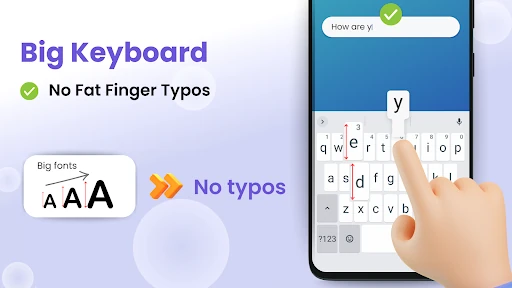
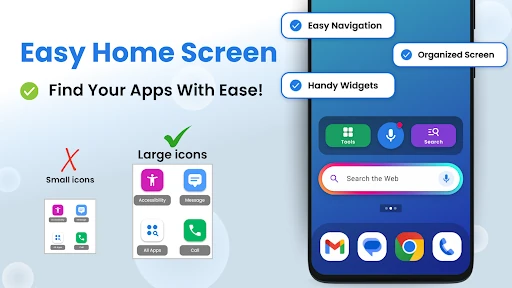
The appeal is not that a phone suddenly does something new, but that familiar actions may feel more approachable. I can see the setup suiting someone who often hits the wrong key or loses an app among a busy home screen. The keyboard can be enlarged up to 150%, while the launcher uses larger icons and bold fonts to make everyday navigation clearer.
A Simpler Phone Layer
Compared with sticking to a phone’s existing keyboard and launcher, Big Keyboard: Easy Homescreen puts visibility and straightforward access at the center. It brings a keyboard, simplified home screen, search, and handy tools into one personalization app. That makes it relevant to someone who wants a more readable interface without making every part of phone use a separate project.
It is not a general-purpose productivity suite, nor is it described as a replacement for every app already on a phone. Its focus is the way people reach apps, search, and type. If I were looking for extensive home-screen customization or a keyboard built around advanced writing features, this particular feature set would not be the main reason to choose it.
Small Habits That Help
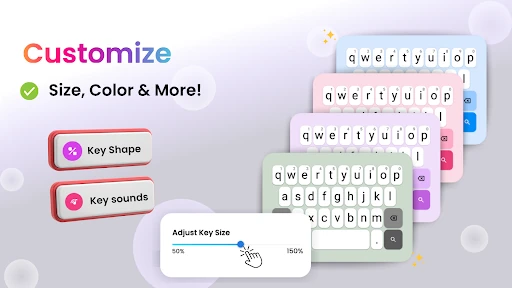
I’d start by adjusting the keyboard size and trying it in the messages or search box I use most. The useful size is the one that makes typing comfortable without getting in the way of what I’m doing. The app also offers different color themes, key shapes, and typing sounds, so a little testing can make the keyboard feel more readable and personal.
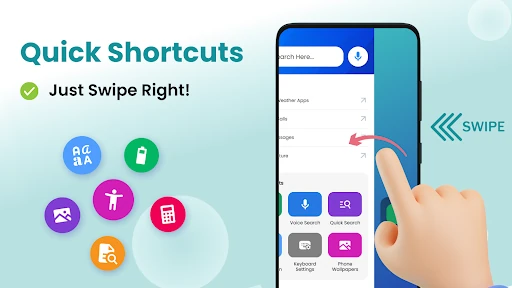
A second habit is to place the frequently used tasks where they are easiest to reach. The app describes quick shortcuts for opening apps, calls, and messages, plus home-screen widgets and search. I’d keep the layout focused on a few everyday destinations rather than trying to make every available tool visible at once; a cleaner screen is part of the point.
More From Our News Desk

Zoom Meetings, Google Meet, or Teams: Which Is Easiest to Join?

How I Build a Free Streaming Lineup With Tubi

Why Crunchyroll Is the Default Anime App for So Many Fans

YouTube TV: A Practical Guide to Cutting Cable

Rummikub and the Small Comfort of Phone Games

TeamViewer Remote Control or AnyDesk for Helping Family?
Who may find it useful
I’d recommend giving it a look if small keys or dense home screens regularly slow you down. Its larger keyboard, prominent icons, readable fonts, and shortcuts are designed for people who want simpler navigation, including seniors, people with vision difficulties, and anyone who prefers a less cluttered phone experience. The adjustable keyboard size is especially useful for tailoring the most frequent interaction to personal comfort.
It may be less appealing to someone who is happy with a compact keyboard and already has a home screen arranged exactly as they like it. The app’s main idea is to make common interactions bigger and simpler, so it is better suited to practical accessibility and visibility needs than to users seeking elaborate customization. Voice search is an option, but the core experience still includes regular typing and navigation.
Big Keyboard: Easy Homescreen is a free Android personalization app from SwipeTap Apps. Google Play shows over one million installs and a 4.5-star rating from about 42,000 ratings. The app contains ads, and its content rating is Everyone. The listed version is 1.2.03.
The app was released on December 21, 2023, and its listed last update is October 28, 2026. No minimum Android version is provided in the available app details, so it is worth checking the Google Play page on the device you plan to use. There are no in-app purchases listed in the supplied pricing details.
A Closer Look at Everyday Use
Getting Oriented
When I first considered the app, the premise was easy to understand: make two frequently used parts of a phone, typing and the home screen, easier to see. There is no complicated pitch to decode. The keyboard can be enlarged, while the launcher emphasizes icons, fonts, widgets, and shortcuts over a crowded arrangement.
I would begin with one small change at a time, rather than rearranging everything immediately. First I’d try a keyboard size that feels comfortable, then see whether the simplified home screen makes common apps easier to find. The app also offers keyboard themes and key shapes, giving the setup a bit of personal character without shifting its main focus.
Typing and Navigation
Day to day, the central question is whether larger keys and clearer home-screen elements make routine phone actions less awkward. A bigger keyboard may help when typing a short message or entering a search, while prominent icons can make the next app easier to spot. These are ordinary interactions, which is precisely where small visibility improvements can matter.
I’d treat the keyboard adjustment as something to revisit, not a setting to choose once and forget. A size that works for a quick reply may feel different when I’m using another app. The app’s stated customization allows a user to find a comfortable keyboard size, with enlargement up to 150%.
Useful Extras
The launcher is more than a larger grid of icons. The app describes widgets, bold readable fonts, and shortcuts that can open apps, calls, or messages. A right-swipe is associated with those shortcuts, offering a quick route to common tasks rather than requiring a hunt through a crowded screen.
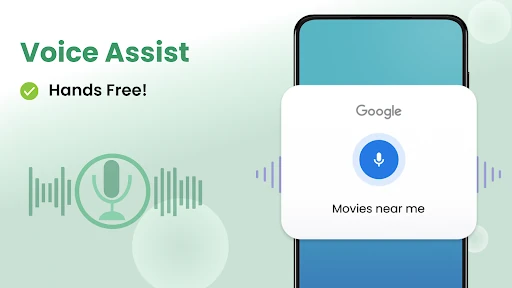
Voice search is another notable option. The app says users can tap the microphone to speak and search the web, open apps, make calls, or send texts. Its home-screen search is powered by Yahoo. There are also light and magnification tools, a calculator, and other helpful tools described as part of the app’s collection.
A Practical Daily Routine
For a simple routine, I’d use the home screen as a launch point for the apps and tasks I reach for most. I could keep a few shortcuts easy to find, use the larger keyboard for a message, then try voice search when speaking is more convenient than typing. That approach keeps the app’s main purpose tied to familiar phone habits.
At a quiet moment, I’d also compare keyboard themes, key shapes, and typing sounds, then settle on a combination that feels clear without being distracting. I’d leave the layout alone for a few days before making more changes. A short trial in ordinary use is a better way to judge whether the larger controls genuinely suit my hands and eyes.
Limits to Keep in Mind
A more visible interface is a personal preference, and larger elements will not suit every screen or typing style. Someone who likes a compact layout may find the app’s emphasis on big keys and icons unnecessary. The useful test is whether the changes make routine actions easier for the person using the phone, rather than assuming that bigger is always better.
The app contains ads, which are worth factoring into the experience. Its feature descriptions cover a focused set of accessibility and navigation tools, not a promise to change every part of Android. Voice actions, calls, and messages are among the stated uses, but the practical experience can depend on the device and the way its other apps are set up.
Big Keyboard: Easy Homescreen has a clear purpose: make typing and finding everyday phone features feel more manageable through larger controls, a simplified launcher, and shortcuts. Its extra search and voice tools broaden that focus without turning it into something unrelated.
I’d recommend trying it if small keys or a crowded home screen are regular frustrations. If the standard interface already feels comfortable, there may be little reason to switch. For anyone curious, adjusting the keyboard and launcher gradually is a sensible way to see whether the approach fits.
Big Keyboard Frequently Asked Questions
What is Big Keyboard: Easy Homescreen used for?
Big Keyboard: Easy Homescreen is a personalization app that offers a larger adjustable keyboard and a simplified home screen with prominent icons, fonts, widgets, and shortcuts. It also describes voice search, Yahoo-powered home-screen search, magnification and light tools, a calculator, and other helpful tools. Its main aim is to make typing and everyday navigation easier to see and use.
Which phones can run Big Keyboard: Easy Homescreen?
Big Keyboard: Easy Homescreen is an Android app. The available app details do not give a minimum Android version, so check the Google Play page for the requirement that applies to your phone. Device compatibility can vary, and the store page is the best place to confirm whether it can be installed on a particular device.
Does Big Keyboard: Easy Homescreen cost money?
The app is listed as free, with no in-app purchases in the supplied pricing details. It does contain ads. Store details can change, so check Google Play for current pricing and any changes before installing.
Can Big Keyboard: Easy Homescreen make keys bigger?
Yes. The app describes keyboard size customization, with enlargement up to 150%, along with color themes, key shapes, and typing sounds. It also offers a simplified home screen with larger icons and readable fonts. The best size depends on individual preference, so trying the adjustment in everyday typing is a practical way to judge it.
Who is Big Keyboard: Easy Homescreen best suited to?
It may suit people who prefer larger keyboard keys, clearer home-screen icons, or simpler access to common apps and tasks. The app specifically describes its design for seniors, people with vision difficulties, and anyone wanting an easier-to-read phone experience. People content with a compact keyboard and an already organized home screen may not need its main changes.
Pros
- Keyboard size can be adjusted up to 150% for a more visible typing experience.
- Simplified launcher combines larger icons, readable fonts, widgets, and shortcuts.
- Voice search and Yahoo-powered home-screen search add alternative ways to find things.
- Keyboard themes, key shapes, and typing sounds allow some personal adjustment.
Cons
- Ads are part of the free app experience.
- Its larger controls and simplified layout may not suit people who prefer compact interfaces.
- The minimum Android version is worth checking on Google Play before installation.
- Category
- Personalization
- Version
- 1.2.03