AuctionZip
- 473
- 3.4
- Installs
- 100.00K
- Price
- Free

Screenshots
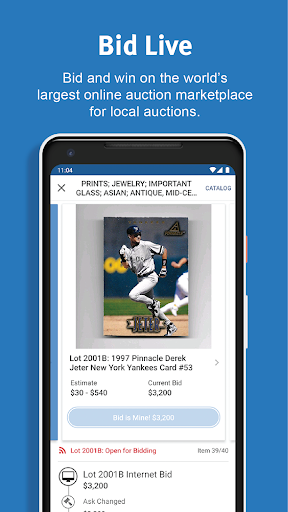
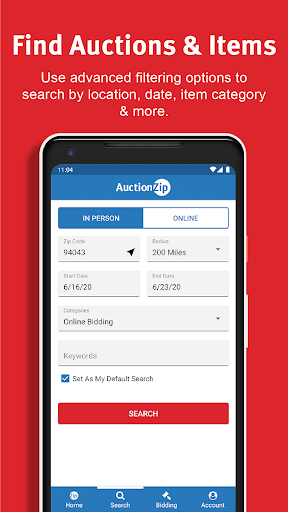
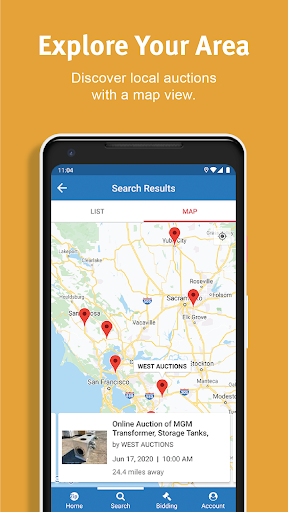
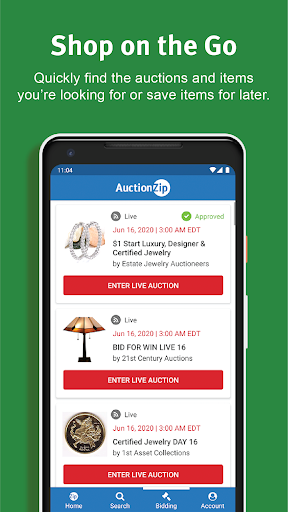
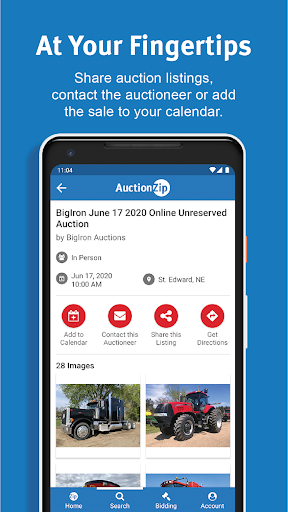
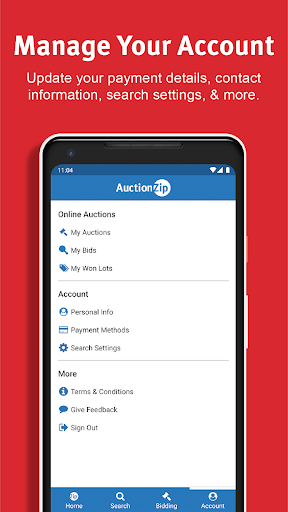
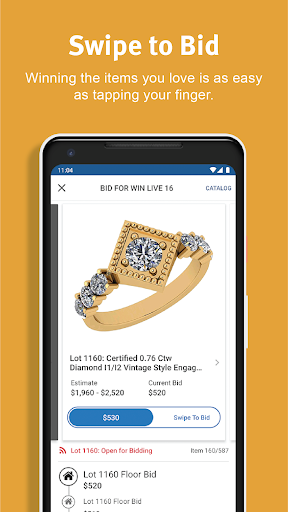
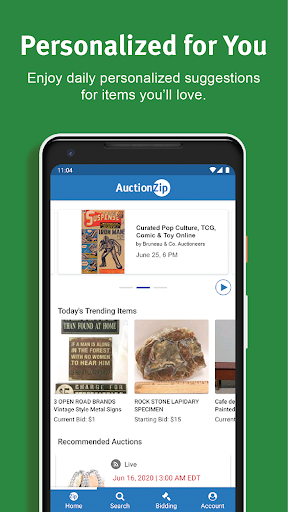
Analysis by Reviewed APKs
AuctionZip is a mobile marketplace for finding local and online auctions, registering to bid, and keeping track of bids and purchases. I see it suiting curious collectors, bargain hunters, and people who want to discover sales beyond the usual shopping apps. Its appeal is practical: it puts auction browsing and bidding in one place. The trade-off is that it serves a specific kind of shopper, not everyday retail.
A Weekend Auction Search
When I’m planning a free Saturday, I can imagine opening AuctionZip to look for an auction nearby rather than deciding on a destination first. The app covers online and in-person auctions, so the same search can lead toward a local event or a sale I can participate in remotely. Its categories range from antiques and art to vehicles and equipment, which makes browsing useful even when I have only a loose idea of what I want to find.
The practical thread continues after I spot something interesting. AuctionZip supports registration and bidding through the app, then lets me manage auctions, bids, and purchases from my account. That gives the experience a clearer beginning and follow-through than a directory that only points to an event. I would still treat each auction as its own buying situation, but having discovery and account activity together makes it easier to keep the hunt organized.
More Than a Shopping Catalog
The obvious comparison is a general shopping app, but AuctionZip is built around auctions rather than fixed-price listings. That changes the rhythm: I’m looking for events and opportunities to bid, not simply choosing an item and checking out at a known price. It also differs from a single auction house’s app because its stated focus is bringing together listings from auctioneers across the country, with local sales as a major part of the mix.
I wouldn’t use it as my default place to buy groceries, household basics, or anything I need immediately. Auctions are a better fit when I have some patience and want to explore categories such as collectibles, estate items, antiques, or machinery. The app can help me find auctions and participate, but it isn’t a substitute for carefully considering an item and the particular sale before bidding.
Make Browsing a Habit
A small routine can make AuctionZip feel more useful than opening it only when I happen to remember auctions exist. I’d start with a broad browse when planning the week, then return when I have time to look more closely at a sale that interests me. Since the app covers both online and in-person auctions, I can keep either format in mind instead of assuming every opportunity requires the same kind of attendance.
I’d also use the account features as a simple way to keep an eye on activity once I decide to participate. Registration, bids, and purchases are all part of the app’s stated toolkit, so checking those alongside auction browsing gives the process a natural order. The key habit is to browse with a purpose: a category, a local sale, or a particular auction is easier to follow than an endless, unfocused hunt.
More From Our News Desk

Zoom Meetings, Google Meet, or Teams: Which Is Easiest to Join?

How I Build a Free Streaming Lineup With Tubi

Why Crunchyroll Is the Default Anime App for So Many Fans

YouTube TV: A Practical Guide to Cutting Cable

Rummikub and the Small Comfort of Phone Games

TeamViewer Remote Control or AnyDesk for Helping Family?
Who Might Enjoy AuctionZip
I’d recommend AuctionZip to people who enjoy the uncertainty and discovery of auctions, especially collectors and shoppers interested in antiques, art, memorabilia, vehicles, estate sales, or equipment. It is also worth a look if you want to find local events as well as online auctions. The app’s combination of searching, registering, bidding, and account management gives auction regulars a reason to keep it close at hand.
It may not suit someone who wants a straightforward catalog of set-price products or quick, predictable purchases. Auction browsing takes a different mindset, and the app’s focus is narrow by design. I’d also be cautious about treating a listing as the whole story; the app is a way to find and take part in auctions, while the details of any particular sale still matter to a buyer.
AuctionZip is developed by Invaluable and is listed on Google Play in the Shopping category. It has more than 100,000 installs and a 3.4-star rating from 473 ratings. The app is free to download, with no in-app purchases or ads indicated in the provided store details. Its content rating is Teen.
The current version shown is 2.0.3. AuctionZip was released on July 11, 2018, and its listed last update is August 10, 2026. The supplied details do not give a minimum Android version, so anyone checking device compatibility should consult the Google Play page for the app.
How AuctionZip Fits the Hunt
A Direct Start
My first impression of AuctionZip is that it has a clear job: help people find auctions and participate in them. That focus is helpful because it frames the app around a specific activity instead of trying to be a general shopping destination. The range of item categories also gives a new user several ways to begin, whether the starting point is a subject like antiques or the broader idea of finding a nearby sale.
Getting started means approaching it as an auction marketplace, not as a store where every item has a fixed price. The app supports account registration and bidding, and its account features cover auctions, bids, and purchases. I’d begin by searching for an auction that genuinely interests me, then use those participation features if I decide to take the next step.
Browsing and Bidding
The everyday experience revolves around finding auctions and deciding which ones deserve attention. AuctionZip supports searches for online and in-person sales, which gives the browsing a useful range. A person might look for a local event one day and an online auction another time. The inventory described spans familiar collecting interests as well as less everyday categories, including vehicles, property, and machinery.
Once an auction catches my eye, the app’s role can extend beyond discovery. It supports registering and placing bids, then managing bids and purchases through an account. That makes it more than a list of events, while still keeping the user’s core task straightforward: find a sale, decide whether to participate, and keep track of the activity tied to it.
A Broad Mix of Auctions
The breadth of categories is one of AuctionZip’s more distinctive qualities. Its described inventory includes coins, Elvis memorabilia, fine art, antiques, vehicles, storage auctions, estate sales, property, and heavy equipment. That mix can make a casual browse feel like a tour through different corners of the auction world. It also means the app is not aimed only at traditional collectors looking for paintings or vintage objects.
The other notable feature is that the app brings together search and participation. I can look for an auction, register, bid, and manage relevant activity from my account. Both online and in-person auctions are in scope, so the app is designed to support more than one way of taking part. I find that combination more useful than a marketplace that stops at showing what is available.
A Routine for Sale Day
If I were using AuctionZip regularly, I’d make a quick scan part of my weekly planning. I could browse for local auctions or online sales, then spend more time on the categories that match my interests. This is a low-pressure way to learn what kinds of events appear without committing to bid every time. It also helps turn the app into a discovery tool rather than a last-minute search.
When I decide to take part, I’d keep the sequence simple: find the auction, register, bid if I choose, and check the account features to manage the related activity. That workflow follows what the app is built to support without assuming extra tools or settings. It gives me a practical checkpoint before and after bidding, especially if I’m following more than one auction.
Keep Expectations Grounded
AuctionZip’s focus is also its main limitation. If I’m not interested in auctions, the broad categories won’t make it a compelling replacement for ordinary retail apps. And if I want the certainty of a fixed price and a routine checkout, bidding may feel like unnecessary friction. The app is best judged as a way to locate and participate in auctions, not as a universal shopping solution.
I’d also keep a measured view of its store rating: it is 3.4 stars from 473 ratings on Google Play. That figure gives potential users some context, but it does not tell me how every auction or purchase will go. I’d use the app to find opportunities and manage participation, while taking time to understand the particulars of any sale I’m considering.
AuctionZip makes sense for shoppers who like searching beyond conventional retail and are willing to engage with the auction format. Its useful combination of local and online auction discovery, bidding, and account management gives it a clear purpose. I especially like that the range reaches from collectibles to practical, large-scale categories.
I’d recommend giving it a try if auctions are already part of your interests, or if you want to explore them in one app. If your shopping is mostly routine and price-fixed, it probably won’t become a daily essential. AuctionZip knows its lane, and the right audience is likely to appreciate that focus.
AuctionZip Frequently Asked Questions
What is AuctionZip used for?
AuctionZip is used to find online and in-person auctions, register and bid, and manage auctions, bids, and purchases through an account. Its described categories include collectibles, art, antiques, vehicles, estate sales, property, and machinery. It is an auction-focused marketplace rather than a general store for fixed-price everyday shopping.
Which devices can I use AuctionZip on?
AuctionZip is an Android app available through Google Play. The supplied details do not specify a minimum Android version or a list of supported devices, so compatibility may vary. Check the Google Play page on your device for current requirements before installing.
Does AuctionZip cost money to use?
AuctionZip is free to download on Google Play, and the provided details indicate no in-app purchases or ads. Auction participation can involve buying items through auctions, so the cost of any purchase depends on the sale and item. Check the app’s store information for current details.
Can I bid through AuctionZip?
Yes. AuctionZip supports registering and bidding on the go, and it provides account features for managing auctions, bids, and purchases. It covers both online and in-person auctions. The app helps with finding and participating in sales, while the particulars of an individual auction remain important to review.
Is AuctionZip a good fit for casual shoppers?
It may suit casual shoppers who enjoy exploring auctions or are looking for items such as antiques, collectibles, art, or vehicles. It is less suited to people who want predictable, fixed-price retail purchases. The experience is centered on auction discovery and bidding, so it is most useful when that format appeals to you.
Pros
- Combines auction discovery, registration, bidding, and account management in one app.
- Covers both online and in-person auctions, including a broad range of categories.
- Free to download, with no in-app purchases or ads indicated.
Cons
- Its auction-first approach may not suit shoppers who prefer fixed-price purchases.
- The Google Play rating is 3.4 stars from 473 ratings.
- The minimum Android version is not provided in the supplied details.
- Category
- Shopping
- Version
- 2.0.3











