AlfaOBD
- 2.25K
- 3.5
- Installs
- 100.00K
- Price
- $49.00

Screenshots
Analysis by Reviewed APKs
AlfaOBD is an Android diagnostic and configuration app for a broad range of Stellantis vehicles, including Alfa Romeo, Fiat, Jeep, Dodge, RAM, Chrysler and Lancia. It suits owners who want more than a basic fault-code reader and already have a compatible OBD interface. After looking through what it can do, my impression is that this is a capable, specialized tool, but one that asks users to pay attention to compatibility and vehicle-specific limits.
A More Informed Garage Visit
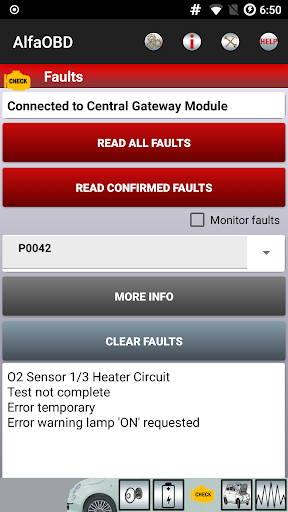
Imagine a warning light appearing just before a weekend trip. With a compatible OBD interface, AlfaOBD can connect to supported vehicle control units and read fault codes, system status and other static information. The app can also show probable causes and available environmental information. I like the idea of checking what the car has recorded before deciding whether a simple follow-up or a professional inspection makes sense.
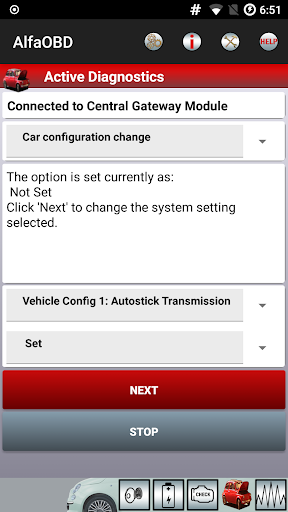
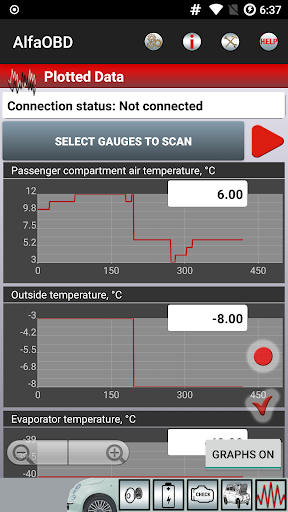
For a longer check, the app can monitor dynamic parameters from systems such as the engine, gearbox, ABS and climate control, then present readings as plots. That gives an owner more context than a single code on a generic reader. AlfaOBD also supports clearing fault codes and, for supported equipment, active diagnostic and configuration procedures. It is a substantial toolkit for a phone, though using those functions sensibly depends on knowing the vehicle and the procedure.
Beyond Generic OBD Readers
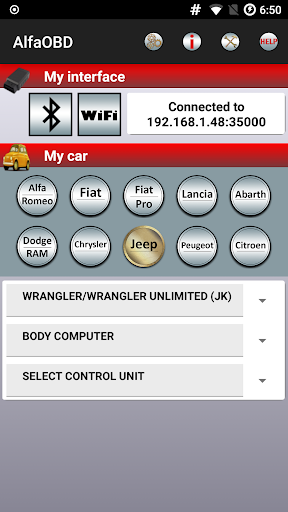
The important distinction is the app's native support for electronic control units used in Fiat Group vehicles. AlfaOBD is aimed at supported Stellantis models, including Alfa Romeo, Fiat, Lancia, Dodge, RAM, Chrysler and Jeep; Peugeot Boxer and Citroen Jumper are also included. That focus can provide access to vehicle-specific diagnostics beyond the limited generic OBD-II support many broad-purpose apps offer.
This is not a general car-maintenance guide, a repair shop, or a universal scanner that will work with every vehicle and adapter. The app's more advanced functions also are not something I would approach casually just because a button is available. FCA vehicles from model year 2018 onward may have a security gateway that blocks third-party diagnostics, and full access requires an SGW bypass. Compatibility is part of the job, not a footnote.
A Deliberate Workflow Helps
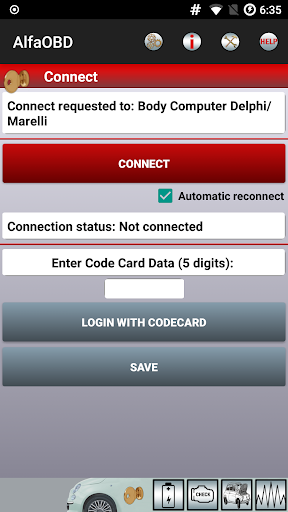
I would start by identifying the exact vehicle and checking that the OBD interface is supported before buying the app or trying to connect. AlfaOBD points users to its own supported-interface information and help material for configuring a connection. That small bit of preparation can save a frustrating session where the app cannot communicate with a control unit because the interface is incompatible or faulty.
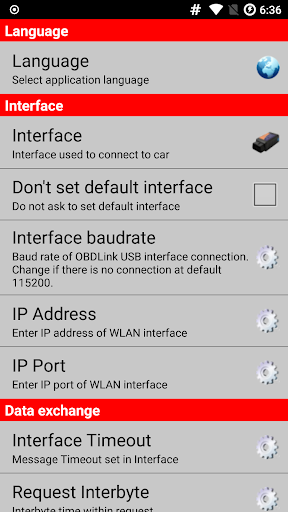
Once connected, it helps to keep a simple sequence: inspect identification and status, read the relevant codes, note the information shown, and only then consider clearing a code or using an available procedure. For ongoing checks, plots can make changing parameters easier to follow than a single reading. The app offers several language options through Settings, which is useful if English is not your preferred interface language.
More From Our News Desk

Zoom Meetings, Google Meet, or Teams: Which Is Easiest to Join?

How I Build a Free Streaming Lineup With Tubi

Why Crunchyroll Is the Default Anime App for So Many Fans

YouTube TV: A Practical Guide to Cutting Cable

Rummikub and the Small Comfort of Phone Games

TeamViewer Remote Control or AnyDesk for Helping Family?
Who Will Get the Most From It
I would recommend AlfaOBD to owners of supported vehicles who want vehicle-specific diagnostic access and are comfortable pairing an Android device with an appropriate OBD interface. It may be especially appealing to hands-on owners who want to inspect codes, view live parameters or explore supported configuration procedures rather than relying only on a generic reader. The range of control units it addresses makes it more interesting for technically curious users than for someone seeking a single quick answer.
It may not suit someone who wants a simple, inexpensive code check with no setup or compatibility research. The app costs $49, and a compatible interface is also needed, so it is a considered purchase rather than a casual download. I would also be cautious about advanced configuration or programming functions unless I understood the procedure and its vehicle-specific requirements. Owners of newer vehicles affected by the security gateway should factor in the extra bypass requirement.
AlfaOBD is developed by AlfaOBD Autodiag and is available for Android. Google Play shows over 100,000 installs and a 3.5-star rating from about 2,300 ratings. The app is paid, with a listed price of $49. It has no in-app purchases or ads, and its content rating is Everyone.
The current version shown is 2.4.4.0. AlfaOBD was released on July 4, 2012, and was last updated on August 25, 2025. The Android version requirement is not included in the available app details, so check Google Play for the requirement shown for your device before purchasing.
A Deep Diagnostic Toolkit With Caveats
First Check the Fit
When I first considered AlfaOBD, the standout impression was its narrow but deep purpose. This is not pitched as a universal dashboard for every make of car. Its focus is supported Stellantis vehicles and their electronic control units, so the sensible first step is confirming that both the vehicle and the OBD interface fit the app's requirements.
That compatibility check matters because the phone app is only one part of the setup. AlfaOBD says a compatible OBD interface is needed and points users to its help material for connection configuration. If a connection returns a no-data or CAN error, the app's guidance indicates that an incompatible or defective interface is a likely explanation. I would rather verify the hardware early than troubleshoot blindly.
The Day-to-Day Diagnostic Loop
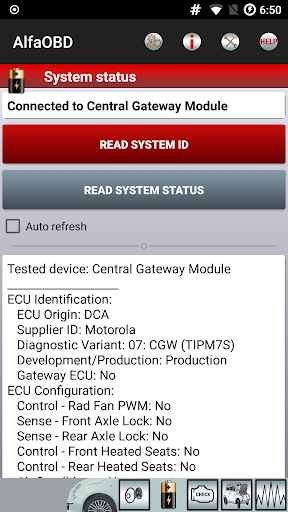
The core experience revolves around communicating with the car's control units. AlfaOBD can display ECU identification and system status, retrieve fault codes, and show probable causes or environmental details where available. Those are useful building blocks for an owner trying to understand what a vehicle has reported, rather than treating a dashboard warning as a complete diagnosis.
For a more active check, the app monitors dynamic parameters from several systems and plots them graphically. I can see that being handy when a user wants to observe how a value changes during a stationary diagnostic session or compare readings over time. The app also supports clearing codes, but that does not make a fault disappear in the mechanical sense; interpreting the cause remains the important part.
More Than Fault Codes
AlfaOBD's broader appeal comes from its vehicle-specific functions. Alongside reading and clearing faults, it offers active diagnostics and configuration procedures for equipment associated with systems such as the engine, gearbox, body computer, climate control, ABS, airbag and code control. The precise functions depend on the supported control units in the vehicle, so the app should be viewed as a menu of possibilities, not a promise that every procedure applies to every model.
Electronic key and RF remote control programming are also among the listed capabilities. Those are specialized tasks, not everyday conveniences that I would assume work identically across the supported range. The inclusion of such functions helps explain why AlfaOBD is aimed at owners seeking more access than a basic generic scanner provides, while also making careful model and interface checks worthwhile.
Make Each Session Specific
A practical routine would begin with a clear question: which warning or system am I checking? I would connect using a supported interface, review identification and status, then read the relevant codes and any accompanying information. For a parameter that changes, plots offer a way to see the movement rather than relying on one number. That focused approach is less overwhelming than opening every available control unit without a reason.
After recording what the app reports, I would treat clearing a code or running a configuration procedure as a separate decision. AlfaOBD includes those capabilities, but access alone does not tell an owner whether a procedure is appropriate. The app's help material can assist with connection setup, while the list of supported control units helps clarify the vehicle-specific scope.
Compatibility Is the Main Limit
The most important limitation is that AlfaOBD depends on both supported vehicle electronics and a compatible interface. A communication error may point to an interface problem rather than a fault in the car. That can be confusing if someone expects a phone app to work like a wireless universal reader straight out of the box. Checking the supported hardware information first is part of using this product well.
There is another hurdle for FCA vehicles from model year 2018 onward: a security gateway module can block third-party diagnostics. Full access requires an SGW bypass, and owners of Fiat 500X or Jeep Renegade and Compass models are told to ensure the bypass supports the second high-speed CAN bus connected to pins 12 and 13 of the OBD plug. This is a meaningful technical caveat, not a minor setup detail.
Finally, the feature set may feel excessive if all you want is an occasional basic code check. At $49, AlfaOBD makes the most sense when its deeper vehicle-specific access is valuable to you. Its Google Play rating of 3.5 stars from around 2,300 ratings also suggests a mixed user experience, so I would approach it with realistic expectations about setup and fit.
AlfaOBD offers an unusually deep set of diagnostic and configuration capabilities for supported Stellantis vehicles, including plotted live parameters, fault-code information and specialized procedures. Its strengths are clear, but so are the prerequisites: a compatible interface, a supported vehicle and, for certain newer FCA models, an SGW bypass.
I would recommend it to informed owners who will use those capabilities and are willing to check compatibility before spending $49. For a quick, uncomplicated scan across assorted makes, I would look for a simpler option. AlfaOBD is best understood as a specialized garage tool, not a plug-and-play answer to every dashboard light.
AlfaOBD Frequently Asked Questions
What is AlfaOBD used for?
AlfaOBD is used to diagnose and configure supported Stellantis vehicles. It can read fault codes, show ECU identification and system status, monitor dynamic parameters with plots, clear codes, and perform certain active diagnostics, configuration and key or RF remote programming procedures. Available functions depend on the vehicle's supported control units.
Which phones and vehicles work with AlfaOBD?
AlfaOBD is an Android app for supported Alfa Romeo, Fiat, Lancia, Dodge, RAM, Chrysler and Jeep vehicles, as well as Peugeot Boxer and Citroen Jumper. It also requires a compatible OBD interface. Check Google Play and AlfaOBD's compatibility information for details relevant to your phone, vehicle and interface.
What Android version does AlfaOBD require?
The Android version requirement can vary by device and app release. Check the AlfaOBD page on Google Play for the requirement shown for your phone before purchasing or updating. The app's description also advises users who cannot install or upgrade on a device to contact AlfaOBD.
Does AlfaOBD cost money, and are there extra purchases?
AlfaOBD is a paid app listed at $49, with no in-app purchases or ads. You also need a compatible OBD interface to communicate with the vehicle, which is separate from the app. Prices and availability can vary, so check Google Play for the current app price and purchase details.
Is AlfaOBD suitable for a first-time car owner?
It can suit a first-time owner who is comfortable checking vehicle and interface compatibility and wants more than basic fault-code reading. Its diagnostic and configuration options are specialized, so it may not be the best fit for someone seeking a very simple scan. Newer FCA vehicles may also need an SGW bypass for full access.
Pros
- Offers vehicle-specific diagnostics beyond limited generic OBD-II support.
- Displays fault information and plots dynamic parameters from multiple systems.
- Includes active diagnostics, configuration, and key programming capabilities.
- Supports several Stellantis brands plus Peugeot Boxer and Citroen Jumper.
Cons
- Requires a compatible OBD interface and careful compatibility checks.
- Some newer FCA vehicles need an SGW bypass for full diagnostic access.
- The $49 price may be hard to justify for occasional basic code checks.
- Category
- Auto & Vehicles
- Version
- 2.4.4.0