[adult swim]
- 29.31K
- 2.5
- Installs
- 1.00M
- Price
- Free

Screenshots


Analysis by Reviewed APKs
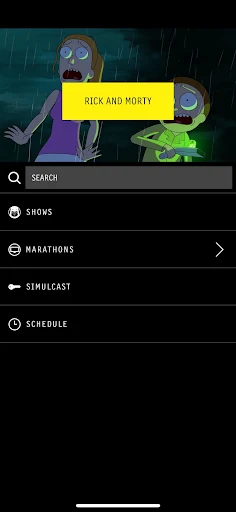
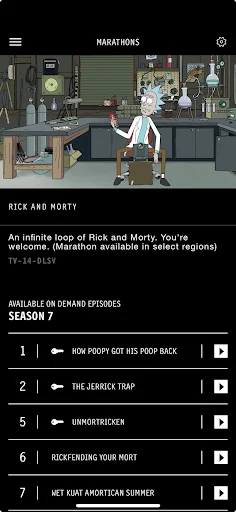
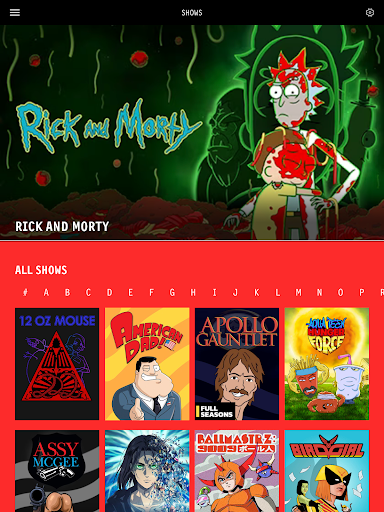
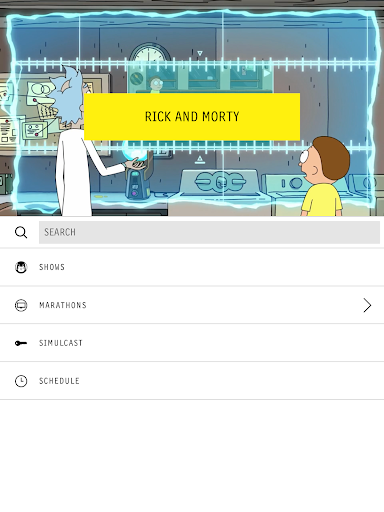
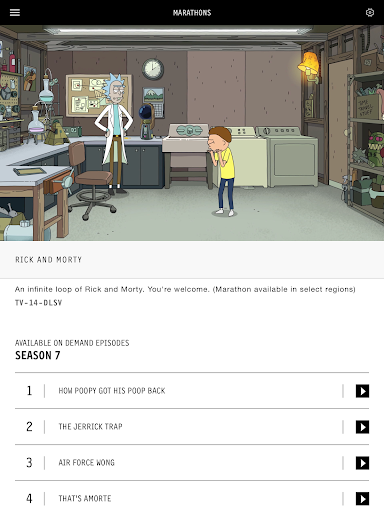
The [adult swim] app is for watching round-the-clock marathons of popular Adult Swim shows, with a cable-provider login unlocking the nightly on-air simulcast and more content. I see it as a focused companion for fans who want something familiar to put on without choosing every episode. It is less suited to viewers looking for a broad, clearly described on-demand library or a streaming service built around personal control.
A marathon for a quiet evening
When I want something easy to watch while making dinner or winding down, a continuous marathon has a simple appeal: I can open the app and let the programming run instead of spending the first ten minutes deciding what to pick. The app is described as offering 24/7 marathons of popular shows, so its central job is straightforward. It suits the sort of evening when familiar TV is welcome company rather than the main event.
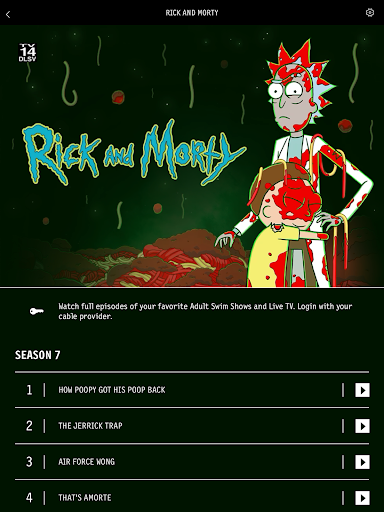
The cable login changes what that routine can include. Without it, the app still promotes access to content without a cable login; signing in with a cable provider unlocks the nightly on-air simulcast and additional content. I like that distinction because it gives casual viewers a reason to try the app while making clear that a provider account matters for the fuller experience. It is a useful companion, not a replacement for every TV subscription.
A companion, not a catalog
Compared with choosing a specific episode from an on-demand service, a 24/7 marathon asks less of me. I can tune in and accept what is playing, which works well when I am multitasking or simply want a familiar show in the background. The nightly simulcast also gives cable subscribers a way to watch the on-air feed through the app. Those are different viewing habits from searching a library and building a precise watchlist.
I would not treat the app as a general-purpose streaming hub. The supplied description centers on marathons, the on-air simulcast, and extra content for cable-provider sign-ins; it does not set out a broad list of other services or viewing controls. If I have one particular episode in mind, I would want to check what the app currently offers rather than assume it works like a full episode-by-episode catalog. Its appeal is more focused than that.
Make it part of a routine
A small way to get more from the app is to match it to a dependable part of the day. I might put a marathon on while doing chores, or open it when I want a low-effort break after work. Because the programming runs continuously, I do not need to turn the session into a project. It is best approached as a place to drop in, see what is on, and let the viewing fit around whatever else I am doing.
If I have a cable provider, I would sign in before settling into a regular viewing habit, since the login is what unlocks the nightly simulcast and additional content. If I do not, I can still start with the access described as available without cable. I would keep expectations tied to those two paths and check the current store details if I need to know exactly what content is available to me.
More From Our News Desk

Zoom Meetings, Google Meet, or Teams: Which Is Easiest to Join?

How I Build a Free Streaming Lineup With Tubi

Why Crunchyroll Is the Default Anime App for So Many Fans

YouTube TV: A Practical Guide to Cutting Cable

Rummikub and the Small Comfort of Phone Games

TeamViewer Remote Control or AnyDesk for Helping Family?
Who may enjoy it
I would recommend [adult swim] to fans who like having a continuous stream of popular shows ready for an evening, a meal, or a stretch of background viewing. It is especially appealing if the goal is to tune in without choosing a title first. Cable subscribers have another reason to try it: signing in unlocks the nightly on-air simulcast and additional content, extending the app beyond the marathons available without that login.
It may not suit viewers who expect detailed control over every episode or who want a clearly specified, broad on-demand library. The core proposition here is a marathon stream, not a promise of a particular viewing format for every show. I would also be cautious about judging the app only by its low Google Play score: it has a narrow use case, and whether that fits depends on what someone wants from a streaming app.
On Google Play, [adult swim] is published by [adult swim] games and is categorized as an Entertainment app. It has over one million installs and a 2.5-star rating from around 29,000 ratings. The app is free to download, and the supplied store facts say it contains ads. They also show no in-app purchases, so there is no listed purchase price beyond the free download.
Google Play gives the app an Adults only 18+ content rating. The listed version is 3.1.2020000026. Its release date is November 1, 2011, and the recorded last update is September 21, 2026. A minimum Android version is not included in the available facts, so anyone checking device compatibility should consult the current Google Play entry.
How the viewing experience fits
First open and setup
When I first open an app built around a channel’s programming, I want to know quickly whether I can watch without first sorting out a subscription. Here the basic distinction is easy to understand: the description promotes content without a cable login, while a provider sign-in unlocks the nightly on-air simulcast and more content. That gives me a clear starting point, even if I am only curious and not ready to connect an account.
For a casual first session, I would start with the marathon access and decide whether the format suits me. If I already have a cable provider, signing in is the practical next step for the extra viewing options described. The app’s pitch is not a complicated setup story; it is about getting to Adult Swim programming. I would still check the current store page for device requirements before installing.
Day-to-day viewing
The everyday experience suggested by the app’s description is more like tuning in than browsing a shelf. A continuous marathon can be a pleasant fit when I want a show on while I make lunch, answer messages, or settle in for a relaxed evening. I do not have to choose the next episode or map out a queue to get started. That low-effort quality is the app’s most obvious practical strength.
The trade-off is that a stream-led approach gives me less certainty about what I will watch at a particular moment. If I am in the mood for one specific episode, a continuous marathon may not be as direct as selecting a title from an on-demand catalog. I would use the app when I am flexible about what is playing, and choose another viewing option when precise selection matters more.
Marathons and simulcast
The standout feature is the promise of 24/7 marathons featuring popular shows. That makes the app feel designed for viewers who enjoy letting programming unfold rather than assembling their own schedule. It can turn a short break into a longer watch without much effort, and it gives fans a straightforward place to check when they want Adult Swim on. The description does not require a cable login for this basic proposition.
Cable-provider sign-in adds the nightly on-air simulcast and additional content. I appreciate that the app separates those benefits from the access available without a login, since it helps set expectations before a viewer settles in. For subscribers, the simulcast is the most clearly described extension of the experience. The extra content is mentioned in general terms, so I would avoid assuming a particular show, episode, or bonus format without checking the app.
A simple evening routine
One easy routine would be to open the app after dinner, start a marathon, and leave it playing while I tidy up or take a break. The continuous format is a natural match for these small pockets of time: I can watch closely when something catches my attention and let it run when it does not. That is different from planning a full binge, and it asks very little of me before viewing begins.
On nights when I want the on-air schedule, I would use the cable-provider sign-in route, since that is how the description says the simulcast becomes available. On an ordinary casual evening, I could instead use the no-login access. Keeping those two modes in mind makes the app easier to fit into a routine: one for low-effort marathons, the other for subscribers who want the live feed and additional content.
Limits to keep in mind
The app’s focus is also its main limitation. A marathon is convenient when I am happy to take what is playing, but it may frustrate me if I want to choose a specific episode or control a watch order. The supplied description does not promise a broad on-demand catalog or spell out detailed playback options. I would go in for the continuous programming and avoid treating it as a complete substitute for every kind of streaming service.
The cable login also creates a divide between the basic access and the added viewing options. Viewers without a provider account can still try the app’s described no-login content, but they should not expect the nightly simulcast and additional content that are tied to signing in. Finally, the Google Play rating is 2.5 stars, a useful reason to read recent user feedback and check current compatibility before making it part of a regular routine.
I see [adult swim] as a specific, low-effort way to watch continuous marathons, with a useful extra for cable subscribers who want the nightly simulcast. Its appeal is strongest when I am happy to tune in rather than pick every episode. That focus makes it easy to understand, but it also limits how well it serves viewers seeking a more controlled catalog.
If you are an Adult Swim fan who enjoys letting a stream run, I think it is worth trying as a free app. Cable subscribers can also sign in for the extra access described. If you mainly want exact episode selection or a broad on-demand service, I would look elsewhere for that role and treat this app as a complementary option.
[adult swim] Frequently Asked Questions
What is the [adult swim] app used for?
The [adult swim] app is for watching 24/7 marathons of popular Adult Swim shows. Its description also says that a cable-provider login unlocks the nightly on-air simulcast and additional content. It is best understood as a place to tune in to continuous programming, rather than assuming it offers every feature of an on-demand streaming library.
Which devices can run the [adult swim] app?
The supplied facts identify [adult swim] as an Android app distributed through Google Play. They do not give a minimum Android version or a device compatibility list. Requirements can vary by device and may change, so check the current Google Play entry for the latest compatibility details before installing.
What Android version does [adult swim] require?
A minimum Android version is not included in the available app facts. The requirement may vary as the app is updated and by the device being used. For the most relevant answer, check the compatibility information on the current Google Play entry for [adult swim] before downloading it.
Is the [adult swim] app free, and does it have purchases?
The [adult swim] app is listed as free to download on Google Play, with no in-app purchases shown in the supplied facts. The app does contain ads. The description says some additional content, including the nightly on-air simulcast, is unlocked by signing in with a cable provider; check the store for current terms.
Who should try the [adult swim] app?
It is a good fit for Adult Swim fans who like continuous marathons and do not need to choose every episode in advance. Cable subscribers may also value the nightly on-air simulcast and extra content unlocked by signing in. It may be less suitable if you want a precisely controlled, clearly described on-demand catalog.
Pros
- Offers 24/7 marathons of popular shows for relaxed, low-effort viewing.
- Some content is available without a cable login.
- Cable-provider sign-in unlocks the nightly on-air simulcast and additional content.
- Free to download, with no in-app purchases shown in the supplied facts.
Cons
- The marathon format may not suit viewers who want to select specific episodes.
- The nightly simulcast and additional content require a cable-provider login.
- Google Play shows a 2.5-star rating from around 29,000 ratings.
- Category
- Entertainment
- Version
- 3.1.2020000026











