Toontastic 3D
- 53.17K
- 4.2
- Installs
- 5.00M
- Price
- Free
Screenshots
Analysis by Reviewed APKs
Toontastic 3D is an educational storytelling game where kids make cartoons by moving characters, recording their voices, and building scenes into a short video. It suits young storytellers who would rather invent a scene than follow a fixed game objective, and it can give adults an easy creative activity to share. I like its clear focus: the fun comes from making something, not chasing a score.
Making a Story Come Alive
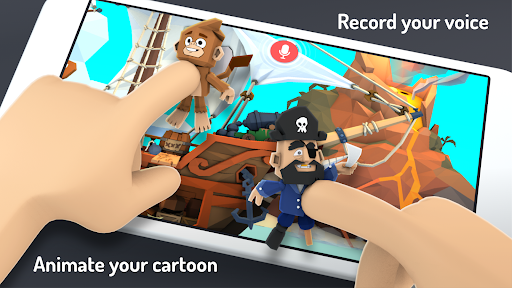
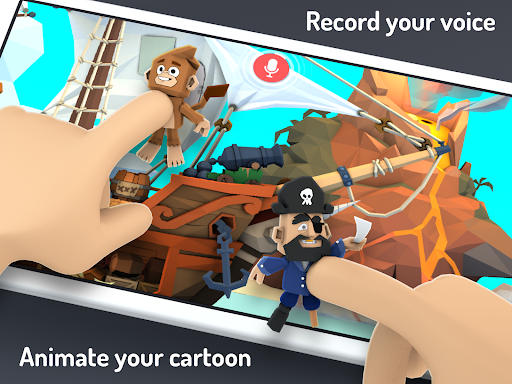
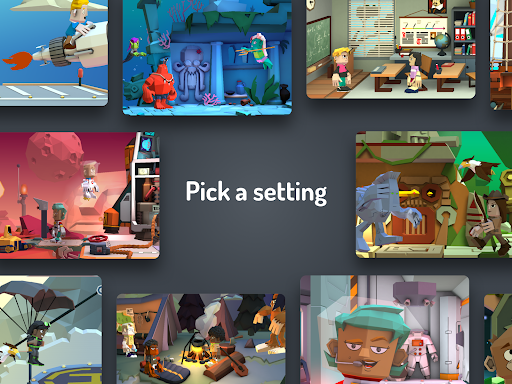
A typical session starts with an idea: maybe a pirate needs to find a way home, a robot has a problem, or someone wants to report on a science discovery. You choose a story arc, select characters and a setting, then move the figures around on screen while you narrate. Toontastic records the movement and voice together, so the result grows out of what you perform rather than a sequence of preset actions.
That setup makes the game feel closer to putting on a small puppet show than playing a conventional level-based game. There is no opponent to beat or score to improve. Instead, each scene gives a child room to decide what happens next, try a line aloud, and make the characters act it out. When the story is finished, the recorded scenes become a 3D video saved on the device.
A Creative Game, Not a Contest
Compared with games built around puzzles, collecting, or fast reactions, Toontastic 3D asks for a different kind of attention. It rewards the player for making choices and expressing an idea, not for memorizing rules or getting through a difficult challenge. The toy-box cast, custom character drawing, built-in music, and three story arcs give young creators useful starting points without dictating what their story has to be.
That open-ended approach is also the main distinction to keep in mind. This is not an action game with a long campaign, a competitive multiplayer game, or a video editor aimed at polishing footage with a large set of technical controls. Players who want constant new objectives may find the experience quiet. Players who enjoy inventing dialogue, staging scenes, and showing a finished creation to family are much closer to its audience.
Start Small, Then Add Detail
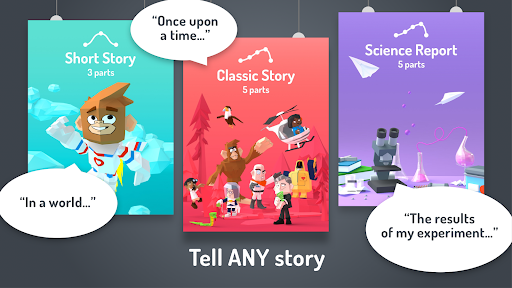
For a first session, I would keep the idea manageable: one clear problem, a couple of characters, and a short sequence of events. The Short Story arc is a natural place to begin, while the Classic and Science Report options provide other structures to explore. A simple plan helps a child focus on the fun part—deciding what the characters say and do—rather than trying to fit every idea into one production.
It also helps to think aloud before recording. Who is in the scene? What do they want? What changes by the end? Once those answers are clear, choosing a setting and moving characters becomes more purposeful. The custom drawing tools and photo options can wait until a child is comfortable with the basic routine. I would treat the first video as an experiment, then use the idea lab or a new story arc for inspiration next time.
More From Our News Desk

Zoom Meetings, Google Meet, or Teams: Which Is Easiest to Join?

How I Build a Free Streaming Lineup With Tubi

Why Crunchyroll Is the Default Anime App for So Many Fans

YouTube TV: A Practical Guide to Cutting Cable

Rummikub and the Small Comfort of Phone Games

TeamViewer Remote Control or AnyDesk for Helping Family?
Who Will Enjoy Making Cartoons
I would recommend Toontastic 3D to children who like telling stories, pretending with toys, or making up voices for characters. It can also work well as a shared activity: an adult can help a younger player shape an idea, while the child takes the director’s seat and performs the action. The option to create characters, add narration, and save the result makes the process feel personal without requiring a polished artistic result.
It may be a poor fit for players who mainly want fast-paced action, a steady stream of unlocks, or a game with one correct solution. The open-ended format asks kids to supply the story themselves, which can feel like freedom to one child and a blank page to another. A little prompting—such as choosing a character and giving them a small problem—can help, but the appeal still depends on enjoying creative play.
Toontastic 3D is an educational game from Google LLC. On Google Play, it has over 5 million installs and a 4.2-star rating from around 53,000 ratings. The game is free, with no in-app purchases and no ads. Its content rating is Everyone, making it suitable for a broad audience according to the store rating.
The current version shown in the provided store details is 1.0.5. Toontastic 3D was released on January 11, 2017, and was last updated on November 1, 2017. The available details do not give a minimum Android version, so it is sensible to check compatibility on the Google Play page for the device you plan to use.
The Joy of Directing Your Own Cartoon
A Gentle First Step
Toontastic 3D puts the creative task front and center: pick a story shape, select a character and setting, and begin acting out the scene. That is a more inviting opening for a child with a clear idea than a screen full of technical animation controls would be. Moving characters and speaking their lines are the basic ingredients, and the app records both as the story takes shape.
The three story arcs offer structure without turning the experience into a rigid lesson. Short Story gives beginners a compact format to try, while Classic and Science Report suggest other ways to organize an idea. I appreciate that there is more than one starting point, because a child making an adventure and one explaining a discovery may want different kinds of scaffolding.
A small amount of adult guidance can make the first attempt smoother. Younger children may need help settling on a beginning and an ending before they start performing. Once they have a basic plan, the emphasis stays on their choices rather than on learning a complicated set of production steps.
Progress at Your Own Pace
Progress here is measured in finished scenes and new ideas, not in levels cleared or difficulty settings mastered. A child can make a short story, watch the result, and decide what to change in another attempt. That makes the game naturally flexible: a quick session can produce a small cartoon, while a longer one can leave room for character design and more elaborate storytelling.
There is no conventional difficulty curve to describe, and that is part of the point. The challenge comes from deciding what happens, keeping a story understandable, and performing it in a way that feels fun. Some children will immediately fill the space with dialogue and movement; others may need time or a prompt. The game offers tools for expression, but the player supplies the momentum.
This pacing is best approached without pressure to make a masterpiece. A first recording might be short or a little chaotic, and that can still be a useful creative exercise. Saving the finished video on the device gives players something concrete to revisit, while a new story can begin whenever inspiration returns.
A Toy Box of Story Tools
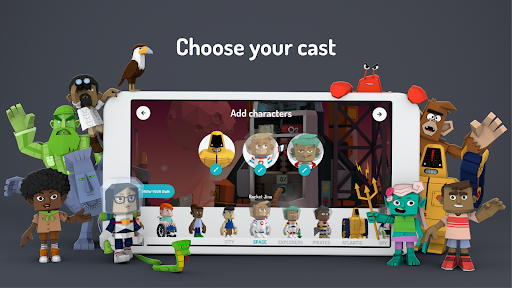
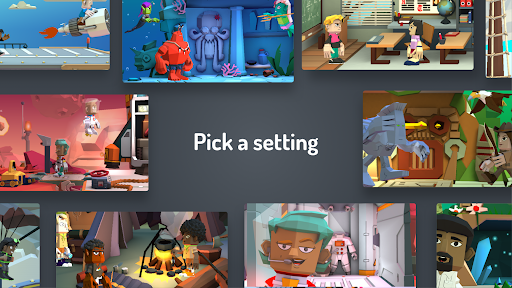
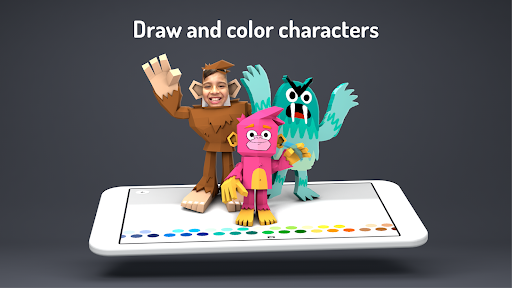
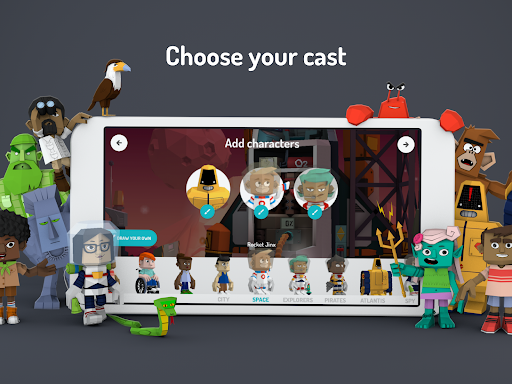
The available characters and settings include playful possibilities such as pirates, robots, and villains, giving children a cast to build around. They can also draw their own 3D characters, use custom-colored characters, or add themselves to an adventure with photos. Those choices make the experience feel less like filling in a template and more like shaping a small world of their own.
Sound is part of the creative toolkit, too. Players can record their own narration and mix in dozens of built-in songs, so a scene can have both a spoken story and a chosen musical mood. The recording approach keeps the performance central: a character’s movement and the child’s voice are captured as they act out the scene.
The idea lab provides stories, characters, and settings as inspiration when a player is unsure what to make. Once a cartoon is finished, it can be exported to the Photos library for sharing with family and friends. These features support a satisfying arc from finding an idea to making a video, without requiring the player to start with a fully formed script.
Free Without Ad Breaks
The practical value is easy to understand: Toontastic 3D is free on Google Play, and the supplied store facts say it has neither in-app purchases nor ads. That means the described creative activity is not interrupted by ad breaks or accompanied by purchase prompts. For a family looking for a storytelling app, that straightforward setup is a welcome part of the package.
Free does not mean the game will suit every child. Its value depends on whether the player enjoys making up stories and performing them, rather than on how many conventional game modes or challenges it offers. I would think of it as a creative tool with a playful game feel, not as a substitute for a level-based title that provides a continuous set of goals.
Because the game is free and has no in-app purchases, there is no listed purchase decision to weigh inside the experience. The store details give a content rating of Everyone. Families can still use their own judgment about whether the storytelling activity and device features suit a particular child.
A Few Practical Limits
The most noticeable limit is that the player has to bring the ideas. Toontastic 3D supplies characters, settings, music, story structures, and inspiration, but it does not turn the experience into a guided campaign with constant objectives. Children who are unsure what to invent may need a prompt from an adult or a look through the idea lab before they find a direction.
Recording a voice and moving characters are central to making a cartoon, so the experience works best when a child has a little room to perform. That can be a hurdle in a noisy or busy moment, especially for someone who feels shy about speaking aloud. Short scenes are a sensible way to make the activity feel less demanding.
The supplied details describe videos being stored on the device and exported to the Photos library, but do not specify offline-play requirements or a minimum Android version. For device compatibility, check Google Play before installing. The app’s version and last-update date are also worth bearing in mind when deciding whether it suits the device and routine you have in mind.
Toontastic 3D works best when I judge it as a creative playground rather than a traditional game. Its story arcs give children a place to begin, while character drawing, voice recording, music, and video export help carry an idea through to a finished cartoon. The free, ad-free setup makes it an appealing option for families who want a low-pressure storytelling activity.
I recommend it to young players who like inventing characters and acting out scenes, especially with an adult nearby to help get a first story moving. I would skip it for anyone looking mainly for action, competition, or a steady progression of challenges. If making a small cartoon sounds more fun than completing a level, this is a strong fit.
Toontastic 3D Frequently Asked Questions
Is Toontastic 3D free to play?
Yes. Toontastic 3D is free on Google Play. The supplied store facts also say it has no in-app purchases and no ads, so the described storytelling experience does not rely on paid upgrades or ad breaks.
Does Toontastic 3D have in-app purchases?
No in-app purchases are listed in the supplied store facts, and the game is marked as free. Its creative tools include story arcs, character drawing, narration, and built-in songs. Check the Google Play page for the latest details before installing.
Can I play Toontastic 3D offline?
The available details do not specify whether every part of Toontastic 3D works offline. The game records stories and stores the resulting 3D video on the device, but check Google Play for current connectivity requirements, especially if you plan to use it away from a connection.
What devices support Toontastic 3D?
Toontastic 3D is an Android game distributed through Google Play. The supplied details do not give a minimum Android version, so compatibility can depend on the device and current store requirements. Check the Google Play page on the device you intend to use.
Is Toontastic 3D suitable for young children?
The store content rating is Everyone, and the game centers on making and narrating cartoons. It can suit children who enjoy imaginative play, though younger players may appreciate an adult’s help planning a first story. Families can decide whether the activity fits their child.
Pros
- Combines character movement and voice recording in a simple storytelling activity.
- Offers three story arcs, custom character drawing, and built-in music.
- Free to play, with no in-app purchases or ads.
- Finished cartoons can be saved on the device and exported to Photos.
Cons
- Open-ended play may leave children unsure what story to make.
- Players looking for action, competition, or level-based progression may lose interest.
- Recording narration works best when children have room to speak and perform.
- Category
- Educational
- Version
- 1.0.5