Happy Color®: Color by Number
- 3.79M
- 4.6
- Installs
- 100.00M
- Price
- Free

Screenshots
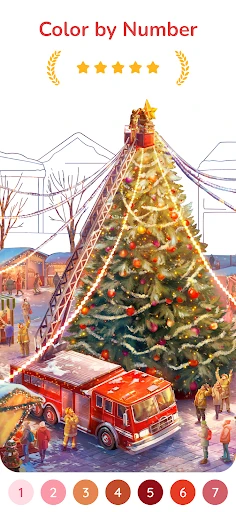
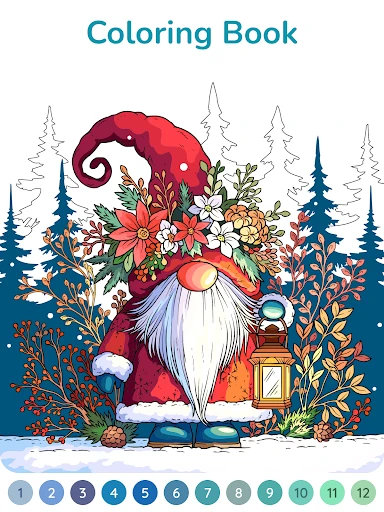
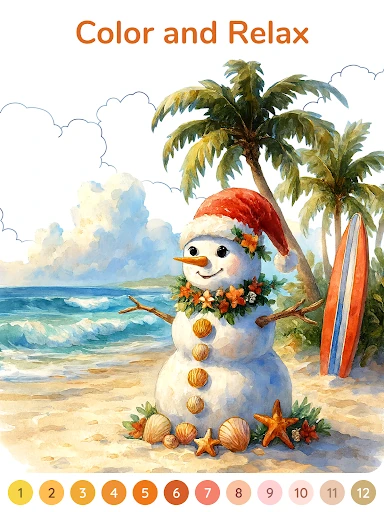
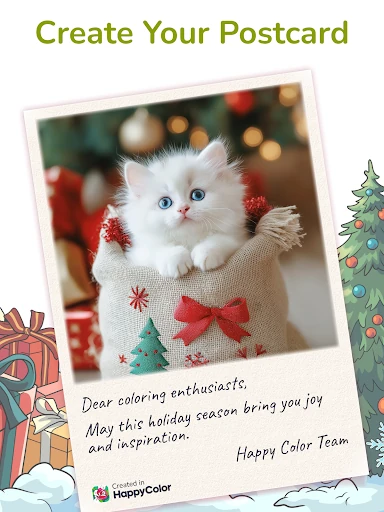
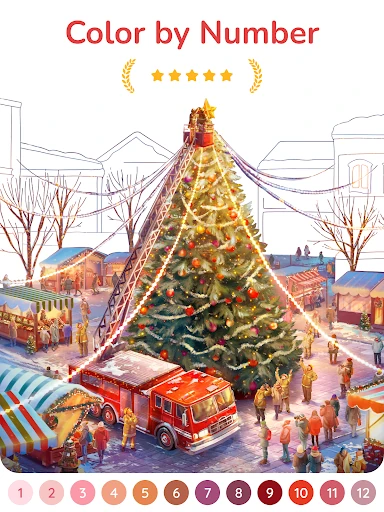
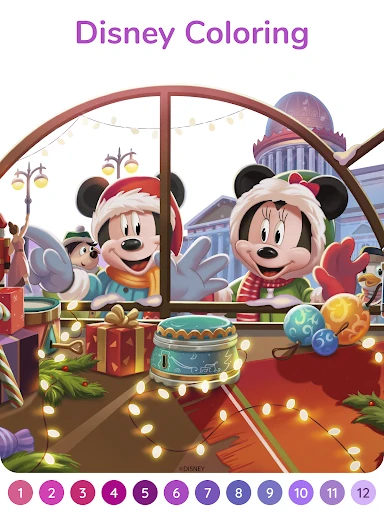
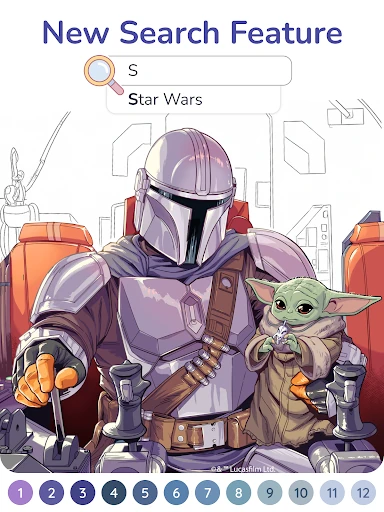
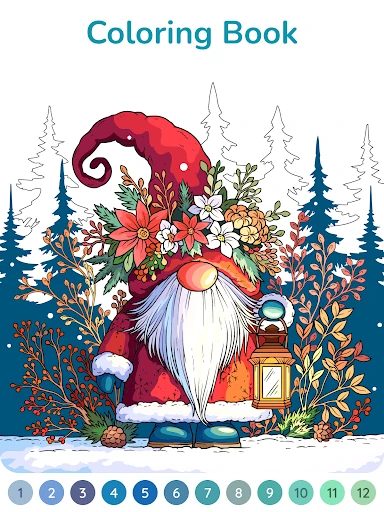
Analysis by Reviewed APKs
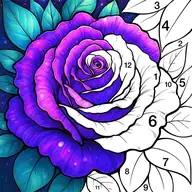
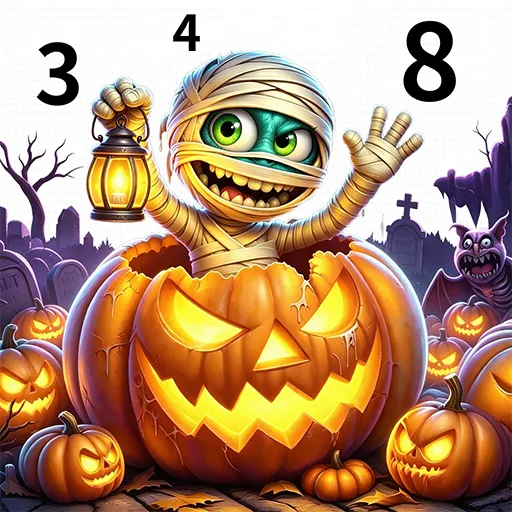
Happy Color®: Color by Number is a digital coloring game built around filling numbered spaces in illustrated pictures. I found its appeal in how little it asks of me: choose an image, match the numbers, and watch the artwork take shape one tap at a time. It suits players looking for a gentle, low-pressure activity, though anyone wanting a challenge-heavy puzzle game may find the routine too simple.
A session in small steps
When I first opened Happy Color, the basic idea was clear: pick a picture and tap the areas marked with the corresponding number. I didn’t need to learn a complicated control scheme before getting started. The pleasure comes from gradually filling in the illustration and seeing details emerge. It’s a tidy loop that works well when I have a few spare minutes and don’t want to commit to a longer game.
A typical session is more about steady progress than solving a puzzle. I can move through the numbered sections at my own pace, then choose another drawing when I’m ready. The large library gives that simple loop plenty of different subjects to browse, including nature, animals, mandalas, and original art. I especially like that searching for a topic can help me find a picture that fits my mood instead of scrolling without a plan.
Coloring, not a puzzle test
Compared with a conventional board or logic game, Happy Color puts very little emphasis on strategy. The numbers guide the coloring, so I’m not trying to outthink an opponent or race through a level. That makes it a good fit for someone who likes the gradual satisfaction of completing an image. I can pause and return to the activity without needing to remember a complicated sequence of moves.
It is not a drawing tool where I choose every color and make a picture from scratch, either. The numbered format provides the structure, and the enjoyment comes from following it. Players who want demanding puzzles, competitive matches, or a strong sense of difficulty progression may not find much to hold them here. For me, the trade-off is clear: less challenge, but a more relaxed activity that is easy to pick up.
A comfortable first hour
For a first session, I’d start with a subject I already enjoy rather than trying to work through the library in order. The search feature is useful for narrowing things down, and the range of picture themes means I can switch from animals to mandalas or other art when I want a change. Choosing an image that catches my eye makes the early tapping feel more like a little project than a chore.
I’d also treat the first few pictures as a chance to settle into the number-matching rhythm. There’s no need to rush through them. If a drawing feels too detailed for the time I have, I can simply choose another picture and come back to it later. Happy Color is at its best as a flexible break, not as a task I need to finish on a schedule.
More From Our News Desk

Zoom Meetings, Google Meet, or Teams: Which Is Easiest to Join?

How I Build a Free Streaming Lineup With Tubi

Why Crunchyroll Is the Default Anime App for So Many Fans

YouTube TV: A Practical Guide to Cutting Cable

Rummikub and the Small Comfort of Phone Games

TeamViewer Remote Control or AnyDesk for Helping Family?
Who will enjoy the quiet routine
I’d recommend Happy Color to players who like coloring books, image-based activities, or a calm way to occupy a short break. The uncomplicated tap-to-color loop is approachable, and the range of subjects makes it easier to find something personally appealing. It also works for people who enjoy seeing a picture gradually come together without needing to invent the image or decide on every color themselves.
It may not suit players who need frequent mechanical surprises, increasing difficulty, or a competitive goal to stay engaged. The core action remains coloring numbered spaces, even when the subject changes. If that repetition sounds soothing, the huge catalog is a strength; if it sounds monotonous, the same catalog may not solve the underlying issue. I’d think of it as a casual coloring activity rather than a broad collection of different game modes.
Happy Color®: Color by Number is a free Android game from X-FLOW. Google Play shows over 100 million installs and a 4.6-star rating from about 3.8 million ratings. The store lists the game as free to download, with ads and optional in-app purchases priced from $1.99 to $7.99 per item. Its content rating is Everyone.
The listed minimum Android requirement is Android 6.0, and the current version is 2.21.6. The game was released on January 24, 2018, and its latest listed update is January 20, 2026. Those details are useful to check against your device before installing, especially if you’re using an older phone or tablet.
The appeal of coloring at your own pace
Easy to begin
Happy Color makes its central activity easy to understand: choose a drawing and fill its numbered areas by tapping. That direct start is helpful when I open a game during a short break and want to get going rather than spend time learning controls. The picture itself provides the goal, while the numbering gives each tap a clear purpose.
Browsing is part of getting settled. The available subjects range from nature and animals to mandalas and other original illustrations, and the search feature lets me look for topics I care about. I found that more inviting than treating the catalog as one long list. It gives me a way to choose a drawing based on what I feel like coloring that day.
Progress without pressure
Progress in Happy Color is visible on the canvas: blank sections fill in, and the illustration becomes more complete. That simple feedback is satisfying without asking me to track a complicated set of objectives. I can spend a little time on one picture, stop, and return for another stretch when it suits me. The game’s appeal is the small, steady change rather than a dramatic level-up moment.
The pace is largely self-directed, which is a welcome change from games that make every session feel like a race. At the same time, players looking for a carefully escalating difficulty curve should set expectations accordingly. The numbered format keeps the basic task approachable, and the content description focuses on coloring pages rather than tougher stages or competitive challenges. I’d come for the calm rhythm, not for a test of skill.
A broad art shelf
The library is the main reason the straightforward loop has staying power. Happy Color describes more than 40,000 coloring pages, with subjects including animals, nature, mandalas, and original artwork. Its search feature adds a practical way to explore that collection. I can look for a particular kind of picture rather than relying on whatever happens to catch my eye while browsing.
There are also themed collections and licensed Disney pictures, with examples named in the game description including Beauty and the Beast, The Lion King, Aladdin, Cinderella, Winnie the Pooh, and Star Wars. Recent updates have included collections such as Bat-Fam, Winter Whispers, and Best of 2025. Those additions give regular players fresh-looking subjects to explore, while keeping the basic coloring mechanic familiar.
Free with store trade-offs
Happy Color is free to download, and its description presents the coloring pages as free to use. Google Play also identifies ads and optional in-app purchases, priced from $1.99 to $7.99 per item. I’d keep that distinction in mind: the core activity is available without paying upfront, but the store does show paid items and advertising as part of the app.
That setup makes it possible to try the game before deciding whether it fits your routine. I didn’t need to treat the purchase range as an entry fee in order to understand what the game is about. Still, players who strongly dislike ads or prefer an entirely paid, ad-free experience may want to check the current store details and decide whether the free version feels comfortable for them.
What to keep in mind
The biggest limitation is repetition: the central action stays focused on coloring numbered spaces. A huge choice of images can help keep that activity fresh, but it doesn’t turn the game into a collection of unrelated mechanics. If I’m in the mood for a demanding puzzle or a game with constant new rules, Happy Color isn’t the one I’d reach for.
The description says the game can be enjoyed at home, on a break, or while on the go, but it doesn’t specify whether coloring works offline. I’d check the current store information if offline access matters to my plans. The listed minimum is Android 6.0, so device compatibility is another practical detail worth checking before downloading.
Happy Color is a simple, approachable coloring game whose strongest feature is the breadth of its picture library. I enjoyed the easy start and the sense of watching a drawing come together at my own pace. Its uncomplicated format is also its main limitation: the basic activity doesn’t change much from one image to the next.
I’d recommend it to anyone who finds numbered coloring relaxing and wants plenty of subjects to browse. Players who need challenge, competition, or varied game mechanics should look elsewhere. If a low-pressure coloring break sounds appealing, Happy Color is an easy one to try.
Happy Color Frequently Asked Questions
Is Happy Color®: Color by Number free?
Yes. Google Play lists Happy Color as free to download, and its description says the coloring pages are free. The store also shows ads and optional in-app purchases, so free access does not mean the app has no advertising or paid items.
Does Happy Color have in-app purchases?
Yes. Google Play lists optional in-app purchases, with items priced from $1.99 to $7.99. The game is free to download, so you can try its coloring activity without paying upfront. Check the store for current purchase details.
Can I play Happy Color offline?
The game description does not specify whether coloring is available offline. If you need to use Happy Color without an internet connection, check the current Google Play information or the app details before relying on it for travel or another offline situation.
Which devices can run Happy Color?
Happy Color is an Android game, and its listed minimum requirement is Android 6.0. Device compatibility can depend on your particular phone or tablet, so check Google Play for the requirements shown for your device before installing.
Is Happy Color suitable for children?
Google Play gives Happy Color a content rating of Everyone. Its main activity is coloring numbered illustrations. Parents who want more detail about the current app experience, advertising, or purchases can review the store information and settings together with their child.
Pros
- A very simple tap-to-color loop is easy to fit into a short break.
- A large library spans nature, animals, mandalas, original art, and themed collections.
- Search helps narrow the picture catalog to subjects that interest you.
- Free download makes it easy to try before spending anything.
Cons
- The core coloring action stays much the same from picture to picture.
- Ads and optional paid items may bother players seeking an uninterrupted experience.
- Offline availability is not specified in the game description.
- Category
- Board
- Version
- 2.21.6