Sudoku - Classic Sudoku Puzzle
- 2.90M
- 4.8
- Installs
- 100.00M
- Price
- Free
Screenshots
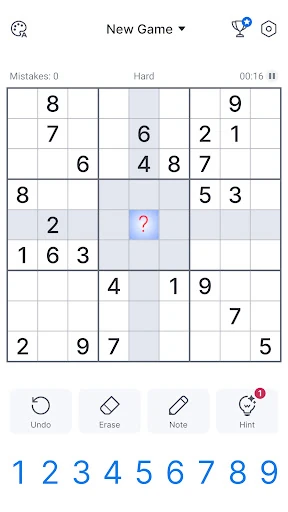
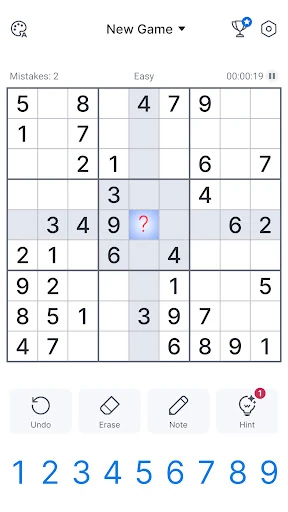
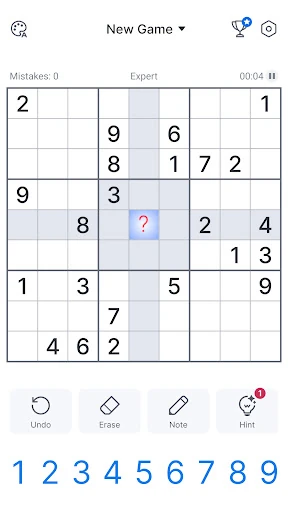
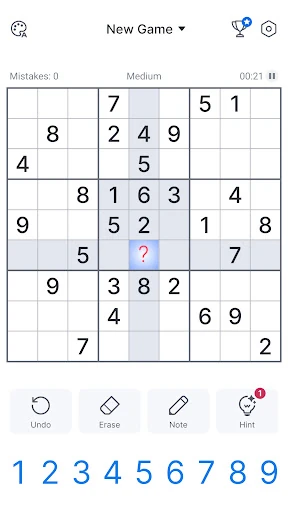
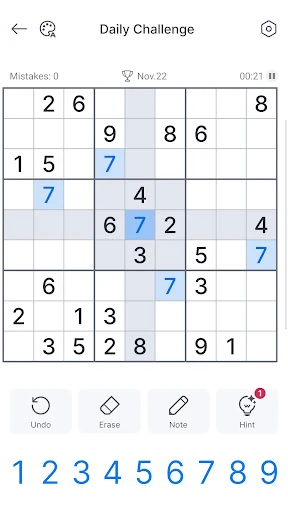
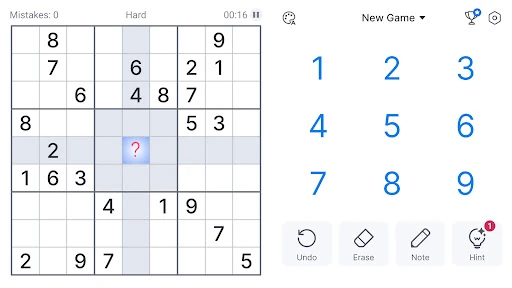
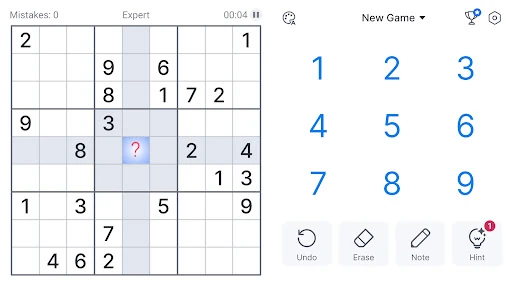
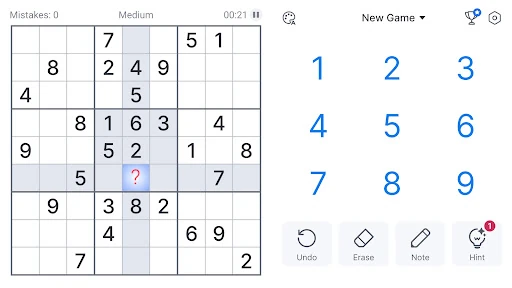
Analysis by Reviewed APKs
Sudoku - Classic Sudoku Puzzle is a number-logic game for anyone who likes filling a quiet break with a clear, self-paced challenge. Its familiar grid makes it approachable, while expert puzzles and a larger 16-by-16 option offer room to stretch. After spending time with it, I see a practical everyday Sudoku app: easy to pick up, flexible about difficulty, and best enjoyed by players who like thinking through a puzzle rather than rushing.
A puzzle at your own pace
When I first opened Sudoku - Classic Sudoku Puzzle, the basic appeal was immediate: choose a puzzle, work through the empty cells, and check that each row, column, and small grid uses the required digits without repeats. The loop is familiar Sudoku, with no story or elaborate setup to get in the way. I could play a few moves while waiting for something else, or settle in and follow a puzzle to its solution.
The app offers four difficulty levels, from easy through expert, plus a 16-by-16 grid for a different scale of challenge. I found that range useful for matching a session to my attention: an easier board suits a short break, while a harder one asks for more patient scanning and deduction. Daily challenges and a timer add optional structure, but the central pleasure remains solving the grid at the pace I choose.
Classic Sudoku, not a race
Compared with Sudoku apps that make competition, social features, or elaborate progression the main draw, this one is more straightforward. Its strongest fit is for players who want a digital version of the classic number puzzle, with several difficulty choices and tools to support play. A daily puzzle can give regular players a reason to return, but nothing about the core game requires treating every session like a contest.
This is not a fast action game, a narrative puzzle adventure, or a collection of unrelated brain teasers. The description focuses on classic Sudoku, and that is what I would expect to spend most of my time doing. If you enjoy slowly narrowing down possibilities, it should feel at home. If you need changing mechanics, a story, or constant novelty from one minute to the next, the steady grid-solving loop may feel repetitive.
Good habits for new solvers
For the first few hours, I would begin on easy and treat the opening guide tour as a useful refresher, especially if the rules are rusty. Start by scanning rows, columns, and the smaller grids for digits that have only one plausible place. The point is not to fill cells as quickly as possible; a deliberate pass through the board is often more useful than guessing and having to revisit a mistake.
Once the basic rhythm feels comfortable, try a higher difficulty or the 16-by-16 board when you want a larger puzzle. The app describes customizable gameplay and advanced support tools, so it is worth exploring those options to find a layout that suits your habits. I would also try a daily challenge when I want a ready-made reason to play, and leave the timer off unless adding pressure genuinely makes the puzzle more enjoyable.
More From Our News Desk

Zoom Meetings, Google Meet, or Teams: Which Is Easiest to Join?

How I Build a Free Streaming Lineup With Tubi

Why Crunchyroll Is the Default Anime App for So Many Fans

YouTube TV: A Practical Guide to Cutting Cable

Rummikub and the Small Comfort of Phone Games

TeamViewer Remote Control or AnyDesk for Helping Family?
Who will enjoy the grid
I would recommend Sudoku - Classic Sudoku Puzzle to casual players who already like paper Sudoku, newcomers who want a guided start, and regular solvers who appreciate having multiple difficulty levels in one place. It can fit a commute, a quiet lunch break, or a few minutes before bed. Offline play is especially handy when I want a puzzle without relying on an internet connection.
Players who dislike repetition may bounce off, because the central activity is always working through a Sudoku grid. It also may not suit someone looking for a strongly social experience or a game built around action and rapid rewards. The daily challenges and timer offer some variation in routine, but they do not change the essential logic puzzle. For me, that consistency is a strength when I want a calm, focused session.
Sudoku - Classic Sudoku Puzzle is developed by Oakever Games and is available on Google Play for free. The app has over 100 million installs and a 4.8-star rating from around 2.9 million ratings. It is rated Everyone. The listed Android requirement is Android 7.0 or later, so it is aimed at a broad range of Android phones and tablets that meet that minimum.
The current listed version is 5.46.0, and the release date is July 27, 2018. The game contains ads and offers in-app purchases, with listed item prices ranging from $0.99 to $19.99. The description promotes an ad-free experience, but the store facts indicate that ads are present; players should keep that distinction in mind when deciding whether the free version suits them.
How the Sudoku routine holds up
A gentle first session
The first-session experience is built around getting into a puzzle rather than learning a complicated game system. The description says a guide tour introduces the rules, and the familiar 1-to-9 Sudoku format gives new players a clear objective: each digit belongs once in every row, column, and 3-by-3 section. That makes the starting point approachable even if someone has only solved puzzles on paper.
I like that the app is described as having an intuitive interface, clear layout, and easy controls. In a number puzzle, clarity matters more than decoration; if the board is easy to read, I can concentrate on deductions instead of hunting for the right control. Sound effects and highlighting options are also mentioned, giving players some ways to tailor the experience without changing what Sudoku asks them to do.
Difficulty and steady progress
Four difficulty levels create a natural path from easy puzzles toward expert ones. That progression is useful because Sudoku skill often comes from recognizing patterns and checking possibilities carefully, rather than simply playing faster. I would stay with a level until I can solve boards without frequent frustration, then move up when the current puzzles start to feel routine.
The pacing is self-directed. There is no need to finish a board in one sitting, and the timer is described as an optional way to add a competitive edge. Daily puzzles provide a regular prompt, while weekly puzzle updates are also described. Those recurring additions can help keep a familiar format in rotation, though the game remains most rewarding for people who enjoy the act of solving itself.
More than one grid size
The standard 9-by-9 Sudoku board is the main attraction, but the 16-by-16 grid is a notable alternative for players who want a larger logic problem. It changes the scale of the task while keeping the basic appeal of placing digits without repeating them in the relevant lines and sections. I would approach that mode after getting comfortable with the classic board, rather than using it as the first test of the app.
Daily challenges, a timer, sound effects, highlight options, and customizable gameplay give the experience some practical variety. The app also describes advanced support tools and says it can help players learn Sudoku techniques. These are useful additions around the core puzzle, not a reason to expect an entirely different genre. Social sharing is mentioned too, though the central experience can still be enjoyed as a solo logic game.
Ads and purchase choices
The game is free to download, but it contains ads and offers optional in-app purchases. Listed purchase prices range from $0.99 to $19.99 per item. That is the practical spending picture I would keep in mind before settling into regular play: the basic app costs nothing upfront, while purchases are available and ads are part of the experience.
There is a mismatch between the store facts and the description's repeated claims of an ad-free game. I would rely on the fact that ads are present rather than assume every session is interruption-free. I cannot judge the exact frequency or placement from those facts alone, so the fairest expectation is that advertising may affect the flow. Players who prefer uninterrupted puzzles should check the current store details and in-app options before deciding.
A few practical limits
Sudoku is a deliberately quiet game, but a difficult puzzle can still ask for sustained attention. Expert boards and the larger grid may be more effort than someone wants during a brief, distracted moment. I would choose an easy or medium puzzle for casual gaps and save the demanding boards for when I can give them a little more focus.
Offline play is supported, which makes the app convenient for travel or places with unreliable service. The description also refers to online play, but the basic puzzle does not depend on a connection according to its offline claim. The stated minimum is Android 7.0, and device performance can vary, so it is sensible to check the store's compatibility details for a particular phone or tablet.
The familiar format is both its advantage and its limit. Daily challenges, weekly additions, and optional settings help provide reasons to return, but they do not turn the game into a broad collection of different activities. I found that expectation important: this is a Sudoku app for people who want more Sudoku, not a rotating menu of unrelated puzzle types.
Sudoku - Classic Sudoku Puzzle works best as a dependable pocket version of a classic. Its difficulty range, daily challenges, 16-by-16 option, and offline support give regular solvers useful ways to shape a session. I also appreciate that the rules remain the focus, with no elaborate systems to learn before starting a board.
I recommend it to anyone who enjoys number puzzles and wants a flexible place to solve them on Android. Beginners can start gently, while experienced players have harder boards to work through. The ads are worth keeping in mind, and players seeking action or major variety should look elsewhere, but for straightforward Sudoku, this is a solid everyday choice.
Sudoku Frequently Asked Questions
Is Sudoku - Classic Sudoku Puzzle free to play?
Yes. Sudoku - Classic Sudoku Puzzle is free to download on Google Play. The game contains ads and also offers optional in-app purchases, so free access does not mean the experience is entirely ad-free. Store details can change, so check the current Google Play information before installing if those terms are important to you.
What in-app purchases does Sudoku - Classic Sudoku Puzzle have?
The app offers in-app purchases, with listed item prices ranging from $0.99 to $19.99. The available purchase options may vary over time, so the current Google Play page is the best place to check what is offered. The game also contains ads, despite the description's claims of an ad-free experience.
Can I play Sudoku - Classic Sudoku Puzzle offline?
Yes. The game description says Sudoku can be played offline, which makes it suitable for solving puzzles without an internet connection. The app also refers to online play, but an online connection is not needed for the offline puzzle experience described. Availability of other app functions may vary.
What devices run Sudoku - Classic Sudoku Puzzle?
The game is an Android app for phones and tablets, and the listed minimum requirement is Android 7.0. Whether it works well on a particular device can depend on that device and its software, so check the Google Play page for current compatibility information before downloading.
Is Sudoku - Classic Sudoku Puzzle suitable for children?
Google Play rates Sudoku - Classic Sudoku Puzzle Everyone. Its described gameplay is classic number-grid solving, with no other content details needed to understand the basic activity. Parents should still review the current store page and consider the presence of ads and in-app purchases when deciding whether it is appropriate for a child.
Pros
- Four difficulty levels make it easy to choose a puzzle that fits the moment.
- Offline play is useful for travel, waiting rooms, and unreliable connections.
- The 16-by-16 grid adds a larger challenge beyond standard Sudoku.
- Daily challenges and customization give regular solvers helpful options.
Cons
- Ads are present, despite the description promoting an ad-free experience.
- The core activity stays focused on Sudoku, so variety is limited.
- The largest and hardest puzzles may demand more attention than a short break allows.
- Category
- Puzzle
- Version
- 5.46.0