Minecraft: Dream it, Build it!
- 5.87M
- 4.3
- Installs
- 50.00M
- Price
- $6.99
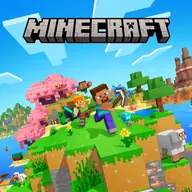
Screenshots
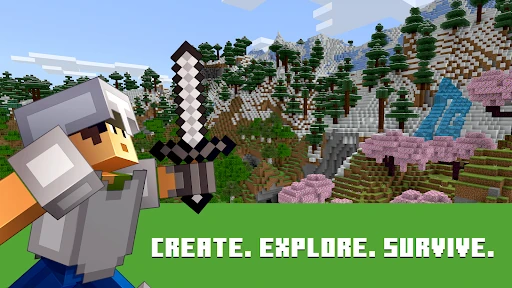
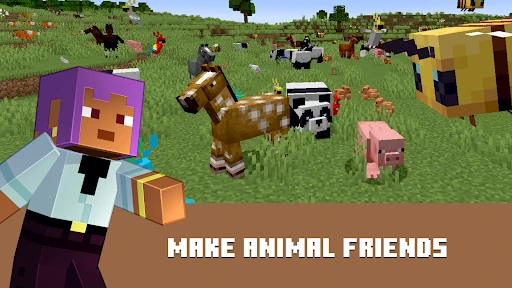
Analysis by Reviewed APKs
Minecraft: Dream it, Build it! is an open-world building and survival game where you gather blocks, craft tools, explore, and decide what to make of a randomly generated world. I’d recommend it to curious players who enjoy setting their own goals more than following a fixed story. Its freedom is the main attraction, though that same openness can leave new players wondering what to do next.
A world built one block at a time
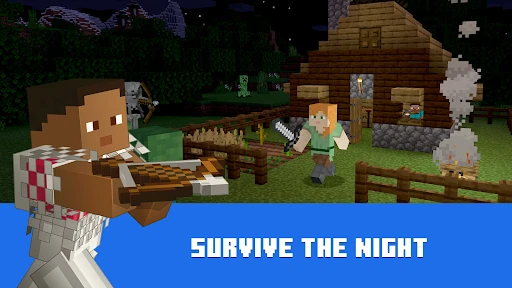
A typical session starts with a simple intention: gather materials, look around, or work on something you have already started. In Survival mode, those plans share space with the practical work of finding resources, crafting tools, and staying safe when night brings danger. That back-and-forth between making progress and handling immediate needs gives even a short session a satisfying rhythm.
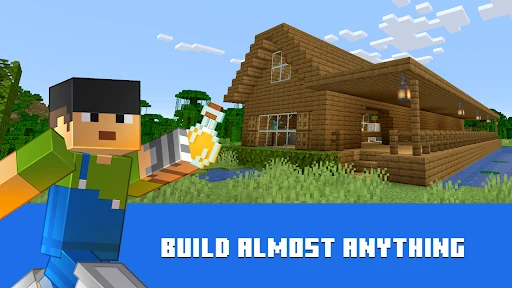
Creative mode offers a very different kind of evening. With unlimited resources, I can focus on shaping a house, farm, city, or landscape without stopping to collect the materials first. The world is open-ended, so a small building project can turn into a much larger experiment. I like that I can switch from careful survival planning to relaxed construction rather than treating one style as the only way to play.
For self-directed builders
Compared with games that lead you through a fixed sequence of missions, Minecraft is much more about choosing your own project. You might explore biomes, mine underground, build a home, tend a farm, or investigate the creatures around you. The appeal is less about completing a prescribed checklist and more about seeing what you can do with the world and the tools you make.
That makes it a strong fit for players who enjoy experimenting, building gradually, and inventing their own reasons to return. It is not a tightly guided adventure that constantly tells you what to do next, and it is not only a construction toy: Survival adds resource gathering and danger. If you want a focused campaign with clear objectives and a defined ending, the sandbox approach may feel too loose.
Start small, then branch out
In the first hours, I’d treat a modest shelter and a basic supply of crafted tools as useful early goals in Survival. Gathering resources and learning how they feed into crafting gives the world a practical shape. It also helps to pay attention to the time of day, since surviving the night is part of the mode’s basic challenge. There is no need to turn the first session into a grand construction project.
If you would rather learn by experimenting, Creative mode removes resource limits and gives you space to test building ideas without the same survival demands. Once you know what kind of play you enjoy, try exploring more of the world or adjusting the experience with slash commands and add-ons. For multiplayer, decide whether you want a shared server or a private Realms world; those options suit different groups and ways of playing.
Reads About Minecraft
More From Our News Desk

Zoom Meetings, Google Meet, or Teams: Which Is Easiest to Join?

How I Build a Free Streaming Lineup With Tubi

Why Crunchyroll Is the Default Anime App for So Many Fans

YouTube TV: A Practical Guide to Cutting Cable

Rummikub and the Small Comfort of Phone Games

TeamViewer Remote Control or AnyDesk for Helping Family?
Who will enjoy the open-ended play
I’d recommend Minecraft to players who like making their own plans and watching them take shape over multiple sessions. Creative builders can work without resource limits, while Survival players have the extra motivation of collecting materials, crafting gear, and dealing with nighttime threats. Exploring different biomes and encountering creatures also gives players who like roaming a reason to keep moving beyond the first home base.
It may be a harder sell for anyone who needs constant direction, quick wins, or a short, clearly paced campaign. Survival can ask for patience before a big build comes together, while Creative’s freedom can feel daunting if you arrive without an idea. It is also worth considering how you want to play with others: multiplayer is available, but the solo experience is a valid way to explore and build.
Minecraft: Dream it, Build it! is developed by Mojang and is a paid Android game. On Google Play, it costs $6.99 and has over 50 million installs. It holds a 4.3-star rating from around 5.9 million ratings. The game is rated Everyone 10+. Its release date is August 15, 2011, and the current version is 1.26.60.4.
The game offers optional in-app purchases, with listed items ranging from $0.99 to $49.99 each. It does not contain ads. The store information also gives an update date of October 21, 2026. A minimum Android version is not included among the available product details, so device requirements are best checked on the Google Play page before installing.
How Minecraft Makes Room for Your Ideas
Finding your first direction
The opening can feel less like a tutorial funnel and more like being handed a world to figure out. That is exciting once I have a plan, but it can take a moment to decide what matters first. The basic premise is clear: explore, gather, craft, and build. Survival adds the immediate concern of making it through the night, while Creative lets you start experimenting without first collecting supplies.
I’d recommend choosing one small objective before worrying about the huge possibilities. A simple structure or a short resource-gathering trip is enough to make the first session feel purposeful. Once crafting and the world’s day-to-day pressures start to make sense, larger ideas become easier to tackle. Players who prefer step-by-step instruction may need to be comfortable learning through exploration rather than waiting for a long list of goals.
Progress at your own pace
Progress here is mostly something you define. In Survival, better preparation and more gathered resources can support bigger building plans, but the game’s rhythm still leaves room to pause and explore. A session might focus on finding materials, while another is devoted to construction. That flexibility is useful when play time varies from day to day, though it also means there is no single pace that suits every player.
Difficulty depends in part on the mode you choose and the demands you put on yourself. Survival brings battles and nighttime danger into the routine; Creative trades those resource concerns for unrestricted building. Neither approach has to be treated as the final or correct way to play. I like that a player can aim for a careful, practical shelter or an ambitious project without the game insisting on one definition of progress.
Building beyond the basics
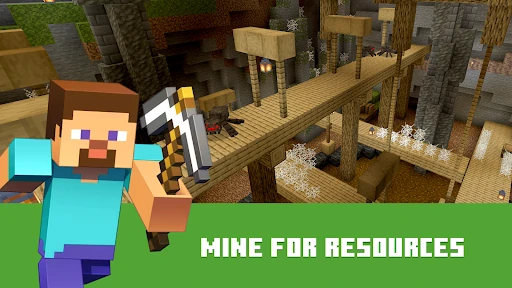
The range of supported activities is what keeps the sandbox from feeling like a single building tool. You can construct homes and cities, start farms, mine underground, explore different biomes, and interact with creatures that may be befriended or fought. Creative mode’s unlimited resources make it easier to focus on design, while Survival ties construction to the materials and tools you gather.
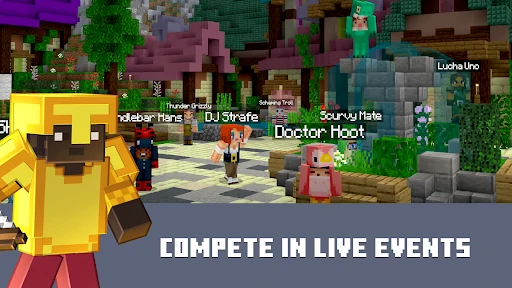
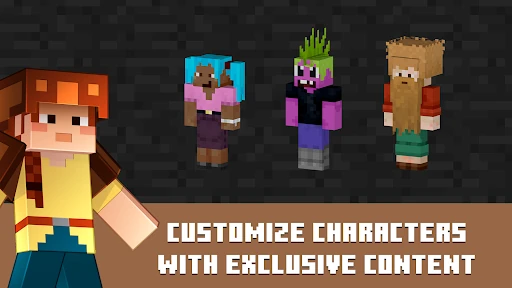
There are also ways to make the world more personal. Minecraft Marketplace offers creator-made add-ons, worlds, and cosmetics, and add-ons can further customize the experience. Slash commands can change things such as weather or time of day and can summon mobs. For players who enjoy social play, the game supports community servers and private Realms, including cross-platform play with friends.
The multiplayer choices cover different group sizes and styles. The description says online servers support play with up to four players using a free Xbox Live account, while Realms and Realms Plus support cross-platform play with up to ten friends on a private hosted server. Community-run worlds also offer custom settings and events, so multiplayer can be a shared building project or a way to explore experiences made by other players.
What spending changes
This is a paid game rather than a free download: the Google Play price is $6.99. It also offers optional in-app purchases, with items ranging from $0.99 to $49.99. The Marketplace includes creator-made content and cosmetics, so players can choose whether they want to spend beyond the initial purchase. I’d treat those extras as optional rather than necessary to enjoy the core building and survival loop.
There are no ads, which keeps the play experience from being interrupted by advertising breaks. Realms Plus is a separate subscription option for a hosted private world, and the description mentions a free 30-day trial in the app. For a fair sense of the cost, it helps to distinguish the base game from optional purchases and subscriptions, especially if you are choosing the game for a younger player.
A few practical limits
Minecraft’s open-endedness is both its strength and its main demand on the player. A project can expand well beyond the time you first expected to spend on it, and Survival adds the pressure of preparing for danger before night arrives. If you have only a few minutes, it may help to settle on a small task rather than starting a large build that you will want to continue later.
Multiplayer depends on playing online, and private Realms involves an additional subscription option. Solo play is supported, but whether the game can be played offline is not specified in the available product details. Players who need offline access should check the Google Play information before relying on it. The minimum Android version is also worth checking for a particular device.
There is no single recommended device specification included in the product details here; the game directs players to its support information for device requirements. That makes a quick compatibility check sensible before purchase, particularly if you are using an older phone or tablet. The game’s expansive worlds and varied ways to play are appealing, but practical fit still depends on the device and the way you plan to use it.
Minecraft: Dream it, Build it! remains compelling because it gives players room to turn a small idea into a personal project. I like the contrast between Creative’s calm freedom and Survival’s more urgent gathering and nighttime danger. The trade-off is a lack of tight direction: players need to bring some curiosity and set their own goals.
I recommend it to builders, explorers, and groups who want a flexible shared world, provided the paid entry price and optional purchases suit them. If you want a guided campaign or a clear finish line, this may not be your kind of game. For everyone happy to make their own goals, there is plenty to explore and create.
Minecraft Frequently Asked Questions
Is Minecraft: Dream it, Build it! free?
No. Minecraft: Dream it, Build it! is a paid game on Google Play, priced at $6.99 in the available store information. Optional in-app purchases are also available. Prices and purchase details can change, so check the Google Play page for the current price before buying.
Does Minecraft: Dream it, Build it! have in-app purchases?
Yes. The game offers in-app purchases, with listed items ranging from $0.99 to $49.99 each. Marketplace content includes creator-made add-ons, worlds, and cosmetics, and Realms Plus is a subscription option for private multiplayer. The core game is paid separately; check Google Play for current purchase details.
Can I play Minecraft: Dream it, Build it! offline?
The game supports solo play as well as multiplayer, but offline availability is not specified in the product details. Multiplayer features such as servers and Realms require online play. If offline access matters to you, check the current Google Play information or the game's support details before relying on it.
What devices can run Minecraft: Dream it, Build it!?
Minecraft: Dream it, Build it! is available for Android. A minimum Android version is not included in the available details, and the game directs players to its support information for device requirements. Check the Google Play page on your device to see whether your particular phone or tablet is compatible.
Is Minecraft: Dream it, Build it! suitable for children?
The game has an Everyone 10+ content rating. It includes Survival battles and dangerous creatures, as well as open-ended building and Creative mode. Multiplayer, community servers, and optional purchases are also part of the experience. Parents can review the store rating and settings and decide whether those features fit their child.
Pros
- Creative mode removes resource limits, making it easy to focus on building ideas.
- Survival adds resource gathering, crafting, exploration, and nighttime danger.
- Solo play, community servers, and private Realms support different play styles.
- No ads interrupt building or exploration.
Cons
- The open-ended structure can leave players without clear short-term goals.
- Optional purchases and Realms Plus add spending choices beyond the paid game.
- Device requirements and offline availability need checking before relying on them.
- Category
- Arcade
- Version
- 1.26.60.4