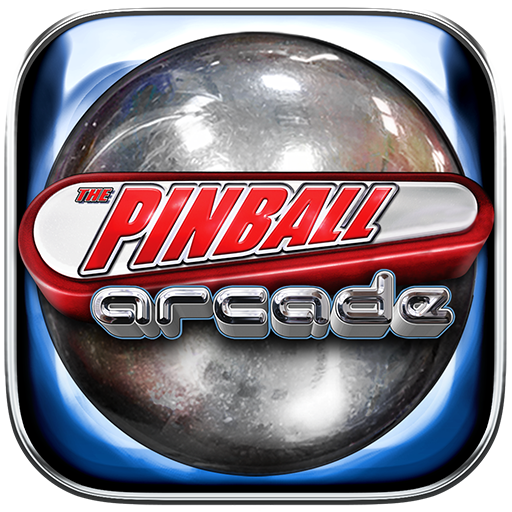
Space Pinball: Classic game
- 59.88K
- 4.5
- Installs
- 5.00M
- Price
- Free
Screenshots
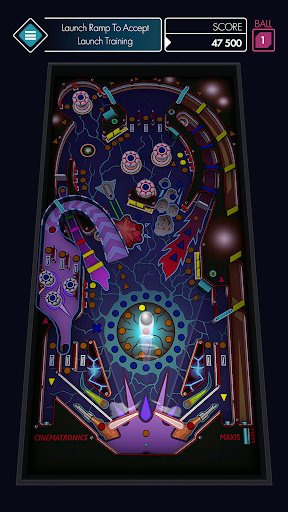
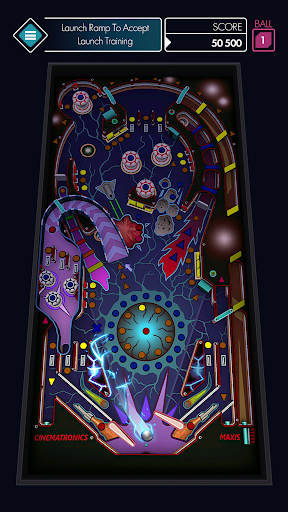
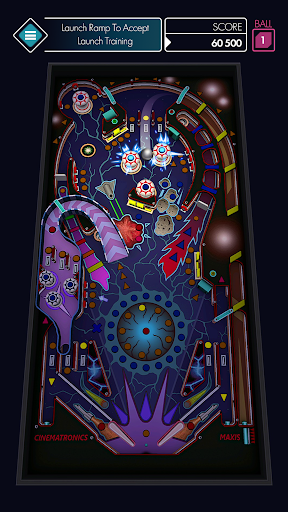
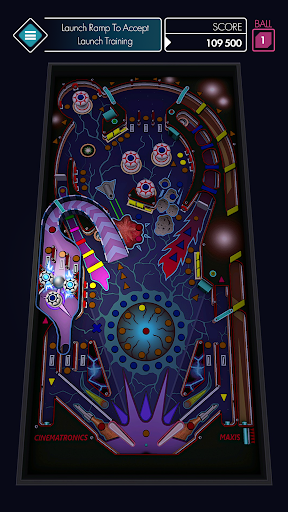
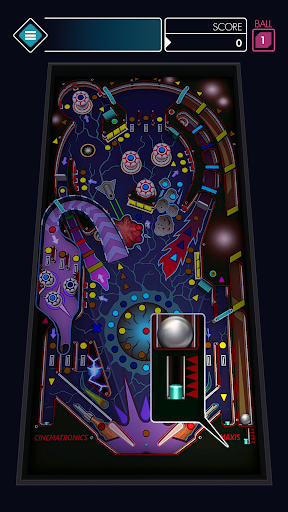
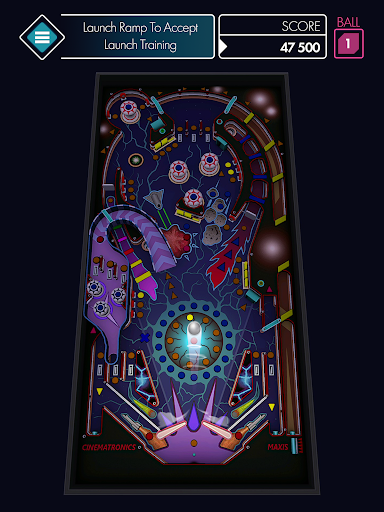
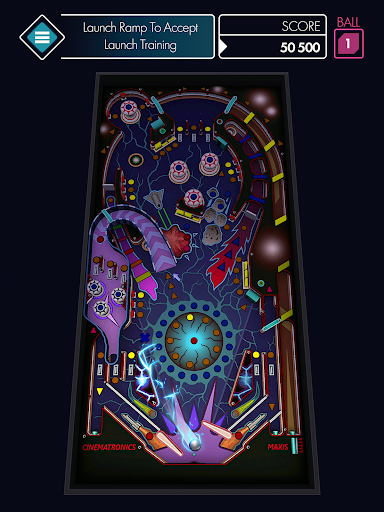
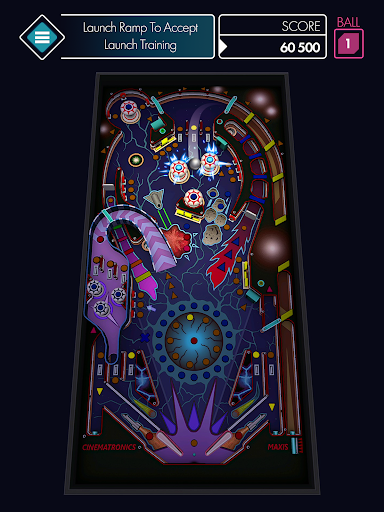
Analysis by Reviewed APKs
Space Pinball: Classic game is a straightforward arcade pinball game built around a familiar challenge: keep the ball in play with two flippers and score as much as you can. I’d recommend it to players who want quick, uncomplicated sessions rather than a large collection of modes or elaborate progression. After spending time with its simple loop, my take is that it works best as a small pick-up-and-play distraction.
A quick round of pinball
When I first opened Space Pinball, the basic idea was immediately clear: watch the ball, tap the controls to work the flippers, and try not to let it slip past them. There’s very little ceremony between opening the game and getting into the action. A round is less about following a story or completing a sequence of missions and more about staying alert for as long as the ball remains in play.
That makes each session easy to fit into an ordinary spare moment. I could start a round while waiting for something else, focus on the ball for a little while, and move on when it was over. The central tension is simple but effective: every extra stretch of play is an opportunity to add points, while a missed save ends that run. It’s a compact loop with no complicated rules to keep in mind.
A classic, not a pinball suite
Compared with arcade games that layer on missions, unlock trees, or multiple activities, this one keeps its attention on the traditional flipper-and-ball challenge. I found that appealing when I wanted something I could understand at a glance. Its two-button control scheme also makes it approachable for someone who hasn’t played a pinball game on a phone before; the essential task is visible as soon as the ball starts moving.
That focus also sets a boundary around what to expect. Space Pinball is not presented as a deep campaign, a detailed simulation, or a broad collection of different game types. The description centers on keeping the ball in play and earning points, so players looking for lots of distinct objectives may want more variety. I’d think of it as a small arcade diversion, not a replacement for a fuller pinball collection.
Finding your timing early
In my first few rounds, I found it more useful to watch the ball than to tap constantly. The flippers are the main tools you’re given, so timing is the practical skill to work on: notice where the ball is heading and respond when it approaches. That keeps the controls feeling purposeful instead of turning every moment into a blur of button presses.
I’d also suggest treating the first sessions as practice rather than judging the game by one score. The rules are simple, but keeping track of a moving ball takes attention, especially when you’re still settling into the rhythm. Play somewhere you can glance at the screen, and give yourself a few short attempts to get comfortable. The game’s uncomplicated setup makes it easy to return for another round without relearning a lot.
More From Our News Desk

Zoom Meetings, Google Meet, or Teams: Which Is Easiest to Join?

How I Build a Free Streaming Lineup With Tubi

Why Crunchyroll Is the Default Anime App for So Many Fans

YouTube TV: A Practical Guide to Cutting Cable

Rummikub and the Small Comfort of Phone Games

TeamViewer Remote Control or AnyDesk for Helping Family?
Who will enjoy the quick rounds
I’d recommend Space Pinball to casual arcade fans, anyone who likes the basic push-and-pull of pinball, and players who want a game they can pick up without a tutorial-heavy introduction. Its small, clear objective suits a commute break or a few quiet minutes at home. It may also appeal to people who remember playing classic pinball and want a phone-friendly take on the same central challenge.
Players who need a steady stream of new modes, elaborate table details, or long-term goals may bounce off its narrow focus. The description emphasizes a simple design and a two-button control scheme, not a wide set of activities. I’d also hesitate to recommend it to someone who dislikes reflex-based play: keeping the ball in play is the whole point, and a short run can end quickly when timing goes wrong.
Space Pinball: Classic game is an Android arcade game from CASUAL AZUR GAMES. On Google Play it has over 5 million installs and a 4.5-star rating from about 60,000 ratings. It is free to download and contains ads, with optional in-app purchases. The listed in-app product price is $2.49 per item.
Google Play gives the game an Everyone content rating. Its listed version is 1.1.13, and its release date is June 7, 2019; the most recent update shown is October 3, 2025. The available details don’t give a minimum Android version, so it’s sensible to check the store page on the device you plan to use.
The Small Joy of Staying in Play
An immediate start
The strongest part of getting started is how little stands between the player and the main activity. The game describes its controls as two-button flippers and presents a familiar objective: keep the ball from getting past them. I didn’t need to learn a collection of special moves or understand a complicated scoring system before I could begin paying attention to the ball.
That simplicity is a good fit for a phone game meant to fill short gaps. I could open it and understand what I was supposed to do without turning the first session into a setup exercise. The trade-off is that a very lean introduction leaves the player to learn timing by playing. If you’re new to pinball, the early rounds are best treated as hands-on practice.
Short runs, simple stakes
The game’s stated scoring idea is easy to follow: the longer the ball stays in play, the more points you can earn. That gives a round a natural rhythm. You begin by trying to keep control, and each successful moment extends the opportunity to build a better score. There’s no need to remember a long list of objectives while reacting to the ball.
The pacing depends on how long you manage to keep a run going, so it can feel brisk when a ball gets past the flippers. That makes a session easy to fit around other things, though players who prefer steady, predictable progress may find the run-based structure abrupt. I found it more satisfying to focus on improving my control from attempt to attempt than to expect every round to last.
One clear arcade focus
The supported feature set stays close to classic pinball: a ball, flippers, and a score to chase. The game’s description highlights a simple design and intuitive play, which matches its main appeal. It doesn’t ask the player to shift between different kinds of activities or learn separate rule sets. For me, that consistency is useful when I only want a quick arcade session.
There is a limit to how much variety I’d expect from that approach. The available description doesn’t lay out a roster of modes, unlockable tables, or a campaign, so I wouldn’t choose this on the assumption that it offers those things. What it does offer is a recognizable pinball premise in a compact format. If that is enough to hold your interest, the focused design is a feature rather than a problem.
Free with ads and purchases
Space Pinball is free to download on Google Play, but the game contains ads and offers in-app purchases. The listed price for an in-app product is $2.49 per item. I’d keep those details in mind before installing, especially if you prefer games with no advertising or optional spending. The presence of purchases doesn’t change the basic description of the game’s core activity: play with the flippers and try to score.
I can’t judge the exact feel of every ad or purchase from the price details alone, so I wouldn’t make a blanket claim about how intrusive they are. Practically, the free download makes it easy to try the central loop first and decide whether it suits you. If you’re sensitive to interruptions or want to understand what a particular purchase includes, check the current Google Play information before deciding.
What to keep in mind
The main commitment here is attention, not a long session. The ball keeps the player focused on quick reactions, and a round can end as soon as it gets beyond the flippers. That makes the game convenient for short breaks, but less suited to moments when you can’t look at the screen. I’d avoid starting a round if you need to give your attention to something else immediately.
The supplied details don’t specify whether play requires an internet connection, or give a minimum Android version or particular device requirements. Those points can vary, so check the Google Play page and your device’s compatibility before installing. Beyond that practical check, the game’s basic controls and narrow objective are easy to understand. The bigger question is simply whether you enjoy repeating a focused, score-driven arcade challenge.
Space Pinball: Classic game does a good job of keeping its promise small and clear. It offers a familiar flipper challenge, simple controls, and rounds that can fit into spare minutes. I like that it doesn’t make players work through a complicated introduction before they can start playing.
I’d give it a try if you enjoy classic pinball or want a lightweight arcade game to dip into. If you need lots of modes or a longer progression path, its focused loop may not hold your attention. Remember that it is free with ads and in-app purchases, and check the store for device compatibility.
Space Pinball Frequently Asked Questions
Is Space Pinball: Classic game free to play?
Yes. Space Pinball: Classic game is free to download on Google Play. It contains ads and also offers in-app purchases, so free access does not mean the game is ad-free. Store details can change, so check the current Google Play page for the latest information before installing.
Does Space Pinball: Classic game have in-app purchases?
Yes. The game offers in-app purchases, and the listed price is $2.49 per item. It also contains ads. The available details don’t describe every item or how it affects play, so check the current store page if you want to know what a specific purchase includes.
Can I play Space Pinball: Classic game offline?
The available game information doesn’t say whether an internet connection is required. Since connection needs can vary with an app’s current setup, check the Google Play page or try it on your device before relying on it for offline play. The described core activity is keeping the ball in play with the flippers.
Which devices support Space Pinball: Classic game?
Space Pinball: Classic game is an Android game on Google Play. The available details don’t give a minimum Android version or specific device requirements, so compatibility may vary. Check the store page from the Android device you plan to use to see whether it can install the current version.
Is Space Pinball: Classic game suitable for children?
Google Play gives Space Pinball: Classic game an Everyone content rating. That rating is a useful starting point, but each family can make its own decision about ads and in-app purchases. The game’s described activity is a simple pinball challenge using flippers to keep a ball in play.
Pros
- Two-button controls make the familiar pinball objective easy to understand.
- Short, score-focused rounds work well for spare moments.
- The core loop stays direct instead of demanding a lengthy introduction.
Cons
- Its narrow focus may not satisfy players seeking varied modes or progression.
- Ads and optional in-app purchases are part of the free game.
- Quick runs depend on keeping close attention on the moving ball.
- Category
- Arcade
- Version
- 1.1.13