Mahjong Classic: Tile Puzzle
- 1.28K
- 4.8
- Installs
- 100.00K
- Price
- Free

Screenshots


Analysis by Reviewed APKs
Mahjong Classic: Tile Puzzle is a Mahjong Solitaire game about finding matching pairs among tiles that are free to move. I like the calm, unhurried shape of its play: it gives you a clear puzzle to focus on without a clock pushing you along. It should suit fans of quiet matching games, especially anyone who wants something they can play offline or pick up for a short break.
A board, one pair at a time
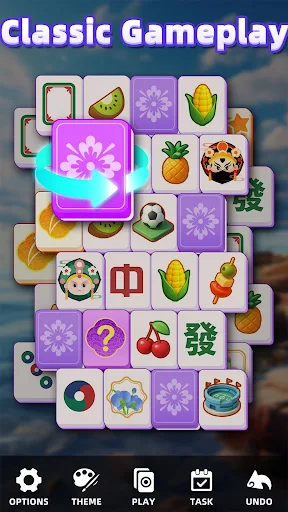
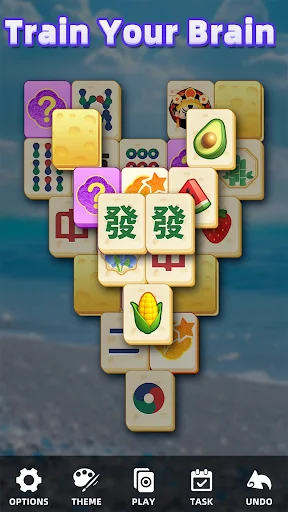
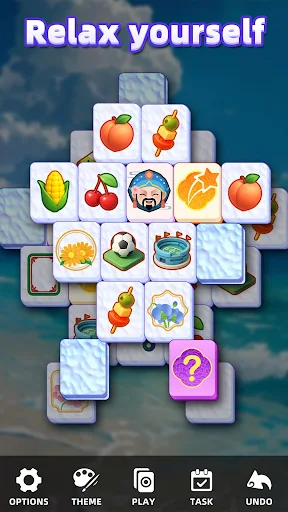
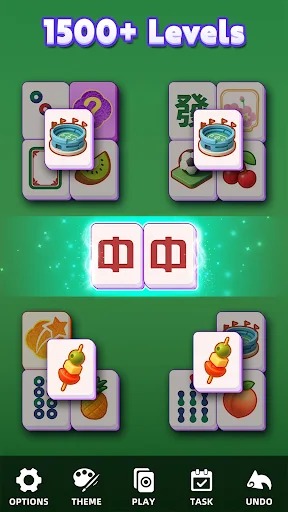
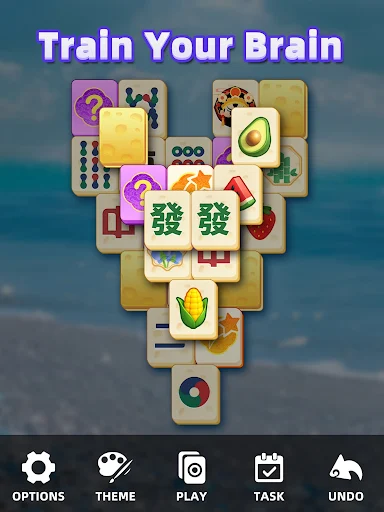
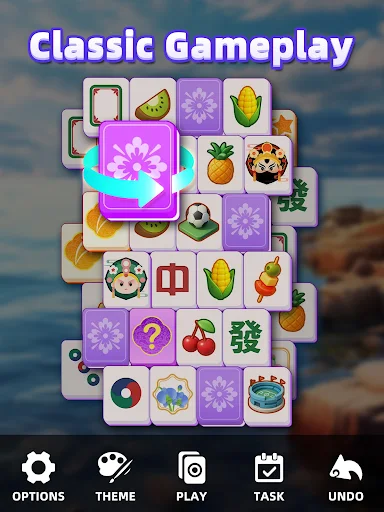
A typical round starts with a layered arrangement of tiles. I look for identical faces that are not covered or blocked, then remove them as a pair. Each match opens up more of the board, so the useful choice is not always simply the first pair I spot. Clearing every tile completes the puzzle and unlocks the next challenge, giving a session a natural beginning and end.
The pace is deliberately gentle. There are no time limits, so I can pause to scan the layout rather than make a hurried match, and the game describes its boards as a mix of classic layouts and more creative designs. When I reach a point where I am unsure what to do next, hints and shuffle options offer a way forward. They make a stuck moment less final without changing the basic matching loop.
For fans of quiet puzzles
This is a good fit if you enjoy Mahjong Solitaire for its visual search and gradual board-clearing, rather than for competition or quick reactions. I would reach for it when I have a few minutes during a break, or when I want a calmer game to wind down with. Its daily challenges add a reason to return, while customizable tiles and backgrounds let players adjust the look to their taste.
It is not the same thing as a traditional multiplayer Mahjong match. The described play is about removing pairs of identical tiles from a solitaire layout, not playing against other people or following a timed contest. Players looking for lots of different modes, a fast action loop, or a social competition may find the central activity too familiar. The appeal here is repetition with small variations, not a major shift in how each round works.
A few useful early habits
In the first few boards, I would take a moment to check which tiles are actually available before committing to a match. A tile that looks like a useful pair may be covered or blocked, while removing a different free pair can uncover more choices. Since there is no timer, there is little reason to rush. A slower scan can make the layout easier to read and help avoid using a hint before it is needed.
When a board feels stuck, the hint and shuffle tools are the practical safety net. I would save them for a moment when I have genuinely run out of ideas, rather than treating them as part of every turn. It is also worth trying different tile sets or backgrounds if the default look is not comfortable for a longer session. Daily challenges can provide a small routine once the basic pairing rules feel familiar.
More From Our News Desk

Zoom Meetings, Google Meet, or Teams: Which Is Easiest to Join?

How I Build a Free Streaming Lineup With Tubi

Why Crunchyroll Is the Default Anime App for So Many Fans

YouTube TV: A Practical Guide to Cutting Cable

Rummikub and the Small Comfort of Phone Games

TeamViewer Remote Control or AnyDesk for Helping Family?
Who may settle in
I would recommend Mahjong Classic: Tile Puzzle to players who enjoy methodical matching and want a game that does not punish them for taking their time. Beginners can learn the central rule quickly: match identical, unobstructed tiles and clear the board. More experienced solitaire puzzle fans may appreciate having many boards to work through, along with daily challenges and the option to alter tiles and backgrounds.
The people most likely to bounce off are those who need constant novelty, a brisk pace, or head-to-head play to stay interested. The core loop remains tile matching across layouts, even when the arrangement changes. If that simple rhythm is relaxing, the game has a clear place in a daily routine. If it starts to feel repetitive, the themes and challenges may not be enough to make it feel like a different kind of game.
On Google Play, Mahjong Classic: Tile Puzzle is published by NiuAIGO. It is free to download, has more than 100,000 installs, and holds a 4.8-star rating from 1,284 ratings. The game contains ads and offers in-app purchases. The listed price range for individual in-app products is $2.99 to $9.99.
Google Play gives the game an Everyone content rating. Its listed version is 1.1.3, and its release date is July 16, 2025. Those details can change over time, so it is worth checking the store page for the current version and purchase information before installing.
The calm rhythm of clearing tiles
Learning the board
The basic rule is easy to grasp: choose two identical tiles that are free rather than covered or blocked. That makes the first step approachable, but reading the whole layout takes a little more attention. I found the most useful mental shift is to think about what a match will reveal, not only whether the pair is available right now.
The game’s structure gives a clear sense of what to do next. Remove pairs, clear all the tiles, and move on to another challenge. Hints and shuffles are available if I get stuck, so a difficult arrangement does not have to end a session. The onboarding described is built around simple rules and intuitive play, rather than a long list of systems to memorize.
Progress without a clock
There is no timer, which changes the feel of the puzzle in a useful way. I can inspect a crowded area, compare the exposed tiles, and make a choice at my own pace. The pressure comes from the layout and the need to find workable pairs, not from a countdown. That makes this a better match for a relaxed break than for someone seeking a high-speed challenge.
Clearing a board unlocks the next challenge, and the game describes thousands of puzzles, including classic layouts and more creative arrangements. That gives progression a straightforward shape: finish a board, then take on another. The available information does not suggest that the game continually reinvents its rules, so the variety is primarily in the puzzles themselves and the changing tile arrangements.
Daily play and customization
Daily challenges are the feature most likely to give a regular player a small reason to return. They sit alongside the larger set of boards rather than replacing the standard clear-the-layout loop. I like that kind of simple routine in a puzzle game: a daily task can be a neat way to start a short session, while the regular puzzles remain there for a longer stretch.
Custom tile sets and backgrounds add a personal touch without changing how matching works. The game also offers zen-inspired themes and soothing music, aiming for a calm atmosphere around the puzzle. These options are useful if presentation affects how long I want to look at a board, though the main attraction remains spotting available pairs and opening up the layout.
Offline play is another practical feature. The description says the game can be enjoyed without an internet connection, which makes it suitable for travel or places where a connection is inconvenient. That fits naturally with the no-timer design: a board can be played at a relaxed pace without needing to plan around a live match or another player.
Ads and purchase options
The game is free to download, but Google Play reports that it contains ads and offers in-app purchases. Individual in-app products are listed at $2.99 to $9.99. That is worth keeping in mind if you prefer a completely ad-free experience or want to avoid optional spending. I would check the store page for the current purchase details before deciding whether the free version suits my preferences.
The available facts do not spell out exactly what each purchase includes, so I would not assume that paying is necessary to complete boards or that a particular item changes the puzzle rules. What is clear is that the core game is tile matching, with hints and shuffle options among the described features. Players who prefer to keep their spending predictable can simply be mindful of purchase prompts while using the free download.
A focused kind of variety
The main limit to keep in view is how consistent the central activity is. This is a solitaire tile puzzle, and the described features support that activity rather than turning it into a collection of unrelated game modes. Thousands of layouts, daily challenges, cosmetic customization, and help tools provide variation, but players who tire quickly of scanning and pairing tiles may still find the routine repetitive.
The game is described as playable offline and has no time limits, making it easy to fit around everyday interruptions. I can leave a board when a break ends and return to the basic puzzle loop when I have time again. No minimum Android version is included in the available store facts, so I would check Google Play on the device I plan to use for current compatibility details.
Mahjong Classic: Tile Puzzle understands its appeal and sticks to it: quiet boards, clear matching rules, and enough puzzles to make returning feel worthwhile. The lack of a timer and the offline option make it especially convenient for casual sessions. Ads and in-app purchases are part of the package, so players should consider those alongside the free download.
I would recommend it to anyone who already likes Mahjong Solitaire or wants an easy-to-learn puzzle for relaxed moments. I would skip it if I needed fast action, multiplayer competition, or a constantly changing set of mechanics. For a focused tile-matching game that lets me set the pace, it makes a sensible, accessible choice.
Mahjong Classic Frequently Asked Questions
Is Mahjong Classic: Tile Puzzle free to play?
Yes. Mahjong Classic: Tile Puzzle is free to download on Google Play. The game contains ads and also offers in-app purchases, so free access does not mean the app has no advertising or optional paid items. Check the store page for the latest details before installing.
What in-app purchases does Mahjong Classic: Tile Puzzle have?
Google Play lists in-app purchases priced from $2.99 to $9.99 per item. The game also contains ads. The available purchase information does not describe each item, and store details can change, so check the current Google Play page if you want to know what is offered.
Can I play Mahjong Classic: Tile Puzzle offline?
The game description says offline play is supported, so its tile-matching puzzles can be enjoyed without an internet connection. The description also mentions daily challenges, but does not explain whether every related feature works offline. If a particular feature matters to you, check its current details in the store.
What devices can run Mahjong Classic: Tile Puzzle?
Mahjong Classic: Tile Puzzle is an Android game on Google Play, and its listed version is 1.1.3. A minimum Android version is not included in the available store facts, and compatibility can vary by device. Check Google Play from the device you plan to use for current requirements.
Is Mahjong Classic: Tile Puzzle suitable for children?
Google Play gives Mahjong Classic: Tile Puzzle an Everyone content rating. Its described play is matching pairs of tiles in solitaire layouts. A store rating is a useful starting point, but families can review the current Google Play page and its device settings to decide whether the game suits their household.
Pros
- No time limits let players inspect each board at a comfortable pace.
- Offline play makes the puzzles convenient for travel and short breaks.
- Daily challenges, tile sets, and backgrounds add simple variety.
- Hints and shuffle options can help when a layout feels stuck.
Cons
- The central tile-matching loop may feel repetitive to some players.
- The game contains ads and offers optional in-app purchases.
- It focuses on solitaire puzzles rather than multiplayer competition.
- Category
- Board
- Version
- 1.1.3