Dice Roller!
- 10.46K
- 4.5
- Installs
- —
- Price
- Free

Screenshots
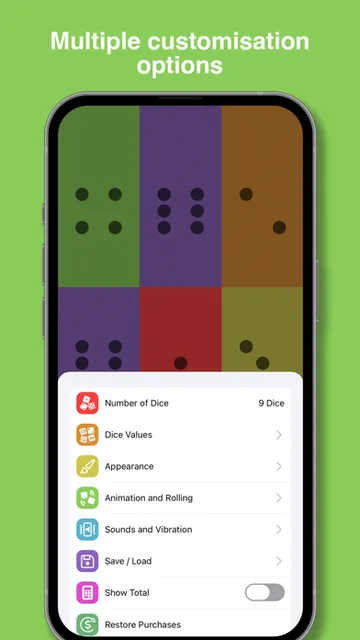
Analysis by Reviewed APKs
Dice Roller! is a board-game utility for turning a phone into a flexible set of dice, from ordinary six-sided rolls to custom choices for tabletop games and spontaneous decisions. I like that it can handle both a quick roll and a more personalized setup without asking players to do mental arithmetic. It suits board-game groups and role-playing players who want options, though it is a tool rather than a game with its own campaign.
A roll for every table
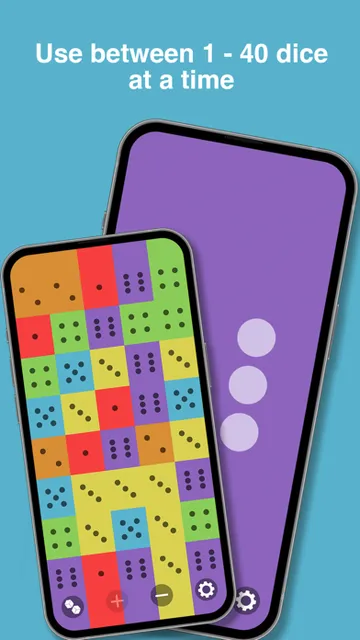
A typical session starts with choosing how many dice to roll and what kind of results they should show. For a casual board game, that could mean a handful of standard dice; for a more particular tabletop rule, the app can use custom number ranges. It supports rolling from one to 40 dice at once, and results can appear as dots or numbers. The basic appeal is simple: set up the roll, tap or shake, and use the result.
When I imagine using it during a game night, the small touches make the roll feel less like checking a calculator. Dice animate, and the app can add sound and haptic feedback. If one result needs to stay put while the others change, individual dice can be locked. The total is shown after each roll, which is handy when several dice are involved. It is a practical companion for play, not a substitute for the rules or social side of a board game.
A utility, not an adventure
Compared with a physical dice set, Dice Roller! has a clear advantage when the table needs an unusual range, a large batch of rolls, or a custom die. It can also keep up to 10 setups ready for quick access, so a group that returns to the same game need not recreate every choice each time. For everyday board games, role-playing sessions, or deciding something by chance, that flexibility can be more useful than a single standard die.
It is not a standalone board game, a digital role-playing campaign, or a place to find opponents. There are no characters to build or story chapters to unlock in the supplied feature set; the point is to produce dice results and let another activity give those results meaning. Players looking for a full game to play alone may find it too spare. Those who already have a game and just need adaptable dice are much closer to its intended use.
Make the first rolls count
For the first few minutes, I would start with a familiar standard die and make a couple of ordinary rolls. That gives a quick feel for the animation and the display before adding custom ranges or other choices. Once the basics are comfortable, try changing the number of dice and switching between dots and numbers. If a game relies on repeated rolls, experiment with the available roll methods—tap, shake, or both—and pick the one that feels natural at the table.
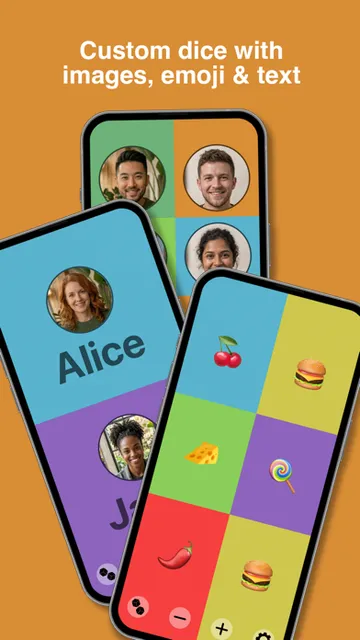
The next useful step is saving a setup you expect to reuse. Dice Roller! allows up to 10 saved custom setups, so it is worth reserving those slots for combinations that would otherwise take time to rebuild. Custom dice can use text, emojis, or images, and individual dice can have different colors. I would add only what a particular game needs at first; a small, clear setup is easier to use mid-turn than a screen full of unnecessary customization.
More From Our News Desk

Zoom Meetings, Google Meet, or Teams: Which Is Easiest to Join?

How I Build a Free Streaming Lineup With Tubi

Why Crunchyroll Is the Default Anime App for So Many Fans

YouTube TV: A Practical Guide to Cutting Cable

Rummikub and the Small Comfort of Phone Games

TeamViewer Remote Control or AnyDesk for Helping Family?
Who will get the most from it
I would recommend Dice Roller! to people who regularly play board games or tabletop role-playing games and occasionally need more than a basic six-sided die. The range of one to 40 dice, custom ranges, saved setups, and lockable results give it room to fit different table rules. It is also useful for low-stakes decisions when a random result is easier than debating options. The app makes most sense when a group already has something to play.
Players who want a rich solo game, a narrative campaign, or built-in multiplayer should look elsewhere, because this is a dice tool rather than a complete game experience. It may also be more customization than someone needs if they only roll one ordinary die once in a while. My strongest recommendation is for the practical middle ground: people who enjoy game nights, appreciate a tidy digital backup, and want to tailor a roll without bringing several physical dice sets.
Dice Roller! is a free board game from Harry Foster on the Apple App Store. It has a 4.5-star rating from 10,464 ratings. Its content rating is 4+, and the current version shown in the supplied store facts is 2.3.2. The listed release date is April 13, 2021.
The iOS requirement is version 16.0 or later. The supplied facts do not give an install count, and they do not specify in-app purchases or advertising, so I have left those out rather than guessing. The App Store is the place to check current availability and any store details that can change.
The Details That Make Rolls Easier
A gentle start
The first impression is straightforward: this is meant to get a result on screen without turning a simple roll into a project. Start with standard dice and the default roll interaction, then add options when a real game calls for them. That order matters. If I begin by building an elaborate custom die before learning the basic flow, I am spending time configuring a tool when I could already be playing.
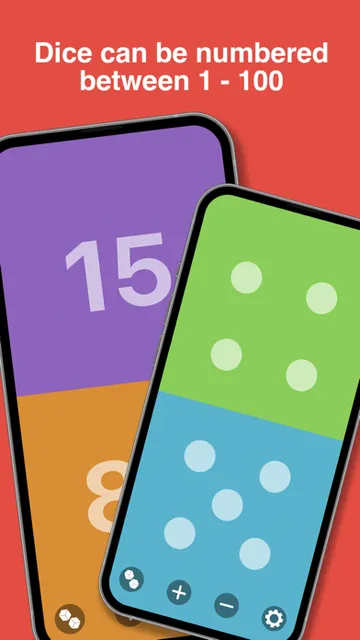
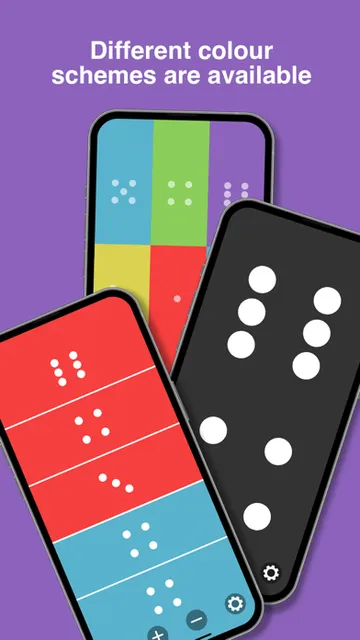
After those first rolls, the choices open up in useful ways. A die can use a standard range or a custom range from 0 to 100, and a custom die can show text, emojis, or images. Color choices help distinguish dice, while dot or number displays let a group choose the presentation that suits its table. The interface is described as clean and intuitive; the feature set gives newcomers room to grow into it.
Flexible pace, no campaign
Progression here is about refining a setup, not advancing through levels. There is no campaign structure in the described feature set, so the pace depends on the game or decision happening around the phone. A quick standard roll can be over in seconds; a more involved session might use custom dice, saved combinations, and locked results. That makes the app easy to dip into without asking players to commit to a long session.
Difficulty is similarly borrowed from whatever rules the group is using. Dice Roller! can produce many kinds of results, but it does not teach or balance a board game for the players. The upside is that it can accommodate simple and more involved tables alike. The trade-off is that people hoping for a built-in challenge curve or rewards to chase will not find that sort of progression here.
More than six-sided dice
The standout feature is how far beyond a standard die the app can go. It can roll up to 40 dice together, create custom ranges from 0 to 100, and make custom dice with text, emojis, or images. Those options are useful when a group has a house rule or wants a die with choices that do not map neatly onto numbered faces. The total after each roll helps when a game uses several dice at once.
There are also practical ways to shape the roll itself. Players can lock individual dice to preserve their results, save up to 10 custom setups, and choose from multiple animation styles with adjustable speed. Animations can be switched off completely. Rolling works by tap, shake, or both, and sound effects and haptic feedback add a physical cue. None of those options changes the rules, but they make the tool more adaptable to different tables.
A free tool, with caveats
The App Store facts identify Dice Roller! as free, which makes it easy to consider as a companion rather than a major purchase. The supplied store details do not establish whether optional purchases or advertising are part of the current experience, so I would not assume either way. If those details matter to you, check the App Store page before installing. The core appeal described here is the flexible rolling and customization, not a paid progression system.
In terms of value, it is best judged by whether those options solve a real table problem. Someone who needs a custom range, wants to save recurring setups, or regularly rolls several dice may get steady use from it. A person who already has physical dice and rarely needs unusual results may not care about most of the extras. The generous range of functions is useful, but it does not make the app essential for every player.
Keep its role in mind
Dice Roller! is a focused utility, so its limits are mostly about what it is not designed to do. The supplied description does not identify online play or an offline mode, so I would not plan a session around either assumption without checking the current App Store information. For a group already gathered around a table, its described rolling features are easy to understand; players looking for a connected game experience should verify that this is the right kind of app first.
The listed iOS requirement is version 16.0 or later, which is worth checking before relying on it for a game night. The app offers adjustable animation speed and a way to turn animations off, so players who prefer a quicker or simpler roll have some control over presentation. Beyond that, the supplied facts do not specify device demands. I would treat it as a companion tool and confirm compatibility on the store page for the device in hand.
Dice Roller! gets the essentials right for a digital dice tool: it handles ordinary rolls, supports custom results, and includes thoughtful controls such as saved setups and locked dice. I like that it can stay simple for a quick decision or support a more particular tabletop setup. Its narrow focus is also its main limitation; there is no larger game built around the rolls.
I recommend it to board-game and role-playing groups who want an adaptable set of dice on an iPhone or iPad running iOS 16.0 or later. Casual players who only need one standard roll now and then may be perfectly happy with physical dice. If you want a full solo game or online play, this is not the one to choose.
Dice Roller! Frequently Asked Questions
Is Dice Roller! free to download?
The supplied App Store facts describe Dice Roller! as free. Store availability and details can change, so it is worth checking the current App Store page before downloading. The app is a dice-rolling utility rather than a complete board game, and its features are intended to support play or decisions happening elsewhere.
Does Dice Roller! have in-app purchases?
The supplied facts do not give details about in-app purchases. Check the current App Store page for the latest purchase information before installing if that matters to you. The described features include custom dice, saved setups, and adjustable rolling effects, but the supplied description does not say that any of them require a purchase.
Can I use Dice Roller! offline or play online?
The available description does not specify offline support or online play. It describes rolling dice on the device, but that alone does not establish what works without a connection. If you plan to use it somewhere with limited connectivity, check the current App Store information or try it beforehand rather than relying on an assumption.
Which devices can run Dice Roller!?
Dice Roller! is an iOS app and requires iOS 16.0 or later according to the supplied facts. Check the App Store page on the device you plan to use for current compatibility details. The listed current version is 2.3.2, though store information can change over time.
Is Dice Roller! suitable for children?
The App Store content rating supplied for Dice Roller! is 4+. It is a dice-rolling tool, with features such as custom dice using text, emojis, or images. A rating is a useful starting point, but families should check the current App Store page and decide whether the app and its use fit their child.
Pros
- Rolls from one to 40 dice, with standard and custom number ranges.
- Custom dice can use text, emojis, or images for unusual game rules.
- Saved setups and locked dice make repeated rolls easier to manage.
- Animation speed, presentation, and roll method offer useful flexibility.
Cons
- It is a dice utility, not a standalone game with a campaign or progression.
- The supplied details do not establish offline support or online play.
- Players who only need an occasional standard die may not use its extra options.
- Category
- Board
- Version
- 2.3.2