 About Ring
Ring vs. Blink vs. Arlo: Which Home Camera App Fits?
Start with the kind of home you monitor
When I think about a home camera app, I start with the ordinary moments: checking who rang while I’m out, catching a motion alert during dinner, or figuring out what happened after I missed a notification. Ring, Blink and Arlo all put camera activity on a phone, but their emphasis differs. Ring brings doorbells, cameras, alarms and smart lights together. Blink centers on its camera range. Arlo presents a broader security dashboard for cameras, doorbells, floodlights and systems.
That difference matters more than a crowded feature list. If a doorbell is the main reason you want an app, Ring’s visitor alerts and two-way talk are immediately relevant. If you want to adjust motion notifications and activity zones, Blink calls those controls out directly. Arlo’s pitch leans toward managing a larger setup, including multiple locations and schedules. I’d choose based on the routine I want to make easier, not on a promise that any one app fits every home.
All three apps are free to install on Google Play, and each has more than 10 million installs. Ring has a 4.7 rating from around 599,000 ratings, Blink has a 4.4 from around 224,000, and Arlo has a 4.1 from around 239,000. Those figures offer a rough sense of how people rate them, but they don’t tell me whether a particular camera or subscription suits my setup.
Ring makes the doorstep feel immediate
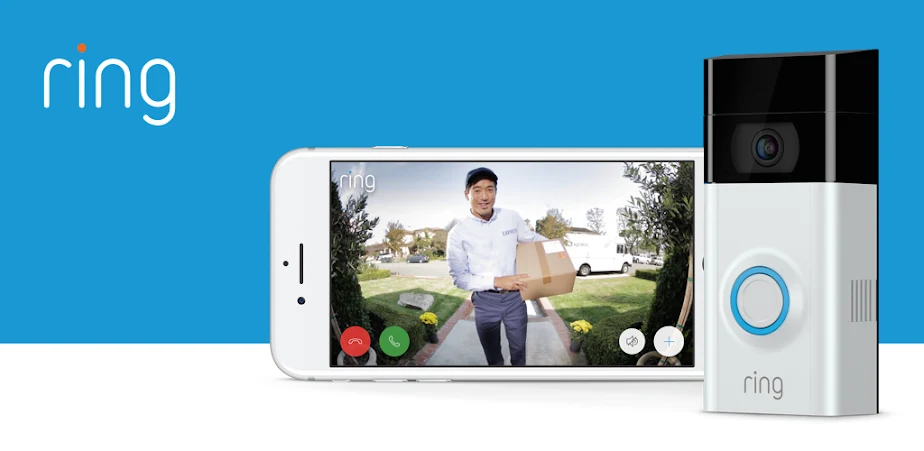
When I first consider Ring for a busy day, its alert flow is easy to picture: a visitor presses the doorbell, or a camera detects motion, and the phone gets a real-time notification. From there, the app supports live HD video and two-way talk, so I can see who is there and speak with them. That’s useful for a delivery or an unexpected visitor when I’m not close enough to answer the door in person.
Ring also connects its app to more than cameras. It supports compatible Ring Alarm systems, whose sensors can send alerts when triggered, and Ring Smart Lights can be controlled and scheduled. Some light models can also notify you about nearby motion or trigger other compatible Ring devices to record. I wouldn’t assume every home needs that wider system, but it gives Ring a natural role as a central place to check several kinds of activity.
The catch is that an alert and a saved recording aren’t the same thing. Ring says reviewing, saving and sharing Ring videos requires a Ring Protect subscription or free trial. In practice, that makes Ring’s video-sharing story clear but conditional: I can see how a saved clip might be useful to send to a relative, but I’d factor the plan into the choice rather than treating access to recordings as automatic.
Blink puts motion controls up front
Blink feels most appealing when I want to tune what gets my attention. Its app supports customizable motion alerts and activity and privacy zones, so I can focus notifications on areas that matter instead of reacting to every bit of movement. That’s a practical distinction for a camera pointed toward a busy walkway or a room where ordinary activity can create noise. The app also supports HD live view, infrared night vision and two-way audio.
I spent an evening imagining the simple check-in routine Blink is built for: open the app, look at a live view, and speak to someone or a pet through the camera. The range includes wireless and plug-in options, and the app can connect with Alexa-enabled devices for voice actions such as opening live view or arming and disarming the system. Those capabilities depend on compatible Blink and Alexa equipment, so they’re most useful to people already considering that setup.
Blink’s product range includes indoor and outdoor cameras, floodlight cameras and a pan-tilt camera. That gives the app different camera roles to manage without changing the basic appeal of motion alerts and live viewing. The supplied details don’t describe video-history or family-sharing terms as fully as Ring and Arlo do, so I wouldn’t choose Blink on an assumption about saved clips or shared access. I’d check the plan and device details that match my intended use.
Arlo organizes a bigger security picture
Arlo’s app sounds designed for people who want to manage security as a system rather than just check a camera now and then. Its customizable dashboard can bring recorded events, system status and controls into one place. The app also supports multiple locations, with one-tap modes for arming or disarming, plus schedules. When I imagine checking on home between errands, a quick status view and an easy way to review missed activity sound more useful than digging through separate controls.
Arlo also gives alerts more context through object detection. With an Arlo Secure plan, its notifications can identify a person, package, vehicle or animal, and video history can include 30 days of video and missed-event details. That could make it easier to understand why an alert came in, especially when I’m checking a phone quickly. These are plan-dependent features after a trial period, rather than extras I’d count on without checking the subscription terms.
Activity zones can help reduce unwanted notifications, but Arlo says availability varies by camera model and requires a paid Arlo Secure plan after a trial. The app also describes emergency response options, with availability and plan requirements applying. For my comparison, the practical takeaway is that Arlo’s most detailed alert and review tools come with conditions. Its broader dashboard is appealing, but I’d compare the ongoing plan against the particular controls I’d actually use.
Recordings and sharing change the decision
For a household, the important question isn’t only whether a camera sends an alert. It’s what happens when someone misses it. Ring spells out a way to review, save and share videos through Ring Protect or a free trial. Arlo describes video history and missed-event details through an Arlo Secure plan. Those distinctions affect a family routine: one person might see an alert live, while someone else needs a recording later to understand what happened.
I’d be careful not to confuse sharing a clip with giving another person ongoing access to the app or camera system. The information here explains Ring video sharing, but it doesn’t detail household account permissions across all three products. For Blink, the supplied details emphasize live viewing, alerts and camera controls rather than recording-history or family-access terms. If several relatives need to manage devices, I’d verify the relevant account and device options before buying.
Arlo’s 30-day video history is a specific benefit, but it requires an Arlo Secure plan after the trial. Ring’s video review and sharing also require a compatible subscription or trial. That makes the free app price only one part of the cost picture. I’d ask how long I need clips, who needs to see them, and whether I want to send occasional recordings or keep a more organized event history.
Alerts are only helpful when they fit
A phone that buzzes all day can make a security app less useful, so I pay attention to the ways each app handles alert focus. Blink explicitly offers adjustable motion alerts and activity and privacy zones. Arlo offers activity zones, with model and plan conditions. Ring describes real-time motion alerts for cameras and doorbells, but the supplied feature details don’t spell out comparable zone controls. That doesn’t make one automatically better; it means I’d match the stated controls to the view my camera will cover.
What surprised me in this comparison is how much the apps frame the same basic task differently. Ring ties the doorstep to lights and alarm sensors. Blink emphasizes tuning motion and checking live video, with compatible Alexa voice control. Arlo emphasizes modes, schedules, multiple locations and event context. If I only need to answer a doorbell alert, a large dashboard may not be a benefit. If I’m coordinating several locations, that broader organization may matter more.
I’d also think through the household’s normal schedule before choosing. A camera facing a shared space may produce different motion activity from one watching a front entrance, and more notifications aren’t automatically better. The zone and alert controls described for Blink and Arlo may help in some setups, while Ring’s wider device connections may matter when lights or alarm sensors are part of the plan. The right fit depends on the equipment and the events I want to notice.
Pick the app that matches your routine
Ring is my clearest pick for someone whose daily camera use starts at the front door and may grow into lights or an alarm system. Its combination of visitor alerts, live video and two-way talk is straightforward to picture, and sharing saved videos is supported when a Ring Protect subscription or free trial is in place. I’d choose it when answering visitors and keeping related Ring devices together are higher priorities than comparing advanced dashboard controls.
Blink looks like the practical option for someone focused on camera-based monitoring, live view and shaping motion alerts. Activity and privacy zones, two-way audio and Alexa-enabled voice control give it useful day-to-day flexibility. I’d be more cautious if saved-video history or family access is central to my decision, because those details aren’t as clearly laid out in the supplied app information. I’d confirm the camera and plan combination before settling on it.
Arlo suits someone drawn to a more organized view of several devices or locations, especially if schedules, modes and a dashboard are important. Its described object detection and 30-day history can add context, but require a paid plan after a trial; some other tools have plan or model conditions too. I’d compare that ongoing commitment with the value of its broader controls before choosing it over Ring or Blink.
For doorstep conversations and a connected mix of cameras, lights and alarms, I’d start with Ring. For focused camera monitoring and adjustable motion alerts, Blink is the more natural fit. For managing multiple locations and reviewing a more organized event history, Arlo has the strongest stated case, provided its plan requirements suit the household.
Before deciding, I’d check which recordings are available, what a subscription unlocks and how other household members can access the system. The apps make different strengths clear, but the best choice depends on the cameras you plan to use and whether your everyday priority is answering, filtering or reviewing.